
Introduction
Thank you for choosing the ROCAM Digital Alarm Clock. This user manual provides comprehensive instructions for setting up, operating, and maintaining your new alarm clock. Designed for ease of use, this clock features a large 7.5-inch LED display, a loud alarm with adjustable volume, 7 colored night light options, a smooth dimmer function, and convenient dual USB charging ports. Please read this manual thoroughly to ensure optimal performance and longevity of your device.
Негизги өзгөчөлүктөрү
- 7.5-Inch Large Red LED Display: Easy to read time from across the room, suitable for all ages.
- 7 Colored Night Light: Offers a choice of ambient lighting, ideal for children or subtle room illumination.
- Adjustable 0-100% Brightness: A sliding dimmer allows for seamless adjustment of display brightness to your preference.
- Кош USB заряддоо порттору: Conveniently charge your phone, tablet, or other small electronic devices.
- Loud Alarm with Volume Control: Adjustable alarm buzzer volume (Low-Medium-High) perfect for heavy sleepers.
- Чырым Function: Provides an extra 9 minutes of sleep with a simple press.
- Батареянын камдык көчүрмөсү: Электр энергиясы өчүрүлгөн учурда убакыттын жана ойготкучтун жөндөөлөрүнүн сакталышын камсыздайтtages (display does not show).
- 12/24 Hour Customization & DST: Easily switch between 12-hour and 24-hour formats and adjust for Daylight Saving Time.
Жайгашуу
1. Power Connection
Connect the provided USB power cable to the DC IN port on the back of the alarm clock. Plug the other end into a standard USB power adapter (not included) and then into a wall outlet. The display will light up, indicating the clock is powered on.

Image: The ROCAM Digital Alarm Clock with its large red LED display and various night light color options shown below it.
2. Батареянын резервдик көчүрмөсүн орнотуу
For battery backup, open the battery compartment on the back of the clock. Insert two AAA batteries (not included), ensuring correct polarity (+/-). These batteries will preserve your time and alarm settings during a power outage, though the display will not be visible.

Сүрөт: Арткы view ойготкуч сааттын батарея бөлүмүн жана башкаруу баскычтарын белгилеп көрсөтүп турат.
Video: An official product video demonstrating the features of the ROCAM Alarm Clock, including battery installation and button functions.
Иштөө нускамалары
1. Убакытты коюу
- басыңыз УБАКЫТ КОЙГУЛА button on the back of the clock. The hour digits will flash.
- колдонуу HOUR жана MINUTE buttons on the top of the clock to adjust the hour.
- Басыңыз УБАКЫТ КОЙГУЛА again to confirm the hour and move to minute setting. Adjust minutes using the HOUR жана MINUTE баскычтар.
- Басыңыз УБАКЫТ КОЙГУЛА one more time to save the time and exit setting mode.
- To switch between 12-hour and 24-hour format, use the Убакыт форматы slider on the back.
- To adjust for Daylight Saving Time (DST), press and hold the УБАКЫТ КОЙГУЛА button for a few seconds. The DST indicator will light up, and the time will adjust by one hour. Repeat to turn off DST.

Сүрөт: алдыңкы view of the alarm clock displaying 10:15 AM, illustrating the large, clear digits and top-mounted buttons.
2. Ойготкуч орнотуу
- басыңыз АЛАРМДЫ КОЮУ button on the back of the clock. The alarm hour digits will flash.
- колдонуу HOUR жана MINUTE buttons on the top to set the desired alarm hour.
- Басыңыз АЛАРМДЫ КОЮУ again to confirm the hour and move to minute setting. Adjust minutes using the HOUR жана MINUTE баскычтар.
- Басыңыз АЛАРМДЫ КОЮУ one more time to save the alarm time. The alarm indicator (ALM) will appear on the display.
- To turn the alarm ON or OFF, use the КҮЙГҮЗҮҮ / КҮЧҮРҮҮ slider on the back.
- Сигналдын үнүн төмөнкү менен тууралаңыз ОЙГОЛГОНДУН ҮБҮ slider (Low, Medium, High).

Image: Close-up of the clock's rear panel, detailing the dimmer, time format, alarm volume, and set buttons.
3. Тындырма функциясы
Сигнал чыкканда чоң баскычты басыңыз СОЮЗ button on the top of the clock to temporarily silence the alarm for 9 minutes. The alarm will sound again after 9 minutes. To turn off the alarm for the day, press the ОЙГОЛГОН ТЫНЫГЫ артындагы баскыч.
4. Түнкү жарык
The clock features a built-in night light with 7 color options. Tap the СОЮЗ button on the top to cycle through the different colors. Press and hold the СОЮЗ button to turn the night light off.

Image: The alarm clock with its night light illuminated, positioned on a bedside table next to a sleeping child.
5. Display Brightness (Dimmer)
Adjust the display brightness from 0% to 100% using the DIMMER slider on the back of the clock. This allows you to customize the display intensity for comfortable viewing in any lighting condition, from complete darkness to bright daylight.

Image: The alarm clock on a table, illustrating various brightness settings for its display, from off to full brightness.
6. Dual USB Charging Ports
The clock is equipped with two USB charging ports (USB-A and USB-C) on the back. These ports provide convenient charging for your mobile devices, smartwatches, or other small electronics while you sleep or work.
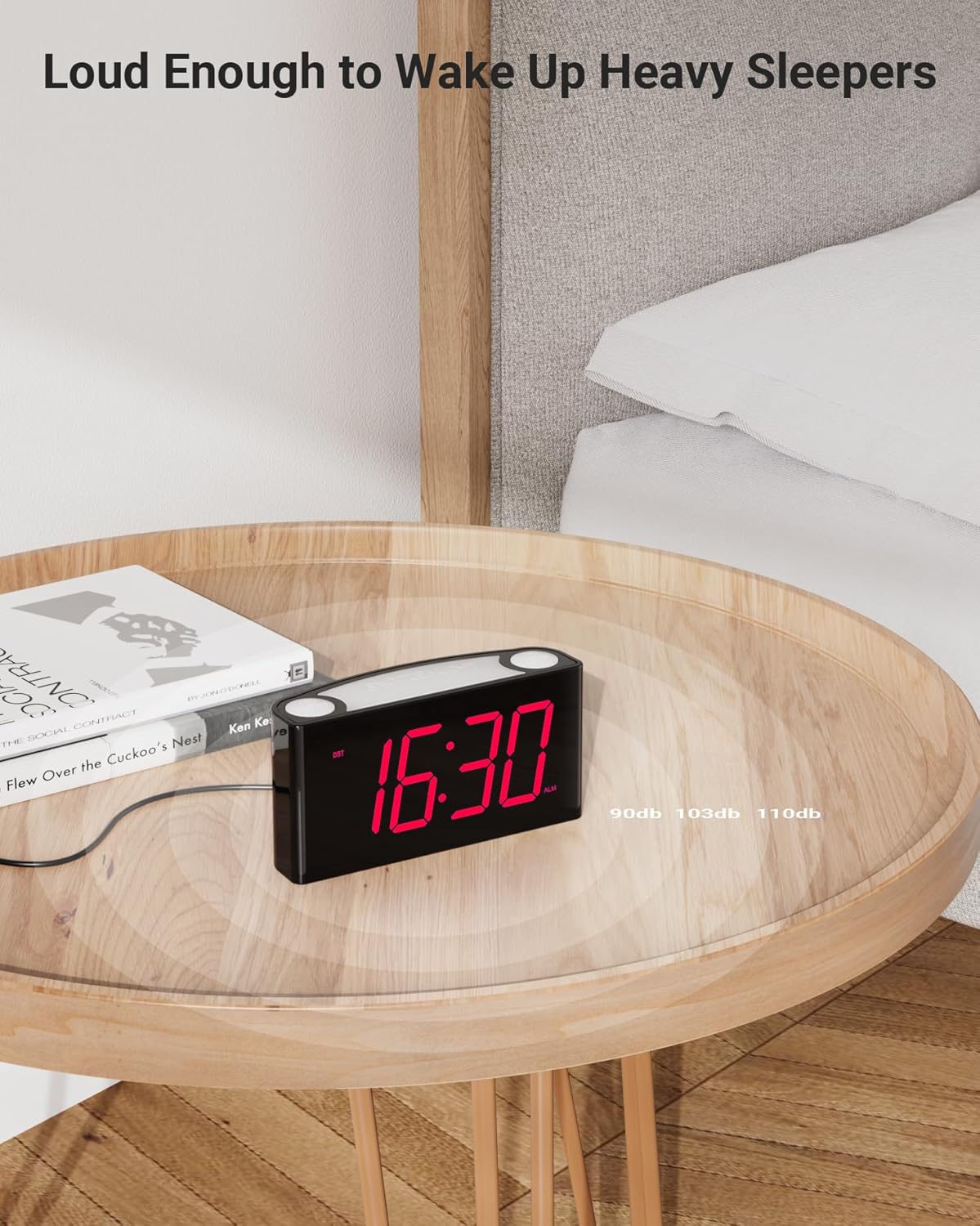
Image: The alarm clock on a wooden table, with a smartphone and earbuds connected to its USB charging ports.
Техникалык тейлөө
- Тазалоо: Саатты жумшак, кургак чүпүрөк менен сүртүңүз. Абразивдүү тазалагычтарды же эриткичтерди колдонбоңуз.
- Батареяны алмаштыруу: Replace the AAA backup batteries annually or when the clock's settings are no longer retained during power interruptions.
- Сактагыч: Эгер саатты көпкө сактап койсоңуз, агып кетүүнүн алдын алуу үчүн камдык батареяларды алып салыңыз.
Проблемаларды чечүү
| Көйгөй | Мүмкүн себеп | Чечим |
|---|---|---|
| Дисплей өчүк же күңүрт. | Not powered, dimmer set to 0%, or power outage. | Ensure power adapter is connected. Adjust dimmer slider. If power outage, battery backup retains settings but display is off. |
| Сигнал угулбай жатат. | Alarm is OFF, volume is too low, or alarm time is incorrect. | Текшерүү КҮЙГҮЗҮҮ / КҮЧҮРҮҮ slider. Adjust ОЙГОЛГОНДУН ҮБҮ. Verify alarm time is set correctly. |
| Time/Alarm settings reset after power outage. | Камдык батареялар өлүп калган же орнотулган эмес. | Эки жаңы AAA батарейкасын орнотуңуз же эскилерин алмаштырыңыз. |
| USB кубаттоо иштебей жатат. | Device not compatible, cable faulty, or clock not powered. | Ensure device is compatible with 5V USB charging. Try a different USB cable. Confirm clock is powered via AC adapter. |
| Accidentally turned off alarm instead of snooze. | Басылган ОЙГОЛГОН ТЫНЫГЫ ордуна СОЮЗ. | The ОЙГОЛГОН ТЫНЫГЫ button is designed to turn off the alarm for the day. To snooze, press the large СОЮЗ button on top. |
Техникалык шарттар
| Бренд | ROCAM |
| Модель номери | ROCAM CR1008 RED |
| Дисплей түрү | Digital LED |
| Дисплей өлчөмү | 7.5 дюйм |
| Продукциянын өлчөмдөрү | 6.5"W x 3.1"H |
| Элемент Салмагы | 10.8 унция |
| Power Source | Электр зымдары |
| Камдык батарея | 2 x AAA (киргизилген эмес) |
| USB заряддоо порттору | Dual (USB-A, USB-C) |
| Материал | Акрилонитрил бутадиен стирол (ABS) |
| Өзгөчөлүктөр | Snooze, Alarm, Adjustable Brightness, Adjustable Volume, Charging Port, 7 Colored Night Light |
Кепилдик жана колдоо
ROCAM stands behind the quality of its products. The ROCAM Digital Alarm Clock comes with the following warranty:
- 30 күн: Money-back guarantee.
- 90 күн: Free replacement for defective units.
- 12 ай: Limited warranty covering manufacturing defects.
For any operational problems, questions, or warranty claims, please contact ROCAM customer service. We are committed to providing the highest quality products and excellent customer support.
You can also visit the official ROCAM Store for more information and products: Amazon'догу ROCAM дүкөнү