
Introduction
Thank you for choosing the AGPTEK M16SB 16GB Bluetooth MP3 Player. This manual provides detailed instructions for setting up, operating, and maintaining your device. Please read it carefully to ensure proper use and to maximize your listening experience.
Продукт бүттүview
Аппараттын компоненттери жана башкаруу элементтери менен таанышыңыз.

Сүрөт: Алдыңкы жана каптал view of the AGPTEK M16SB MP3 player with numbered labels indicating each button and port function.
Баскычтын аныктамалары:
- Кайтуу: Navigates back to the previous menu.
- Bluetooth/FM Radio: Short press for Bluetooth, long press for FM Radio.
- Submenu/Screen-lock: Accesses submenus or locks/unlocks the screen.
- Өйдө жылдыруу: Менюларда өйдө багыт алат.
- Previous/Fast rewind: Skips to the previous track or fast rewinds during playback.
- Төмөн жылдыруу: Менюларда ылдый жылдырат.
- Next/Fast forward: Skips to the next track or fast forwards during playback.
- Киргизүү/ойнотуу/тындыруу: Тандоону ырастайт же медианы ойнотот/тындырат.
- Көлөм +: Үнүн көбөйтөт.
- Көлөм -: Үн көлөмүн азайтат.
- Power on/off; Screen on/off: Powers the device on/off or turns the screen on/off.
Порттор жана функциялар:
- Card slot (TF): For Micro SD card expansion up to 128GB.
- Наушник уячасы: 3.5mm audio output for wired headphones.
- Микро USB порт: Заряддоо жана маалыматтарды өткөрүү үчүн.
- Камтылган динамик: Кулакчынсыз аудио ойнотуу үчүн.
- Микрофон (МИК): For voice recording.
Жайгашуу
1. Аппаратты заряддоо
Before first use, fully charge the MP3 player. A full charge takes approximately 2 hours using a 5V/500mA charger or a computer USB port.

Сүрөт: A person relaxing while listening to the MP3 player, with text indicating "2 HOURS for full charge" and "28-30 hours playtime".
- Connect the Micro USB cable to the player's Micro USB port and the other end to a USB power source.
- Экрандагы батареянын индикатору заряддоо абалын көрсөтөт.
- Once fully charged, the device offers up to 28 hours of music playback (screen off, medium volume) or 5 hours via Bluetooth headphones.
2. Күйгүзүү/өчүрүү
- Күйгүзүү үчүн, басып, кармап туруңуз Кубат баскычы (11) экран күйгүчө.
- Өчүрүү үчүн, басып туруңуз Кубат баскычы (11) аппарат өчүп калганга чейин.
- Кыска басуу Кубат баскычы (11) will turn the screen on or off.
3. Micro SD картаны салуу
The device has 16GB of internal memory and supports external Micro SD cards up to 128GB (not included).

Сүрөт: А деталдуу view of the MP3 player's side, highlighting the TF card slot with a Micro SD card partially inserted, indicating 16GB internal memory and support for up to 128GB external storage.
- табыңыз Card slot (TF) (12) on the side of the player.
- Микро SD картаны уячага акырын салыңыз, ал чыкылдагыча.
- Чыгаруу үчүн картаны сыртка чыкканга чейин бир аз түртүңүз.
Иштөө нускамалары
1. Негизги навигация
- колдонуу Move up (4) жана Move down (6) buttons to navigate through menus.
- басыңыз Enter/Play/Pause button (8) опцияны тандоо үчүн.
- басыңыз Return button (1) мурунку экранга кайтуу үчүн.
- Үнүн колдонуп, үнүн жөндөңүз Volume + (9) жана Volume - (10) капталындагы баскычтар.
2. Музыканы ойнотуу
The player supports MP3, WMA, OGG, APE, FLAC, WAV, AAC-LC, and ACELP audio formats.

Сүрөт: A person holding the AGPTEK MP3 player, displaying the music playback interface with track information and a Bluetooth connection indicator.
- Негизги менюдан "Музыка" бөлүмүн тандаңыз.
- Browse by Artist, Album, Songs, Playlists, or Folder.
- Басыңыз Enter/Play/Pause (8) ойнотууну баштоо же тындыруу үчүн.
- Колдонуу Previous/Fast rewind (5) жана Next/Fast forward (7) to change tracks or fast forward/rewind.
- Access submenus (e.g., Equalizer, Repeat Mode) by pressing the Submenu button (3) ойнотуу учурунда.
3. Bluetooth Жупташтыруу
Connect your MP3 player to Bluetooth headphones or speakers for wireless audio.

Сүрөт: An illustration demonstrating three audio output options for the MP3 player: wired headphones for private listening, the built-in speaker for sharing, and a Bluetooth speaker for party settings.
- Негизги менюдан "Bluetooth" тандаңыз.
- Же болбосо, баскычын кыска басыңыз Bluetooth/FM Radio button (2) to quickly enable Bluetooth.
- Bluetooth түзмөгүңүз (кулакчындар/динамик) жупташтыруу режиминде экенин текшериңиз.
- Ойноткуч жеткиликтүү түзмөктөрдү сканерлейт. Жупташтыруу үчүн тизмеден түзмөгүңүздү тандаңыз.
- The player supports automatic reconnection to previously paired devices.
4. FM радиосу
Listen to FM radio stations. Wired headphones must be connected as they act as the antenna.
- Connect wired headphones to the Earphone jack (13).
- Негизги менюдан "FM радиосун" тандаңыз.
- Же болбосо, көпкө басып туруңуз Bluetooth/FM Radio button (2) to quickly enter FM Radio mode.
- Use the navigation buttons to scan for stations or select from presets.
- The radio function allows saving up to 30 preset stations and supports FM recording.
5. Башка функциялар
- Үн жазгыч: Select "Record" from the main menu to use the built-in microphone for voice recording.
- Электрондук китеп: Read TXT format e-books by selecting "E-book".
- Видео: Play AMV format videos by selecting "Video".
- Сүрөт Viewэ: Browse JPG, GIF, and BMP images by selecting "Pictures".
- Орнотуулар: Access various device settings, including equalizer, volume limit, display brightness, and timed shutdown.
Техникалык тейлөө
1. Микропрограмманы жаңыртуу
Free firmware updates are available to improve device performance and add new features.
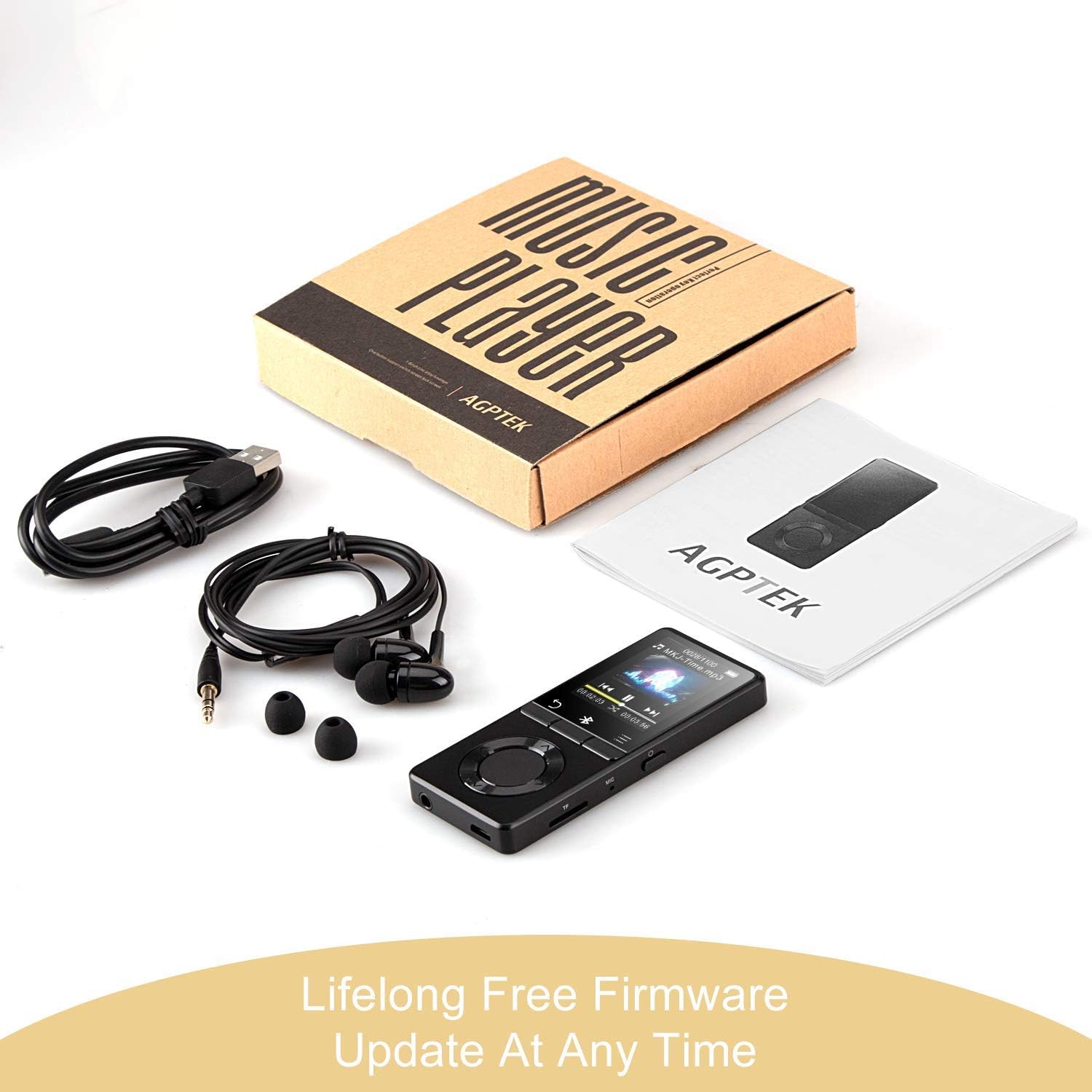
Сүрөт: The AGPTEK MP3 player, its packaging, and included accessories (earphones, USB cable), emphasizing the availability of lifelong free firmware updates.
- Visit the official AGPTEK webакыркы программалык камсыздоо жана нускамалар үчүн сайт.
- Follow the provided instructions carefully to update your device.
2. Тазалоо
- Түзмөктүн сыртын тазалоо үчүн жумшак, кургак чүпүрөктү колдонуңуз.
- Суюк тазалагычтарды же абразивдүү материалдарды колдонуудан алыс болуңуз.
Проблемаларды чечүү
- Түзмөк күйбөй жатат: Батареянын заряддалганын текшериңиз. Заряддоочу түзүлүшкө туташтырып, кайра аракет кылыңыз.
- Үн жок: Check volume levels. Ensure headphones are properly connected or Bluetooth device is paired and connected. If using the built-in speaker, ensure it is enabled in settings.
- Bluetooth байланышы көйгөйлөрү: Ensure the Bluetooth device is in pairing mode and within range. Disconnect the MP3 player from other Bluetooth devices if it was previously paired elsewhere.
- Fileойнобой жатат: Verify that the audio/video file format is supported (MP3, WMA, OGG, APE, FLAC, WAV, AAC-LC, ACELP for audio; AMV for video).
- Түзмөк жооп бербей жатат: Press and hold the Power button for 10-15 seconds to force a reset.
- Micro SD card not detected: Ensure the card is inserted correctly. Try reinserting or using a different card to rule out card issues.
- Issues during PC sync: Avoid altering files directly in the player's window while synced. Make changes on the PC, then re-upload. If the player crashes, perform a long press on the power button to reset.
Техникалык шарттар
| Бренд | AGPTEK |
| Модель аты | AGPTEK 16GB Bluetooth 4.0 MP3 Player with Touch Buttons |
| Модель номери | M16SB-EU |
| Байланыш технологиясы | Bluetooth |
| Эстутум сактоо сыйымдуулугу | 16 GB (expandable up to 128 GB with Micro SD card) |
| Түс | Кара |
| Screen Size | 1.8 дюйм |
| Шайкеш түзмөктөр | Кулакчындар, Жеке компьютер |
| Медиа түрү | MP3 |
| Колдоого алынган аудио стандарттары | AAC, ACELP, APE, FLAC, MP3, OGG, WAV, WMA |
| Колдоого алынган видео стандарттары | AMV |
| Supported Image Standards | JPG, GIF, BMP |
| Батареянын иштөө мөөнөтү (музыканы ойнотуу) | Up to 28 hours (screen off, medium volume) |
| Battery Life (Bluetooth Playback) | 5 саатка чейин |
| Заряддоо убактысы | Болжол менен 2 саат |
Кепилдик жана колдоо
AGPTEK is committed to providing reliable and high-quality products. While specific warranty details are not provided in this manual, AGPTEK offers free firmware updates and customer support.
- For any product issues or inquiries, please contact AGPTEK customer service.
- Refer to the official AGPTEK website for support contact information and the latest firmware updates.