
1. Киришүү
The Uten Smart Scale is an advanced digital bathroom scale designed to provide comprehensive insights into your body composition. Utilizing Bluetooth technology, it seamlessly connects with a dedicated smartphone application, allowing you to track 14 essential health measurements beyond just body weight. This manual provides detailed instructions for setting up, operating, and maintaining your Uten Smart Scale to ensure accurate and consistent health monitoring.

Figure 1: Uten Smart Scale and companion smartphone application.
2. Кутуда эмне бар
Пакетти ачкандан кийин, төмөнкү нерселердин бардыгы камтылганын текшериңиз:
- Uten Smart Scale
- Колдонуучунун Колдонмосу (бул документ)
Эскертүү: Батареялар камтылган эмес жана өзүнчө сатып алынышы керек.
3. Негизги өзгөчөлүктөрү
The Uten Smart Scale offers a range of features designed to enhance your health tracking experience:
- 14 маанилүү өлчөөлөр: Provides comprehensive data including body weight, BMI, body fat, skeletal muscle, bone mass, body water, protein, muscle mass, calorie, visceral fat, subcutaneous fat, body age, basic metabolism, and activity metabolism.
- Акылдуу колдонмо туташуусу: Compatible with both iOS and Android devices, allowing for seamless data synchronization and tracking.
- Жогорку тактыктагы сенсорлор: Equipped with four high-precision sensors for accurate and consistent readings up to 400 lbs (180 kg) with 0.2 lb (0.1 kg) graduation increments.
- Туруктуу дизайн: Features a tempered glass LCD screen that is resistant to cracks and ensures safety.
- Көп колдонуучу колдоо: The companion app can connect to up to 8 accounts, enabling multiple family members to track their individual progress.

Figure 2: The scale accurately detects various physical indicators.
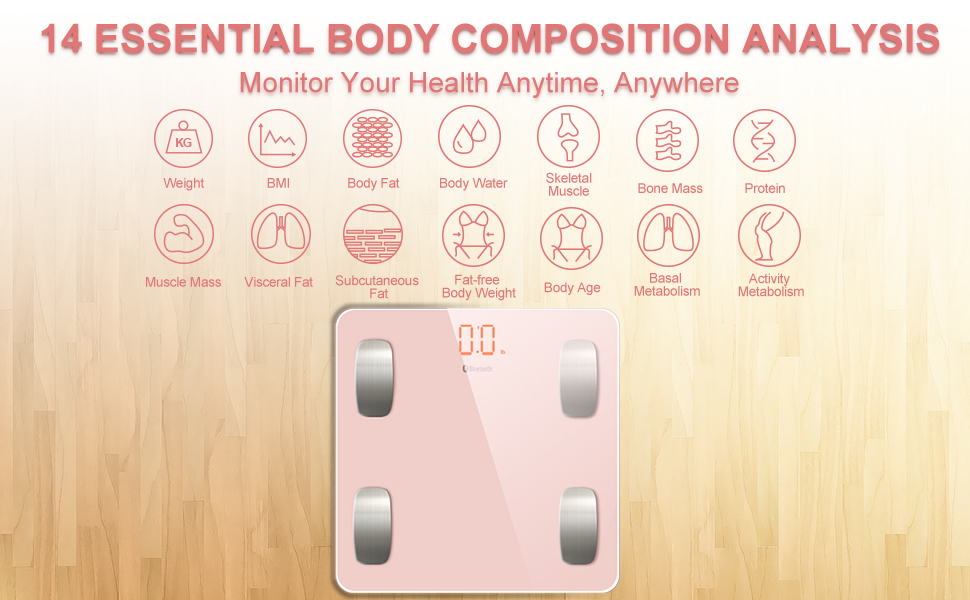
Figure 3: Comprehensive body composition analysis provided by the scale.
4. Орнотуу
4.1 Батареяны орнотуу
- Таразанын астыңкы жагындагы батарейка отсегин табыңыз.
- Батарея уясынын капкагын ачыңыз.
- Туура полярдуулукту (+/-) камсыз кылуу менен 2 AAA батарейкасын салыңыз.
- Батарея уясынын капкагын бекем жабыңыз.
4.2 Колдонмону орнотуу
- Издөө the Uten Smart Scale app on your device's app store (iOS App Store or Android Google Play Store).
- Тиркемени жүктөп алып, орнотуңуз.
- Колдонмону ачып, колдонуучу профессионалыңызды түзүү үчүн экрандагы нускамаларды аткарыңызfile. You will need to input personal details such as height, gender, and age for accurate body composition analysis.
4.3 Initial Pairing and Unit Selection
- Смартфонуңузда Bluetooth иштетилгенин текшериңиз.
- Open the Uten Smart Scale app.
- Step onto the scale barefoot. The scale will automatically turn on and display your weight.
- The app should detect the scale and prompt you to connect. Confirm the connection.
- To change the unit of measurement (e.g., from kg to lbs), locate the unit switch button on the underside of the scale and press it to toggle between units. Ensure the scale is displaying the desired unit before taking measurements.

Figure 4: Connecting the scale to the app via Bluetooth.
5. Иштөө нускамалары
5.1 Ченөө
- Place the scale on a hard, flat surface. Avoid carpets or uneven floors for accurate readings.
- Step onto the scale barefoot, ensuring your feet are centered on the metal electrodes.
- Stand still until your weight is displayed on the scale's LCD screen.
- If the app is open and connected, all 14 body composition measurements will be automatically synchronized to your profile.
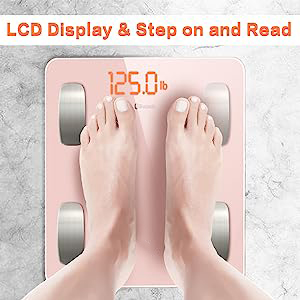
Figure 5: Step on the scale barefoot for accurate readings.
5.2 Understanding Your Data
The app provides detailed graphs and historical data for each of the 14 measurements. You can view your progress over time, set goals, and gain a deeper understanding of your body's health. Refer to the app's help section for detailed explanations of each metric.
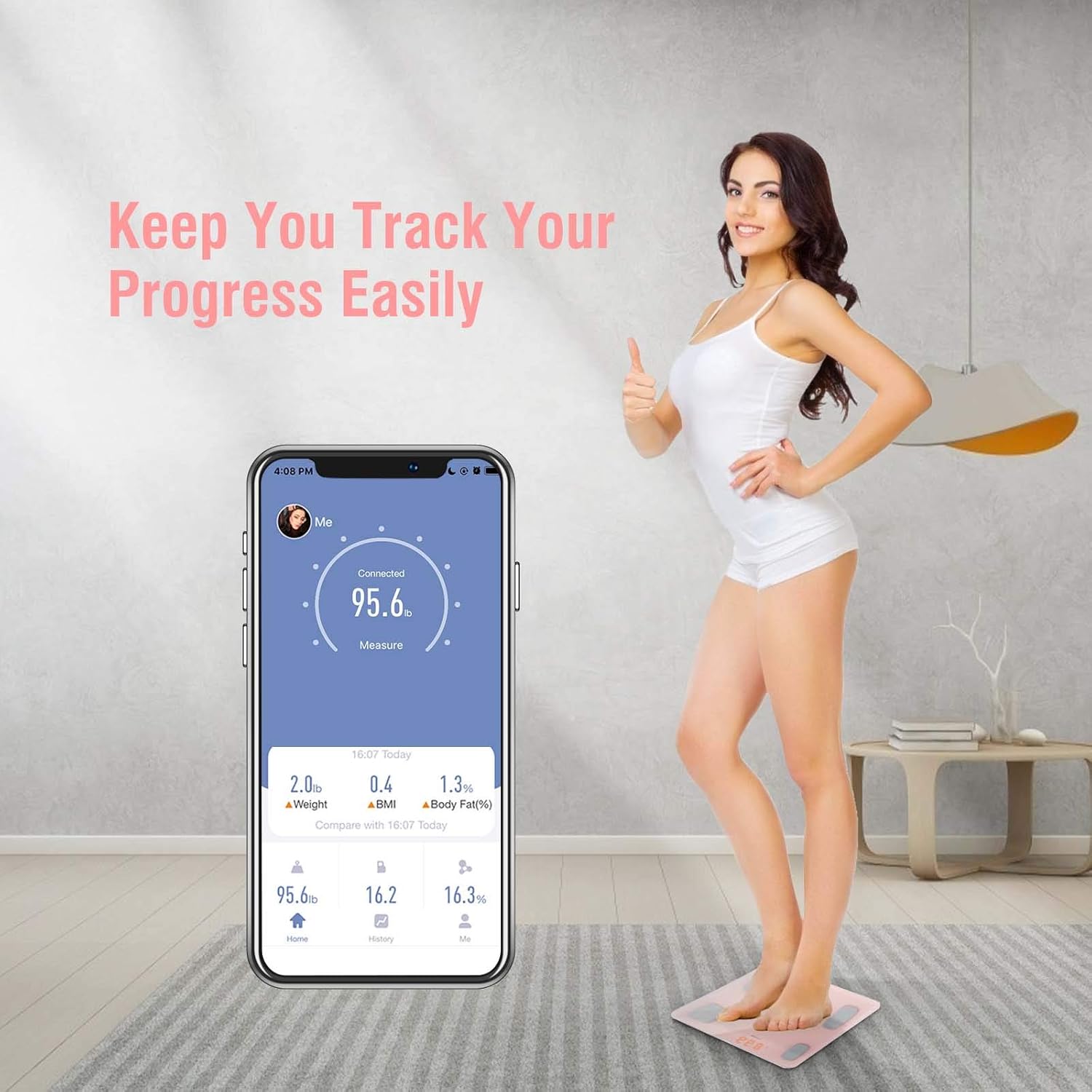
Figure 6: Track your progress easily through the app.
5.3 Көп колдонуучулуу функция
The Uten Smart Scale app supports up to 8 user profiles. Each user can create their own profile within the app, and the scale will automatically recognize the user based on their weight and previous measurements. This allows for personalized tracking for the entire family.
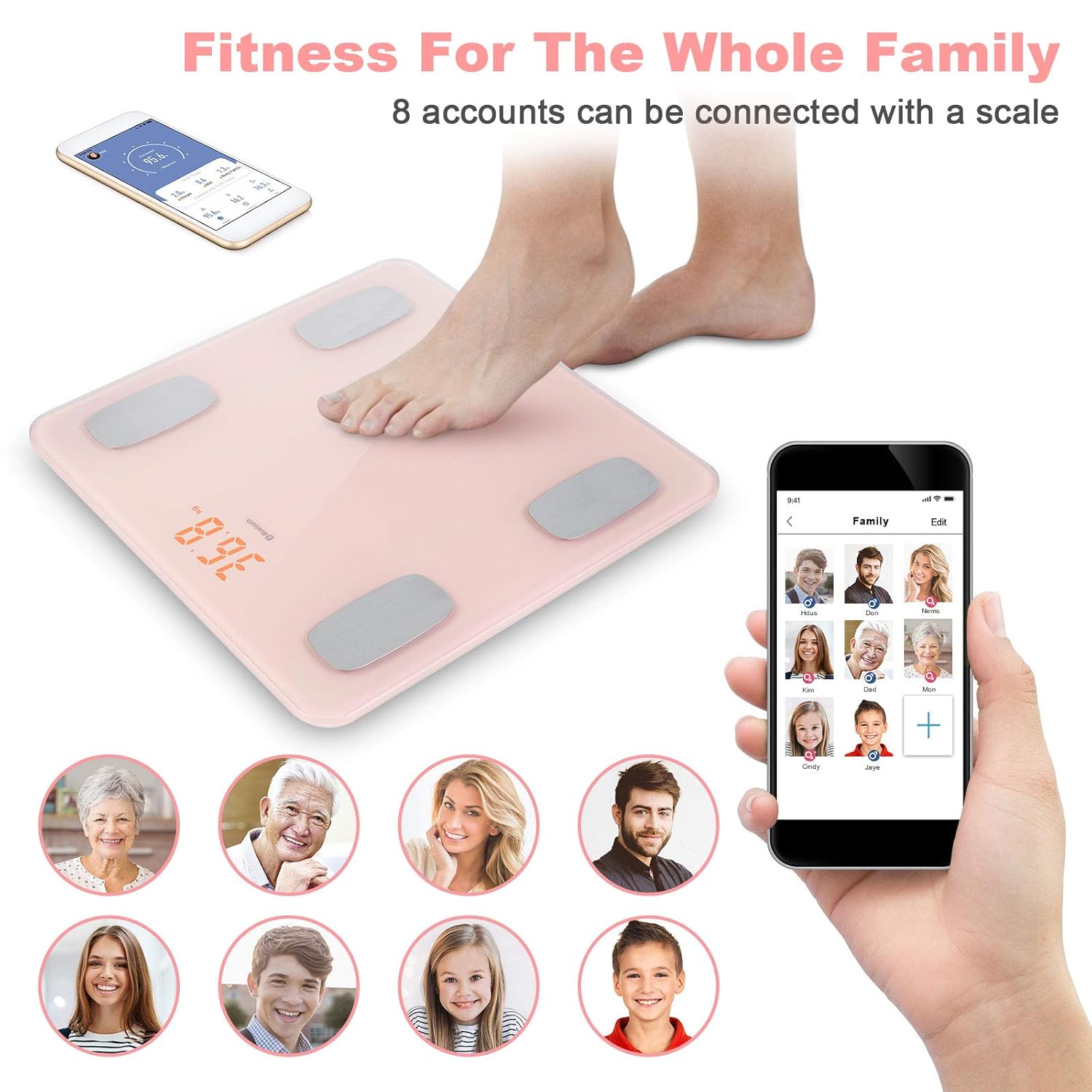
Figure 7: The scale supports multiple user profiles for family tracking.
6. Техникалык тейлөө
To ensure the longevity and accuracy of your Uten Smart Scale, follow these maintenance guidelines:
- Тазалоо: Таразанын бетин жумшак менен сүртүңүз, гamp кездеме. Абразивдүү тазалагычтарды колдонбоңуз же таразаны сууга салбаңыз.
- Сактагыч: Таразаны салкын, кургак жерде сактаңыз. Ашыкча температурадан же түз күндүн нурунан сактаныңыз.
- Батареяны алмаштыруу: Дисплейде же колдонмодо батареянын заряды аз деген индикатор пайда болгондо, батареяларды алмаштырыңыз.
- Таасирден качуу: Таразаны түшүрүп албаңыз же катуу сокку урбаңыз, анткени бул сенсорлорго зыян келтириши мүмкүн.
7. Кыйынчылыктарды
If you encounter issues with your Uten Smart Scale, please refer to the following common problems and solutions:
| Көйгөй | Мүмкүн себеп | Чечим |
|---|---|---|
| Масштаб күйбөйт | Өлгөн батареялар же туура эмес орнотуу. | Батареянын полярдуулугун текшериңиз же жаңы AAA батарейкалары менен алмаштырыңыз. |
| Туура эмес салмак көрсөткүчтөрү | Scale on uneven surface; scale not calibrated; user not standing still. | Place scale on a hard, flat surface. Step on and off quickly to calibrate to 0.0, then weigh yourself. Stand still during measurement. |
| App not connecting to scale | Bluetooth is off; app not open; scale not active; interference. | Ensure Bluetooth is on. Open the app. Step on the scale to activate it. Move closer to the scale. Restart phone/app. |
| Body composition data not showing in app | Not standing barefoot; app not connected; user profile толук эмес. | Ensure you are standing barefoot on the electrodes. Verify app connection. Complete all required fields in your user profile (height, gender, age). |
| Error code (e.g., high BMI message) | Certain body composition measurements may not be calculable if BMI is outside typical ranges for the scale's algorithm. | While the scale supports up to 400 lbs, some advanced metrics might have limitations. Ensure your profile data is accurate. Continue tracking weight and other available metrics. |
| Weight displayed in kilograms (kg) instead of pounds (lbs) | Туура эмес бирдик жөндөөсү. | Press the unit switch button on the underside of the scale to change the unit of measurement. |
8. Техникалык шарттар
| Бренд | Uten |
| Модель номери | 8541791628 |
| Продукциянын өлчөмдөрү | 12.2 x 11.5 x 1.8 дюйм |
| Элемент Салмагы | 2.69 фунт |
| Салмагы Limit | 400 фунт (180 кг) |
| Дисплей түрү | LCD |
| Байланыш | Bluetooth |
| Батареялар талап кылынат | 2 AAA батарейка |
| Келип чыккан өлкө | Кытай |
9. Кепилдик жана колдоо
Uten is committed to providing attentive service to its customers. If you have any questions, concerns, or require technical assistance with your Uten Smart Scale, please do not hesitate to contact our customer support team. While specific warranty details are not provided in this manual, please refer to your purchase documentation or contact the manufacturer directly for warranty information.
For support, please visit the official Uten website or contact their customer service as indicated on the product packaging or purchase platform. A prompt reply is typically provided within 24 hours.