
TSL LTCMIP7342W-28M
LTS LTCMIP7342W-28M Platinum Network Vandal Dome IP Camera User Manual
Model: LTCMIP7342W-28M
Introduction
This manual provides comprehensive instructions for the installation, operation, and maintenance of your LTS LTCMIP7342W-28M Platinum Network Vandal Dome IP Camera. Please read this manual thoroughly before using the product to ensure proper setup and functionality. Keep this manual for future reference.
The LTS LTCMIP7342W-28M is a 4MP high-definition network vandal dome IP camera designed for robust surveillance applications. It features a 2.8mm fixed lens, True WDR (120dB), Matrix IR 2.0 with up to 100 feet range, and supports H.265/H.265+/H.264/H.264+ video compression. It is rated IP67 for weather resistance and IK10 for vandal resistance, making it suitable for outdoor use. The camera also includes a MicroSD slot supporting up to 128GB for local storage and can be powered by DC 12V or Power over Ethernet (PoE).
Пакеттин мазмуну
Орнотууну улантуудан мурун пакетте бардык элементтер бар экенин текшериңиз.
- LTS LTCMIP7342W-28M Platinum Network Vandal Dome IP Camera
- Бургулоо шаблону
- Монтаждоо бурамалар жана дубал сайгычтар
- Hex Wrench
- Суу өткөрбөй турган туташтыргыч комплекти
- Ыкчам баштоо колдонмосу (деталдуу нускамалар үчүн бул колдонмону караңыз)
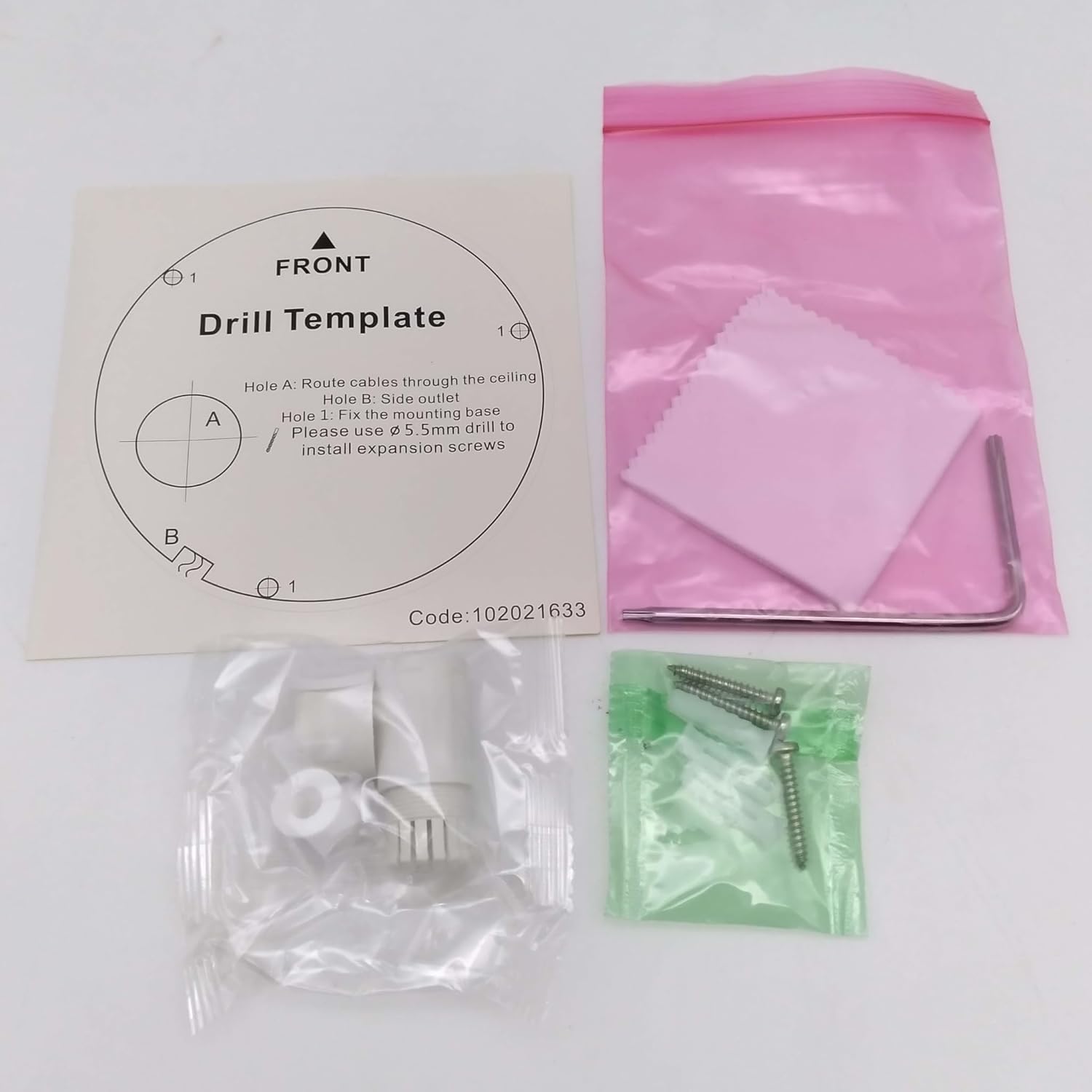
Сүрөт: Contents of the camera package. This includes a drill template, mounting hardware (screws and wall plugs), a hex wrench for adjustments, and a waterproof connector kit for network cables. These components are essential for proper installation.
Жайгашуу
1. Коопсуздук чаралары
- Орнотуудан же тейлөөдөн мурун электр энергиясы өчүрүлгөнүн текшериңиз.
- Use only specified power adapters (DC 12V) or PoE (Power over Ethernet) compliant equipment.
- Камераны өтө жогорку температурага, нымдуулукка же коррозиялуу чөйрөлөргө дуушар кылбаңыз.
- Do not attempt to disassemble the camera. Refer all servicing to qualified personnel.
2. Камера бүткөнview
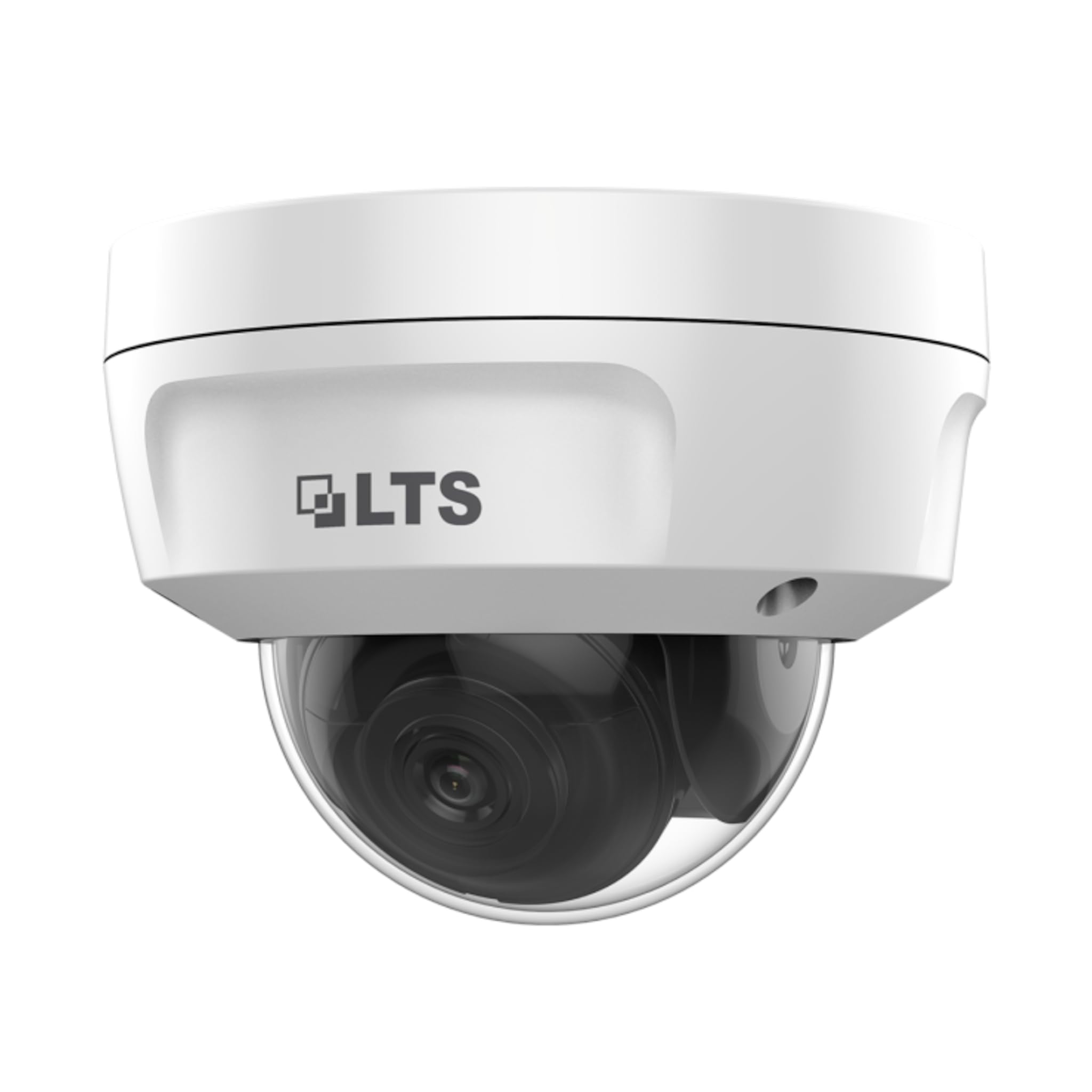
Сүрөт: Фронт view of the LTS LTCMIP7342W-28M dome camera. This image shows the main body of the camera with its dome cover, indicating its compact and discreet design.

Сүрөт: Side view of the LTS LTCMIP7342W-28M dome camera, showing the attached cables for power and network connectivity. This view highlights the integrated cable management for installation.
3. Wiring and Connectivity
The LTCMIP7342W-28M camera primarily uses a network cable for both data and power (PoE). It is not compatible with traditional DC power and BNC video connections.

Сүрөт: This diagram illustrates the correct and incorrect wiring methods. On the left, a network cable (RJ45) is circled in green, indicating compatibility for both video and Power over Ethernet (PoE). On the right, DC power and BNC video connectors are circled in red, indicating they are not compatible with this camera model.
- Тармак туташуусу: Connect a standard Ethernet cable (Cat5e or Cat6) from the camera's RJ45 port to a PoE-enabled switch or NVR. If not using PoE, connect to a standard network switch and provide 12V DC power separately.
- Күч: The camera supports Power over Ethernet (PoE) or a 12V DC power supply. Ensure the power source meets the camera's requirements.
- Суу өткөрбөйт туташтыргыч: Use the provided waterproof connector kit for outdoor installations to protect the RJ45 connection from moisture.
4. Камераны орнотуу
- Монтаждоо бетин даярдаңыз: Choose a suitable location, typically a ceiling or wall, ensuring it can support the camera's weight.
- Бургулоочу шаблонду колдонуңуз: Place the provided drill template on the desired mounting surface. Mark the positions for the mounting screws and cable routing hole.
- Бургулоо тешиктери: Drill pilot holes for the mounting screws (typically 5.5mm diameter for expansion screws) and a larger hole for cable routing, if necessary.
- Маршруттук кабелдер: Pass the network cable through the cable routing hole.
- Камера базасын бекитүү: Align the camera base with the drilled holes and secure it using the provided mounting screws and wall plugs.
- Камеранын бурчун тууралоо: Loosen the adjustment screws (if applicable) to position the camera lens for the desired viewбурчту бекитиңиз. Жөндөлгөндөн кийин бурамаларды бекемдеңиз.
Иштеп жатат
1. Initial Power-Up and Network Configuration
- After connecting the camera to power and the network, it will boot up. This may take a few minutes.
- Use the manufacturer's IP search tool (e.g., SADP Tool) to discover the camera's IP address on your network.
- Камерага кирүү web анын IP дарегин киргизүү менен интерфейс web браузер.
- Follow the on-screen prompts to set a strong password for the camera (if it's a new installation or reset).
- Configure network settings (IP address, subnet mask, gateway, DNS) as required by your network infrastructure.
2. Видео орнотуулары
- Чечим: The camera supports up to 4MP (2560x1440) resolution at 30 frames per second. Adjust as needed for bandwidth and storage considerations.
- кысуу: Utilize H.265+ or H.265 for efficient video storage and bandwidth usage. H.264+ and H.264 are also supported.
- WDR (Кең динамикалык диапазон): Enable True WDR (120dB) in challenging lighting conditions to balance bright and dark areas in the image.
- Түнкү көрүнүш: The camera features Matrix IR 2.0 with a range up to 100 feet. IR LEDs automatically activate in low light.
3. Жаздыруу жана сактоо
- NVR жаздыруусу: Connect the camera to a compatible Network Video Recorder (NVR) for continuous or event-based recording.
- MicroSD картасы: Insert a MicroSD card (up to 128GB) into the camera's slot for local storage. Configure recording schedules and event triggers via the web интерфейс.
- Кыймылды аныктоо: Set up motion detection zones and sensitivity to trigger recordings or alerts.
4. Remote Access
Алыскы үчүн viewing, configure port forwarding on your router or use a P2P/Cloud service provided by the manufacturer (if available) to access the camera feed via a mobile app or client software.
Техникалык тейлөө
- Линзаны тазалоо: Periodically clean the camera lens and dome cover with a soft, damp кездеме. Бетти тырмап алышы мүмкүн болгон абразивдүү тазалоочу каражаттардан алыс болуңуз.
- Программалык камсыздоонун жаңыртуулары: Өндүрүүчүнү текшериңиз website for firmware updates to ensure optimal performance and security. Follow update instructions carefully.
- Кабелдик текшерүү: Regularly inspect all cables and connections for signs of wear or damage, especially in outdoor installations.
- Экологиялык текшерүүлөр: Камеранын чөйрөсү көрсөтүлгөн иштөө температурасы жана нымдуулук диапазондорунда болушун камсыз кылыңыз.
- Сырсөз башкаруу: Change passwords regularly and use strong, unique passwords for enhanced security.
Проблемаларды чечүү
| Көйгөй | Мүмкүн себеп | Чечим |
|---|---|---|
| Сүрөт/видео түрмөгү жок | No power; Network cable disconnected; Incorrect IP address; Camera malfunction. | Check power supply/PoE connection; Verify network cable is securely connected; Use IP search tool to find camera; Contact technical support if malfunction suspected. |
| Сүрөттүн сапаты начар | Dirty lens/dome; Low light conditions; Incorrect video settings; Network bandwidth issues. | Clean lens/dome; Ensure IR is active in low light; Adjust resolution, WDR, and other image settings; Check network connection speed. |
| Камерага алыстан кирүү мүмкүн эмес | Incorrect port forwarding; Firewall blocking access; Dynamic IP address changed; P2P/Cloud service offline. | Verify router port forwarding rules; Check firewall settings on router/NVR; Use DDNS service for dynamic IPs; Check status of P2P/Cloud service. |
| SD карта жаздырылбай жатат | SD card full or faulty; Incorrect recording schedule; SD card not formatted. | Check SD card status and remaining space; Format SD card via camera interface; Verify recording schedule and event triggers. |
Техникалык шарттар
| Өзгөчөлүк | Деталь |
|---|---|
| Модел | LTCMIP7342W-28M |
| Видео тартуунун резолюциясы | 4 МП (2560x1440) |
| Frame Rate | 30 кадр/сек |
| Объектив | 2.8mm Fixed Linza |
| WDR | Чыныгы WDR 120dB |
| IR диапазону | Up to 100 feet (Matrix IR 2.0) |
| Минималдуу жарыктандыруу | 0.018 Lux @ F1.6 |
| Видеону кысуу | H.265, H.265+, H.264, H.264+ |
| Сактагыч | MicroSD Slot (up to 128GB) |
| Электр камсыздоо | DC 12V, PoE (802.3af) |
| Ingress Protection | IP67 |
| Вандалдык каршылык | IK10 |
| Байланыш технологиясы | Зымдуу (Ethernet) |
| Монтаж түрү | Шыпка орнотуу |
| Иштөө температурасы | (Refer to manufacturer's full datasheet for exact range) |
| Өлчөмдөр | Болжол менен 7 x 7 x 7 дюйм (Пакеттин өлчөмдөрү) |
| Салмагы | Болжол менен 2.5 фунт |
Кепилдик жана колдоо
For warranty information, technical support, and service inquiries, please contact your authorized TSL dealer or visit the official TSL webсайт. Сатып алуу квитанциясын кепилдик дооматтары үчүн сатып алуунун далили катары сактаңыз.
Өндүрүүчү: LTS
Бренд: TSL
Ask a question about this manual
Ask about setup, troubleshooting, compatibility, parts, safety, or missing instructions. Manuals+ will review the question and use this page’s manual context to help answer it.