
1. Киришүү
Thank you for choosing the Nedis SmartLife Wi-Fi Wall Switch (WIFIWC10WT). This device allows you to control your electric curtains, roller blinds, or awnings conveniently via a physical wall switch, the Nedis SmartLife application, or voice commands. This manual provides essential information for safe installation, operation, and maintenance of your device.

Сүрөт 1.1: Алдыңкы view of the Nedis SmartLife Wi-Fi Wall Switch. This switch features three touch-sensitive buttons for control and integrates with the SmartLife ecosystem.
2. Орнотуу жана орнотуу
2.1 Коопсуздук чаралары
- Ensure the main power supply is switched off before installation to prevent electric shock.
- Орнотуу квалификациялуу электрик тарабынан же жергиликтүү электр эрежелерине ылайык жүргүзүлүшү керек.
- 300 Вт максималдуу жүктөө кубаттуулугунан ашпаңыз.
2.2 Электр өткөргүч схемасы
Connect the wires to the terminals on the back of the switch as shown in the diagram below. Ensure all connections are secure.

Сүрөт 2.1: Арткы view of the wall switch, displaying the connection terminals. 'L' is for Live, 'N' for Neutral, and 'L1', 'L2', 'L3' are for motor control (Up, Down, Stop/Common).
- L: Live wire (Phase)
- N: Нейтралдуу зым
- L1: Motor Up (e.g., curtain open, blind up, awning out)
- L2: Motor Down (e.g., curtain close, blind down, awning in)
- L3: Common or Stop (refer to your motor's wiring for specific connection)
2.3 Колдонмону орнотуу жана Wi-Fi туташуусу
- жүктөп алыңыз Nedis SmartLife смартфонуңуздун колдонмолор дүкөнүнөн (iOS же Android) колдонмо.
- Nedis SmartLife аккаунтуңузга катталыңыз же кириңиз.
- Power on the wall switch. The Wi-Fi indicator light should start blinking rapidly. If not, press and hold the middle button for 5-10 seconds until it blinks.
- In the app, tap '+' to add a new device. Select 'Curtain Switch' or similar from the device list.
- Follow the on-screen instructions to connect the switch to your 2.4 GHz Wi-Fi network. Note: This device only supports 2.4 GHz Wi-Fi.
2.4 Калибрлөө
After successful Wi-Fi connection, calibrate the switch to your curtain/blind/awning motor. This sets the open and closed positions.
- In the Nedis SmartLife app, navigate to the device settings for your wall switch.
- Look for a 'Calibration' or 'Travel Limit Setting' option.
- Follow the app's prompts to fully open and then fully close your curtain/blind/awning. The app will record the travel time for each direction.
- Test the open and close functions to ensure calibration is accurate. Adjust if necessary.
3. Аппаратты иштетүү
3.1 Кол менен башкаруу
The wall switch has three touch buttons:
- Өйдө жебе баскычы: Opens the curtain/blind/awning.
- Middle Pause Button: Кыймылды токтотот.
- Төмөн жебе баскычы: Closes the curtain/blind/awning.
3.2 Колдонмону башкаруу
Use the Nedis SmartLife app for advanced control and scheduling.
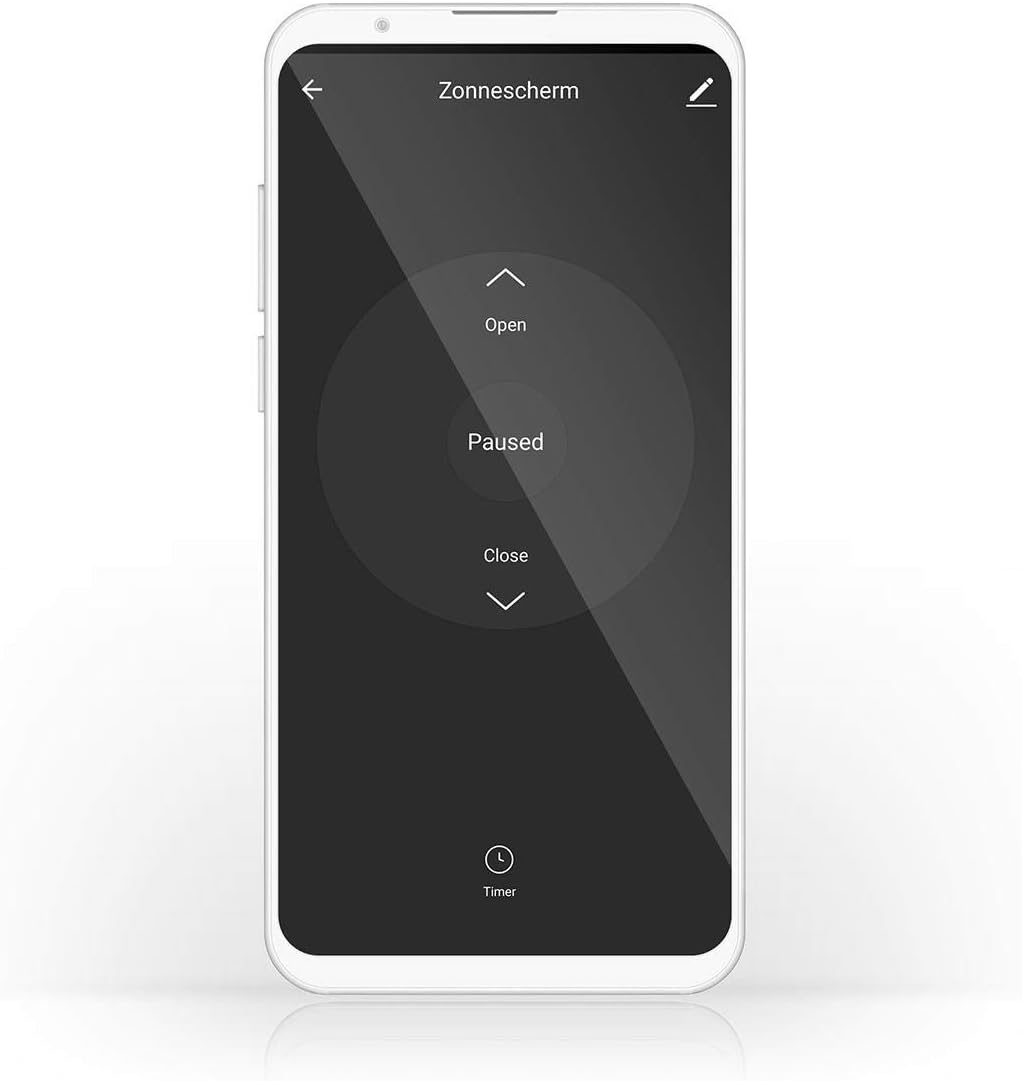
Image 3.1: Nedis SmartLife app interface for controlling a sunshade. The app allows for opening, pausing, closing, and setting timers for your connected device.
- Ачуу/Жабуу/Тындыруу: Control the movement directly from the app interface.
- Таймер/График: Set specific times for your curtains/blinds/awnings to open or close automatically.
- Сахналар: Create custom scenes to automate actions based on conditions like time of day, weather, or other SmartLife devices.
3.3 Үн менен башкаруу
The switch is compatible with Amazon Alexa and Google Assistant. Link your Nedis SmartLife account to your voice assistant app and use commands such as:
- "Алекса, бөлмөнүн жалюзи ач."
- "Hey Google, close the bedroom curtains."
- "Alexa, stop the awning."
4. Техникалык тейлөө
The Nedis SmartLife Wi-Fi Wall Switch requires minimal maintenance.
- Бетти жумшак, кургак чүпүрөк менен тазалаңыз. Абразивдүү тазалагычтарды же эриткичтерди колдонбоңуз.
- Аппараттын ичине суюктуктардын кирбегенин текшериңиз.
- Regularly check for any loose wiring connections, especially after initial installation.
5. Кыйынчылыктарды
If you encounter issues with your Nedis SmartLife Wi-Fi Wall Switch, refer to the following common solutions:
- Түзмөк Wi-Fi'га туташпай жатат:
- Ensure your Wi-Fi network is 2.4 GHz. The switch does not support 5 GHz networks.
- Check if the Wi-Fi indicator light is blinking rapidly. If not, press and hold the middle button for 5-10 seconds to enter pairing mode.
- Verify your Wi-Fi password and network stability.
- Move the switch closer to your Wi-Fi router during setup.
- Calibration issues (stops at wrong point):
- Repeat the calibration process in the Nedis SmartLife app. Ensure the curtain/blind/awning moves fully to its open and closed positions during calibration.
- Check for any physical obstructions preventing full movement.
- Ensure your motor has working end-switches if applicable, as the switch relies on these for accurate positioning.
- Түзмөк жооп бербей жатат:
- Check the power supply to the switch.
- Verify your Wi-Fi connection. If the Wi-Fi is down, app control will not work, but manual control should still function.
- Restart the device by turning off the main power for a few seconds and then turning it back on.
- If the issue persists, consider resetting the device to factory settings (refer to app for specific instructions, usually involves holding a button for an extended period) and re-pairing.
- Unexpected behavior (e.g., uncontrolled movement, high-pitched noise):
- Immediately disconnect power to the device.
- This may indicate a hardware fault. Do not attempt to repair it yourself. Contact customer support.
6. Продукттун спецификациялары
| Бренд | Nedis |
| Модель номери | WIFIWC10WT |
| Продукциянын өлчөмдөрү (L x W x Y) | 8.6 x 3.5 x 8.6 см |
| Салмагы | 180 г |
| Түс | Кара |
| Иштөө режими | КҮЙГҮЗҮҮ ӨЧҮРҮҮ |
| Учурдагы рейтинг | 6 Ampere |
| Ватtage | 300 ватт |
| Которуу түрү | Push Button |
| Монтаж түрү | Дубалга орнотуу |
| Connectivity Protocol | Wi-Fi (2.4 GHz) |
| Controller Type | Amazon Alexa, Google Жардамчысы |
| Шайкеш түзмөктөр | Nedis SmartLife |
| IP рейтинги | IP65 |
| Шайкештик | IP65, IEC 60669-2-1:2002 |
7. Кепилдик маалыматы
This Nedis SmartLife Wi-Fi Wall Switch (WIFIWC10WT) comes with a 1-year limited warranty from the date of purchase. The warranty covers defects in materials and workmanship under normal use. It does not cover damage caused by misuse, unauthorized modifications, accidents, or improper installation.
Кепилдик дооматтары үчүн сатып алганыңыздын далилин сактап коюңуз.
8. Кардарларды колдоо кызматы
For technical support, troubleshooting assistance, or warranty inquiries, please visit the official Nedis webсайтка же кардарларды тейлөө бөлүмүнө кайрылыңыз.
- Nedis Webсайт: www.nedis.com
- караңыз webаймакка тиешелүү байланыш маалыматы үчүн сайт.