
BoxWave bw-1173-16092-8831
BoxWave SlimKeys Bluetooth Keyboard User Manual
Model: bw-1173-16092-8831
Introduction
The BoxWave SlimKeys Bluetooth Keyboard is a portable, ultra-thin keyboard designed for seamless connectivity with your Bluetooth-enabled devices, including the Samsung Galaxy A6 (2018). Its chiclet-style keys provide a comfortable typing experience, making it ideal for productivity on the go. This manual provides detailed instructions for setting up, operating, maintaining, and troubleshooting your SlimKeys Bluetooth Keyboard.
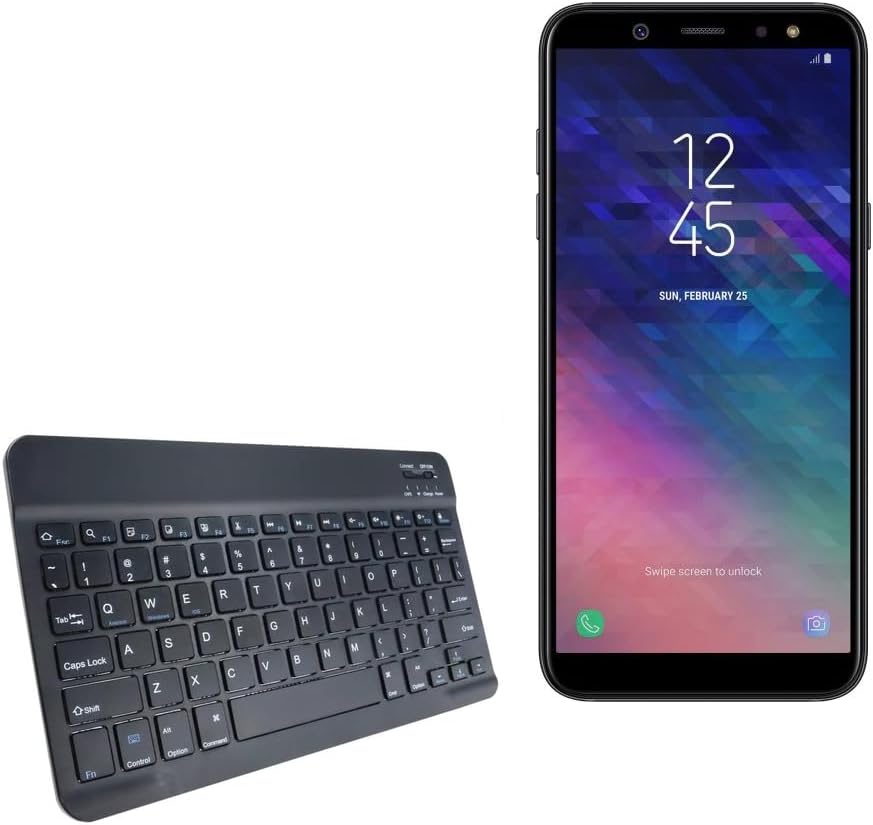
Image: The SlimKeys Bluetooth Keyboard shown alongside a compatible Samsung Galaxy A6 (2018) device, highlighting its compact size.
Жайгашуу
Баскычтопту заряддоо
Before initial use, ensure your SlimKeys Bluetooth Keyboard is fully charged. Use the included charging cable to connect the keyboard to a USB power source (e.g., computer USB port, USB wall adapter). The charging indicator light will illuminate during charging and turn off when fully charged.

Сүрөт: деталдуу view of the keyboard's charging port, demonstrating how to connect the charging cable for its long-lasting battery.
Bluetooth Жупташтыруу
- Күйгүзүү: Locate the ON/OFF switch on the keyboard (usually on the top right) and slide it to the 'ON' position. The power indicator light will briefly illuminate.
- Жупташтыруу режимине кирүү: Press the 'Connect' button (often located near the ON/OFF switch or as a dedicated key). The Bluetooth indicator light will start blinking, indicating the keyboard is in pairing mode.
- Түзмөгүңүздө Bluetooth иштетүү: On your Samsung Galaxy A6 (2018) or other compatible device, go to 'Settings' > 'Connections' > 'Bluetooth' and turn Bluetooth ON.
- Баскычтопту тандоо: Your device will scan for available Bluetooth devices. Select 'BoxWave SlimKeys Keyboard' (or similar name) from the list.
- Жупташтыруу ырастоо: Follow any on-screen prompts to complete the pairing process. You may be asked to enter a code displayed on your device using the keyboard and then press Enter. Once paired, the Bluetooth indicator light on the keyboard will stop blinking.
The keyboard supports Bluetooth 3.0 for quick and reliable pairing across Android, Windows, and iOS platforms.
Иштөө нускамалары
Негизги колдонуу
Once paired, the SlimKeys Bluetooth Keyboard functions like a standard keyboard. Simply open any application that requires text input (e.g., messaging app, word processor) and begin typing. The chiclet-style keys are designed for quiet and comfortable typing.

Image: A user's hands demonstrating comfortable and efficient typing on the SlimKeys keyboard.
Атайын функциялык баскычтар
The SlimKeys Bluetooth Keyboard includes specialized function keys (F1-F12) that provide quick access to common commands. These functions are typically accessed by pressing the Fn каалаган функция баскычы менен бир убакта басыңыз.
| Ачкыч айкалышы | Функция |
|---|---|
| Fn + Esc (F1) | Үй |
| Fn + F2 | издөө |
| Fn + F3 | Баарын тандаңыз |
| Fn + F4 | Көчүрүү |
| Fn + F5 | Кесүү |
| Fn + F6 | Артка өткөрүп жиберүү |
| Fn + F7 | Ойнотуу / Тыныгуу |
| Fn + F8 | Алдыга өтүү |
| Fn + F9 | Үндү төмөндөтүү |
| Fn + F10 | Үндү көтөрүү |
| Fn + F11 | Brightness Down |
| Fn + F12 | Brightness Up |
| Fn + Жок кылуу | Кулпу |

Image: A visual guide to the specialized function keys available on the SlimKeys keyboard for quick access to various commands.
Техникалык тейлөө
Тазалоо
To clean your keyboard, gently wipe the surface with a soft, lint-free cloth. For stubborn dirt or grime, slightly dampкездемени суу же жумшак, абразивдүү эмес тазалоочу эритме менен сүртүңүз. Ашыкча нымдуулуктан алыс болуңуз жана тазалоочу каражаттарды түз эле клавиатурага чачпаңыз.
Сактагыч
When not in use, store the keyboard in a cool, dry place away from direct sunlight and extreme temperatures. Its ultra-thin design allows for easy storage in bags or cases, making it ideal for travel.

Image: The SlimKeys keyboard being stored in a bag, emphasizing its convenience for travel and compact design.
Проблемаларды чечүү
- Keyboard not connecting/pairing:
- Баскычтоп кубатталып, күйгүзүлгөнүн текшериңиз.
- Түзмөгүңүздө Bluetooth иштетилгенин текшериңиз.
- Ensure the keyboard is in pairing mode (Bluetooth indicator blinking).
- Телефонуңуздун Bluetooth жөндөөлөрүнөн түзмөктү унутуп, кайра жупташтырып көрүңүз.
- Restart both the keyboard (turn off/on) and your device.
- Ачкычтар жооп бербейт:
- Check if the keyboard is still connected via Bluetooth.
- Баскычтоптун батарейканын заряды жетиштүү экенине ынаныңыз.
- Баскычтопту түзмөгүңүз менен кайра жупташып көрүңүз.
- Кечигүү же кечигүү менен киргизүү:
- Ensure there are no strong interferences (e.g., other Bluetooth devices, Wi-Fi routers) nearby.
- Түзмөгүңүзгө жакыныраак жылыңыз.
- Баскычтопту кайра заряддаңыз.
Техникалык шарттар
- Модель номери: bw-1173-16092-8831
- Байланыш технологиясы: Bluetooth 3.0
- Баскычтоптун сүрөттөмөсү: Wireless, Chiclet-Style Keys
- Түсү: Jet Black
- Элемент Салмагы: 7.7 унция
- Пакеттин өлчөмдөрү: 11.06 x 6.81 x 0.55 дюйм
- Өзгөчө өзгөчөлүгү: Lightweight, Ultra-Thin Design (3/16 inch thick)
- Батареялар: 1 Продукттун өзгөчө батареясы (кошулган)
- Өндүрүүчү: BoxWave
- Келип чыккан өлкө: Кытай

Image: A diagram illustrating the precise dimensions of the SlimKeys keyboard, emphasizing its compact and lightweight form factor.
Кепилдик жана колдоо
For warranty information or technical support, please contact BoxWave Corporation directly. Refer to the product packaging or the official BoxWave webакыркы байланыш маалыматтары жана кепилдик шарттары үчүн сайт.
BoxWave корпорациясы
Webсайт: www.boxwave.com
Ask a question about this manual
Ask about setup, troubleshooting, compatibility, parts, safety, or missing instructions. Manuals+ will review the question and use this page’s manual context to help answer it.