
1. Киришүү
This manual provides comprehensive instructions for the BAFANG USB Programming Cable, designed for Bafang mid-drive motors. This cable facilitates connection between your personal computer and the Bafang mid-drive motor controller, enabling adjustment of user-level parameters. It is compatible with Bafang BBS01, BBS02, BBSHD, and UART protocol motors (M315, M500, M600, M420, M200). The cable allows for customization of settings such as speed limits, pedal assist levels, and throttle response to optimize your e-bike's performance according to your preferences. This cable does not allow for firmware changes.
2. Продукт бүтүп калдыview
The BAFANG USB Programming Cable is an essential tool for customizing your Bafang mid-drive e-bike system. It features a USB Type-A connector for your computer and a 5-pin female waterproof connector for your motor controller. The cable is available in two lengths: 590mm (23.2 inches) and 1090mm (42.9 inches).

Figure 2.1: BAFANG USB Programming Cable with icons indicating its functions: adjusting speed limitation, pedal assist levels, and other parameters.

Figure 2.2: Universal Compatibility of the BAFANG USB Programming Cable with various Bafang mid-drive motors.

2.3-сүрөт: Детальдуу view of the cable's components: USB port, IP65 waterproof cable, and 5-pin female connector.
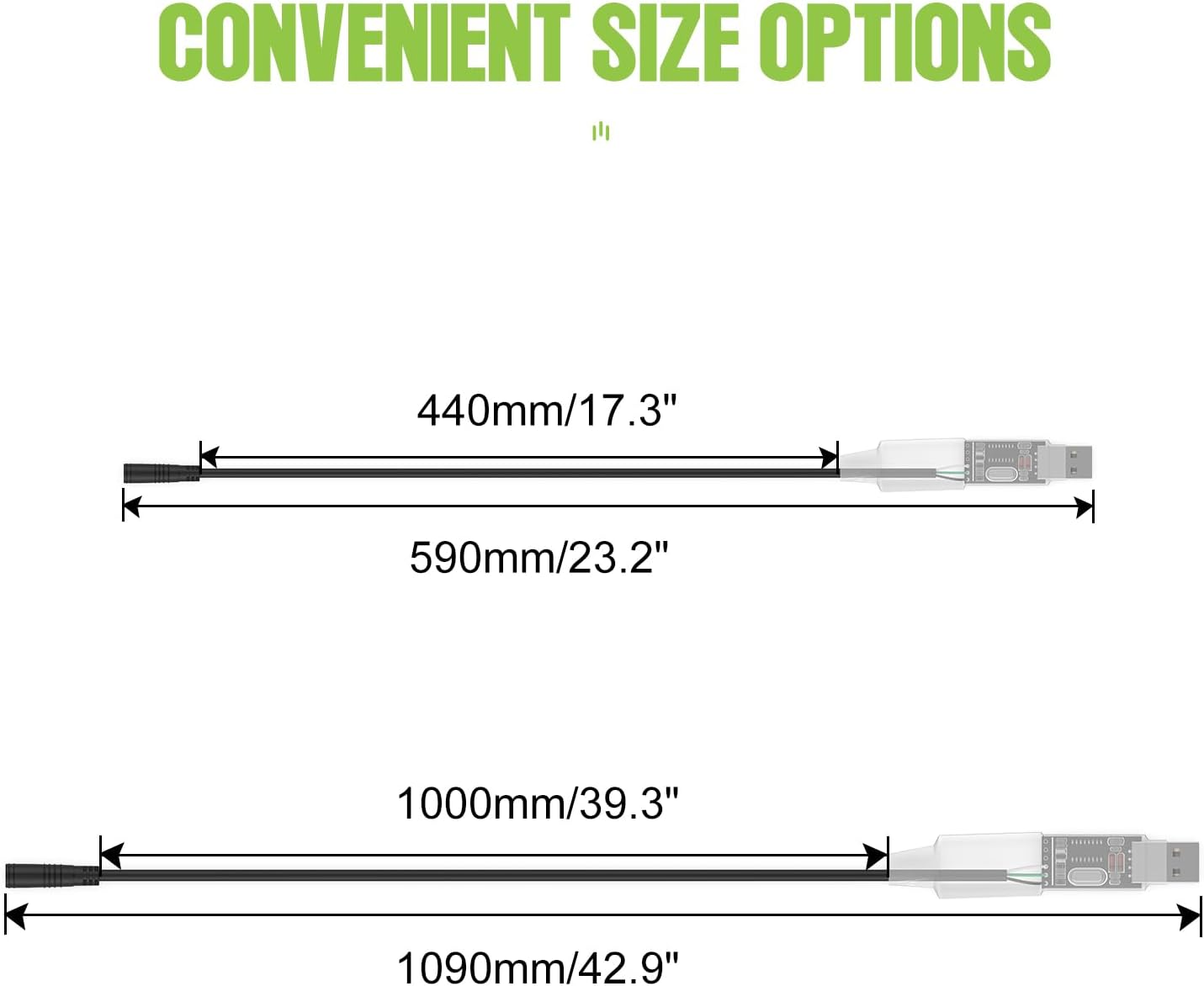
Figure 2.4: Available cable lengths for the BAFANG USB Programming Cable.
3. Орнотуу
To set up your BAFANG USB Programming Cable and begin customizing your motor's parameters, follow these steps:
- Software Acquisition: The programming software is not included physically. You will need to download it. A QR code is often provided with the product or can be found on the manufacturer's webсайт.
- Системалык талаптар: The software is primarily compatible with Windows 7, 8, 8.1, and 10 operating systems. While some Windows 10 systems are compatible, older Windows versions are generally more reliable.
- Орнотуу: Once downloaded, ensure you run the programming software as an administrator to prevent permission issues.
- Кабель туташуу: Connect the USB Type-A end of the programming cable to an available USB port on your computer.
- Мотор туташуусу: Connect the 5-pin female waterproof connector to the corresponding port on your Bafang mid-drive motor controller. This port is typically where the display unit connects.

Figure 3.1: Wiring Diagram for connecting the programming cable to your e-bike system.
4. Иштөө нускамалары
Once the cable is connected and the software is installed, you can proceed with adjusting your motor's parameters. Exercise caution when modifying settings, as incorrect values can affect motor performance or safety.
- Программаны ишке киргизүү: Open the BafangConfigTool software on your computer, ensuring it is run with administrator privileges.
- Контроллерге туташуу: Within the software, locate the option to connect to the motor controller. The software should detect the connected cable and motor.
- Параметрлерди окуу: Before making any changes, it is recommended to read the current parameters from the motor controller and save them as a backup file. This allows you to revert to original settings if needed.
- Параметрлерди тууралоо: Navigate through the software interface to access various adjustable parameters. These typically include:
- Ылдамдыктын чеги: Adjust the maximum speed at which the motor provides assistance.
- Педальга жардам берүүчү деңгээлдер (PAS): Customize the power output for each pedal assist level. This can make the throttle smoother or allow full throttle acceleration in PAS stages.
- дроссель жооп: Modify how the throttle responds, for example, to make it less like an on/off switch and more gradual.
- Учурдагы чеги: Adjust the maximum current draw (e.g., from 25 ampс 18гө чейин amps) to potentially extend battery and motor lifespan without significant performance loss.
- Write Parameters: After making desired adjustments, use the 'Write' or 'Program' function within the software to apply the new settings to the motor controller.
- Өзгөртүүлөрдү текшерүү: Disconnect the cable and test your e-bike to ensure the changes have been applied correctly and the motor operates as expected.

Figure 4.1: Step-by-step guide for software access and initial setup.
Important Safety Note: Modifying motor parameters can impact the safety and legality of your e-bike. Always understand the implications of any changes before applying them. Consult online resources and community forums for detailed guidance on specific parameter adjustments.
5. Техникалык тейлөө
Proper care of your BAFANG USB Programming Cable will ensure its longevity and reliable performance.
- Сактагыч: Store the cable in a dry, cool place away from direct sunlight and extreme temperatures.
- Тазалоо: If the cable becomes dirty, wipe it gently with a soft, dry cloth. Avoid using harsh chemicals or abrasive materials.
- Колдонуу: While the connector is waterproof (IP65 rated), avoid unnecessary exposure to water or moisture. Do not bend the cable sharply or apply excessive force to the connectors.
- Текшерүү: Periodically inspect the cable for any signs of damage, such as frayed wires or bent pins. Do not use a damaged cable.
6. Кыйынчылыктарды
If you encounter issues while using the BAFANG USB Programming Cable, consider the following troubleshooting steps:
- Cable Not Detected:
- Ensure the USB cable is fully inserted into both the computer and the motor controller.
- Компьютериңиздеги башка USB портун колдонуп көрүңүз.
- Verify that the motor controller is powered on (e.g., e-bike battery connected and turned on).
- Check your computer's Device Manager for any unrecognized USB devices or driver issues. You may need to manually install a USB driver if not automatically detected.
- Программанын шайкештик маселелери:
- If using Windows 10 and experiencing problems, try running the software in compatibility mode for Windows 7 or 8.
- Ensure the software is always run as an administrator.
- Download the latest version of the programming software from a reliable source.
- Parameters Not Applying:
- Confirm that you clicked the 'Write' or 'Program' button in the software after making changes.
- Ensure there are no error messages displayed in the software during the writing process.
- Double-check that the motor controller is properly connected and powered throughout the process.
- Motor Not Responding After Programming:
- If you saved a backup of your original settings, try loading and writing those parameters back to the controller.
- Review the changes you made for any extreme or illogical values.
For further assistance, refer to online communities and forums dedicated to Bafang mid-drive motors, as they often provide detailed guides and solutions for common programming issues.
7. Техникалык шарттар
| Өзгөчөлүк | Деталь |
|---|---|
| Бренд | БАФАНГ |
| Модель аты | Progaming cable US |
| Connector Type (PC) | USB түрү А |
| Connector Type (Motor) | 5-Pin Female Waterproof Connector |
| Кабель түрү | USB |
| Шайкеш түзмөктөр | PC (Windows 7, 8, 8.1, 10) |
| Бири -бирине шайкеш келген моторлор | Bafang BBS01, BBS02, BBSHD, UART protocol BAFANG mid-drive motors (M315, M500, M600, M420, M200) |
| Өзгөчө өзгөчөлүк | Суу өткөрбөйт (IP65) |
| Кабелдин узундугу параметрлери | 590мм (23.2 дюйм), 1090 мм (42.9 дюйм) |
| Pins саны | 8 (internal to USB, 5 for motor connector) |
| Максималдуу ток | 18 Amps (relevant for motor parameter adjustment) |
8. Кепилдик маалыматы
Specific warranty details for the BAFANG USB Programming Cable are not provided in the product information. Please refer to the retailer or BAFANG's official webучурдагы кепилдик шарттары жана эрежелери менен таанышуу үчүн сайтка кириңиз.
9. Колдоо
For technical support, software updates, or further inquiries regarding the BAFANG USB Programming Cable, please visit the official BAFANG website or contact their customer service department. Online communities and forums dedicated to Bafang mid-drive motors are also valuable resources for user-generated solutions and advice.