
SUNITEC BC920
SUNITEC BC920 Bluetooth Car Speaker User Manual
Hands-Free Bluetooth Car Speaker for Cell Phone
1. Продукт бүтүп калдыview
The SUNITEC BC920 is a versatile Bluetooth car speaker designed to provide clear, hands-free communication and audio streaming in your vehicle. It features advanced DSP noise-cancellation technology for crystal-clear calls and supports voice assistants like Siri and Google Assistant for safe driving.

Сүрөт: алдыңкы view of the SUNITEC BC920 Bluetooth Car Speaker, showing its compact design and control buttons.
2. Пакеттин мазмуну
Сураныч, төмөнкү нерселер үчүн кутучаны белгилеңиз:
- SUNITEC BC920SA Bluetooth Car Kit
- Унаа заряддагыч
- USB заряддоо кабели
- Quick user guide / User Manual

Image: Back of the SUNITEC BC920 product box, detailing key features and package contents.
3. Түзмөктүн жайгашуусу
Familiarize yourself with the buttons and ports on your SUNITEC BC920 speakerphone.
- Чалуу баскычы: Answer/End calls, Redial.
- Үнүн жогорулатуу (+): Үнүн жогорулатуу.
- Үнүн төмөндөтүү (-): Үнүн азайтуу.
- Үнсүз баскычы: Mute/unmute microphone.
- Кубат которгучу: On/Off.
- Микро USB порту: Заряддоо үчүн.
- Визордук клип: For attaching to car visor.

Сүрөт: Жакын план view of the SUNITEC BC920, highlighting the call button, volume controls, and mute button.
4. Орнотуу жана заряддоо
4.1 Алгачкы заряддоо
Before first use, fully charge the SUNITEC BC920. Connect the provided USB charging cable to the Micro USB port on the device and the other end to the car charger or a standard USB power adapter (not included). The LED indicator will show charging status.
The device features a long-lasting battery, providing up to 22 hours of talk time and 1000 hours of standby time on a full charge.

Image: Illustration showing the SUNITEC BC920 and its impressive battery life, with icons for 22 hours talk time and 1000 hours standby time.
4.2 Күйгүзүү/өчүрүү
- Күйгүзүү үчүн: Slide the power switch to the "ON" position. You will hear a voice prompt "Power On".
- Өчүрүү үчүн: Slide the power switch to the "OFF" position. You will hear a voice prompt "Power Off".
The device also features an auto power on/off function. A built-in vibration sensor automatically turns on the car kit when it detects car door opening, allowing it to reconnect with your phone. When the device is not in use for a period, it will turn off automatically to save battery.

Image: Visual representation of the SUNITEC BC920's auto power-on feature, showing the device activating when a car door is opened.
4.3 Bluetooth жупташтыруу
To connect the SUNITEC BC920 to your mobile phone:
- Динамиктин күйүп турганын текшериңиз.
- On your phone, go to Bluetooth settings and enable Bluetooth.
- Издөө available devices. The speakerphone will appear as "BC920".
- Select "BC920" to pair. You will hear a voice prompt "Pairing" and then "Connected" upon successful connection.
The SUNITEC BC920 supports connecting two Bluetooth cell phones simultaneously, allowing for easy switching between music and calls from different devices.

Image: Diagram illustrating the dual connection capability of the SUNITEC BC920, showing two smartphones connected simultaneously.
5. Иштөө нускамалары
5.1 Чалууларды кабыл алуу жана кабыл алуу
- Чалууга жооп берүү: басыңыз Чакыруу баскычы бир жолу.
- Чалууну аяктоо: басыңыз Чакыруу баскычы чалуу учурунда бир жолу.
- Чалуудан баш тартуу: басып, кармап туруңуз Чакыруу баскычы 2 секундга.
- Акыркы номерди кайра терүү: эки жолу басыңыз Чакыруу баскычы.
- Үндү тууралоо: колдонуу Үнүн жогорулатуу (+) жана Үнүн азайтуу (-) баскычтар.
- Үнсүз микрофон: басыңыз Үнсүз баскыч чалуу учурунда. Үнсүздөн чыгаруу үчүн кайра басыңыз.
The built-in 2W powerful speaker and DSP noise-cancellation technology ensure clear calls and high-quality audio even in noisy environments.

Image: Graphic highlighting the clear speech and high-quality audio features of the SUNITEC BC920, with sound waves emanating from the speaker.
5.2 Voice Assistant (Siri/Google Assistant)
The SUNITEC BC920 supports voice assistants, allowing you to make calls, send texts, or get driving directions hands-free, enhancing driving safety.
- Үн жардамчысын жандыруу: басып, кармап туруңуз Чакыруу баскычы for 2 seconds to activate Siri (iOS) or Google Assistant (Android).
- Once activated, you can issue commands such as:
- "Call [Contact Name]"
- "Text [Contact Name] [Message]"
- "Show me directions to [Destination]"
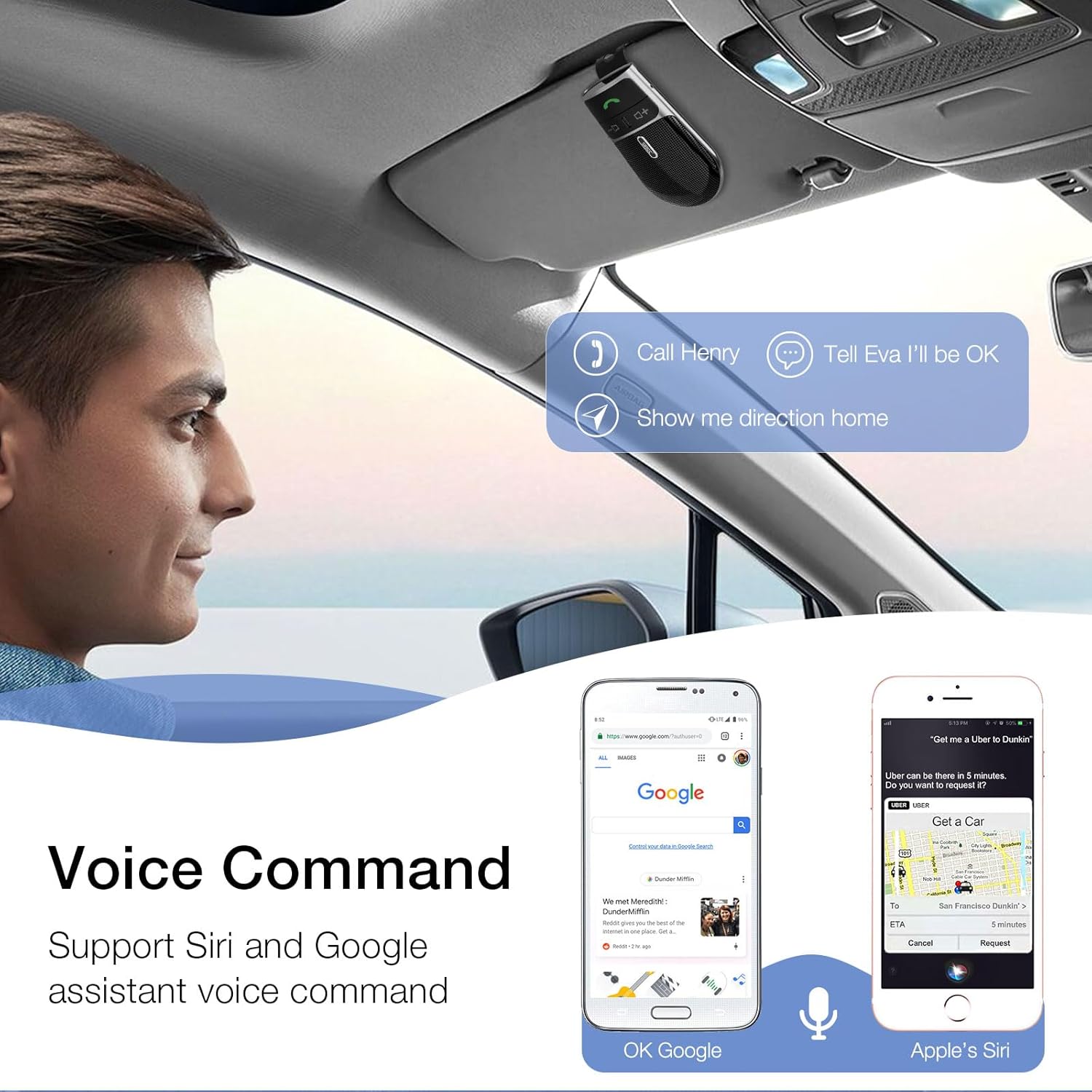
Image: A user in a car interacting with the SUNITEC BC920 to use voice commands for calling, texting, and navigation via Siri or Google Assistant.
5.3 Үн менен башкаруу
The device provides clear voice prompts for various operational statuses, making it easy to use without visual confirmation.
- "Power On"
- "Power Off"
- "Pairing"
- "Connected"
- "Disconnected"
- "Battery Low"
Image: Depiction of the SUNITEC BC920 providing voice guidance, with a list of common voice prompts.
6. Техникалык тейлөө
- Аппаратты жумшак, кургак чүпүрөк менен тазалаңыз. Абразивдүү тазалагычтарды же эриткичтерди колдонбоңуз.
- Аппаратты экстремалдык температурадан, нымдуулуктан жана тике күн нурунан алыс кармаңыз.
- Do not disassemble the device. This will void the warranty and may cause damage.
- Узак мөөнөткө колдонулбаганда салкын, кургак жерде сактаңыз.
7. Кыйынчылыктарды
| Көйгөй | Мүмкүн себеп | Чечим |
|---|---|---|
| Түзмөк күйбөйт. | Батарея түгөнүп калды. | Аппаратты толук заряддаңыз. |
| Телефон менен жупташтыруу мүмкүн эмес. | Bluetooth is off on phone; device not in pairing mode; too many paired devices. | Ensure phone Bluetooth is on. Restart both devices. Clear previous Bluetooth connections on your phone. |
| Чалуулар учурунда үн сапаты начар. | Low battery; interference; device too far from phone. | Charge the device. Move closer to your phone. Avoid sources of strong electromagnetic interference. |
| Үн жардамчысы жооп бербей жатат. | Not activated correctly; phone settings. | Ensure you press and hold the Call Button for 2 seconds. Check voice assistant settings on your phone. |
8. Техникалык шарттар
| Өзгөчөлүк | Деталь |
|---|---|
| Модель номери | BC920 |
| Продукциянын өлчөмдөрү | 4.5 x 2.6 x 1 дюйм |
| Элемент Салмагы | 2.2 унция |
| Батареялар | 1 Литий Полимердик батарейка (кошулган) |
| Байланыш технологиясы | Bluetooth |
| Power Source | Батарея менен иштейт |
| Материал | Пластик |
| Өзгөчө өзгөчөлүк | DSP Noise Cancellation, Microphone |
| Talk Time | 22 саатка чейин |
| Күтүү убактысы | 1000 саатка чейин |
9. Коопсуздук маалыматы
Proper usage while driving and battery handling precautions are essential. Always refer to the full user manual for comprehensive safety warnings.
- Аппаратты айдоодон алаксыта тургандай иштетпеңиз. Ар дайым жол коопсуздугун биринчи орунга коюу.
- Аппаратты сууга же ашыкча нымдуулукка дуушар кылбаңыз.
- Ашыкча температурадан сактаныңыз.
- Батареяларды жергиликтүү эрежелерге ылайык жок кылыңыз. өрттөбө.
10. Кепилдик жана колдоо
SUNITEC offers a customer-friendly policy for its products:
- Кепилдик: 365 Days free return for any problems.
- Кардарларды тейлөө: Expect a quick response within 24 hours for inquiries.
For further assistance, please contact SUNITEC support:
- Телефон: 0755-36863386 / 26863387 / 36863389
- Электрондук почта: support@sunitec.net
- Webсайт: www.sunitec.net/en/

Image: Information regarding SUNITEC's customer service, including contact details and warranty period.
Ask a question about this manual
Ask about setup, troubleshooting, compatibility, parts, safety, or missing instructions. Manuals+ will review the question and use this page’s manual context to help answer it.