
1. Киришүү
Thank you for choosing the Awei Y800 Bluetooth Speaker. This manual provides essential information for setting up, operating, and maintaining your new portable speaker. Please read this manual carefully before use to ensure optimal performance and longevity of your device. Keep this manual for future reference.
2. Пакеттин мазмуну
Сураныч, пакетте төмөнкү нерселерди текшериңиз:
- Awei Y800 Bluetooth динамиги
- USB заряддоо кабели
- Колдонуучунун Колдонмосу (бул документ)

2.1-сүрөт: Packaging of the Awei Y800 Bluetooth Speaker. The packaging highlights features such as multi-functionality, HiFi sound, TF card support, handsfree calling, and wireless transmission.
3. Продукт бүтүп калдыview
Familiarize yourself with the various parts and controls of your Awei Y800 Bluetooth Speaker.
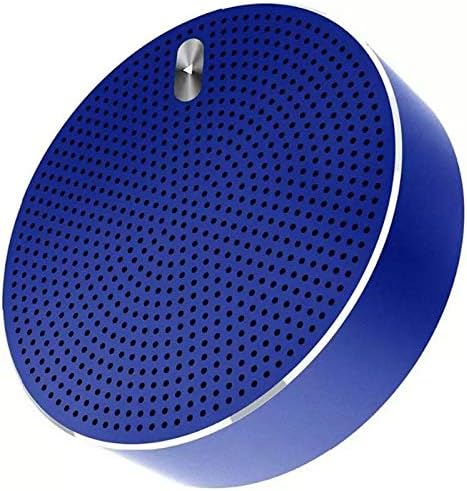
3.1-сүрөт: Фронт view of the Awei Y800 Bluetooth Speaker, showcasing its circular design and speaker grille.
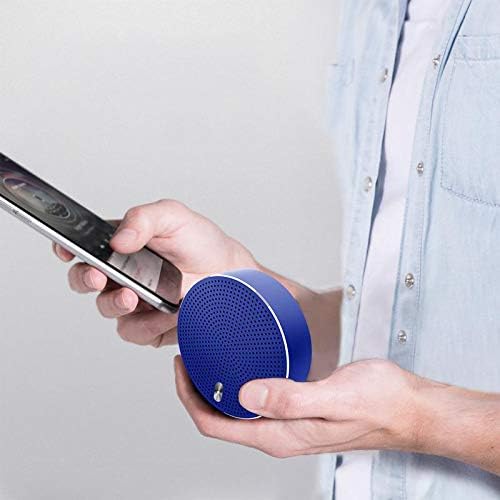
3.2-сүрөт: Төмөнкү view of the Awei Y800 Bluetooth Speaker. This view displays the power switch, volume/track control buttons, mode button, and various ports.
Башкаруу каражаттары жана порттор:
- Кубат которгучу: Динамикти ON же ӨЧҮРҮҮ үчүн колдонулат.
- Previous Track / Volume Down Button (<): Мурунку трек үчүн кыска басыңыз, үндү азайтуу үчүн көпкө басыңыз.
- Mode / Play/Pause / Call Button (M): Short press to switch modes (Bluetooth, TF Card), short press to play/pause music, short press to answer/end calls. Long press to reject calls.
- Next Track / Volume Up Button (>): Кийинки трек үчүн кыска басыңыз, үнүн катуулатуу үчүн көпкө басыңыз.
- Заряддоо порту: Динамикти кубаттоо үчүн Micro USB порту.
- TF карта уячасы: Insert a MicroSD (TF) card for direct music playback.
- LED көрсөткүчү: Кубаттоо абалын жана Bluetooth байланышынын абалын көрсөтөт.
4. Орнотуу
4.1 Динамикти заряддоо
Before first use, fully charge the speaker. Use the provided USB charging cable to connect the speaker's charging port to a USB power source (e.g., computer USB port, USB wall adapter).
- Заряддоо учурунда LED индикатору күйөт.
- Кубаттоо аяктагандан кийин LED индикатору өзгөрөт же өчөт.

4.1-сүрөт: The Awei Y800 Bluetooth Speaker connected to its USB charging cable.
4.2 Күйгүзүү/өчүрүү
- To power ON: Slide the Power Switch to the "ON" position. You will hear an audible prompt, and the LED indicator will flash.
- To power OFF: Slide the Power Switch to the "OFF" position. You will hear an audible prompt, and the LED indicator will turn off.
4.3 Bluetooth жупташтыруу
To connect your speaker to a Bluetooth-enabled device (e.g., smartphone, tablet, laptop):
- Ensure the speaker is powered ON and in Bluetooth pairing mode (the LED indicator will be flashing rapidly).
- Түзмөгүңүздө Bluetooth иштетип, жеткиликтүү түзмөктөрдү издеңиз.
- Select "Awei Y800" from the list of found devices.
- Once successfully paired, you will hear a confirmation sound, and the LED indicator will stop flashing and remain solid blue.
- Эгерде түзмөктүн Bluetooth функциясы активдүү болсо жана анын диапазонунда болсо, динамик күйүп турганда акыркы жупташтырылган түзмөккө автоматтык түрдө кайра туташат.
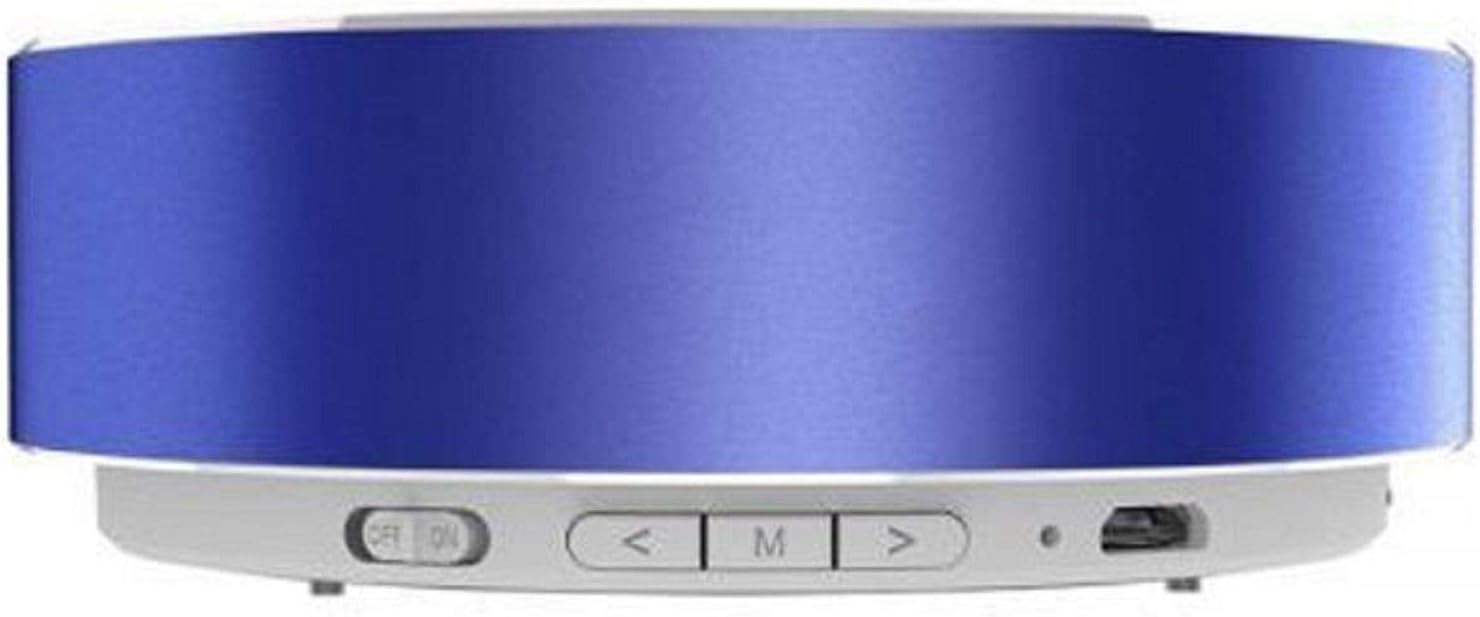
4.2-сүрөт: A user holding the Awei Y800 Bluetooth Speaker alongside a smartphone, illustrating its portable nature and readiness for Bluetooth connection.
5. Иштөө нускамалары
5.1 Музыканы ойнотуу (Bluetooth режими)
- Ойнотуу/тындыруу: баскычын кыска басыңыз M баскычы.
- Кийинки трек: баскычын кыска басыңыз > баскычы.
- Мурунку трек: баскычын кыска басыңыз < баскычы.
- Көлөмү: көпкө басыңыз > баскычы.
- Үнүн азайтуу: көпкө басыңыз < баскычы.
5.2 TF картасын ойнотуу
MP3 аудиосу бар MicroSD (TF) картасын салыңыз files into the TF Card Slot. The speaker will automatically switch to TF Card mode and begin playback. If it does not, short press the M button to cycle through modes until TF Card mode is activated.
- Playback controls (Play/Pause, Next/Previous Track, Volume Up/Down) are the same as in Bluetooth mode.
5.3 Hands-Free чалуу
Bluetooth аркылуу смартфонуңузга туташканда, колонканы колсуз чалуулар үчүн колдонсо болот.
- Чалууга жооп берүү/аяктоо: баскычын кыска басыңыз M button when a call comes in or during a call.
- Чакырууну четке кагуу: көпкө басыңыз M баскычы чалуу келгенде.
6. Техникалык тейлөө
To ensure the longevity and optimal performance of your Awei Y800 Bluetooth Speaker, follow these maintenance guidelines:
- Тазалоо: Динамиктин бетин сүртүү үчүн жумшак, кургак чүпүрөктү колдонуңуз. Абразивдүү тазалоочу каражаттарды, спиртти же химиялык эриткичтерди колдонбоңуз, анткени алар капталга зыян келтириши мүмкүн.
- Сактагыч: Динамикти салкын, кургак жерде, тике күндүн нурунан, өтө температурадан жана жогорку нымдуулуктан алыс сактаңыз.
- Суу таасири: This speaker is not waterproof. Avoid exposing it to water or other liquids.
- Заряддоо: Charge the speaker regularly, even if not in use, to maintain battery health. Avoid overcharging for extended periods.
7. Кыйынчылыктарды
Динамикиңизде кандайдыр бир көйгөйгө туш болсоңуз, төмөнкү жалпы көйгөйлөрдү жана чечимдерди караңыз:
| Көйгөй | Мүмкүн себеп | Чечим |
|---|---|---|
| Динамик күйбөйт. | Батарея аз же заряды жок. | Берилген USB кабелин колдонуп динамикти толугу менен заряддаңыз. |
| Bluetooth түзмөгү менен жупташтыруу мүмкүн эмес. | Динамик жупташтыруу режиминде эмес; түзмөктө Bluetooth өчүрүлгөн; түзмөк өтө алыс. | Ensure speaker is ON and LED is flashing rapidly. Enable Bluetooth on your device. Move device closer to speaker (within 10 meters). |
| Үн жок же үнү төмөн. | Volume too low on speaker or device; speaker not connected; incorrect mode. | Increase volume on both speaker and connected device. Ensure speaker is successfully paired. Check if speaker is in the correct mode (Bluetooth/TF Card). |
| Үндүн бузулушу. | Үн өтө жогору; аппарат өтө алыс; кийлигишүү. | Reduce volume. Move device closer to speaker. Avoid obstacles or other wireless devices causing interference. |
| TF картасы ойнотулбай жатат. | Карта туура эмес киргизилген; колдоого алынбайт file format; speaker not in TF card mode. | TF картаны кайра салыңыз. Аудионун бар экенин текшериңиз files are in MP3 format. Short press the M button to switch to TF card mode. |
8. Техникалык шарттар
Technical specifications for the Awei Y800 Bluetooth Speaker:
| Модель номери | Y800 |
| Бренд | Awei |
| Байланыш технологиясы | Bluetooth, зымсыз |
| Динамик түрү | Портативдик Bluetooth динамиги |
| Номиналдуу чыгаруу кубаттуулугу | Less than 5 Watt (5 Watts max) |
| Шайкеш түзмөктөр | Ноутбук, смартфон, планшет |
| Порт түрү | Multi (USB for charging, TF Card slot) |
| Продукциянын өлчөмдөрү | Approx. 90 x 90 x 30 mm (Note: Original data of 90x90x30 cm appears to be a unit error for a portable speaker) |
| Элемент Салмагы | Approx. 260 grams (Note: Original data of 260 Kilograms appears to be a unit error for a portable speaker) |
| Түс | Көк |
| Өзгөчөлүктөр | Bluetooth, Wireless, TF Card Playback, Hands-free Calling |
9. Кепилдик жана колдоо
Awei products are manufactured to the highest quality standards. For warranty information and customer support, please refer to the warranty card included with your purchase or visit the official Awei webсайт.
For additional support or to learn more about Awei products, you may also visit the official Awei WeChat page: