Introduction
This manual provides comprehensive instructions for the safe and efficient use of your Paulmann MaxLED 79797 RGBW Controller. This device allows you to control Paulmann MaxLED RGBW light strips, enabling functions such as switching, dimming, and changing light colors and effects via the included wireless remote control. The controller operates without requiring direct line-of-sight to the remote, offering a range of up to 30 meters.
Маанилүү коопсуздук нускамалары
- Орнотуудан жана иштетүүдөн мурун бардык нускамаларды кылдат окуп чыгыңыз.
- Бул колдонмону келечекте маалымат алуу үчүн сактаңыз.
- Бул продукт имараттын ичинде гана колдонуу үчүн иштелип чыккан (IP20 рейтинги). Нымдуулукка же өтө жогорку температурага дуушар кылбаңыз.
- Кандайдыр бир орнотуу же тейлөө иштеринин алдында электр кубаты өчүрүлгөнүн текшериңиз.
- Only use with Paulmann MaxLED RGBW strips and compatible 24V power supplies.
- Do not attempt to open or modify the controller or remote control. This will void the warranty.
- Батареяларды балдар жетпеген жерде сактаңыз. Колдонулган батареяларды жоопкерчилик менен жок кылыңыз.
Пакеттин мазмуну
Пакетте бардык компоненттер бар экенин текшериңиз:
- 1x Paulmann MaxLED RGBW Controller (Model 79797)
- 1x зымсыз алыстан башкаруу
- 1x Assembly Instructions (this manual)
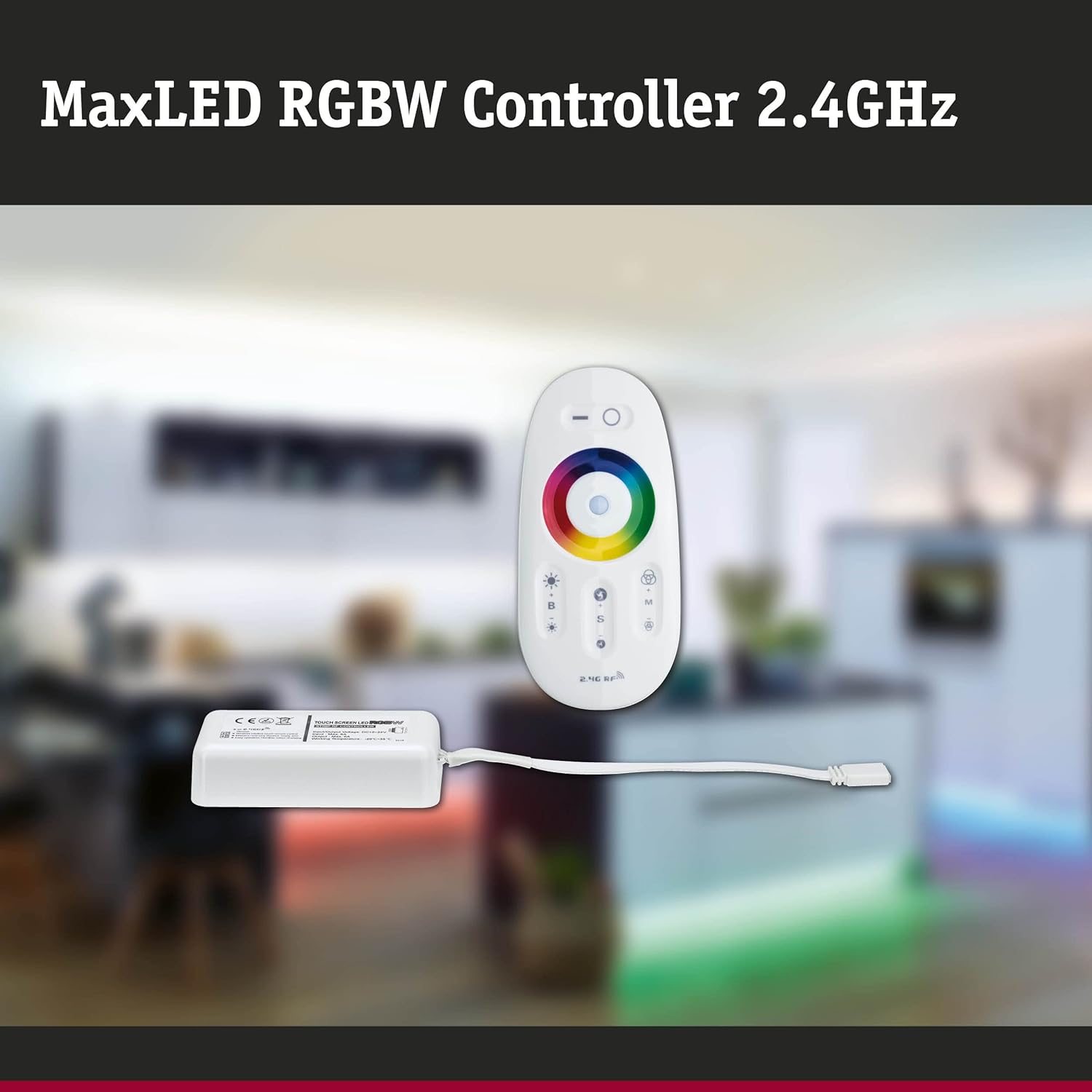
Image: The MaxLED RGBW Controller and its wireless remote control. The controller is a small white rectangular unit with a cable, and the remote is an oval-shaped white device with various buttons and a color wheel.

Image: Diagram showing the MaxLED RGBW Controller and remote control with their approximate dimensions. The controller measures 22.5x85x45mm and the remote 20x110x53mm. A 150mm cable connects the controller to the LED strip.
Орнотуу жана орнотуу
Follow these steps for proper installation of your MaxLED RGBW Controller:
- Орнотуу аймагын даярдоо: Ensure the surface where the LED strip will be mounted is clean, dry, and free of dust.
- LED тилкесин туташтыруу: Connect your Paulmann MaxLED RGBW strip to the output cable of the controller. The system uses an easy plug-in connection. Ensure the connectors are securely fastened.
- Кубат булагына туташтыруу: Connect a compatible 24V Paulmann power supply (not included) to the input side of the MaxLED RGBW Controller.
- Контроллерди орнотуу: The controller is designed for hidden installation. Place it in a discreet location where it is protected from physical damage and moisture, but still allows for proper signal transmission from the remote (up to 30m range).
- Күйгүзүү: Once all connections are secure, plug the power supply into a suitable electrical outlet.
- Pairing the Remote Control (if necessary): The remote control is usually pre-paired. If not, refer to the "Operating Instructions" section for pairing procedures.
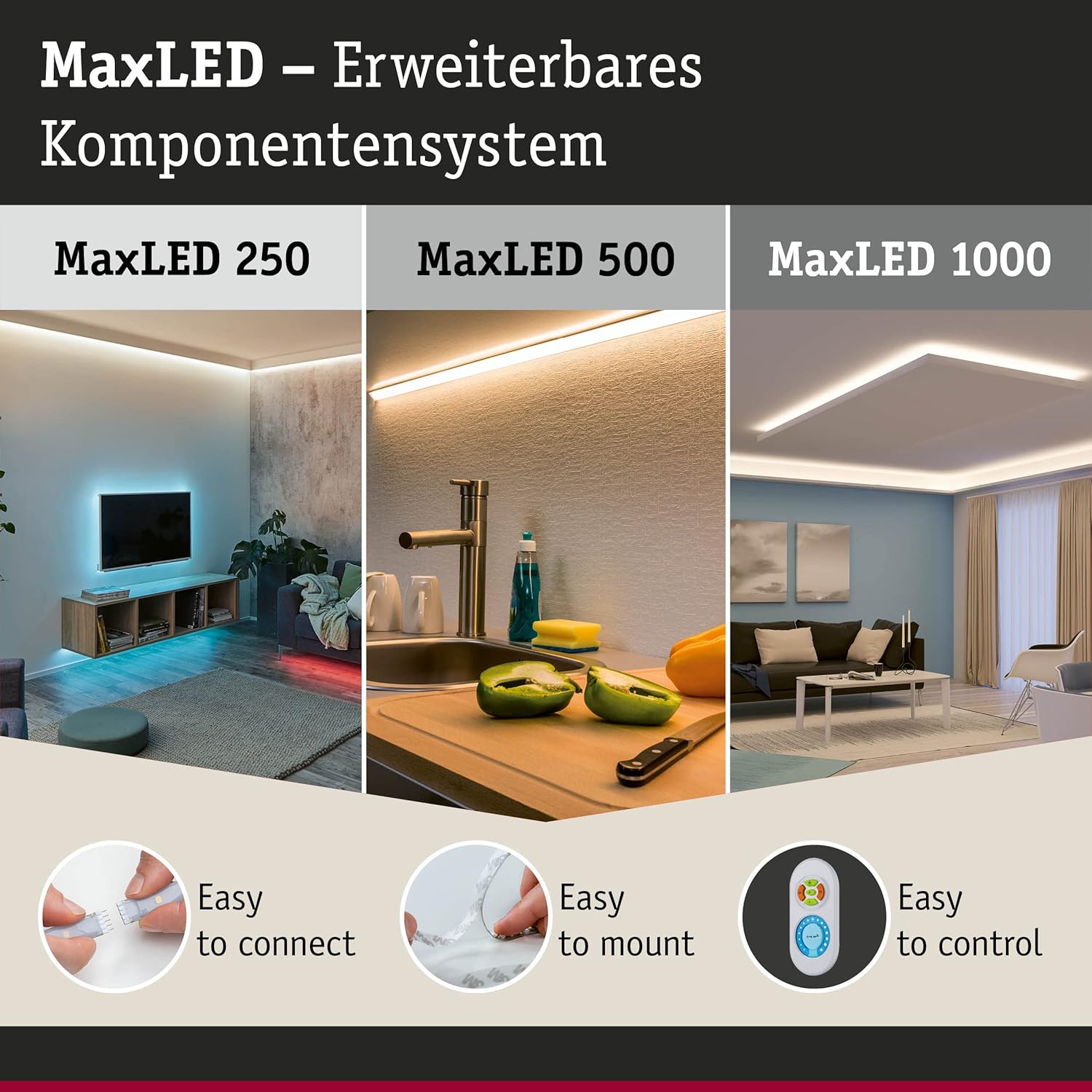
Image: This image illustrates the MaxLED expandable component system, highlighting three key aspects: "Easy to connect" (showing a hand connecting an LED strip), "Easy to mount" (showing an LED strip being applied to a surface), and "Easy to control" (showing the remote control). This demonstrates the simplicity of the setup process.
Иштөө нускамалары
The wireless remote control allows full command over your MaxLED RGBW strips.
Алыстан башкаруу функциялары:

Сүрөт: деталдуу view of the MaxLED RGBW remote control, showing its various buttons and the central color wheel. The remote features power, brightness, mode, speed, and color selection controls.
- Кубат баскычы (O): Press to turn the LED strips On or Off.
- Жарыктыкты башкаруу (B +/-): Use the '+' button to increase brightness and '-' to decrease brightness.
- Түс дөңгөлөк: Touch the color wheel to select a desired static color for your LED strips.
- Mode Selection (M): Cycle through various pre-programmed light effects and color changing modes.
- Ылдамдыкты башкаруу (S +/-): When in a dynamic mode, use the '+' button to increase the speed of the effect and '-' to decrease it.
Алыстан башкарууну жупташтыруу:
If your remote control is not responding, it may need to be paired with the controller:
- Контроллер күйгүзүлгөнүн текшериңиз.
- Within 3 seconds of powering on the controller, press and hold the "Mode" (M) button on the remote control for a few seconds.
- The LED strips should flash to indicate successful pairing.
Техникалык тейлөө
Тазалоо:
To clean the controller and remote control, gently wipe with a soft, dry cloth. Do not use abrasive cleaners, solvents, or excessive moisture, as this can damage the components.
Алыстан башкаруу батареясын алмаштыруу:
The remote control requires batteries (type not specified in product data, typically CR2032 or similar button cell). If the remote's range decreases or it stops responding, replace the battery:
- Пульттун артындагы батарея отсегин табыңыз.
- Бөлүмдү кичинекей бурагыч менен же капкакты жылдырып ачыңыз.
- Remove the old battery and insert a new one, ensuring correct polarity (+/-).
- Батарея отсегин бекем жабыңыз.
- Эски батареяны жергиликтүү эрежелерге ылайык жок кылыңыз.
Проблемаларды чечүү
| Көйгөй | Мүмкүн себеп | Чечим |
|---|---|---|
| LED strips do not light up. | No power, loose connection, faulty power supply, remote not paired. | Check power supply connection. Ensure all cables are securely plugged in. Verify power outlet is functional. Re-pair the remote control (see Operating Instructions). |
| Алыстан башкаруу жооп бербей жатат. | Батарея иштебей калды, пульт жупташтырылган эмес, диапазондо эмес. | Replace remote control battery. Re-pair the remote control. Move closer to the controller (within 30m). |
| Түстөр туура эмес же дал келбеген. | Loose connection to LED strip, faulty LED strip. | Check the connection between the controller and the LED strip. Ensure the strip is fully compatible. |
| Dimming or effects not working. | Remote control issue, incompatible LED strip. | Ensure the remote control battery is good and it is paired. Verify the LED strip is an RGBW dimmable type. |
Техникалык шарттар
| Бренд | Полман |
| Модель номери | 79797 |
| Продукциянын өлчөмдөрү (L x W x Y) | 5.3 x 11 x 2 cm (Controller); 20 x 110 x 53 mm (Remote) |
| Салмагы | 102 грамм |
| IP рейтинги | IP20 (Ичинде гана колдонуу) |
| Материал | Пластик |
| Макс. Wattage | 144 Ватт |
| Тtage | 24 вольт |
| Жарык булагы түрү | LED (for compatible strips) |
| Power Source | AC (via external 24V power supply) |
| Өзгөчөлүктөр | Dimmable, Variable Intensity, Remote Control, RGBW Color Change |
| Алыстан башкаруу жыштыгы | 2.4 ГГц RF |
| Алыстан башкаруу диапазону | Up to 30 meters (non-line-of-sight) |
| Батареялар талап кылынат (Алыстан) | Ооба (киргизилген эмес) |

Image: The MaxLED RGBW Controller and its remote control, emphasizing the 2.4 GHz RF wireless technology for reliable communication.
Кепилдик жана колдоо
Кепилдик:
Paulmann offers a 1-year availability for spare parts for this product. For specific warranty terms and conditions, please refer to the official Paulmann webсайтка же сатуучуга кайрылыңыз.
Кардарларды колдоо:
For further assistance, technical support, or inquiries regarding your Paulmann MaxLED RGBW Controller, please visit the official Paulmann website or contact their customer service department. Contact information can typically be found on the product packaging or the Paulmann webсайт.
Полман Webсайт: www.paulmann.com