
Introduction
This manual provides detailed instructions for the installation, operation, and maintenance of your NEC SL2100 IP7WW-12TXH-B1 12-Button Display Speaker Telephone. Please read this manual thoroughly before using the telephone to ensure proper functionality and to prevent damage.
Коопсуздук маалыматы
Өрт, электр шок жана адамдардын жаракат алуу коркунучун азайтуу үчүн бул продуктуну колдонууда ар дайым негизги коопсуздук чараларын сактаңыз.
- Бул продуктуну сууга жакын колдонбоңуз, мисалыampле, ваннанын, жуугучтун, ашкана раковинасынын же кир жуугучтун жанында, нымдуу жертөлөдө же бассейндин жанында.
- Avoid using the telephone during an electrical storm. There may be a remote risk of electric shock from lightning.
- Газ агып кеткен жердин жанында телефонду колдонбоңуз.
- Use only the power source specified in this manual or marked on the product. This telephone is powered by the phone system.
- Тазалоодон мурун бул продуктуну розеткадан сууруп алыңыз. Суюк тазалагычтарды же аэрозоль тазалагычтарды колдонбоңуз. Жарнама колдонууamp тазалоо үчүн кездеме.
Пакеттин мазмуну
Пакетте бардык буюмдар бар экенин текшериңиз:
- NEC SL2100 IP7WW-12TXH-B1 12-Button Display Speaker Telephone (Black)
- Телефон
- Телефон шнур
- Base Stand (for desk or wall mounting)
- Ethernet Cable (if applicable for IP connection)
Продукт бүттүview
The NEC SL2100 IP7WW-12TXH-B1 is a corded 12-button display speaker telephone designed for use with NEC SL2100 systems. It features a clear display for call information and menu navigation, a built-in speakerphone for hands-free communication, and 12 programmable function keys.
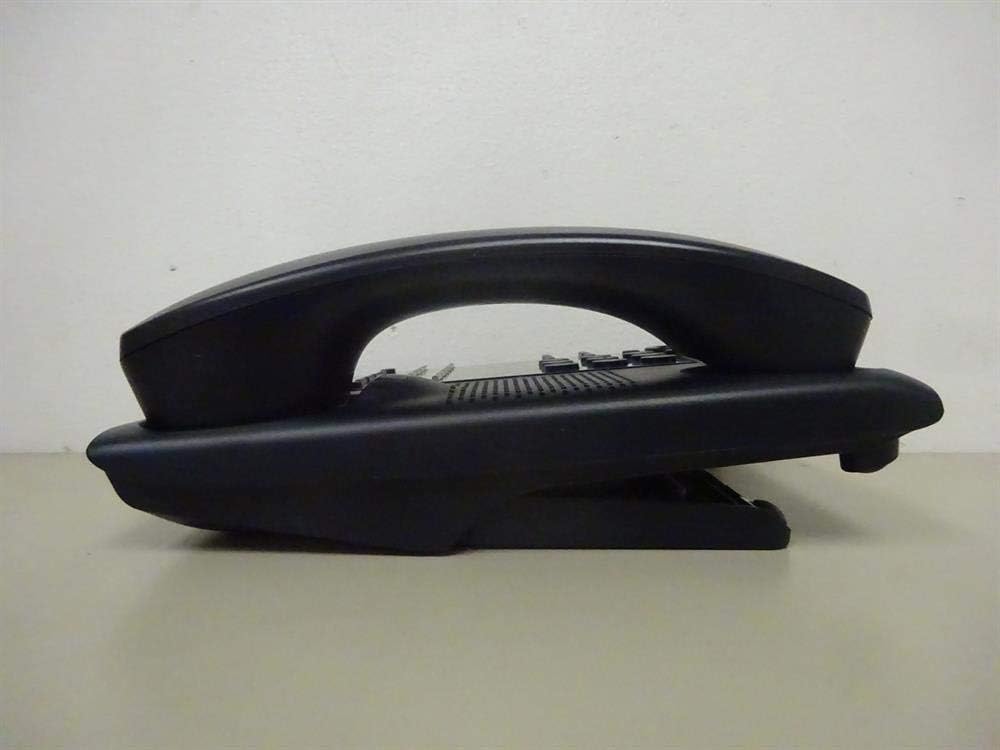
1-сүрөт: Side view of the NEC SL2100 IP7WW-12TXH-B1 telephone, showing the ergonomic design of the handset and base unit.

2-сүрөт: Арткы view of the telephone, illustrating the various connection ports for the handset and network, as well as the integrated wall-mounting slots.
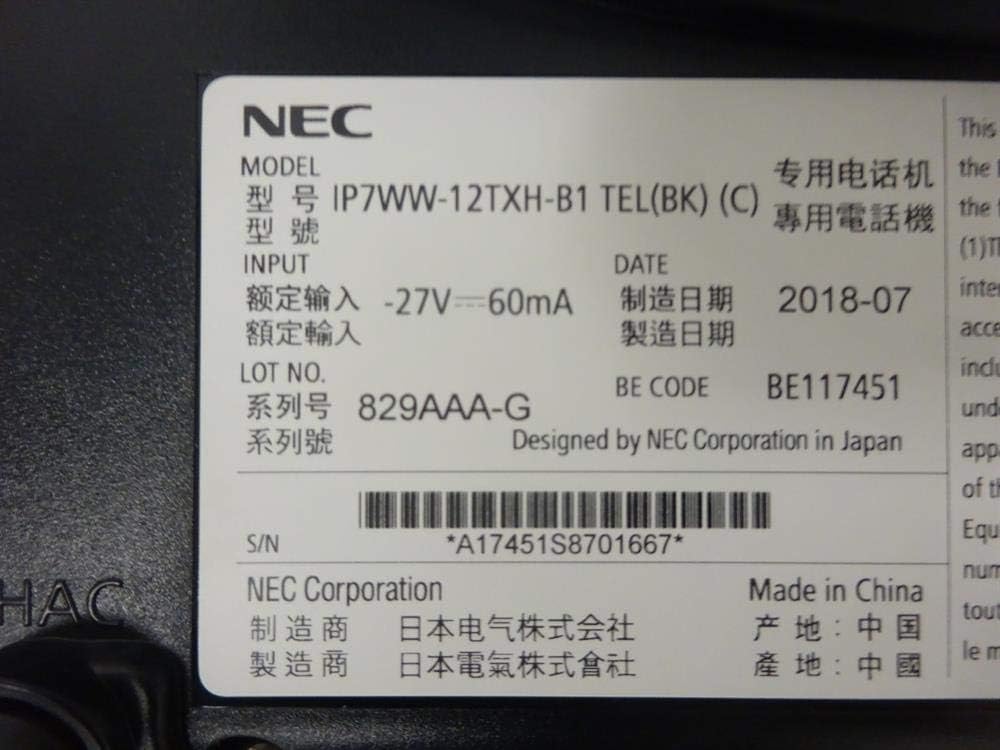
3-сүрөт: Close-up of the product label, displaying model number IP7WW-12TXH-B1, input specifications, and manufacturer details.
Жайгашуу
1. Assembling the Telephone
- Негизги стендди тиркөө: Align the base stand with the slots on the bottom of the telephone. Slide it into place until it clicks securely. The stand can be adjusted for different viewing angles or reversed for wall mounting.
- Телефонду туташтыруу: Plug one end of the coiled handset cord into the handset and the other end into the designated port on the side of the telephone base.
2. Системага туташуу
This telephone is designed to connect to an NEC SL2100 system. Ensure your SL2100 system is properly installed and configured.
- Тармак кабелин туташтырыңыз: Plug one end of an Ethernet cable into the LAN port on the back of the telephone. Plug the other end into an available port on your NEC SL2100 system or a network switch connected to the system.
- Күйгүзүү: The telephone receives power directly from the NEC SL2100 system (Power over Ethernet - PoE) or via a separate power adapter (not included, if PoE is not available). Once connected, the telephone should power on automatically.
- Баштапкы конфигурация: The telephone will typically register with the SL2100 system automatically. If prompted, follow the on-screen instructions or consult your system administrator for specific extension number assignment or network settings.
Иштөө нускамалары
Чалууларды жасоо
- Көтөрүү аппараты: Телефонду көтөрүп, терүү үнүн угуңуз.
- Номерди терүү: Клавиатураны колдонуп, каалаган телефон номерин териңиз.
- Динамик: басыңыз СПИКЕР button to activate the speakerphone, then dial the number.
Чалууларды кабыл алуу
- Көтөрүү аппараты: When the telephone rings, lift the handset to answer.
- Динамик: басыңыз СПИКЕР button to answer the call hands-free.
Дисплейди колдонуу
The display shows call information, menu options, and system status. Use the navigation buttons (usually arrow keys) to scroll through menus and the ENTER or ТАНДОО тандоолорду ырастоо үчүн баскыч.
Programmable Function Keys (12 Buttons)
The 12 buttons on the telephone can be programmed for various functions such as speed dial, line access, feature activation, or direct station selection. Consult your system administrator for the specific programming of these keys.
Конференция чалуулары
The telephone supports 3-way conference calls. To initiate a conference call:
- Биринчи тарап менен чалуу түзүңүз.
- басыңыз CONF (Conference) button or the designated programmable key. The first party will be put on hold.
- Экинчи тараптын номерин териңиз.
- Экинчи тарапка туташкандан кийин, басыңыз CONF үч партияга тең кошулуу үчүн кайра баскычын басыңыз.
Чалуучунун ID
When an incoming call is received, the caller's information (name and number, if available) will be displayed on the screen.
Көп линия операциясы
This telephone supports multi-line operation, allowing you to manage multiple calls simultaneously. Use the designated line keys or programmable keys to switch between active lines or place calls on hold.
Техникалык тейлөө
Тазалоо
To clean the telephone, unplug it from the network connection. Use a soft, slightly damp cloth. Do not use harsh chemicals, abrasive cleaners, or excessive moisture. Avoid spraying cleaners directly onto the telephone.
Сактагыч
If storing the telephone for an extended period, ensure it is clean and dry. Store it in a cool, dry place away from direct sunlight and extreme temperatures.
Проблемаларды чечүү
- Терүү үнү жок:
- Check all cable connections, especially the network cable to the SL2100 system.
- Ensure the SL2100 system is powered on and functioning correctly.
- If using a separate power adapter (not PoE), ensure it is properly connected and receiving power.
- Дисплей иштебейт:
- Verify the telephone is receiving power.
- Try disconnecting and reconnecting the network cable.
- Чалууларды кабыл алуу/кабыл алуу мүмкүн эмес:
- Терүү обонун текшериңиз.
- Ensure the telephone is properly registered with the SL2100 system.
- Contact your system administrator to verify line assignments and system status.
- Начар аудио сапаты:
- Check handset and network cable connections.
- Башка электрондук шаймандардан эч кандай тоскоолдук жок экенин текшериңиз.
- Test with another telephone if possible to isolate the issue.
Техникалык шарттар
| Өзгөчөлүк | Спецификация |
|---|---|
| Бренд | NEC |
| Модель номери | IP7WW-12TXH-B1 (Mfr Part Number: BE117451) |
| Түс | Кара |
| Телефон түрү | жоон |
| Материал | Пластик |
| Power Source | Phone System (PoE compatible) |
| Терүүчү түрү | Жалгыз баскычтоп |
| Элементтин өлчөмдөрү (L x W x Y) | 15 x 12 x 6 дюйм |
| Жооп берүү системасынын түрү | Digital (System Dependent) |
| Шайкеш түзмөктөр | NEC SL2100 Systems, NEC SL2100 IP7WW-082U-B1 8 Port Digital Station Card |
| Конференция чалуу мүмкүнчүлүгү | 3-жол |
| Көп линия операциясы | Ооба |
| Чалуучунун ID | Ооба |
Кепилдик жана колдоо
For warranty information, please refer to the documentation provided with your NEC SL2100 system or contact your NEC authorized dealer. For technical support, please contact your system administrator or NEC customer service.
NEC Corporation
For further assistance, please visit the official NEC website or contact your local support representative.