
Introduction
This document serves as an instructional guide for the Easytry123 replacement remote control. This remote is designed to operate various Power Acoustik car stereo systems. As a replacement unit, some advanced or specific functions of your original device may not be fully supported. Please ensure your stereo system model is listed as compatible before use.
Note: This remote control does not include batteries or a printed manual. This digital guide provides all necessary instructions.
Пакеттин мазмуну
- 1 x Easytry123 Replacement Remote Control (Model: Easytry4552)
Batteries are not included and must be purchased separately. Typically, two AAA batteries are required.
Жайгашуу
Батарея орнотуу
To begin using your remote control, you must first install the batteries. Follow these steps:
- Пульттун артындагы батарея бөлүкчөсүнүн капкагын табыңыз.
- Slide the cover downwards or press the release tab (if present) and lift to open the compartment.
- Эки жаңы AAA батарейкасын салыңыз, оң (+) жана терс (-) терминалдары бөлүмдүн ичиндеги белгилер менен туура дал келгенин текшериңиз. Туура эмес салынса, пульттун иштешине тоскоол болушу мүмкүн.
- Батарея бөлүкчөсүнүн капкагын бекем чыккыча ордуна жылдырыңыз.
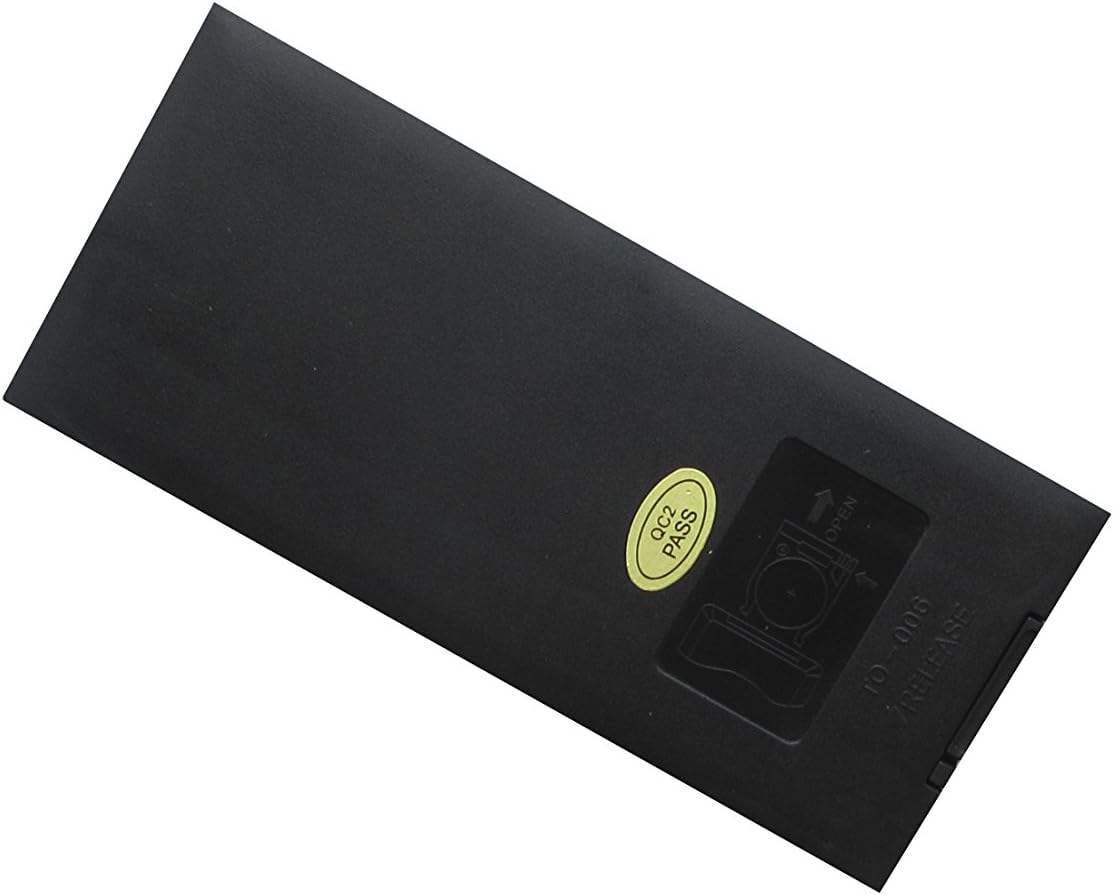
1-сүрөт: Арткы view of the remote control, highlighting the battery compartment. The compartment cover slides open to allow for battery insertion.
Иштөө нускамалары
The Easytry123 remote control operates using infrared (IR) technology. For optimal performance, ensure there is a clear line of sight between the remote's IR emitter (located at the front top) and the IR receiver on your car stereo system. Point the remote directly at the stereo unit.

2-сүрөт: Фронт view of the remote control, displaying all buttons and their typical layout.
Негизги функциялар
Below are common functions found on the remote control. Button labels may vary slightly, but their general purpose remains consistent:
- Күйгүзүү/өчүрүү баскычы (Ⓘ): Turns the stereo system on or off.
- Volume Up/Down (VOL+/VOL-): Аудионун үнүн жогорулатат же азайтат.
- Үнсүз: Silences the audio output. Press again to restore sound.
- Play/Pause (⏸/⏸⏸): Controls playback of media (e.g., CD, DVD, USB).
- Seek/Track Skip (⏮︎/⏭︎): Skips to the next or previous track/chapter, or seeks radio frequencies.
- Menu/Setup: Accesses the stereo system's main menu or setup options.
- Навигация баскычтары (▲▼◄►): Менюлар жана параметрлер боюнча чабыттоо үчүн колдонулат.
- Киргизүү/ОК: Confirms a selection in menus.
- Сандар тактасы (0-9): Direct input for track numbers, radio frequencies, or other numerical selections.
- Режим: Switches between different audio sources (e.g., Radio, CD, AUX, Bluetooth).
- Чыгаруу: Ejects a disc from the player.
For specific functions related to your Power Acoustik stereo model, refer to the original user manual of your stereo system.
Техникалык тейлөө
Proper care will extend the life of your remote control:
- Тазалоо: Пультту жумшак, кургак чүпүрөк менен сүртүңүз. өжөр кир үчүн, бир аз гampчүпүрөктү суу менен. Катуу химиялык заттарды же абразивдүү тазалагычтарды колдонбоңуз.
- Батареяны алмаштыруу: Replace batteries when the remote's response becomes sluggish or it stops working. Always replace both batteries at the same time with new ones.
- Сактагыч: Пультту салкын, кургак жерде, күндүн түз тийген нурунан жана өтө жогорку температурадан алыс сактаңыз. Эгер узак убакытка сактасаңыз, агып кетпеши үчүн батарейкаларды алып салыңыз.
Проблемаларды чечүү
If your remote control is not functioning as expected, try the following solutions:
- Пульт жооп бербей жатат:
- Батареялар туура полярдуулук менен (+/-) туура салынганын текшериңиз.
- Батареяларды жаңыларына алмаштырыңыз.
- Ensure there are no obstructions between the remote and the stereo system's IR receiver.
- Make sure you are pointing the remote directly at the stereo system.
- Айрым функциялар иштебейт:
- As a replacement remote, some specific or advanced functions of your original stereo system may not be supported. This is normal for universal or replacement remotes.
- Verify that your stereo model is listed as compatible with this remote.
Техникалык шарттар
| Өзгөчөлүк | Description |
|---|---|
| Модель номери | Easytry4552 |
| Бренд | Easytry123 |
| Шайкеш түзмөктөр | Power Acoustik PTID-3600T, PTID-3200, PTID-3200T, PTID-3600, PD-710T, PD-710BT, PD-344 Audio Car Stereo Systems |
| Байланыш технологиясы | Инфракызыл (IR) |
| Controller Type | Control Button |
| Өзгөчө өзгөчөлүк | Эргономикалык дизайн |
| Power Source | 2 x AAA Батареялар (киргизилген эмес) |
| Келип чыккан өлкө | Кытай |
Кепилдик жана колдоо
As a replacement part, this product typically follows the return and refund policies of the retailer from which it was purchased. For any issues or questions regarding the remote control, please contact the seller directly through your purchase platform. Keep your order information readily available for faster assistance.