
Introduction
The Verbatim 70221 Wireless Controller is designed for comfortable gameplay with your Nintendo Switch™ and Nintendo Switch™ Lite consoles. It connects wirelessly via a 2.4GHz connection, ensuring responsive and lag-free performance. This controller also features a vibration function to enhance your gaming experience with realistic feedback. The included microUSB cable allows for convenient charging, ensuring your controller is always ready for use.
Пакеттин мазмуну
- 1 x Verbatim 70221 Wireless Controller
- 1 x USB-A to microUSB Charging Cable

Image: The Verbatim 70221 Wireless Controller shown alongside its included USB-A to microUSB charging cable.
Жайгашуу
1. Контроллерди заряддоо
Before initial use, ensure the controller is fully charged. Connect the microUSB end of the included cable to the charging port on the controller and the USB-A end to a powered USB port (e.g., Nintendo Switch dock, computer, or USB wall adapter). The controller contains a lithium metal battery.
2. Pairing with Nintendo Switch™ / Switch™ Lite
- Ensure your Nintendo Switch™ console is powered on and updated to the latest system software.
- HOME Менюсунан тандаңыз "Контроллерлер", анда "Тартипти/Тартипти өзгөртүү".
- Контроллерде баскычты басып, кармап туруңуз HOME баскычы жана Y баскычы simultaneously for a few seconds until the player indicator lights begin to flash.
- The console will search for the controller. Once detected, the player indicator light(s) on the controller will illuminate steadily, indicating a successful connection.
- If connection issues occur, try connecting the controller to the Switch dock via the USB cable first, then disconnect and attempt wireless pairing again.
Сүрөт: Жогорку view of the Verbatim 70221 Wireless Controller, highlighting the HOME and Y buttons for pairing.
Иштөө нускамалары
1. Күйгүзүү / Өчүрүү
- Башкаргычты күйгүзүү үчүн, баскычын басыңыз HOME баскычы. It will attempt to connect to the last paired console.
- The controller will automatically power off after a period of inactivity to conserve battery. To manually power off, press and hold the HOME баскычы бир нече секундага.
2. Кайра туташтыруу
If the controller disconnects or you wish to reconnect it to a previously paired console, simply press the HOME баскычы. The controller will automatically attempt to establish a connection.
3. Вибрация функциясы
The controller includes a vibration function for enhanced tactile feedback during gameplay, where supported by the game.

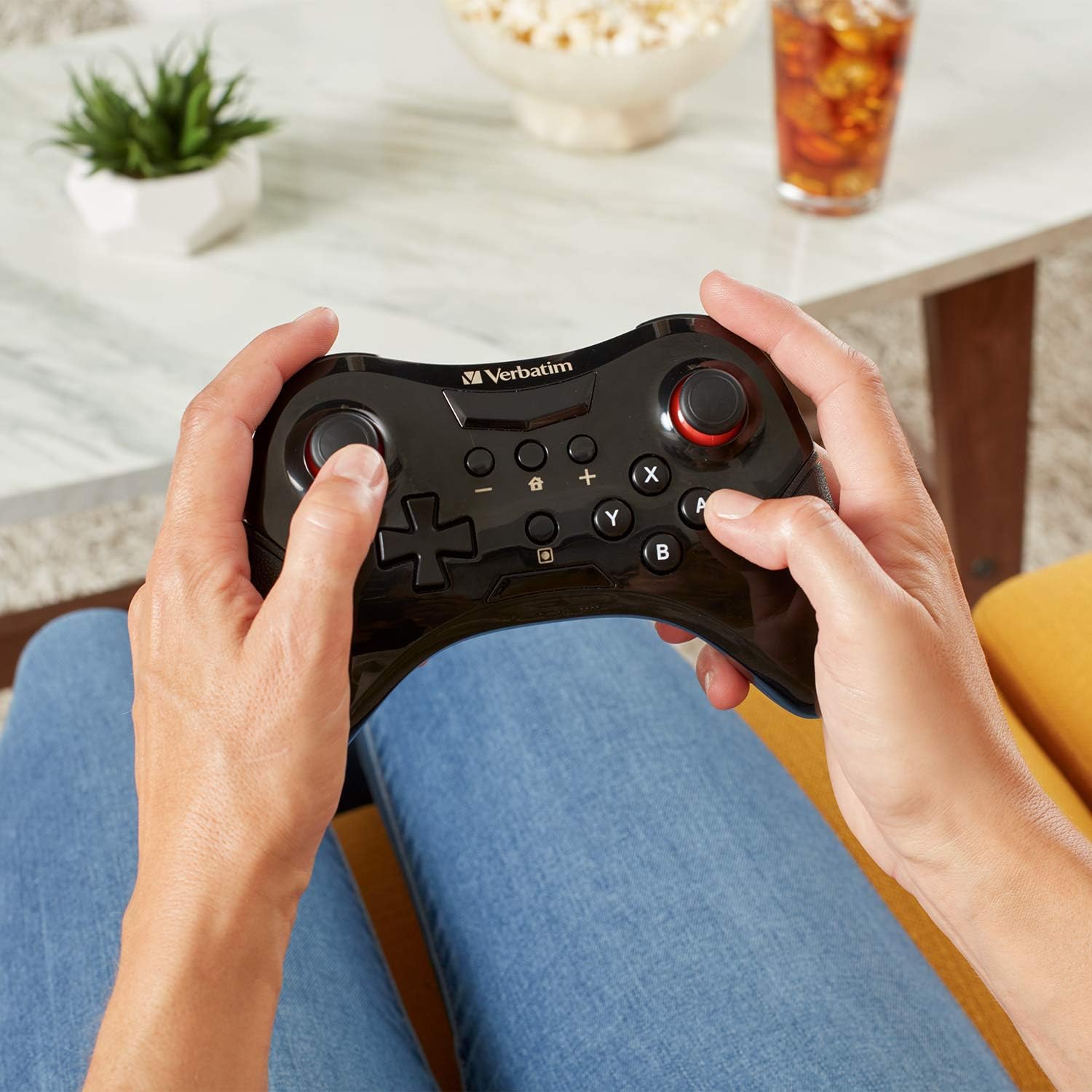
Image: A user holding the Verbatim 70221 Wireless Controller, demonstrating its ergonomic design for comfortable use.
Техникалык тейлөө
- Keep the controller clean by wiping it with a soft, dry cloth. Do not use harsh chemicals or abrasive materials.
- Контроллерди өтө жогорку температурага, түз күн нуруна же нымдуулукка дуушар кылбаңыз.
- Контроллерди колдонбогон учурда зыян келтирбөө үчүн коопсуз жерде сактаңыз.
Проблемаларды чечүү
Контроллер туташпай жатат
- Контроллердин толук заряддалганын текшериңиз.
- Verify that the Nintendo Switch™ console is powered on and within range.
- Repeat the pairing process as described in the "Setup" section.
- Try connecting the controller to the Switch dock via the USB cable first, then disconnect and attempt wireless pairing.
- Check for any obstructions or interference that might affect the 2.4GHz wireless signal.
- Ensure your Nintendo Switch™ system software is up to date.
Баскычтар же джойстиктер жооп бербей жатат
- Ensure the controller is properly connected to the console.
- Restart both the controller and the Nintendo Switch™ console.
- If issues persist, contact Verbatim customer support.
Техникалык шарттар
| Өзгөчөлүк | Деталь |
|---|---|
| Бренд | Сөзмө-сөз |
| Модель номери | 70221 |
| Controller Type | Gamepad |
| Байланыш технологиясы | 2.4GHz Wireless (USB for charging only) |
| Түс | Кара |
| Өзгөчөлүктөр | Wireless, Vibration Function |
| Аппараттык платформа | Nintendo Switch™, Nintendo Switch™ Lite |
| Power Source | Battery Powered (Lithium Metal) |
| Элементтин өлчөмдөрү (L x W x Y) | 11.5 x 16 x 4.5 см |
| Келип чыккан өлкө | Кытай |
| UPC / GTIN | 023942702214 |
| ASIN | B07L2Y3SBY |
Кепилдик маалымат
The Verbatim 70221 Wireless Controller is backed by a 1-Year Limited Warranty. Please retain your proof of purchase for warranty claims. For detailed warranty terms and conditions, refer to the official Verbatim webсайтка же кардарларды колдоо менен байланышыңыз.

Image: Official Verbatim 1-Year Limited Warranty badge.
Колдоо
For further assistance, technical support, or warranty inquiries, please visit the official Verbatim website or contact their customer service department. Contact information can typically be found on the product packaging or the Verbatim webсайт.