
1. Киришүү
This manual provides instructions for the Easytry123 replacement remote control, designed for use with various Prosonic DVD and LCD HDTV TV models. This remote offers a convenient way to control your compatible Prosonic devices. Please note that while this replacement remote is designed to function with the listed models, some advanced or specific functions of the original remote may not be fully supported.
Шайкеш моделдер: Prosonic DVD901, PS19-D101, PS22-CTD6, PS26-CTD6, PS26-D101, PS26CTD6, 10067932, 10061605.
2. Орнотуу
2.1 Батареяны орнотуу
Алыстан башкаруу пульту иштеши үчүн эки (2) AAA батарейкасы керектелет. Батареялар алыстан башкаруу пульту менен кошо берилбейт.
- Пульттун артындагы батарея бөлүкчөсүнүн капкагын табыңыз.
- Төмөнкү өтмөктү басып, капкакты жылдырып ачыңыз.
- Оң (+) жана терс (-) терминалдары бөлүмдүн ичиндеги белгилер менен туура дал келишин камсыз кылып, эки AAA батарейкасын салыңыз.
- Батарея бөлүкчөсүнүн капкагын бекем чыккыча ордуна жылдырыңыз.
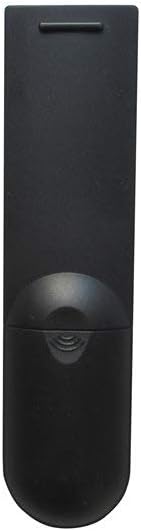
Сүрөт 1: Алдыңкы view of the Easytry123 replacement remote control, showing the button layout.
2.2 Алгачкы колдонуу
This is an infrared (IR) replacement remote control. No programming or pairing is typically required. Once batteries are installed, point the remote directly at your Prosonic device and begin operation.
3. Пультту иштетүү
The remote control features standard buttons for common television and DVD player functions. While the exact labeling may vary slightly from your original remote, the general functions are as follows:
- Кубат баскычы: Аппаратты күйгүзөт же өчүрөт.
- Үнүн жогорулатуу/төмөндөтүү: Аудионун үнүн тууралайт.
- Канал өйдө/төмөн: Телеканалдарды өзгөртөт.
- Сан баскычтары (0-9): Түз канал киргизүү же меню тандоо үчүн.
- Үнсүз баскычы: Аудионун үнүн басат.
- Menu/Setup: Accesses the device's main menu or settings.
- Чабыттоо баскычтары (өйдө, ылдый, солго, оңго, OK/Enter): Менюларда чабыттоо жана тандоолорду ырастоо үчүн колдонулат.
- Киргизүү/Булак: Ар кандай видео киргизүү булактарынын (мисалы, HDMI, AV) ортосунда которулат.
- Ойнотуу башкаруулары (ойнотуу, тындыруу, токтотуу, артка түрүү, алдыга жылдыруу): For controlling DVD or media playback.

2-сүрөт: Бурчтуу view of the Easytry123 replacement remote control, highlighting its ergonomic design.
4. Техникалык тейлөө
Туура кам көрүү пультуңуздун иштөө мөөнөтүн узартат.
- Тазалоо: Пультту тазалоо үчүн жумшак, кургак чүпүрөктү колдонуңуз. Суюк тазалоочу каражаттарды же абразивдүү материалдарды колдонбоңуз.
- Батареяны алмаштыруу: Replace batteries when the remote's performance diminishes. Always replace both batteries at the same time with new ones of the same type (AAA).
- Сактагыч: Эгер пульт узак убакыт бою колдонулбаса, агып кетпеши жана мүмкүн болуучу бузулууларды болтурбоо үчүн батарейкаларды алып салыңыз. Салкын, кургак жерде сактаңыз.
- Зыяндан качуу: Пультту түшүрүп албаңыз, өтө жогорку температурага дуушар кылбаңыз же сууга салбаңыз.
5. Кыйынчылыктарды
If you experience issues with your remote control, try the following steps:
- Алыстан жооп бербейт:
- Батареялар туура полярдуулук менен (+/-) туура салынганын текшериңиз.
- Эски батареяларды жаңы AAA батареялары менен алмаштырыңыз.
- Ensure there is a clear line of sight between the remote control and the device's IR receiver. Obstructions can block the signal.
- Make sure you are within the effective range of the remote control (typically up to 20 feet).
- Айрым функциялар иштебей жатат:
- As a replacement remote, some specific or advanced functions of your original device's remote may not be supported. Refer to your device's original manual for specific functions.
- Ensure the device is powered on and not in a standby mode that restricts remote input.
- Интерференция:
- Bright sunlight or strong artificial light sources can sometimes interfere with infrared signals. Try operating the remote in different lighting conditions.
6. Техникалык шарттар
| Модель номери | Easytry4924 |
| Бренд | Easytry123 |
| Байланыш технологиясы | Инфракызыл (IR) |
| Шайкеш түзмөктөр | Television (Prosonic DVD901, PS19-D101, PS22-CTD6, PS26-CTD6, PS26-D101, PS26CTD6, 10067932, 10061605) |
| Controller Type | Control Button |
| Өзгөчө өзгөчөлүк | Эргономикалык дизайн |
| Батареялар талап кылынат | 2 x AAA (киргизилген эмес) |
7. Кепилдик жана колдоо
This product is manufactured by Easytry123. For any questions, technical support, or warranty inquiries, please contact the seller directly through your purchase platform. Please retain your proof of purchase for warranty purposes.