
1. Киришүү
This manual provides instructions for the Easytry123 replacement infrared (IR) remote control, model Easytry5173. This remote is designed to function as a direct replacement for various Integra A/V receiver models. It operates using infrared signals, requiring a clear line of sight to your receiver. Please ensure your receiver model is listed as compatible before use.
2. Орнотуу
2.1 Батареяны орнотуу
The remote control requires two (2) AA batteries for operation. Follow these steps to install the batteries:
- Пульттун артындагы батарея бөлүкчөсүнүн капкагын табыңыз.
- Бөлүмдү ачуу үчүн өтмөктү басып, капкакты ылдый жылдырыңыз.
- Оң (+) жана терс (-) терминалдары бөлүмдүн ичиндеги белгилер менен дал келишин камсыз кылып, эки АА батарейканы салыңыз.
- Батарея бөлүкчөсүнүн капкагын бекем чыккыча ордуна жылдырыңыз.
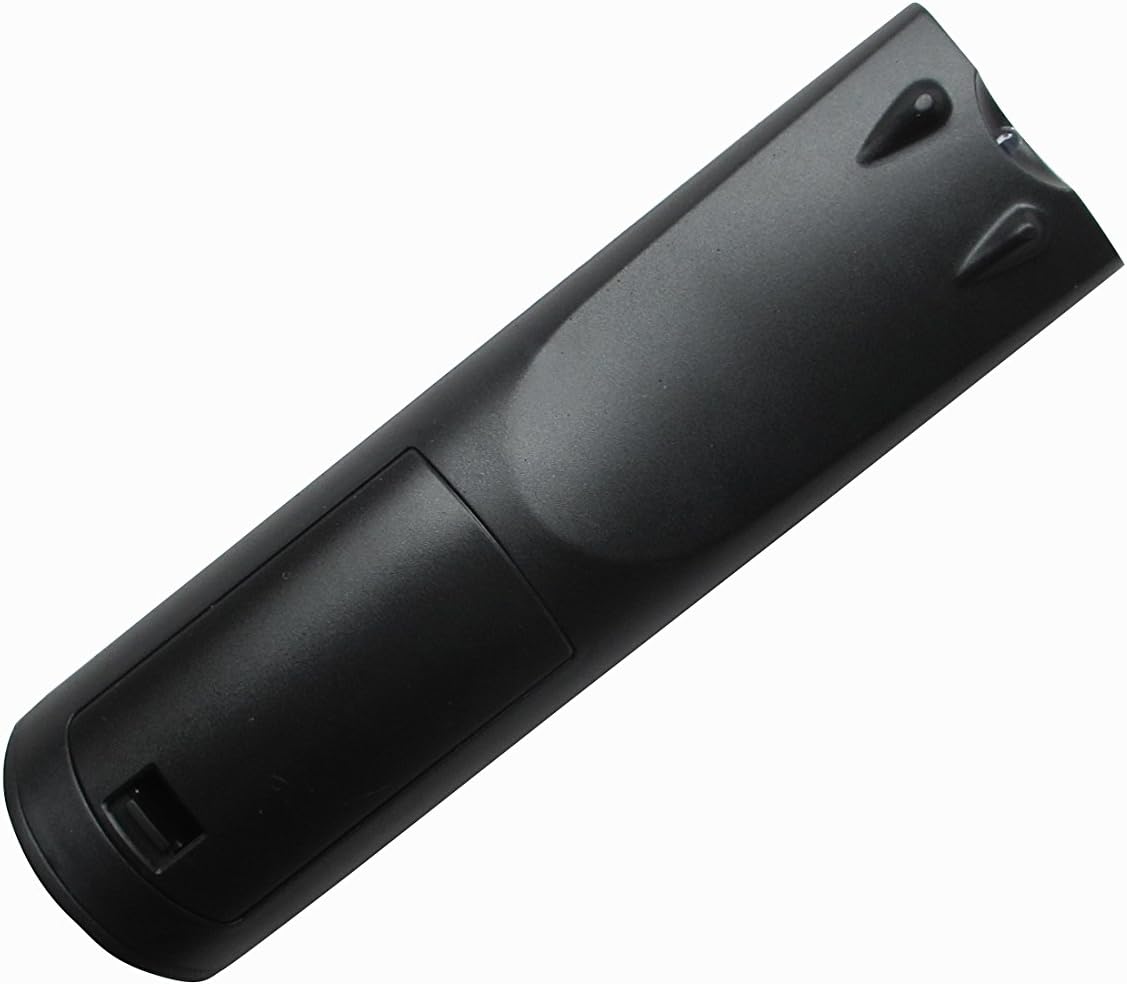
1-сүрөт: Артка view батарея бөлүмү менен алыстан башкаруу пультун.
2.2 Алгачкы колдонуу
This Easytry123 remote control is an infrared replacement unit and typically does not require programming. Once batteries are installed, point the remote directly at your Integra A/V receiver and press the power button to test functionality. If the remote does not respond, ensure there are no obstructions between the remote and the receiver's IR sensor.
3. Иштөө нускамалары
The Easytry123 remote control provides essential functions for your Integra A/V receiver. Familiarize yourself with the button layout:

Сүрөт 2: Алдыңкы view баскычтардын жайгашуусу менен алыстан башкаруунун.
- Кубат баскычы: Ресиверди күйгүзөт же өчүрөт.
- Булак/киргизүүнү тандоо: Buttons labeled SOURCE, TV, DVD, CD, NET, USB, etc., allow you to switch between different audio/video inputs on your receiver.
- Үндү көзөмөлдөө: Use the VOL +/- buttons to adjust the audio output level.
- Чабыттоо баскычтары: The directional arrows (up, down, left, right) and ENTER button are used to navigate menus on your receiver's display.
- Menu/Setup: Accesses the receiver's main menu or setup options.
- Ойнотуу башкаруулары: Buttons like PLAY, PAUSE, STOP, REWIND, FAST FORWARD are for controlling connected media devices (e.g., DVD/Blu-ray player).
- Сандык баскычтоп: For direct input of numbers, such as radio station frequencies or track numbers.
- Режим тандоо: Buttons like STEREO, MODE, etc., may allow selection of audio modes.
Note: The exact functionality of some buttons may depend on your specific Integra A/V receiver model and its connected devices. Refer to your receiver's original manual for detailed information on its features.
4. Техникалык тейлөө
4.1 Тазалоо
Пультту тазалоо үчүн жумшак, кургак чүпүрөктү колдонуңуз. өжөр кир үчүн, бир аз гampкездемени суу же жумшак, абразивдүү эмес тазалоочу каражат менен сүртүңүз. Күчтүү химиялык заттарды колдонбоңуз же пультту суюктукка салбаңыз.
4.2 Батареяны алмаштыруу
Пульттун реакциясы жайлап калса же иштебей калса, батареяларды алмаштырыңыз. Ар дайым эки батареяны тең бир эле учурда жаңы AA батареялары менен алмаштырыңыз. Эски жана жаңы батареяларды, же ар кандай типтеги батареяларды аралаштырбаңыз.
4.3 Сактоо
Эгерде алыстан башкаруу куралы узак убакыт бою колдонулбай турган болсо, анда агып кетүүнүн жана аппаратка мүмкүн болуучу зыяндын алдын алуу үчүн батарейкаларды алып салыңыз.
5. Кыйынчылыктарды
- Пульт жооп бербей жатат:
- Батареялардын туура орнотулганын жана түгөнүп калбагандыгын текшериңиз. Керек болсо алмаштырыңыз.
- Check for any obstructions between the remote's IR emitter and the receiver's IR sensor.
- Make sure you are within the effective operating range (up to 10 meters) and pointing the remote directly at the receiver.
- Кээ бир функциялар иштебейт:
- Verify that your Integra A/V receiver model is listed as compatible with this replacement remote.
- Certain advanced functions or specific device controls may not be fully replicated by a universal replacement remote. Refer to your receiver's original manual for specific button functions.
- Receiver not turning on/off:
- Confirm the receiver is plugged into a power source and is not in standby mode due to a power outage.
6. Техникалык шарттар
| Бренд: | Easytry123 |
| Модель аты: | Easytry5173 |
| Байланыш технологиясы: | Инфракызыл (IR) |
| Максималдуу диапазон: | 10 метр |
| Батареялардын саны: | 2 |
| Батарея түрү: | AA (Alkaline recommended) |
| Шайкеш түзмөктөр: | Integra A/V Receivers (DTR-8.4, DTR-50.5, RC-549M, RC-550M, DTR-7.4, DTR-20.1, DTR-20.2, DTC-9.9, DHC-9.9, DTR-40.3) |
7. Кепилдик жана колдоо
7.1 Кепилдик маалыматы
Specific warranty details for this replacement remote control are typically provided at the point of purchase. Please refer to your purchase documentation or contact the seller for information regarding warranty coverage and terms.
7.2 Кардарларды колдоо
For further assistance or inquiries regarding the Easytry123 replacement remote control, please contact the seller or manufacturer directly through the platform where the product was purchased. Provide your order number and a detailed description of the issue for efficient support.