Introduction
Thank you for choosing the TORRAS Fast Wireless Charger. This manual provides essential information for the safe and efficient use of your new wireless charging pad. Please read these instructions carefully before use and retain them for future reference.
Кутуда эмне бар
Пакетиңизде бардык буюмдар бар экенин текшериңиз:
- 15 Вт зымсыз заряддагыч аянтча
- 18W QC 3.0 Wall Adapter
- USB-C Cable
- Welcome Guide
- Access to Lifetime Quick-Response Friendly Service
Орнотуу нускамалары
- Заряддагычты туташтыруу: Plug the provided USB-C cable into the wireless charger pad.
- Кубатка туташуу: Insert the other end of the USB-C cable into the 18W QC 3.0 wall adapter. Plug the wall adapter into a power outlet. For optimal fast charging performance, ensure you use the included 18W QC 3.0 adapter.
- Жайгашкан жери: Place the wireless charger pad on a flat, stable surface.

Image: The 18W QC 3.0 wall charger and USB-C cable connected to the wireless charging pad, illustrating the setup for fast charging. A smartphone is shown charging on the pad, with a visual comparison of charging speeds between conventional, QC2.0, and QC3.0 adapters.
Иштөө нускамалары
- Түзмөгүңүздү жайгаштырыңыз: Center your Qi-compatible smartphone on the charging pad. The charger is designed for universal compatibility with various Qi-enabled devices, including the iPhone 12 series and Samsung phones.
- Заряддоо көрсөткүчү: A smart blue light will illuminate briefly to indicate that charging has begun. This light is designed to be subtle and not disruptive, especially in dark environments.
- Case Friendly Charging: The charger supports charging through most lightweight plastic phone cases up to 4mm thick. Remove any metal cases, credit cards, or magnetic attachments from your phone before charging, as these can interfere with the charging process.
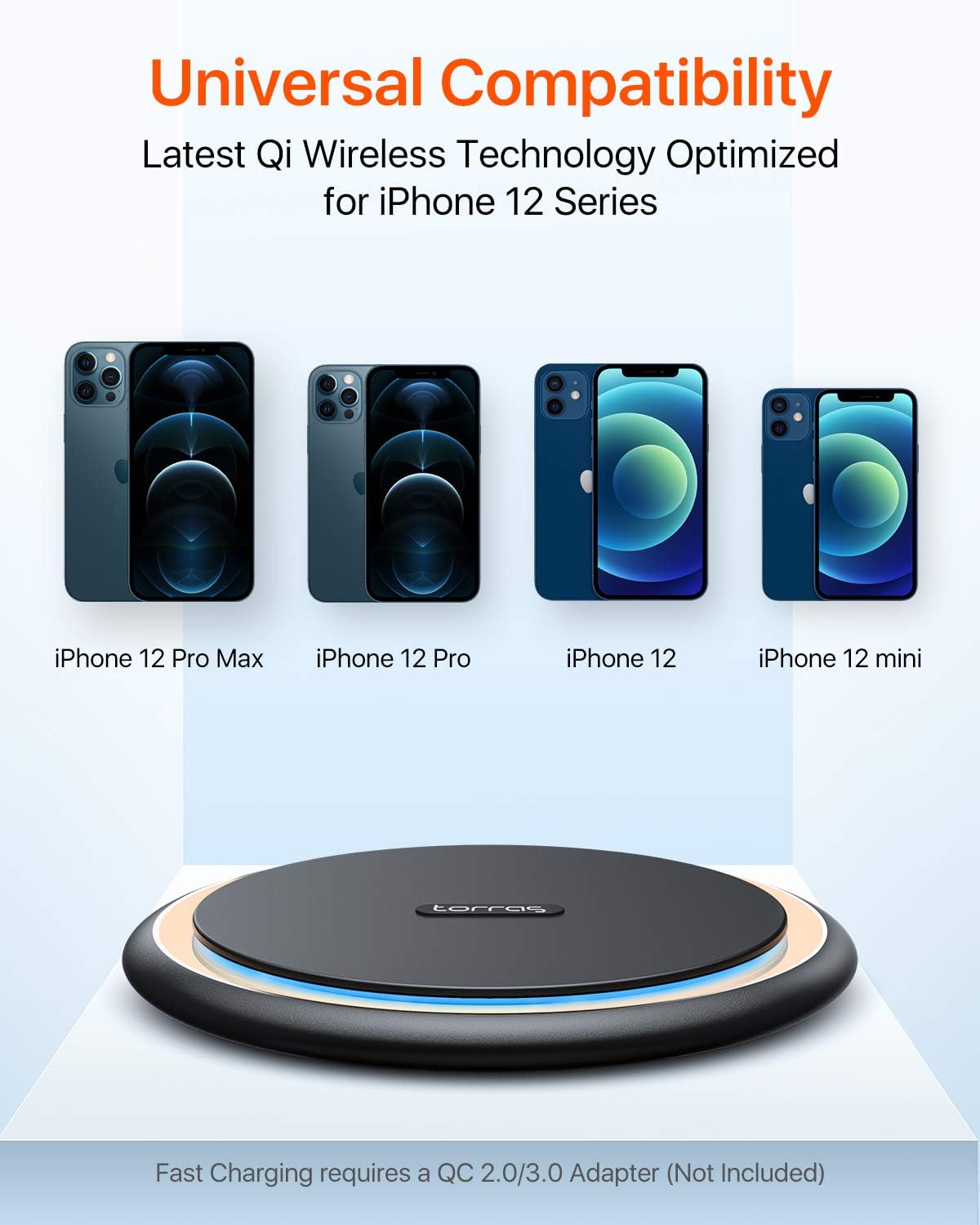
Image: A visual representation of the TORRAS wireless charger's universal compatibility, showing various iPhone 12 models (Pro Max, Pro, 12, mini) positioned above the charging pad, indicating support for the latest Qi wireless technology.

Image: A smartphone in a clear case charging on the TORRAS wireless pad, demonstrating its case-friendly design. Icons indicate that magnets, credit cards, metal cases, and metal rings should be avoided for optimal charging.
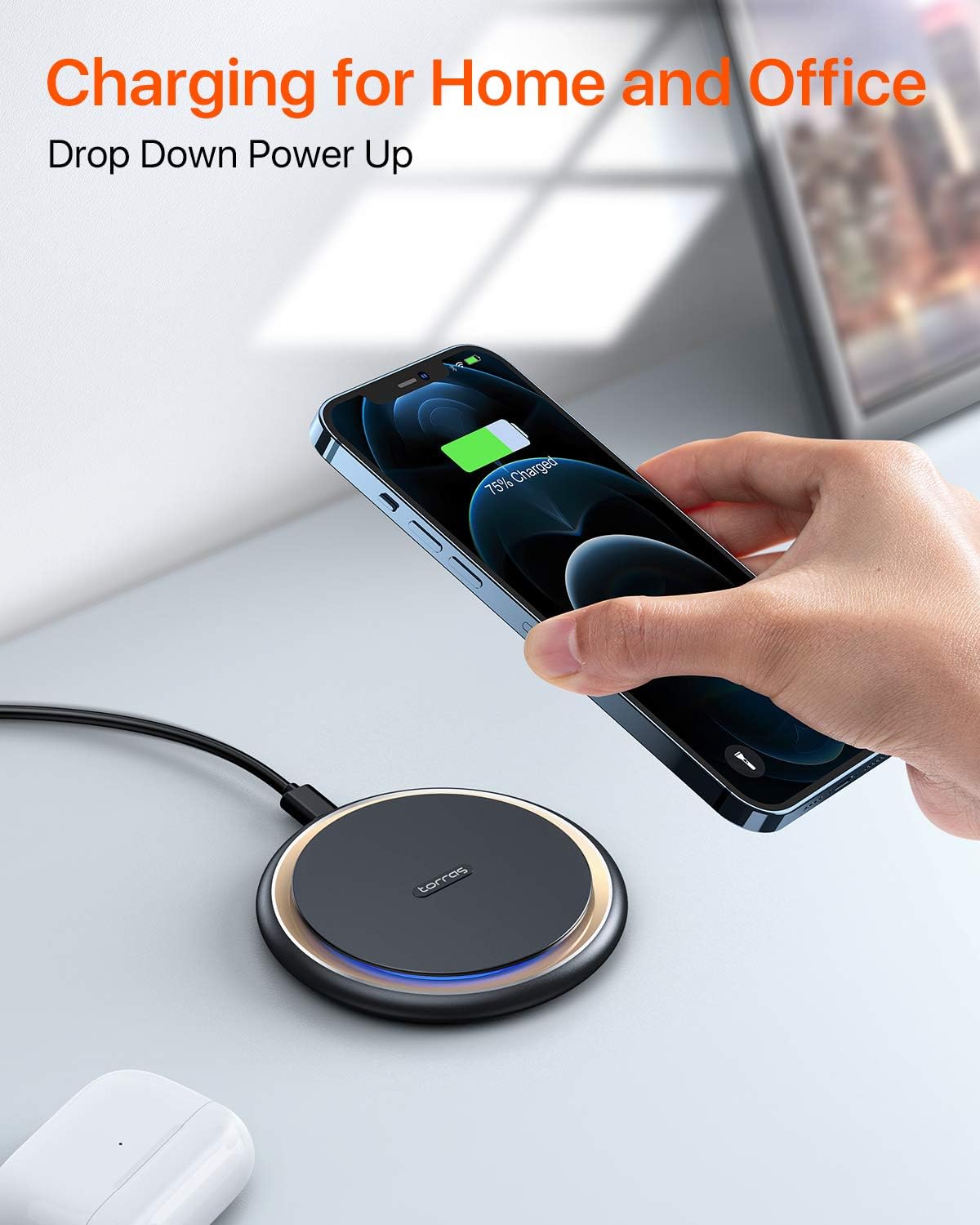
Image: A hand placing a smartphone onto the TORRAS wireless charger on a desk, illustrating its convenient use for charging in home and office environments. The phone screen shows a 75% charge.
Коопсуздук маалыматы
The TORRAS Fast Wireless Charger incorporates an exclusive safety system to protect your devices and ensure safe operation:
- Премиум материал: Constructed with high-quality materials for durability and safety.
- Температураны көзөмөлдөө: Заряддоо учурунда ысып кетүүнүн алдын алат.
- Overvoltage Коргоо: Электр энергиясынын кескин өзгөрүшүнөн коргонуу чаралары.
- Кыска туташуулардан коргоо: Protects against electrical faults.
Always use the provided or a certified power adapter and cable. Do not expose the charger to extreme temperatures, moisture, or corrosive environments. Keep out of reach of children.

Сүрөт: жарылган view diagram of the TORRAS wireless charger, highlighting its internal components and safety features such as premium material, temperature control, overvoltage protection, and short circuit protection, with a glowing Qi symbol.
Техникалык тейлөө
To ensure the longevity and optimal performance of your wireless charger:
- Тазалоо: Wipe the surface of the charging pad with a soft, dry cloth. Do not use harsh chemicals or abrasive cleaners.
- Сактагыч: Колдонулбаганда, заряддагычты күн тийбеген, салкын, кургак жерде сактаңыз.
- Колдонуу: Заряддагычты кулап түшпөңүз же катуу таасирлерге дуушар болбоңуз.
Проблемаларды чечүү
If you encounter issues with your TORRAS Fast Wireless Charger, refer to the following common solutions:
- Түзмөк кубатталбай жатат:
- Ensure the charger is properly connected to a working power outlet using the provided 18W QC 3.0 adapter and USB-C cable.
- Verify that your smartphone is Qi-compatible and correctly centered on the charging pad.
- Remove any thick or metallic phone cases, credit cards, or magnetic attachments that may interfere with wireless charging.
- Try a different power outlet or USB port if available.
- Жай кубаттоо:
- Confirm you are using an 18W QC 3.0 (Quick Charge 3.0) compatible wall adapter for fast charging speeds. Lower wattage adapters will result in slower charging.
- Ensure your phone is perfectly aligned on the charging pad.
- Check for any background apps running on your phone that might consume significant power.
- Заряддагычтын ысып кетиши:
- It is normal for the charger and phone to become slightly warm during charging. If it becomes excessively hot, remove the phone immediately.
- Заряддоочу түзүлүштүн айланасында жетиштүү желдетүү бар экенин текшериңиз.
- Күн тийген жерде же ысык чөйрөдө заряддоодон алыс болуңуз.
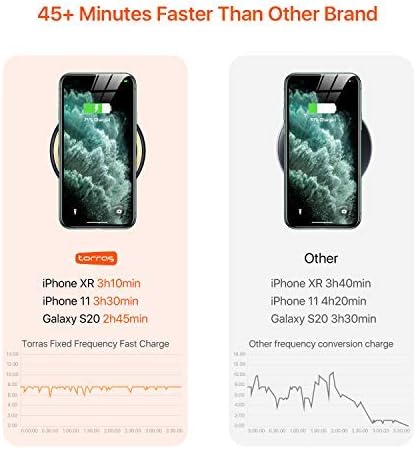
Image: A comparison chart showing the charging speed of the TORRAS wireless charger versus another brand for iPhone XR, iPhone 11, and Galaxy S20, indicating that the TORRAS charger is significantly faster.
Техникалык шарттар
| Бренд | ТОРРАС |
| Модел | B07MBL926H |
| Продукциянын өлчөмдөрү | 4 x 4 x 0.5 дюйм |
| Элемент Салмагы | 10.5 унция |
| Туташтыргыч түрү | Микро USB, USB |
| Шайкеш түзмөктөр | Уюлдук телефондор (Qi шайкеш) |
| Шайкеш телефон моделдери | Samsung, iPhone 12 Series, and other Qi-enabled devices |
| Киргизүү көлөмүtage | 12 вольт |
| Жалпы USB порттору | 1 |
| Ватtage | 15 ватт |
| Өзгөчө өзгөчөлүк | Fast Charge Wireless Charger, Fast Charging |
Кепилдик жана колдоо
Your TORRAS Fast Wireless Charger comes with a 365-Day Кепилдик from the date of purchase. Additionally, TORRAS provides Lifetime Quick-Response Friendly Service, with responses typically within 12 hours.
For warranty claims, technical support, or any inquiries, please refer to the contact information provided in your Welcome Guide or visit the official TORRAS support webсайт.