
1. Киришүү
This manual provides comprehensive instructions for the proper use and maintenance of your Zerone Replacement TV Remote Control, model BN59-01199G. This remote is designed as a direct replacement for compatible Samsung Smart TVs, ensuring seamless operation without complex setup.

Image 1.1: The Zerone Replacement TV Remote Control, showcasing its button layout and ergonomic design.
2. Пакеттин мазмуну
- 1 x Zerone Replacement TV Remote Control (Model: BN59-01199G)
3. Техникалык шарттар
| Өзгөчөлүк | Деталь |
|---|---|
| Shell Material | ABS |
| Remote Control Distance | Greater than 8 meters (actual distance may vary based on TV model and environment) |
| Батарея модели | 2 x AA батарейкалар (киргизилген эмес) |
| Продукциянын өлчөмдөрү | Болжол менен 175 x 45 x 20 мм (6.9 x 1.8 x 0.8 дюйм) |
| Элемент Салмагы | Болжол менен 67 г (2.46 унция) |
| Шайкеш түзмөктөр | Samsung Smart TVs requiring BN59-01199G remote |

Image 3.1: Dimensions of the remote control: 175mm (6.9in) length, 45mm (1.8in) width, and 20mm (0.8in) thickness.
4. Орнотуу
4.1 Батареяны орнотуу
- Пульттун артындагы батарея отсегин табыңыз.
- Батареянын капкагын ачуу үчүн ылдый жылдырыңыз.
- Эки (2) AA батарейкасын салып, оң (+) жана терс (-) терминалдары бөлүмдүн ичиндеги белгилер менен туура дал келгенин текшериңиз.
- Батареянын капкагын бекем чыккыча ордуна жылдырыңыз.
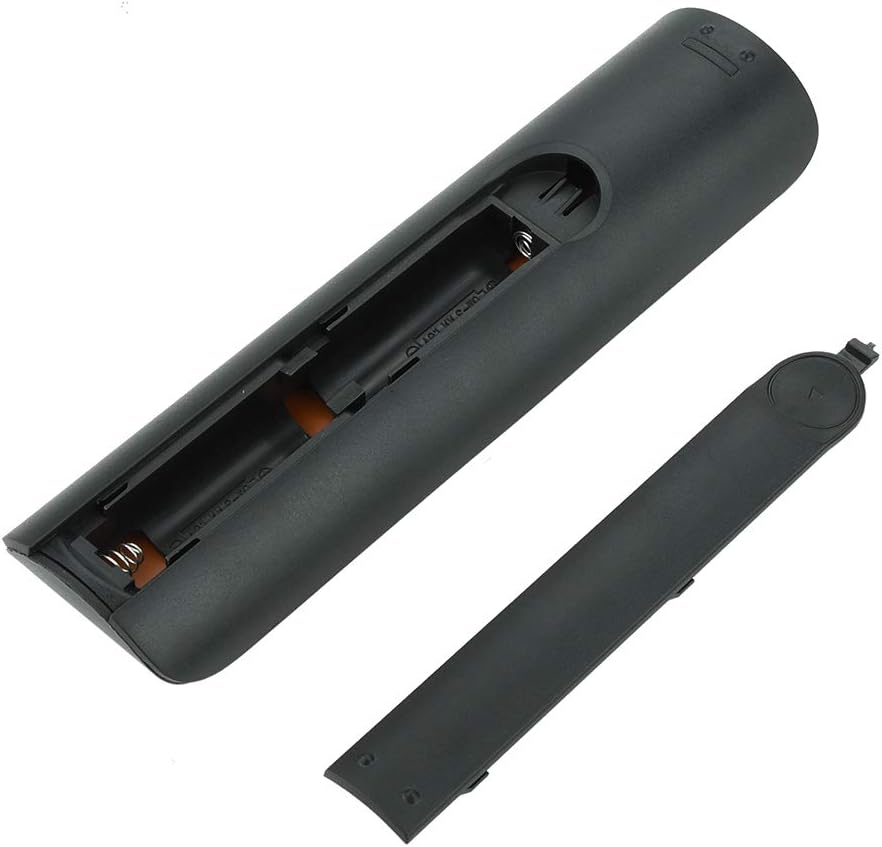
Сүрөт 4.1: View of the remote control with the battery cover removed, showing the two AA battery slots.
4.2 Алгачкы колдонуу
This remote control is designed to work directly with compatible Samsung Smart TVs that originally used the BN59-01199G model. No programming or pairing is typically required. Simply install the batteries and point the remote towards your television.

Image 4.2: The remote control positioned near a television, illustrating its intended use with compatible Samsung models.
5. Иштөө нускамалары
The remote control features standard buttons for TV operation. Refer to the image below for a visual guide to the button layout.

Сүрөт 5.1: деталдуу view of the remote control's buttons, including power, number pad, volume, channel, and smart functions.
- Кубат баскычы (Кызыл): Телевизорду күйгүзөт же өчүрөт.
- Сандар тактасы (0-9): Түз канал киргизүү үчүн.
- Үндү жогорулатуу/төмөндөтүү (+/-): Телевизордун үнүн тууралайт.
- Канал өйдө/төмөн (CH +/-): Телеканалдарды өзгөртөт.
- Үнсүз: Телевизордун үнүн басат.
- Smart Hub: Accesses the Smart Hub interface for apps and streaming services.
- Меню: Сыналгынын негизги менюсун ачат.
- Куралдар: Provides quick access to common TV functions.
- Маалымат: Учурдагы программа же киргизүү жөнүндө маалыматты көрсөтөт.
- Навигация панели (Өйдө, Төмөн, Солго, Оңго, Кирүү): Менюларда багыттоо жана параметрлерди тандоо үчүн колдонулат.
- Кайтуу: Мурунку экранга же менюга кайтып келет.
- Чыгуу: Учурдагы менюну же колдонмону жабат.
- Түстүү баскычтар (A, B, C, D): Функционалдык сыналгы моделине жана колдонмосуна жараша өзгөрөт.
- Ойнотуу башкаруулары: Медиа ойнотуу үчүн ойнотуу, тындыруу, токтотуу, алдыга жылдыруу, артка түрүү.
6. Техникалык тейлөө
6.1 Тазалоо
Алыстан башкаруу пультун тазалоо үчүн аны жумшак, кургак чүпүрөк менен акырын сүртүңүз. Өжөр кир үчүн бир азampкездемени суу же жумшак, абразивдүү эмес тазалоочу каражат менен сүртүңүз. Катуу химиялык заттарды же ашыкча нымдуулукту колдонуудан алыс болуңуз, анткени алар пульттун электроникасына зыян келтириши мүмкүн.
6.2 Батареяны алмаштыруу
Replace batteries when the remote control's response becomes sluggish or stops working. Always replace both AA batteries at the same time with new ones. Do not mix old and new batteries, or different types of batteries.
7. Кыйынчылыктарды
- Пульт жооп бербей жатат:
- Батареялар туура полярдуулук менен туура салынганын текшериңиз.
- Батареяларды жаңыларына алмаштырыңыз.
- Алыстан башкаруу пульту менен телевизордун инфракызыл кабыл алгычынын ортосунда эч кандай тоскоолдуктар жок экенин текшериңиз.
- Пульттун түз телевизорго багытталганын текшериңиз.
- Short remote control distance:
- This can indicate low battery power; replace the batteries.
- Environmental factors or strong light sources can interfere with the infrared signal. Try using the remote in different lighting conditions.
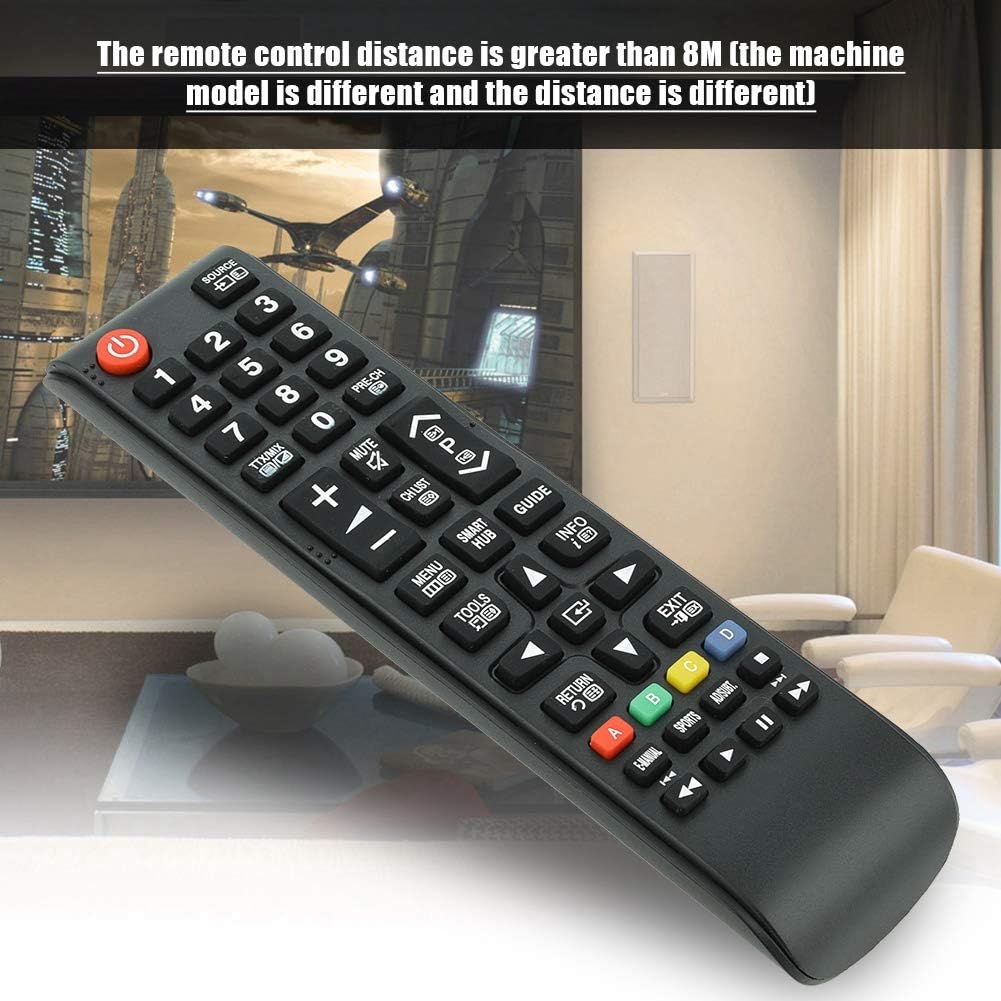
Image 7.1: The remote control in a typical home environment, demonstrating its effective range for TV operation.
8. Кепилдик жана колдоо
Zerone products are manufactured with quality in mind. If you encounter any issues or are not satisfied with your product, please contact the seller or manufacturer for support. Refer to your purchase documentation for specific warranty terms and contact information.