
1. Киришүү
Сатып алганыңыз үчүн рахматasing the DACOM GF7 TWS V4.2 Bluetooth Earbuds. This manual provides detailed instructions on how to set up, operate, and maintain your earbuds to ensure optimal performance and longevity. Please read this manual thoroughly before using the product and retain it for future reference.
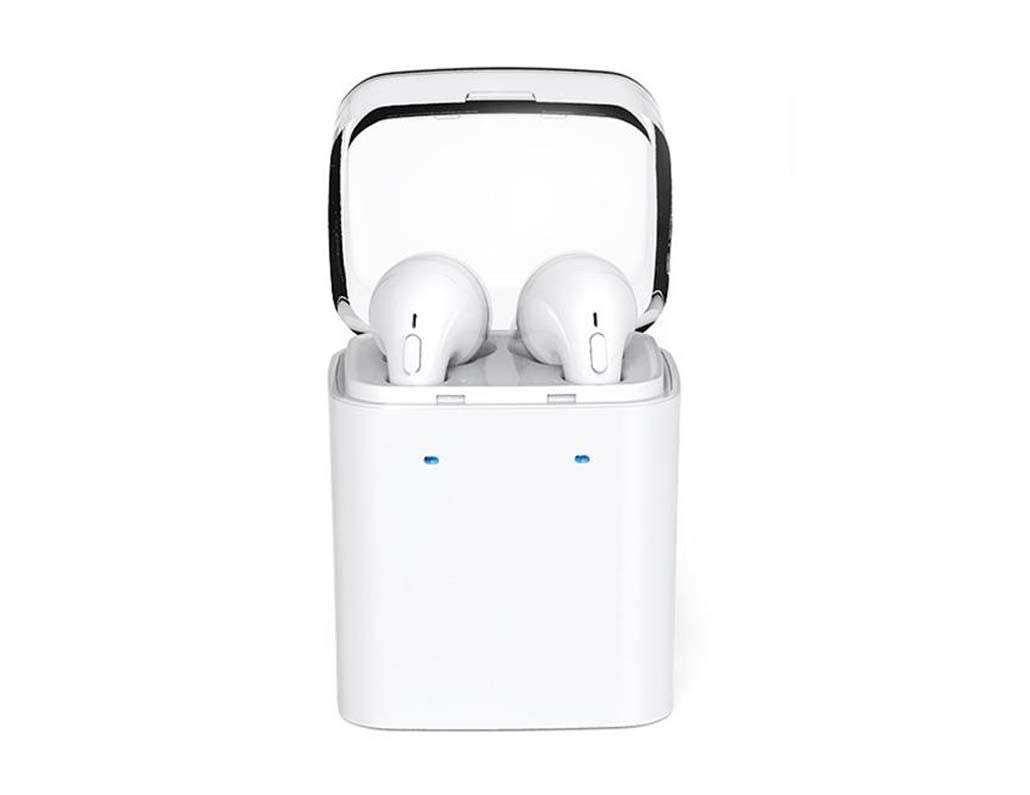
Image 1.1: DACOM GF7 TWS V4.2 Bluetooth Earbuds in their charging case.
2. Пакеттин мазмуну
Сураныч, кутудан чыкканда пакеттин мазмунун текшериңиз. Эгерде кандайдыр бир буюмдар жок же бузулуп калса, сатуучуга кайрылыңыз.
- DACOM GF7 TWS V4.2 Bluetooth Earbuds (Left and Right)
- Портативдик кубаттоочу куту
- USB заряддоо кабели
- Кулак жаздыктары (ар кандай өлчөмдөгү)
- Колдонуучунун Колдонмосу (бул документ)
3. Продукт бүтүп калдыview
Familiarize yourself with the components of your DACOM GF7 TWS V4.2 Earbuds and charging case.

Image 3.1: Detailed diagram showing the Multifunction Button (MFB), Indicator Light, Microphone (Mic), Air Gate, DC5V Charge Jack Cover, Headphone Charging Indicator Light, USB Charging Input Port, and the Charging Indicator Light of the bottom on the DACOM GF7 TWS V4.2 Earbuds and Charging Case.
- Multifunction Button (MFB): Used for power, playback, call management, and voice assistant activation.
- Индикатор жарыгы: Displays pairing status, charging status, and power status.
- Микрофон: Чалуулар жана үн буйруктары үчүн орнотулган микрофон.
- Аба дарбазасы: Acoustic vent for sound performance.
- DC5V Charge Jack Cover: Protects the charging port on the earbuds.
- Headphone Charging Indicator Light: Shows charging status of individual earbuds within the case.
- USB Charging Input Port: For charging the portable charging case.
- Charging Indicator Light of the bottom: Корпустун кубаттоо абалын көрсөтөт.
4. Орнотуу
4.1. Кулакчындарды кубаттоо жана заряддоо куту
- Ишти заряддоо: Connect the USB charging cable to the USB Charging Input Port on the charging case and the other end to a 5V USB power adapter (not included). The Charging Indicator Light at the bottom of the case will illuminate to indicate charging. Once fully charged, the indicator light may change color or turn off.
- Кулакчындарды заряддоо: Place the earbuds into their respective slots in the charging case. Ensure the earbuds are properly seated. The Headphone Charging Indicator Light on the case will show the charging status of the earbuds. The earbuds' indicator lights will also show charging status (e.g., red while charging, off when fully charged).
- For first-time use, fully charge both the earbuds and the charging case.
4.2. Bluetooth Жупташтыруу
- Күйгүзүү: Take both earbuds out of the charging case. They will automatically power on and attempt to pair with each other. You will hear an audible prompt indicating they are connected to each other.
- Жупташтыруу режими: Once the earbuds are paired with each other, one earbud's indicator light will flash red and blue alternately, indicating it is in pairing mode and ready to connect to your device.
- Түзмөккө туташуу: On your smartphone or Bluetooth-enabled device, go to the Bluetooth settings and search for available devices. Select "DACOM GF7 TWS" (or similar name) from the list.
- Ийгиликтүү туташуу: Once connected, the earbud's indicator light will stop flashing, and you will hear a confirmation sound.
- Автоматтык кайра туташуу: Баштапкы жупташтыруудан кийин, түзмөгүңүздө Bluetooth иштетилген болсо, кулакчындар кубаттоочу кутудан чыгарылганда акыркы жупташтырылган түзмөккө автоматтык түрдө туташат.
5. Иштөө нускамалары
The DACOM GF7 TWS V4.2 Earbuds feature a Multifunction Button (MFB) for various controls.
5.1. Күйгүзүү/өчүрүү
- Күйгүзүү: Take the earbuds out of the charging case. They will power on automatically. Alternatively, press and hold the MFB on both earbuds for approximately 3 seconds until you hear a power-on prompt.
- Өчүрүү: Place the earbuds back into the charging case. They will power off automatically. Alternatively, press and hold the MFB on both earbuds for approximately 5 seconds until you hear a power-off prompt.
5.2. Музыканы ойнотуу
- Ойнотуу/тындыруу: Single press the MFB on either earbud.
- Кийинки трек: Double press the MFB on the right earbud.
- Мурунку трек: Double press the MFB on the left earbud.
5.3. Чалууларды башкаруу
- Чалууга жооп берүү/аяктоо: Single press the MFB on either earbud.
- Чакырууну четке кагуу: Press and hold the MFB on either earbud for approximately 2 seconds.
5.4. Үн жардамчысы
- Үн Жардамчысын жандыруу: Triple press the MFB on either earbud to activate your device's voice assistant (e.g., Siri, Google Assistant).
5.5. Шуудан баш тартуу
- The DACOM GF7 TWS V4.2 features active noise cancellation. Specific activation methods may vary. Refer to the product's quick start guide or manufacturer's website for precise instructions if not detailed here. Typically, a long press or specific tap sequence on an MFB or dedicated button activates/deactivates ANC.
6. Техникалык тейлөө
Туура тейлөө кулакчындардын узак мөөнөттүү иштешин жана жакшы иштешин камсыз кылат.
- Тазалоо: Кулакчындарды жана заряддоо кутусун жумшак, кургак, түксүз чүпүрөк менен дайыма тазалап туруңуз. Катуу химиялык заттарды же абразивдүү материалдарды колдонбоңуз.
- Кулак кеңештери: Кулактын учтарын мезгил-мезгили менен алып салып, тазалап туруңузamp чүпүрөк жана жумшак самын, андан кийин кайра кийер алдында жакшылап жууп, кургатуу керек.
- Сактагыч: Колдонулбаганда, кулакчындарды чаңдан жана бузулуудан коргоо үчүн кубаттоочу кутуга салып сактаңыз.
- Нымдуулуктан качыңыз: Keep the earbuds and charging case away from water, excessive humidity, and extreme temperatures.
7. Кыйынчылыктарды
If you encounter issues with your earbuds, refer to the following common problems and solutions.
| Көйгөй | Чечим |
|---|---|
| Кулакчындар бири-бири менен жупташпайт. |
|
| Кулакчындар түзмөккө туташпай жатат. |
|
| Кулакчындардан үн чыкпайт. |
|
| Charging case or earbuds not charging. |
|
8. Техникалык шарттар
| Бренд аты | DACOM |
| Модель аты | GF7 TWS |
| Модель номери | 7TWS |
| Түс | Ак |
| Наушник форма фактору | In-Ear |
| Noise Control | Активдүү ызы-чууну жокко чыгаруу |
| Байланыш технологиясы | Зымсыз (Bluetooth) |
| Зымсыз байланыш технологиясы | Bluetooth V4.2 (inferred from title) |
| Камтылган компоненттер | Кулак жаздыкчалары |
| Өзгөчөлүктөр | Noise Cancellation, Microphone Included |
| Башкаруу ыкмасы | тийүү |
| Шайкеш түзмөктөр | Бардык түзмөктөр |
| Материал | PU Metal Eraser (likely referring to ear tip material or casing finish) |
9. Коопсуздук маалыматы
Түзмөгүңүзгө зыян келтирбөө же жаракат келтирбөө үчүн ушул коопсуздук көрсөтмөлөрүн окуп чыгып, аткарыңыз.
- Буюмду демонтаждабаңыз, оңдобоңуз же өзгөртпөңүз. Бул өрт, электр шок же буюмдун толук бузулушуна алып келиши мүмкүн.
- Keep the product away from extreme temperatures (hot or cold), direct sunlight, and sources of heat.
- Продукцияны сууга же башка суюктуктарга тийгизбеңиз.
- Угуунун бузулушун алдын алуу үчүн продуктуну узак убакыт бою жогорку үндө колдонбоңуз.
- Берилген же сунушталган кубаттоо кабелдерин жана адаптерлерин гана колдонуңуз.
- Балдар жана үй жаныбарлары жетпеген жерде сактаңыз. Майда бөлүктөрү муунтуу коркунучун жаратышы мүмкүн.
- Be aware of your surroundings when using the earbuds, especially in traffic or other potentially dangerous situations.
10. Кепилдик жана колдоо
DACOM products are designed and manufactured to the highest quality standards. For detailed warranty information, please refer to the warranty card included with your purchase or visit the official DACOM webсайт.
For technical support, troubleshooting assistance, or to inquire about replacement parts, please contact DACOM customer service through their official webсайт же продукт таңгагында көрсөтүлгөн байланыш маалыматы.
- Онлайн колдоо: Visit the official DACOM webКөп берилүүчү суроолор, колдоо макалалары жана байланыш формалары үчүн сайт.
- Электрондук почта колдоо: Refer to your product packaging for customer service email addresses.