
Introduction
This manual provides instructions for the setup, operation, maintenance, and troubleshooting of your new replacement remote control for Optoma projectors. This remote is designed to be compatible with a wide range of Optoma projector models, offering a convenient and reliable control solution.
Compatible Optoma Projector Models:
- HD26, X412, HD26B, HD26BR, UHD300X
- GT1080, GT1080E, GT1080DARBEE, GT1070X, VDGTGZBZ, GT1070Xe
- HD141X, HD143X, H181X, DH1008, DH1009
- HD37, UHD60, HDF536, HDF537ST, HD200D
- HD39DARBEE, VDHDNBDSE, UHD65, HD27, HD27E, HD27HDR, HD29DARBEE
- EH200ST, EH412ST, GT5600, VDHDNL, HD142X, HD144X, HD152X
- UHD550X, HD28HDR, HD28DSE, UHD40, UHD50, UHZ65, VDUHDLZ, ZH403, HD39HDR, UHD35
Please verify that your original remote control is identical to this replacement model for full functionality. If your original remote differs, some functions may not be fully compatible.
Жайгашуу
Батарея орнотуу
The remote control requires two (2) AA batteries for operation. Batteries are not included with the remote control.
- Пульттун артындагы батарея отсегин табыңыз.
- Батарея бөлүмүнүн капкагын ылдый жылдырыңыз же ачуу үчүн кулпуну басып, көтөрүңүз.
- Оң (+) жана терс (-) терминалдары бөлүмдүн ичиндеги белгилер менен туура дал келишин камсыз кылып, эки АА батарейканы салыңыз.
- Батарея бөлүкчөсүнүн капкагын бекем чыккыча ордуна жылдырыңыз.

The remote control's rear panel, with the battery cover removed, revealing the battery compartment and regulatory markings.

The remote control's front, highlighting the requirement for two AA batteries for operation.
Операция
Негизги функциялар
Point the remote control directly at the infrared receiver on your Optoma projector. The maximum effective range is approximately 10 meters (33 feet).
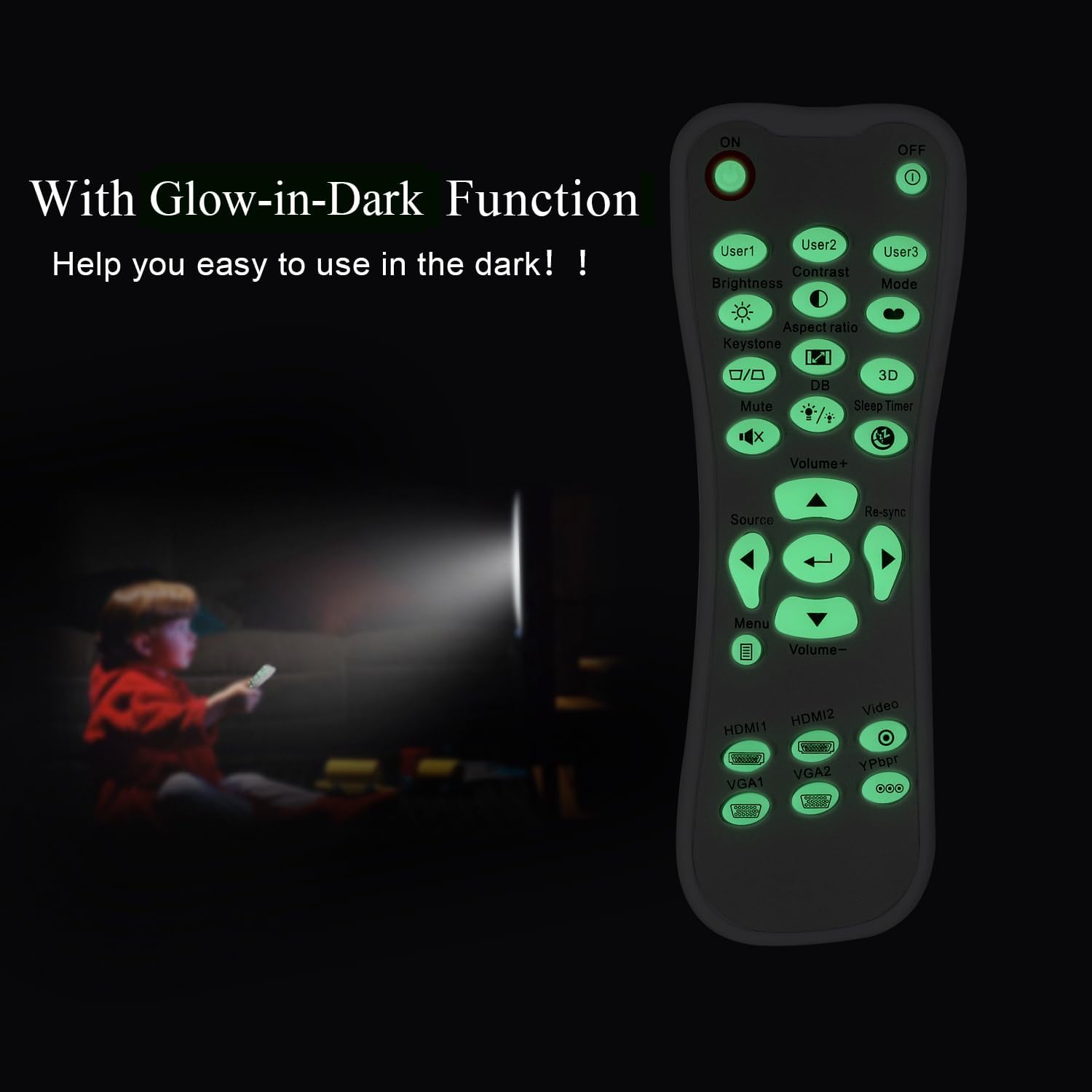
А ачык view of the remote control's front face, displaying all functional buttons including power, menu, volume, and source selection.
- КҮЙГҮЗҮҮ/ӨЧҮРҮҮ: Press the 'ON' button to power on the projector. Press the 'OFF' button to power off the projector.
- Меню: Access the projector's on-screen display (OSD) menu.
- Навигация баскычтары (Өйдө, Төмөн, Солго, Оңго, Кирүү): Use these buttons to navigate through menu options and confirm selections.
- Көлөм +/-: Аудио чыгаруу деңгээлин тууралаңыз.
- Булак: Cycle through available input sources (e.g., HDMI1, HDMI2, VGA1, VGA2, Video, YPbPr).
- Үнсүз: Аудиону үнсүз кылуу же кайра коюу.
- Жарыктык: Adjust the projector's brightness setting.
- Контраст: Adjust the projector's contrast setting.
- Негизги таш: Access keystone correction settings to adjust image geometry.
- Аспект катышы: Change the image aspect ratio.
- Режим: Select different display modes.
- 3D: Activate or deactivate 3D mode (if supported by projector).
- Уйку таймери: Set a timer for the projector to automatically power off.
- Кайра синхрондоштуруу: Re-synchronize the input signal.
Glow-in-Dark Function
Certain buttons on this remote control are designed to glow in the dark, enhancing visibility and ease of use in low-light conditions. For optimal luminous effect, expose the remote control to bright light for a period before use in the dark.

The remote control features glow-in-the-dark buttons, making it visible and easy to use in low-light environments, such as a darkened room during projector use.
Иштөө диапазону
The remote control operates using infrared (IR) technology. Ensure a clear line of sight between the remote control and the projector's IR receiver. The effective operating distance is up to 10 meters (approximately 33 feet).
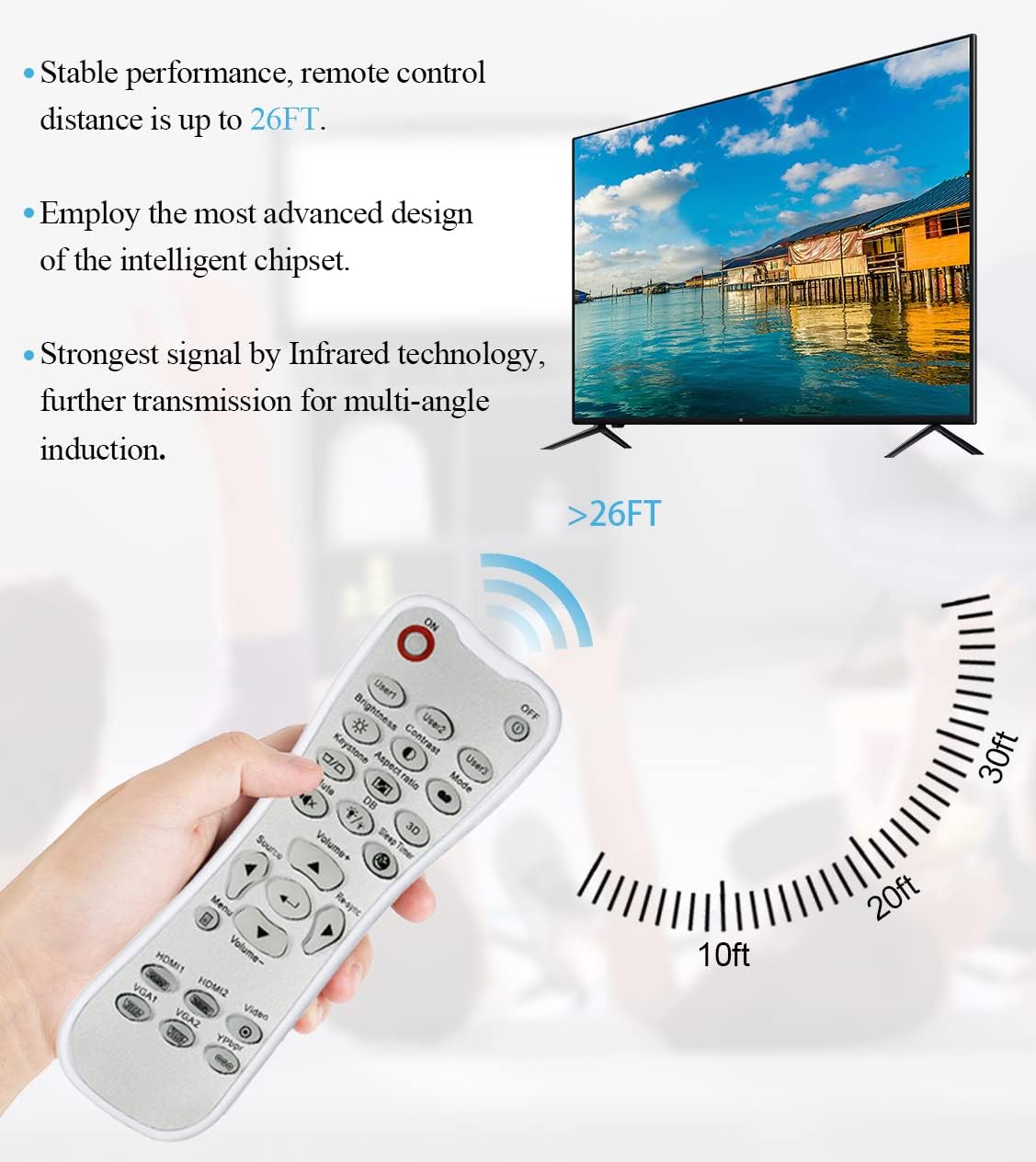
The remote control utilizes infrared technology for signal transmission, offering a reliable operating range of up to 26 feet (approximately 8 meters) for controlling your projector.
Техникалык тейлөө
Тазалоо
To clean the remote control, use a soft, dry cloth. Do not use liquid cleaners, abrasive pads, or chemical solvents, as these may damage the surface or internal components.
Батареяны алмаштыруу
Replace batteries when the remote control's response becomes sluggish or stops working. Always replace both batteries at the same time with new AA batteries. Do not mix old and new batteries, or different types of batteries.
Сактагыч
Пультту салкын, кургак, күндүн түз тийген нурунан жана өтө жогорку температурадан алыс жерде сактаңыз. Эгерде пульт көпкө колдонулбаса, агып кетүүнүн алдын алуу үчүн батарейкаларды алып салуу сунушталат.
Проблемаларды чечүү
- Пульт жооп бербей жатат:
- Батареялар туура полярдуулук менен туура орнотулганын текшериңиз.
- Эски батарейкаларды жаңысына алмаштырыңыз.
- Check for any obstructions between the remote control and the projector's IR receiver.
- Натыйжалуу иштөө диапазонунда экениңизди текшериңиз (10 метрге чейин).
- Баскычтар катуу же жооп бербейт:
- Ensure the remote control is clean and free from debris that might impede button movement.
- If buttons are consistently stiff, this may indicate a manufacturing issue.
- Glow-in-dark function is weak:
- Expose the remote control to bright light for a longer duration to charge the luminous material.
Техникалык шарттар
| Өзгөчөлүк | Спецификация |
|---|---|
| Модель аты | L-27-5KEY |
| Бренд шайкештиги | Optoma проекторлор |
| Өзгөчө өзгөчөлүк | Universal Replacement, Glow-in-Dark Buttons |
| Түс | Ак |
| Байланыш технологиясы | Инфракызыл (IR) |
| Button Quantity | 5 (referring to the main function keys, though more buttons are present) |
| Controller Type | Control Button |
| Максималдуу диапазон | 10 метр (болжол менен 33 фут) |
| Батарея түрү | 2 x AA батарейкалар (киргизилген эмес) |
| Материал | Пластик |
| Элементтин өлчөмдөрү (L x W x Y) | 14.9 см (5.9 дюйм) x 5.3 см (2.1 дюйм) x 2.5 см (1 дюйм) |

A dimensional diagram illustrating the compact size of the remote control, measuring approximately 14.9 cm (5.9 inches) in length, 5.3 cm (2.1 inches) in width, and 2.5 cm (1 inch) in thickness.
Кепилдик жана колдоо
For any issues not covered in this manual, or for warranty inquiries, please contact the seller or manufacturer directly through your purchase platform. Keep your purchase receipt as proof of purchase.