
1. Продукт бүтүп калдыview
The Jettom J1 is a 7-inch tablet designed for children, featuring a durable yellow casing. It operates on the Android system and includes dual cameras, Bluetooth connectivity, and 2G cellular support. This manual provides essential information for setting up, operating, maintaining, and troubleshooting your Jettom J1 tablet.
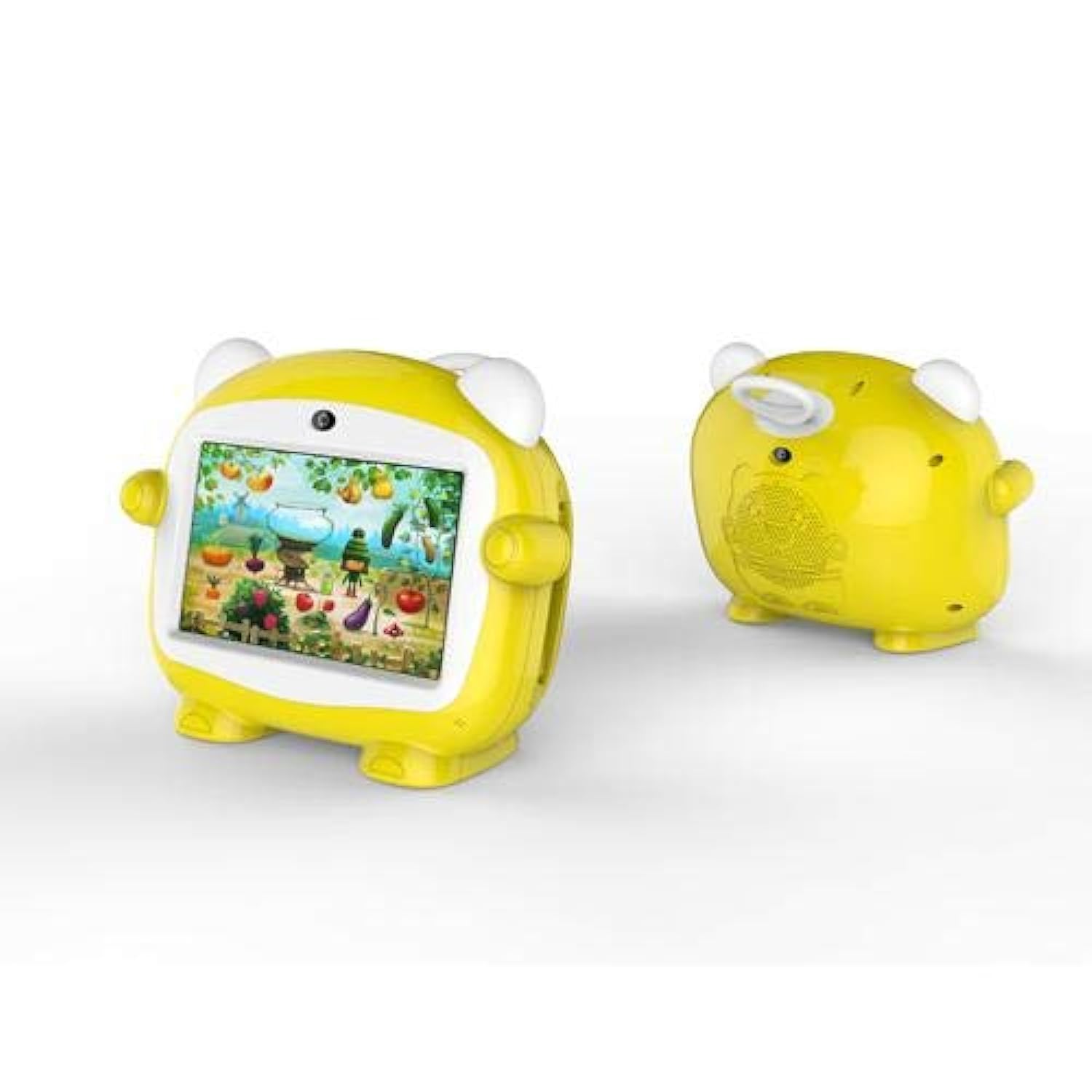
Сүрөт 1: Алдыңкы view of the Jettom J1 Kids Tablet.
2. Баштапкы орнотуу
2.1 Планшетти заряддоо
Before first use, fully charge the tablet. Connect the provided charger to the tablet's charging port and plug it into a power outlet. The battery indicator on the screen will show charging status.
2.2 Күйгүзүү/өчүрүү
- Күйгүзүү үчүн: Планшеттин капталында жайгашкан Кубат баскычын экран күйгөнгө чейин басып туруңуз.
- Өчүрүү үчүн: Кубат баскычын басып, кармап туруңуз, андан кийин экранда пайда болгон параметрлерден "Өчүрүү" дегенди тандаңыз.
2.3 Баштапкы конфигурация
Upon first startup, follow the on-screen prompts to configure basic settings:
- Каалаган тилиңизди тандаңыз.
- Wi-Fi тармагына туташыңыз.
- Күн менен убакытты коюңуз.
- Sign in with a Google account (optional, but recommended for app downloads).
2.4 Inserting a SIM Card (for 2G Cellular)
The Jettom J1 supports a single 2G SIM card for cellular connectivity. Locate the SIM card slot, typically on the side or back of the device. Carefully insert the SIM card with the gold contacts facing down, ensuring it is correctly oriented. Refer to the diagram below for slot location.

2-сүрөт: Артка view of the Jettom J1 Kids Tablet, indicating potential SIM card slot area.
3. Иштөө нускамалары
3.1 Негизги навигация
The tablet features a capacitive touchscreen. Use the following gestures:
- таптаңыз: Бир нерсени тандоо же тиркемени ачуу.
- Серпүү: To scroll through pages or menus.
- Чымчуу: Сүрөттөрдү чоңойтуу же кичирейтүү үчүн же web барактар.
3.2 Wi-Fi байланышы
Wi-Fi тармагына туташуу үчүн:
- барыңыз Орнотуулар > Тармак жана интернет > Wi-Fi.
- Wi-Fi которуштуруу On.
- Тизмеден каалаган тармакты тандап, суралса сырсөздү киргизиңиз.
3.3 Камераларды колдонуу
The tablet is equipped with a front (2MP) and rear (5MP) camera. Open the Camera application to take photos or record videos. You can switch between the front and rear cameras within the app interface.
3.4 Bluetooth жупташтыруу
Bluetooth түзмөгү менен жупташтыруу үчүн:
- барыңыз Орнотуулар > Туташкан түзмөктөр > Bluetooth.
- Bluetooth которуштуруу On.
- The tablet will scan for available devices. Select the device you wish to pair with and confirm the pairing code if necessary.
4. Техникалык тейлөө
4.1 Планшетти тазалоо
Use a soft, lint-free cloth to clean the screen and body of the tablet. Do not use abrasive cleaners or solvents, as these can damage the device. Avoid direct contact with liquids.
4.2 Батареяга кам көрүү
- Планшетти экстремалдык температурага тийгизүүдөн сактаңыз.
- Батареянын бат-баттан толук зарядсызданышына жол бербеңиз.
- Түпнуска же тастыкталган шайкеш кубаттагычты гана колдонуңуз.
4.3 Программалык камсыздоо жаңыртуулары
Оптималдуу иштөөнү жана коопсуздукту камсыз кылуу үчүн системанын жаңыртууларын мезгил-мезгили менен текшерип туруңуз. Орнотуулар > Система > Системаны жаңыртуу жеткиликтүү жаңыртууларды текшерүү жана орнотуу үчүн.
4.4 Сактагычты башкаруу
To manage the tablet's 4GB internal storage, go to Орнотуулар > Сактагыч. You can clear cached data, uninstall unused apps, or move files to an external SD card (if supported and installed) to free up space.
5. Кыйынчылыктарды
| Көйгөй | Чечим |
|---|---|
| Планшет күйбөйт | Батарея заряддалганын текшериңиз. Кубаттоочу түзүлүштү туташтырып, кайра аракет кылыңыз. Эгер жооп бербесе, өчүрүп-күйгүзүү үчүн кубат баскычын 10-15 секунд басып туруңуз. |
| Экран жооп бербей жатат | Планшетти кайра иштетиңиз. Эгер маселе чечилбесе, экрандын таза жана таштандылардан таза экенин текшериңиз. |
| Wi-Fi'га туташпай жатат | Жөндөөлөрдөн Wi-Fi иштетилгенин текшериңиз. Wi-Fi роутериңизди өчүрүп-күйгүзүңүз. Туура сырсөздү киргизип жатканыңызды текшериңиз. |
| Колдонмолор бузулуп же катып жатат | Close and reopen the app. Clear the app's cache in Settings > Apps. Ensure the tablet has sufficient free storage space. |
| Жай аткаруу | Колдонулбаган тиркемелерди жабыңыз. Кэшти жана убактылууну тазалаңыз fileс. Акыркы чара катары заводдук жөндөөлөргө кайтарууну карап көрүңүз (алдын ала маалыматтардын камдык көчүрмөсүн сактаңыз). |
6. Техникалык шарттар
| Өзгөчөлүк | Деталь |
|---|---|
| Бренд | Jettom |
| Модель номери | J1 |
| Screen Size | 7 дюйм |
| Display Resolution | 1024 x 600 |
| Дисплей түрү | IPS LCD |
| Процессор бренди | MediaTek |
| Процессордун ылдамдыгы | 1.3 ГГц төрт ядролуу |
| RAM өлчөмү | 512 MB |
| Сактоо сыйымдуулугу | 4 ГБ |
| Арткы камеранын чечилиши | 5 мегапиксел |
| Алдыңкы камеранын чечилиши | 2 мегапиксел |
| Операция системасы | Android |
| Батарея сыйымдуулугу | 2000 мАч |
| Зымсыз байланыш | Bluetooth |
| Уюлдук тармак технологиясы | 2G (Single SIM) |
| Түс | Сары |
| Өзгөчө өзгөчөлүк | Кош камера |
| Жаш аралыгы (сүрөттөө) | Бала |
7. Кепилдик жана колдоо
Warranty information for the Jettom J1 tablet is typically provided at the point of purchase or within the product packaging. Please refer to these documents for details regarding coverage and terms.
For technical support, service, or inquiries regarding your product, please contact the seller or the manufacturer directly. Contact information can usually be found on the product packaging or the seller's webсайт.