
1. Киришүү
The Creator C502 is a multi-functional diagnostic tool designed for vehicle owners and professional workshops. It supports comprehensive diagnostics for Mercedes-Benz vehicles manufactured before 2016 and is compatible with all OBDII/EOBD compliant vehicles (US, Asian, and European models from 1996 onwards for petrol, and 2004 onwards for diesel). This manual provides essential information for setting up, operating, maintaining, and troubleshooting your C502 diagnostic scanner.
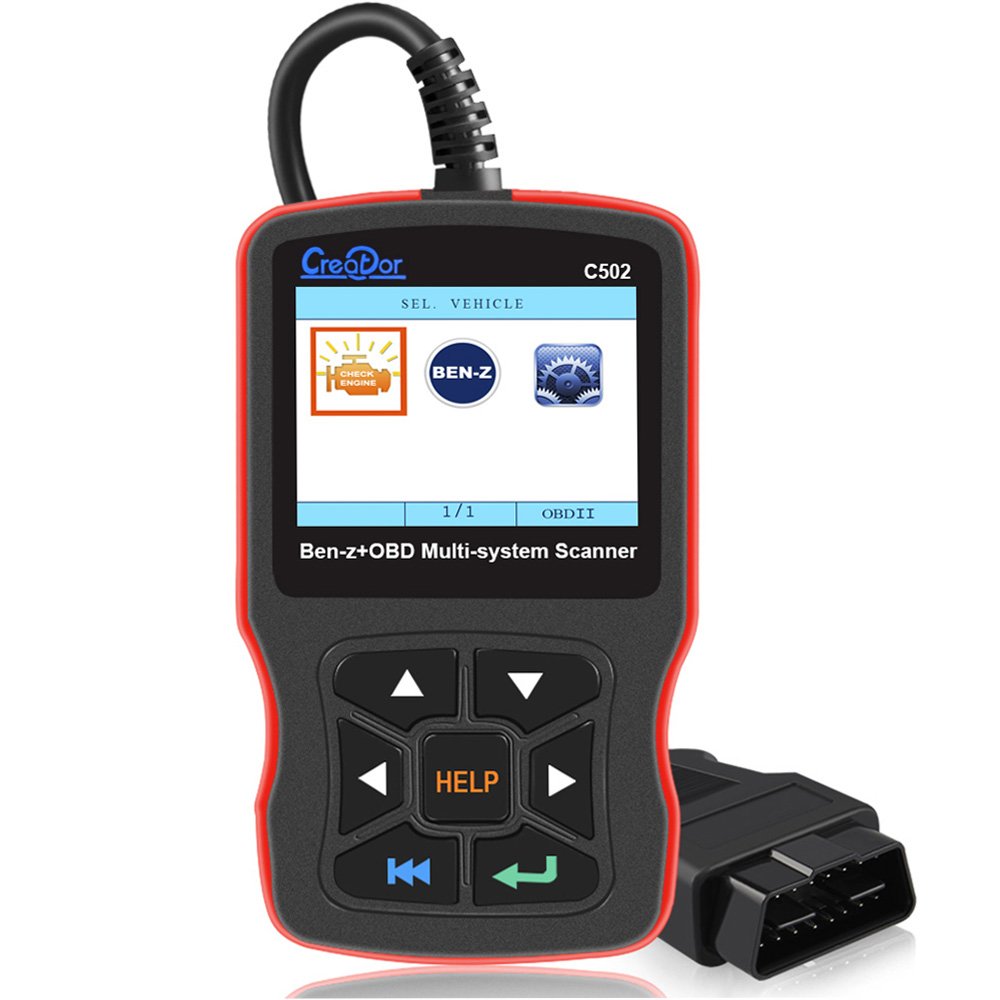
Figure 1: Creator C502 Diagnostic Scanner displaying its main menu.
2. Пакеттин мазмуну
Төмөндө тизмеленген нерселердин баары пакетиңизге камтылганын текшериңиз:
- 1 x Creator C502 Diagnostic Scanner Unit
- 1 x Колдонуучунун колдонмосу (бул документ)

Figure 2: Contents of the Creator C502 package, including the scanner, manual, and carrying case.
3. Орнотуу
Follow these steps to prepare your C502 scanner for use:
- Унаанын OBDII портун табыңыз: The OBDII port is typically located under the dashboard on the driver's side, though its exact position may vary by vehicle model. Consult your vehicle's owner's manual if you cannot locate it.
- Сканерди туташтыруу: Plug the C502 scanner's OBDII connector securely into the vehicle's OBDII port. Ensure a firm connection.
- Power On the Vehicle: Turn the vehicle's ignition to the 'ON' position. The engine does not need to be running. The scanner will power on automatically.
- Баштапкы тил орнотуусу: Upon first use, or after a reset, you may be prompted to select your preferred language. Use the navigation buttons to select and confirm.

Figure 3: The Creator C502 scanner with its integrated OBDII cable, ready for connection to a vehicle.
4. Иштөө нускамалары
The C502 scanner features a color LCD display and a user-friendly interface. Navigation is performed using the directional buttons and selection keys.

4-сүрөт: Детальдуу views of the C502 scanner's interface, including its navigation buttons and display.
4.1. Негизги меню навигациясы
Upon powering on, the device will display the main menu. Use the UP жана ылдый arrow buttons to scroll through options, and the ENTER button (green arrow) to select.
- Read Trouble Code: Accesses diagnostic trouble codes (DTCs).
- O2 сенсорун көзөмөлдөө сыноосу: Displays live O2 sensor data.
- Тилди жөндөө: Allows changing the interface language.
- Automatically Search: Initiates an automatic scan for vehicle systems.
4.2. Диагностикалык функциялар
The C502 supports a range of diagnostic functions for both Mercedes-Benz and generic OBDII/EOBD systems:
- Окуу коддору: Retrieves current, pending, and permanent Diagnostic Trouble Codes (DTCs) from the vehicle's Engine Control Unit (ECU).
- Коддорду тазалоо: Clears DTCs from the ECU and turns off the Check Engine Light (MIL). This also resets monitors.
- ECU маалымат: Displays vehicle information such as Vehicle Identification Number (VIN), Calibration ID (CIN), and Calibration Verification Number (CVN).
- Live Datastream: Shows real-time data from various vehicle sensors and components. This data can also be displayed graphically.
- I/M даярдыгы абалы: Indicates whether the various emissions-related systems on the vehicle are operating correctly and are ready for inspection and maintenance testing.
- O2 Sensor Test Data: Displays the results of oxygen sensor monitoring tests.
- Modules Present Test: Identifies which control modules are present in the vehicle.
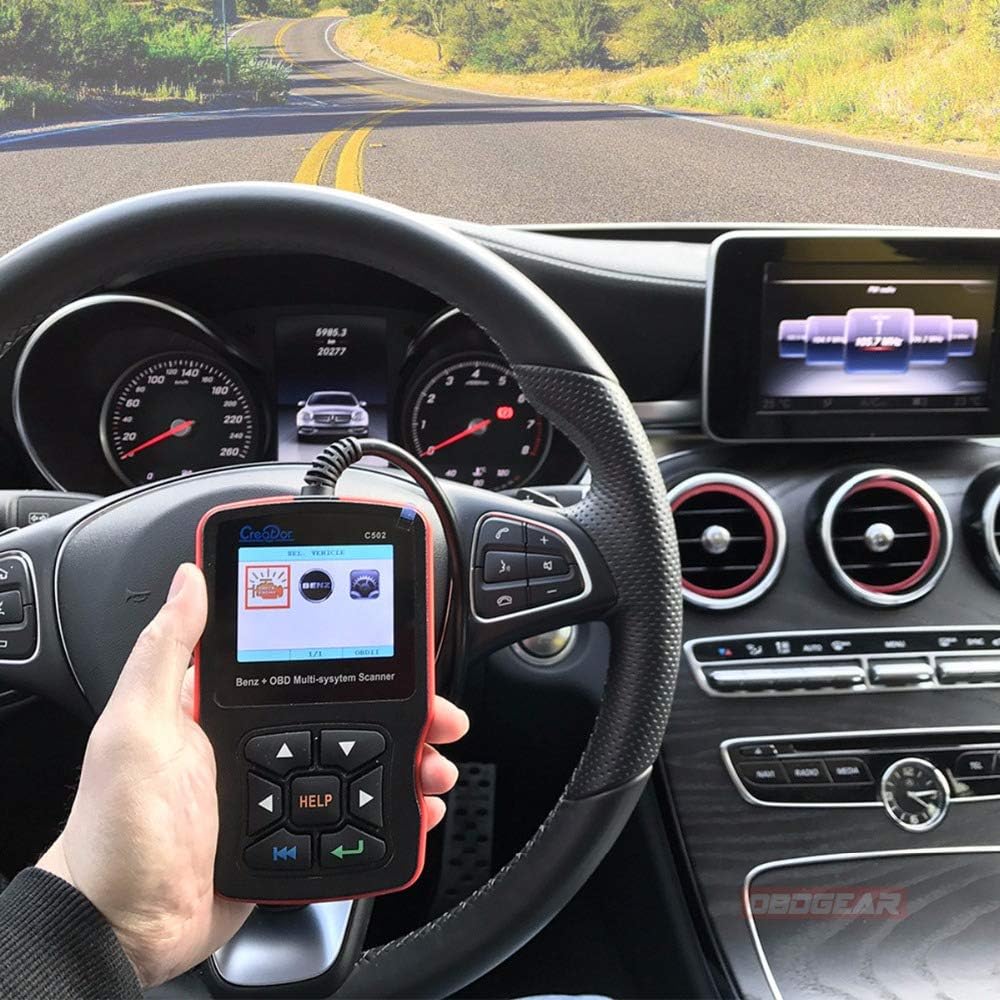
Figure 5: The Creator C502 scanner in use within a vehicle, demonstrating its practical application.
4.3. Mercedes-Benz Specific Functions
For Mercedes-Benz models before 2016, the C502 supports reading and clearing diagnostic faults across multiple systems. This includes various chassis types such as 117, 129, 140, 156, 163, 164, 166, 168, 169, 170, 171, 172, 176, 197, 199, 202, 203, 204, 205, 207, 208, 209, 210, 211, 212, 215, 216, 217, 218, 219, 220, 221, 222, 230, 231, 240, 245, 246, 251, 253, 292, 461, 463, X164, X204.
4.4. OBDII/EOBD Specific Functions
The C502 is compliant with OBDII/EOBD protocols, supporting:
- All 2001 and later OBDII compliant PETROL European vehicles.
- All 2004 and later OBDII compliant DIESEL European vehicles.
- All 1996 and later OBDII compliant US and Asian vehicles.
- Support for CAN (Controller Area Network) and all other current OBD-II protocols.
5. Техникалык тейлөө
To ensure optimal performance and access to the latest vehicle data and features, it is recommended to keep your C502 scanner's software updated. The device offers free lifetime updates from the official website. Refer to the official Creator website for detailed instructions on how to perform software updates.
6. Кыйынчылыктарды
6.1. Vehicle Linking Error
A communication error occurs if the scan tool fails to communicate with the vehicle’s ECU (Engine Control Unit). If this happens, perform the following checks:
- Verify that the vehicle's ignition is in the 'ON' position.
- Check if the scan tool’s OBDII connector is securely connected to the vehicle’s Data Link Connector (DLC).
- Унаа OBD2 шайкеш экенин текшериңиз.
- Turn the ignition off and wait for approximately 10 seconds. Then, turn the ignition back to 'ON' and attempt the test again.
- If the issue persists, verify that the control module itself is not defective.
7. Техникалык шарттар
| Өзгөчөлүк | Деталь |
|---|---|
| Модель номери | C502 (Manufacturer Part Number: SC347) |
| Бренд | Жаратуучу |
| Operating Voltage | DC 8-36V (as indicated on device back) |
| Колдоого алынган протоколдор | CAN жана башка бардык учурдагы OBD-II протоколдору |
| Дисплей | Түстүү LCD |
| Колдоого алынган тилдер | Англис, немис |
| Элемент Салмагы | 465 г |
| Пакеттин өлчөмдөрү | 28.3 x 17 x 6.6 см |
| UPC | 889327030804 |

6-сүрөт: Арткы view of the C502 scanner, displaying its operating voltage range and serial number.
8. Колдоо
For further assistance, software updates, or detailed product information, please visit the official Creator website. The product includes free lifetime software updates to ensure compatibility with new vehicle models and diagnostic protocols.