
Introduction
Thank you for choosing SIMOLIO JH-711 Wireless Kids Headphones. These headphones are designed with children's safety and comfort in mind, featuring 3-level volume limiting for hearing protection, Bluetooth connectivity, and a durable, foldable design. This manual will guide you through the setup, operation, and maintenance of your new headphones.
Продукт өзгөчөлүктөрү
- 3-Level Volume Limiting: Protects children's hearing with selectable limits of 75dB (toddlers), 85dB (kids), and 94dB (adults).
- Wireless & Wired Modes: Connect via Bluetooth for wireless freedom or use the included 3.5mm audio cable when the battery is low or with non-Bluetooth devices.
- Камтылган микрофон: Ыңгайлуулук үчүн колсуз чалууларды иштетүүгө мүмкүндүк берет.
- Audio Sharing Port: Allows another headphone to connect and share audio from the same device.
- Durable & Flexible Design: Constructed with memory stainless steel strips in the headband to withstand bending and twisting.
- Бүктөлүүчү жана компакттуу: Easy to fold and store in the included EVA hard carrying case, perfect for travel and school.
- Батареянын узак иштөө мөөнөтү: Provides up to 15 hours of playtime on a single charge.

Image: Diagram illustrating the 3-level volume limiting feature (75dB, 85dB, 94dB) for different age groups.

Image: Hands bending the headphone headband, showcasing its flexible and durable construction.

Image: The headphones folded compactly, ready to be stored in their EVA hard carrying case.
Кутуда эмне бар
- SIMOLIO JH-711 Wireless Kids Headphones (2 Count)
- USB заряддоо кабели
- 3.5 мм AUX аудио кабели
- Колдонуучунун Колдонмосу (бул документ)
- EVA катуу көтөрүүчү сумка
Жайгашуу
1. Наушниктерди заряддоо
- Locate the Micro USB charging port on the headphone earcup.
- Connect the provided USB charging cable to the headphone's charging port.
- USB кабелинин экинчи учун шайкеш келген USB кубат булагына (мисалы, компьютер, USB дубал адаптери) сайыңыз.
- The LED indicator will illuminate during charging and turn off when fully charged. A full charge takes approximately 3 hours.

Image: The SIMOLIO JH-711 headphones with the charging cable inserted into the Micro USB port.
2. Bluetooth Жупташтыруу
- Наушниктердин толук заряддалганын текшериңиз.
- Press and hold the Power button (MFB) on the headphone earcup until the LED indicator flashes blue and red, indicating pairing mode.
- Түзмөгүңүздө (смартфон, планшет ж.б.) Bluetooth иштетиңиз жана жеткиликтүү түзмөктөрдү издеңиз.
- Select "SIMOLIO JH-711" from the list of devices.
- Туташтырылгандан кийин, LED индикатору акырындык менен көк болуп жанат.
3. Зымдуу туташуу (AUX режими)
- Locate the 3.5mm AUX port on the headphone earcup.
- Connect one end of the provided 3.5mm AUX audio cable to the headphone's AUX port.
- Connect the other end of the AUX cable to the 3.5mm audio jack of your device.
- The headphones will automatically switch to wired mode. This mode works even if the headphone battery is depleted.
4. Adjusting Volume Limiter
The headphones feature a 3-level volume limiter switch (75dB, 85dB, 94dB) located on the earcup. Slide the switch to select the desired maximum volume level appropriate for the user's age and environment.

Image: Detail of the headphone earcup highlighting the 3-level volume limiter switch.
5. Баш боону тууралоо
The headband is adjustable to fit various head sizes. Gently slide the earcups up or down along the headband to achieve a comfortable and secure fit. The flexible design allows for minor reshaping.

Image: A person demonstrating how to adjust the headband for a proper fit.
Иштөө нускамалары
1. Күйгүзүү/өчүрүү
- Күйгүзүү: Press and hold the Multi-Function Button (MFB) for approximately 3 seconds until the LED indicator lights up.
- Өчүрүү: Press and hold the MFB for approximately 3 seconds until the LED indicator turns off.
2. Музыканы ойнотуу
- Ойнотуу/тындыруу: MFBди кыска басыңыз.
- Кийинки трек: "Үндү катуулатуу" баскычын көпкө басып туруңуз.
- Мурунку трек: "Үндү азайтуу" баскычын көпкө басып туруңуз.
- Көлөмү: "Үндү катуулатуу" баскычын кыскача басыңыз.
- Үнүн азайтуу: "Үндү азайтуу" баскычын кыскача басыңыз.
3. Чалууларды башкаруу
- Чалууга жооп берүү/аяктоо: MFBди кыска басыңыз.
- Чакырууну четке кагуу: MFB баскычын көпкө басыңыз.
4. Audio Sharing
To share audio with another pair of headphones, connect a 3.5mm audio cable from the sharing jack on the right earcup of the SIMOLIO headphones to the audio input of another headphone. This allows two users to listen to the same audio source simultaneously.
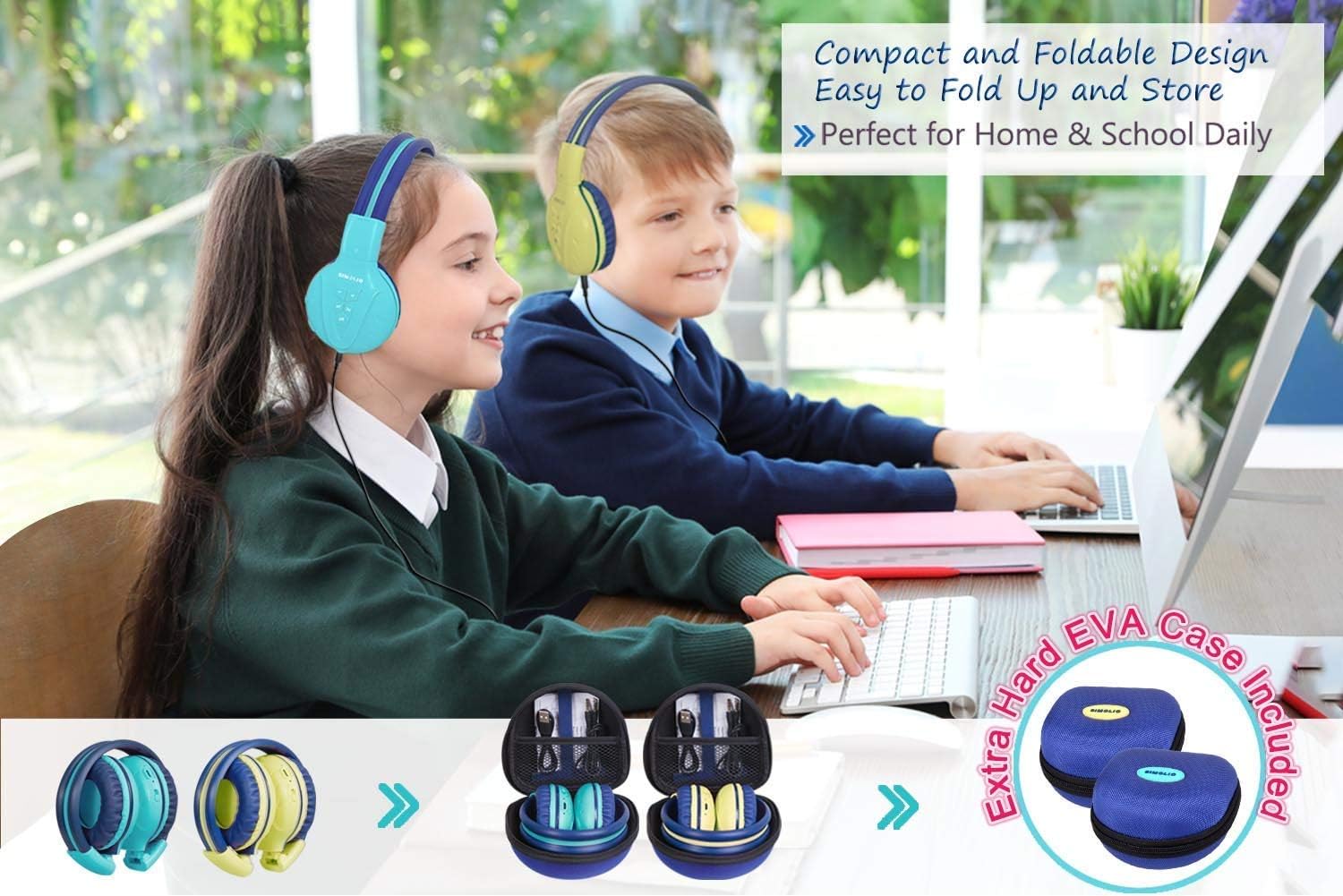
Image: Two pairs of headphones connected using the audio sharing feature, allowing simultaneous listening.
Техникалык тейлөө
- Тазалоо: Кулакчындарды тазалоо үчүн жумшак, кургак чүпүрөктү колдонуңуз. Суюк тазалоочу каражаттарды же аэрозольдорду колдонбоңуз.
- Сактагыч: When not in use, fold the headphones and store them in the provided EVA hard carrying case to protect them from dust and damage.
- Батареяга кам көрүү: Батареянын иштөө мөөнөтүн узартуу үчүн, кулакчындарды бат-баттан толук кубаттап турбаңыз. Аларды дайыма колдонууда болбосо да, үзгүлтүксүз заряддаңыз.
Проблемаларды чечүү
| Көйгөй | Чечим |
|---|---|
| Кулакчындар күйбөйт. | Кулакчындар заряддалганын текшериңиз. USB кабелин колдонуп, кубат булагына туташтырыңыз. |
| Bluetooth аркылуу жупташтыруу мүмкүн эмес. | Make sure the headphones are in pairing mode (flashing blue/red LED). Ensure your device's Bluetooth is on and within range. Forget previous pairings on your device and try again. |
| Зымдуу режимде үн жок. | Check that the 3.5mm AUX cable is securely connected to both the headphones and the audio source. Ensure the audio source's volume is not muted or too low. |
| Sound is too low/high. | Adjust the volume using the +/- buttons on the headphones and on your connected device. Check the 3-level volume limiter switch setting. |
Техникалык шарттар
- Модель аты: Kids Bluetooth Headphones JH-711MY
- Байланыш технологиясы: Зымсыз (Bluetooth), Зымдуу (3.5 мм AUX)
- Зымсыз байланыш технологиясы: Bluetooth 4.0
- Bluetooth диапазону: 30 Фут
- Батареянын иштөө мөөнөтү: 15 саатка чейин
- Заряддоо убактысы: Болжол менен 3 саат
- Аудио драйвер түрү: Динамикалык драйвер
- Кулак жайгаштыруу: Кулак үстүндө
- Ызы-чууну көзөмөлдөө: Үн изоляциясы
- Өзгөчөлүктөр: 3 Adjustable Volume Limited, Built-in Microphone, Durable and Flexible, Foldable, Audio Share Port, EVA Case
- Продукциянын өлчөмдөрү: 5.51 x 3.15 x 5.31 дюйм
- Элемент Салмагы: 1.8 фунт (0.82 килограмм)
- Материал: Nylon, Stainless Steel (headband), EVA (carrying case)
Расмий продукт Video
Video: An official product video from Simolio Direct showcasing the features and usage of the SIMOLIO Bluetooth Headphones for Kids with Case JH-711.
Кепилдик жана колдоо
For warranty information or technical support, please refer to the contact details provided on the product packaging or visit the official SIMOLIO webсайт.