
1. Киришүү
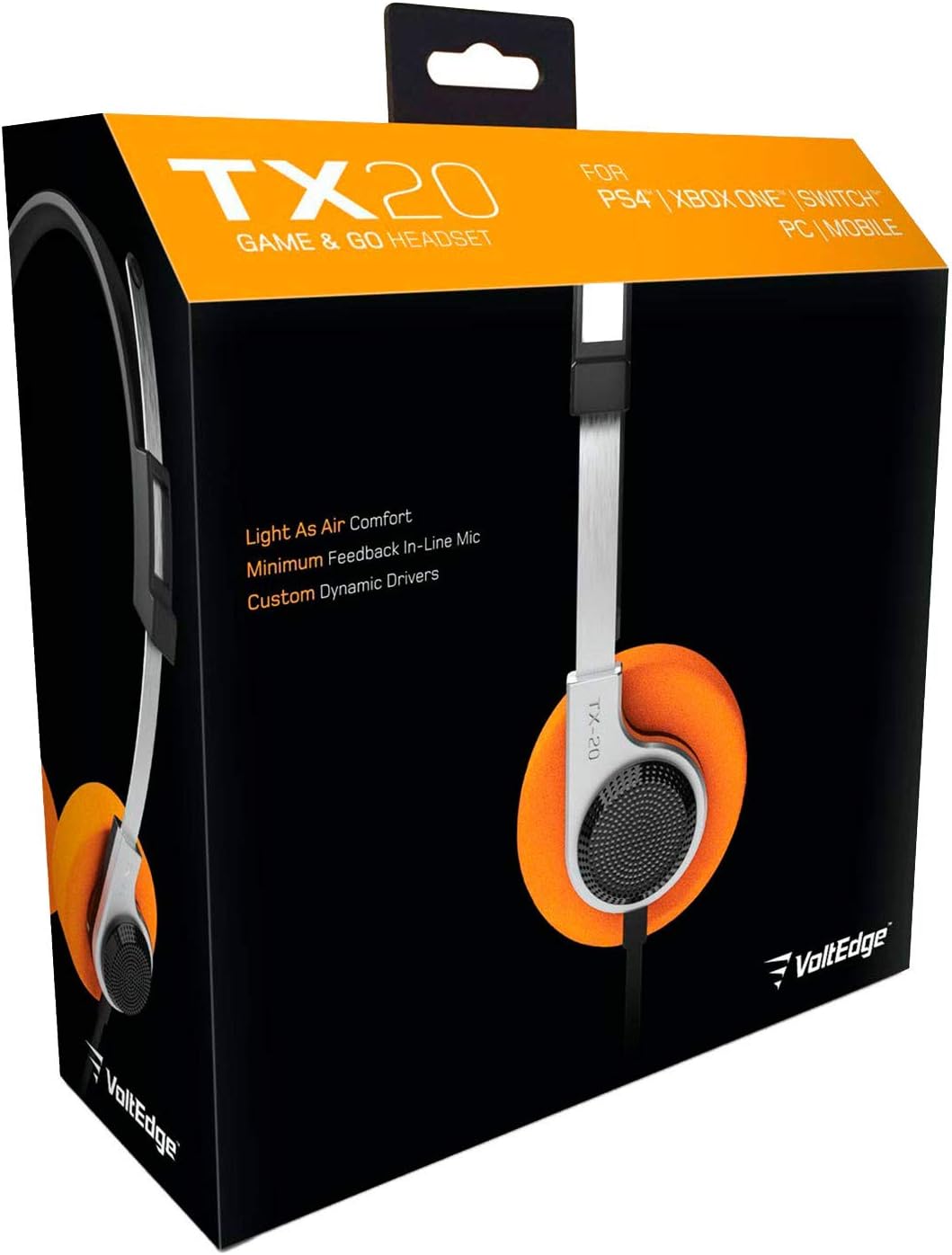
The VoltEdge TX20 Universal Headset is designed for versatile audio experiences, whether at home or on the go. Its lightweight construction, combined with a retro aesthetic, provides comfort and style. Engineered with stainless steel and polypropylene, the TX20 offers a flexible and durable design. Custom dynamic drivers deliver quality in-game sound, while the directional in-line microphone ensures clear chat audio. Convenient volume control and an instant push-pull mute function are integrated for ease of use.
Негизги өзгөчөлүктөрү:
- Жеңил жана ыңгайлуу дизайн
- Retro-inspired style
- In-line microphone with minimal feedback
- Custom dynamic audio drivers
- Robust and durable build quality

Figure 1: VoltEdge TX20 Universal Headset packaging, showing the headset and key features.
2. Продукциянын компоненттери
The VoltEdge TX20 headset consists of the following main components:
- Жөнгө салынуучу баш боосу: Коопсуз жана ыңгайлуу отуруу үчүн.
- Кулактагы кулакчындар: Featuring custom dynamic drivers and soft ear cushions.
- Сап ичиндеги башкаруу блогу: Contains volume control and a mute switch for the microphone.
- Directional In-line Microphone: Так үн байланышы үчүн.
- 3.5 мм аудио уячасы: For universal connectivity to various devices.
Сүрөт 2: Алдыңкы view of the VoltEdge TX20 Headset, showing the headband and earcups.

3-сүрөт: Каптал view of the VoltEdge TX20 Headset, highlighting the earcup design and TX-20 branding.
3. Орнотуу нускамалары
3.1 Гарнитураны туташтыруу
- Locate the 3.5mm audio jack on your gaming console controller (e.g., PS4, Xbox One), Nintendo Switch, PC, or mobile device.
- Insert the 3.5mm audio jack from the VoltEdge TX20 headset firmly into the audio port of your device.
- Аудио үзгүлтүктөргө жол бербөө үчүн байланыштын коопсуз экенин текшериңиз.
3.2 Ыңгайлуулук үчүн тууралоо
- Gently extend or retract the headband to fit your head size.
- Position the earcups so they rest comfortably over your ears. The on-ear design should provide a snug fit without excessive pressure.
4. Иштөө нускамалары
4.1 Үндү башкаруу
The VoltEdge TX20 features an in-line control unit on the cable. To adjust the audio volume, slide the volume wheel up or down. Increase the volume by sliding it up, and decrease it by sliding it down.
4.2 Microphone Mute Function
To mute the microphone, locate the push-pull switch on the in-line control unit. Push the switch to mute your microphone, preventing your voice from being transmitted. Pull the switch to unmute the microphone and resume voice communication.
4.3 Жалпы колдонуу
- Оюн: Connect to your console or PC for immersive game audio and clear team chat.
- Музыка жана видео: Enjoy high-quality audio for music playback and video streaming on compatible devices.
- Mobile Calls: Use the integrated microphone for hands-free calls on your smartphone.
5. Техникалык тейлөө
5.1 Тазалоо
- Use a soft, dry cloth to wipe the exterior surfaces of the headset.
- Кулакчындар үчүн бир аз d менен акырын сүртүңүзamp зарыл болсо, чүпүрөк, андан кийин дароо кургатуу.
- Avoid using harsh chemicals, solvents, or abrasive cleaners, as these can damage the headset's finish.
5.2 Сактоо
- Гарнитураны күн нурунан жана экстремалдык температурадан алыс салкын, кургак жерде сактаңыз.
- Avoid tangling the cable. Consider coiling it loosely when not in use.
5.3 Колдонуудагы сактык чаралары
- Гарнитураны сууга же ашыкча нымдуулукка дуушар кылбаңыз.
- Гарнитураны түшүрүүдөн же катуу таасирлерге дуушар кылуудан качыңыз.
- Do not attempt to disassemble or modify the headset, as this will void any warranty.
6. Кыйынчылыктарды
6.1 Үн жок же үнү төмөн
- Байланышты текшерүү: 3.5 мм аудио уячасы аппараттын аудио портуна толугу менен киргизилгенин текшериңиз.
- Үндү тууралоо: Verify that the in-line volume control on the headset is turned up. Also, check the volume settings on your connected device.
- Башка түзмөктө сыноо: Көйгөй гарнитурадабы же түпнуска түзмөктөбү, аныктоо үчүн гарнитураны башка түзмөккө (мисалы, смартфонго, башка компьютерге) туташтырыңыз.
6.2 Microphone Not Working or Unclear
- Check Mute Switch: Ensure the in-line microphone mute switch is in the "unmute" position.
- Түзмөктүн жөндөөлөрү: Verify microphone input settings on your connected device (e.g., PC sound settings, console audio settings). Ensure the TX20 is selected as the input device.
- Колдонмо орнотуулары: Some applications (e.g., gaming chat, video conferencing) have their own microphone settings. Check these as well.
- Башка түзмөктө сыноо: As with audio, test the microphone on another device to isolate the problem.
6.3 Static or Distorted Audio
- Байланышты текшерүү: A loose connection can cause static. Re-insert the 3.5mm jack firmly.
- Интерференция: Тоскоолдук жаратышы мүмкүн болгон башка электрондук түзүлүштөрдөн алыс туруңуз.
- Булактын сапаты: Аудио булактын өзүнүн сапаты жакшы экенине ынаныңыз.
7. Техникалык шарттар
| Модель номери | TX20UNIV |
| Байланыш технологиясы | Зымдуу (3.5 мм аудио уяча) |
| Материал | Stainless Steel, Polypropylene |
| Наушник формасы | On-Ear |
| Аудио драйвер түрү | Динамикалык драйвер |
| Башкаруу түрү | In-line Volume Control, Mute Switch |
| Өзгөчө өзгөчөлүк | Үнсүз башкаруу |
| Элемент Салмагы | 7 унция (болжол менен 0.44 фунт) |
| Продукциянын өлчөмдөрү (LxWxH) | 7.5 x 3 x 7.9 дюйм |
| Сунушталган Колдонуулар | Gaming, Music, Video, Mobile Calls |
| UPC | 857288008033 |
8. Кепилдик маалыматы
VoltEdge products are manufactured to high-quality standards. For specific warranty details regarding your TX20 Universal Headset, please refer to the warranty card included with your purchase or visit the official VoltEdge webсайт. Ар кандай кепилдик дооматтары үчүн сатып алганыңыздын далилин сактаңыз.
9. Кардарларды колдоо кызматы
If you encounter any issues or have questions not covered in this manual, please contact VoltEdge customer support. You can typically find contact information on the product packaging, the official VoltEdge webсайты же сатуучу аркылуу.
For the most up-to-date support resources, please visit the official VoltEdge webсайт: VoltEdge Store on Amazon