
Introduction
The KECHAODA A26 is a compact dual SIM mobile phone designed for essential communication. It features a small form factor, Bluetooth connectivity for use as a dialer with other smartphones, and an 800 mAh battery providing up to 4 hours of talk time. This manual will guide you through the setup, operation, and maintenance of your device.
кутучанын мазмуну
Пакетти ачкандан кийин, төмөнкү нерселердин бардыгы бар экенин текшериңиз:
- KECHAODA A26 Mobile Phone
- Кайра заряддалуучу батарея (800 мАч)
- Микро USB заряддоо кабели
- User Manual
- Кепилдик картасы
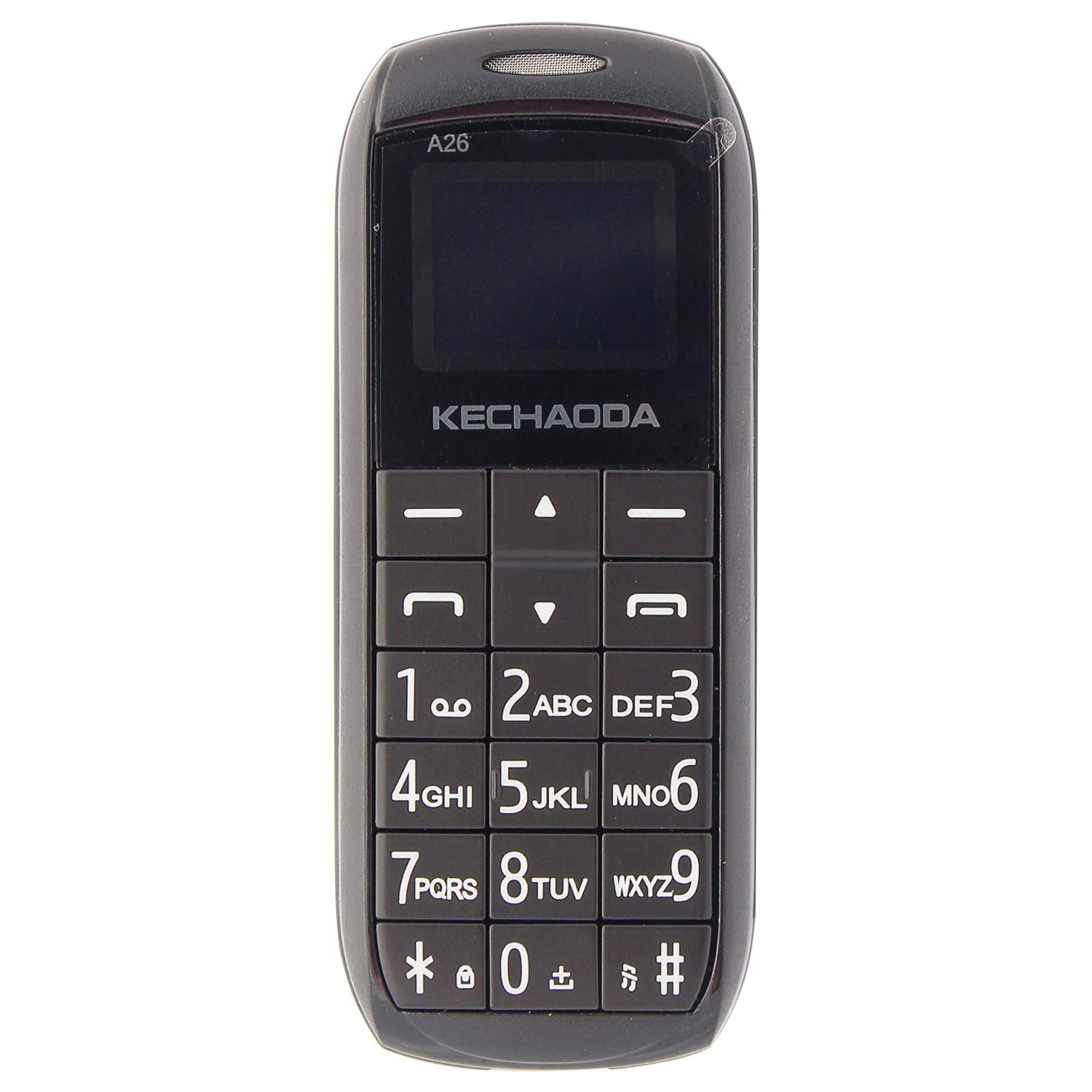
Сүрөт: алдыңкы view of the KECHAODA A26 Mobile Phone, showcasinанын компакттуу дизайны жана баскычтобу.
Продукт бүттүview
The KECHAODA A26 is designed for portability and ease of use. Familiarize yourself with its physical features:
- Өлчөмдөрү: Approximately 40 x 15 x 4 Millimeters
- Салмагы: Болжол менен 95 грамм
- Дисплей: 1.6-inch black and white LCD screen
- SIM колдоо: Dual Micro SIM card slots
- Байланыш: Bluetooth, 2G GSM Network
- Порттор: Micro USB for charging, 3.5mm headphone jack
- Материал: Туруктуу пластикалык конструкция

Сүрөт: каптал view of the KECHAODA A26 Mobile Phone, highlighting its slim profile.

Сүрөт: Жогорку view of the KECHAODA A26 Mobile Phone, showing the Micro USB charging port and headphone jack.
Жайгашуу
1. Батареяны жана SIM карталарды салуу
- Телефондун арткы капкагын кылдаттык менен алып салыңыз.
- Insert the 800 mAh battery into its compartment, ensuring the contacts align correctly.
- Locate the dual Micro SIM card slots. Insert your SIM cards into the designated slots.
- Арткы капкакты чыкылдатмайынча ордуна коюңуз.
2. Аппаратты заряддоо
- Connect the Micro USB charging cable to the phone's charging port.
- Plug the other end of the cable into a compatible USB power adapter or computer USB port.
- Алгачкы колдонуудан мурун телефондун толук заряддалышына уруксат бериңиз. Экрандагы батарея индикатору кубаттоо абалын көрсөтөт.
Иштөө нускамалары
1. Күйгүзүү/өчүрүү
- Күйгүзүү үчүн, экран күйгүчө кубат/чакырууну аяктоо баскычын басып туруңуз.
- To power off, press and hold the Power/End Call button until the power-off prompt appears, then confirm.
2. Чалууларды жасоо
- From the home screen, use the numeric keypad to dial the desired phone number.
- Press the Call button (usually a green phone icon) to initiate the call.
- To end a call, press the Power/End Call button (usually a red phone icon).
3. Тексттик билдирүүлөрдү жөнөтүү
- Негизги экрандан "Билдирүүлөр" менюсуна өтүңүз.
- "Билдирүү жазуу" же "Жаңы билдирүү" тандаңыз.
- Enter your message using the keypad. Multiple presses on a key cycle through letters and numbers.
- Алуучунун телефон номерин киргизиңиз же байланыштарыңыздан тандаңыз.
- Билдирүү жөнөтүү.
4. Bluetooth Dialer Functionality
The KECHAODA A26 can connect to another smartphone via Bluetooth and act as a dialer, allowing you to make and receive calls through your primary phone's SIM while using the compact A26.
- Enable Bluetooth on both your KECHAODA A26 and your primary smartphone.
- On the A26, navigate to the Bluetooth settings and search for available devices.
- Select your primary smartphone from the list and pair the devices. Follow any on-screen prompts for pairing codes.
- Once paired, you can use the A26 to dial numbers and manage calls that are routed through your connected smartphone.
5. FM радиосу
The phone includes an FM radio feature. To use it, ensure headphones are connected to the 3.5mm jack, as they often act as the antenna.
- Connect a pair of wired headphones to the phone.
- Navigate to the 'FM Radio' application in the menu.
- Станцияларды издөө же жыштыкка кол менен тууралоо үчүн навигация баскычтарын колдонуңуз.
Техникалык шарттар
| Бренд | Кечаода |
| Модел | A26 |
| Операция системасы | Symbian 9.3 |
| CPU модели | ARMv7 |
| Эстутум сактоо сыйымдуулугу | 16 MB |
| Screen Size | 1.6 дюйм (LCD) |
| Резолюция | 720p |
| Түс | Кара |
| SIM карта уячаларынын саны | Кош SIM |
| Туташтыргыч түрү | Микро USB |
| Форма фактору | Smartphone (Feature Phone) |
| Human Interface Types | Dial (Keypad) |
| Материалдык өзгөчөлүктөрү | Пластик |
| Наушник уясы | Ооба |
| Продукт өзгөчөлүктөрү | Bluetooth, Dual SIM |
| Батарея сыйымдуулугу | 800 миллионamp Сааттар (Литий-ион) |
| Телефон менен сүйлөшүү убактысы | 4 саат |
| Элемент Салмагы | 95 грамм |
| Элементтин өлчөмдөрү | 40 x 15 x 4 Миллиметр |
| Зымсыз камсыздоочу | Бардык операторлор үчүн кулпусу ачылды |
| Уюлдук технология | 2G |
| Тармакка туташуу технологиясы | GSM |
| Модель жылы | 2019 |
Проблемаларды чечүү
If you encounter issues with your KECHAODA A26, refer to the following common solutions:
- Телефон күйбөй жатат: Ensure the battery is correctly inserted and fully charged. Connect the charger and try again.
- Тармак сигналы жок: Check if your SIM cards are properly inserted. Ensure you are in an area with 2G GSM network coverage.
- Батарея кубатталбай жатат: Verify that the Micro USB cable and charger are working correctly. Try a different charging cable or power source. Ensure the charging port is clean and free of debris.
- Bluetooth байланышы көйгөйлөрү: Ensure Bluetooth is enabled on both devices. Make sure both devices are within range and try re-pairing them.
- Баскычтоп жооп бербей жатат: Power off the phone, remove the battery, wait a few seconds, then reinsert the battery and power on.
Кепилдик жана колдоо
The KECHAODA A26 comes with a 1 жылдык өндүрүүчү кепилдик. For warranty claims or technical support, please contact the manufacturer or your retailer with your proof of purchase.
Өндүрүүчү: Dharam & Company, SS Care
Өндүрүүчүнүн Байланыш маалыматы: Dharam & Company