
Introduction
The Meross MSS710 Universal Smart Wi-Fi Switch allows you to transform conventional small home appliances into smart devices. This 10A DIY switch offers remote control via the Meross app, voice control through Amazon Alexa, Google Assistant, and compatibility with SmartThings. It supports scheduling and timers to optimize energy usage and provides reliable local control even without an internet connection.
1. Орнотуу
1.1 Пакеттин мазмуну
- Meross MSS710 Universal Smart Wi-Fi Switch (4 units)
- User Manual
1.2 Коопсуздук маалыматы
Before installation, ensure the power supply is disconnected to prevent electrical shock. This device is designed for indoor use only. Ensure proper wiring according to local electrical codes. The switch features a wire protection cover and fire-retardant housing for enhanced safety.

1.1-сүрөт: Ички view of the Meross MSS710 switch, highlighting its reliable safety design with wire protection and fire-retardant housing.
1.3 Meross App Installation
- Meross тиркемесин Apple App Store же Google Play Store дүкөнүнөн жүктөп алыңыз.
- Meross аккаунтуна катталыңыз же эгер сизде мурунтан эле бар болсо, кириңиз.
1.4 Зымдар жана физикалык орнотуу
The Meross MSS710 switch is designed for easy installation. Follow these steps:
- Кубатты өчүрүү: Turn off the main power supply to the circuit where you intend to install the switch.
- Зымдарды даярдоо: Identify the Live (L) and Neutral (N) wires from your power source and the appliance. In Spain, the brown wire is typically Live (L) and the blue wire is Neutral (N).
- Зымдарды туташтыруу: Connect the Live (L) and Neutral (N) wires from the power source to the corresponding 'L' and 'N' input terminals on the Meross switch. Connect the Live (L) and Neutral (N) wires from your appliance to the 'L out' and 'N out' terminals on the Meross switch. Use a flat-head screwdriver to secure the wires.
- Коммутаторду бекитиңиз: Place the switch in a suitable location, ensuring it is protected and not exposed.
- Күчтү калыбына келтирүү: Turn the main power supply back on. The switch's indicator light should illuminate.

1.2-сүрөт: Step-by-step guide for physical installation and wiring of the Meross Smart Wi-Fi Switch.
1.5 Device Pairing with Meross App
Once the switch is physically installed and powered, proceed with app pairing:
- Open the Meross app and tap the '+' icon in the top right corner to add a new device.
- Select the Smart Wi-Fi Switch (MSS710) from the device list.
- Follow the on-screen instructions to connect the switch to your 2.4 GHz Wi-Fi network. Ensure your phone is also connected to the same 2.4 GHz network during setup.
- Туташкандан кийин, сиз түзмөгүңүздүн аталышын койсоңуз болот (мисалы, "Living Room Lamp") and assign it to a room for easier management.
2. Иштөө нускамалары
2.1 Remote Control via Meross App
After successful pairing, you can control your connected appliance from anywhere using the Meross app on your smartphone (iOS or Android). Simply tap the device icon to turn it on or off.

2.1-сүрөт: Remote control of devices using the Meross app on a smartphone.
2.2 Үн менен башкаруу
The Meross MSS710 is compatible with Amazon Alexa and Google Assistant, allowing for hands-free control.
- Amazon Alexa үчүн: Link your Meross account in the Alexa app. Then, you can use commands like "Alexa, turn on my lamp."
- Google Жардамчы үчүн: Link your Meross account in the Google Home app. Use commands such as "Hey Google, turn off the fan."

2.2-сүрөт: Voice control in action, demonstrating interaction with Alexa to operate a lamp.
2.3 Пландаштыруу жана таймерлер
Utilize the scheduling and timer functions within the Meross app to automate your appliances and save energy. You can set specific on/off times, or use sunrise/sunset schedules.
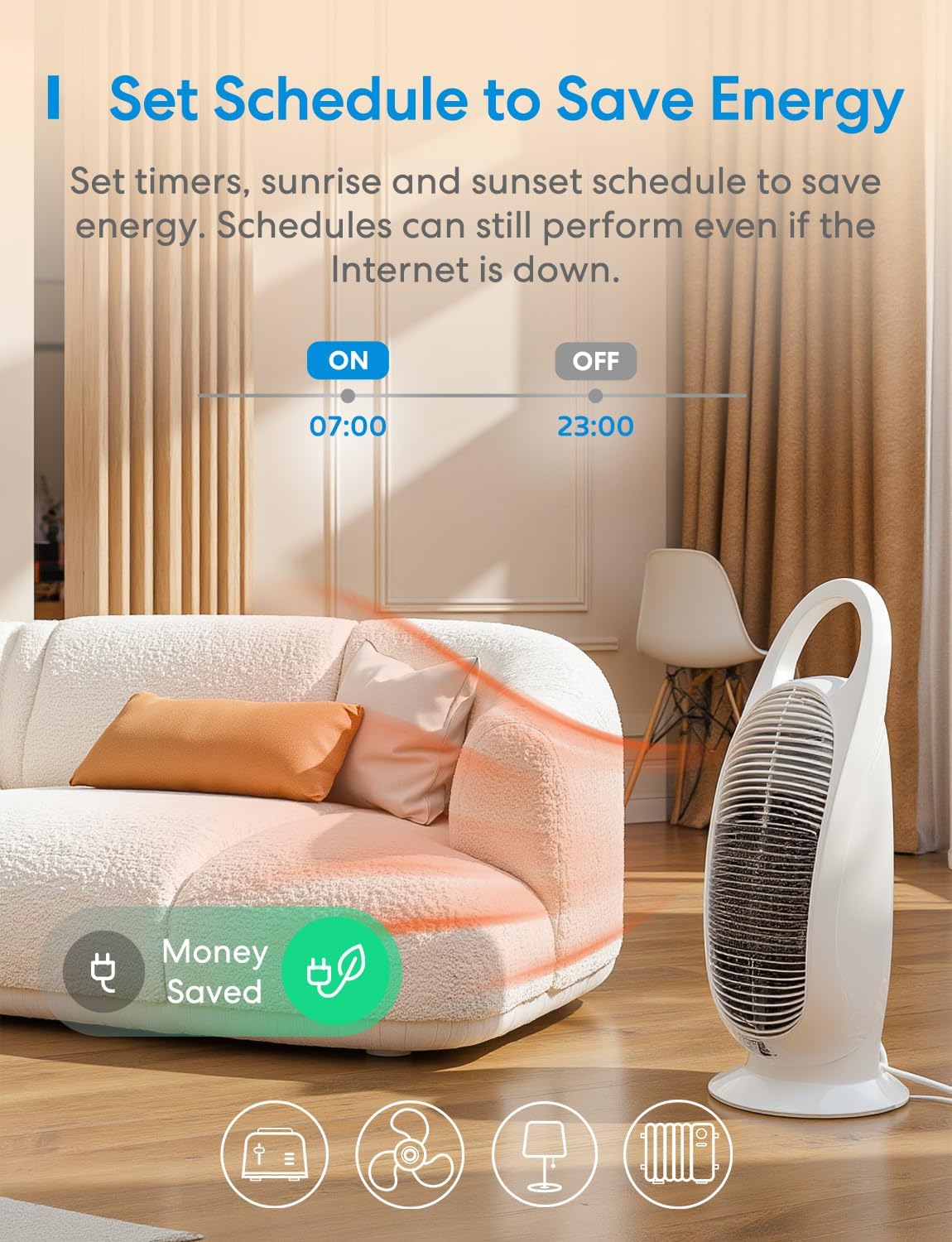
2.3-сүрөт: Setting a daily schedule for energy saving using the Meross app.
2.4 Оффлайн башкаруу
The Meross MSS710 supports offline control. If your internet connection is down, you can still control your devices via the Meross app as long as your smartphone and the smart device are on the same local Wi-Fi network.

2.4-сүрөт: Offline control functionality, showing local network communication without internet access.
2.5 Өтө тез жергиликтүү башкаруу
The Meross MSS710 offers superfast local control, providing millisecond response times when you are at home and connected to the same local network. This ensures quick and reliable operation without delays, even if the internet connection is slow or temporarily unavailable.

2.5-сүрөт: Comparison of Meross's superfast local control versus typical cloud-dependent control.
3. Техникалык тейлөө
- Аппаратты таза жана чаңдан алыс кармаңыз. Тазалоо үчүн кургак, жумшак чүпүрөктү колдонуңуз.
- Аппаратты экстремалдык температуранын же нымдуулуктун таасиринен сактаңыз.
- Аппаратты өз алдынча бөлүүгө же оңдоого аракет кылбаңыз. Бул кепилдикти жокко чыгарып, коопсуздук коркунучун жаратышы мүмкүн.
- Ensure the wiring connections remain secure. Periodically check for any loose connections.
4. Кыйынчылыктарды
4.1 Түзмөк Wi-Fi'га туташпай жатат
- Ensure your Wi-Fi network is 2.4 GHz. The Meross MSS710 does not support 5 GHz Wi-Fi.
- Check if the Wi-Fi signal strength is adequate at the device's location.
- Wi-Fi сырсөзүңүздүн Meross колдонмосуна туура киргизилгенин текшериңиз.
- Wi-Fi роутериңизди өчүрүп-күйгүзүп, кайра жупташтырып көрүңүз.
- If issues persist, try resetting the Meross switch (refer to the app for specific reset instructions).
4.2 Үн менен башкаруу иштебей жатат
- Ensure your Meross account is correctly linked to your Alexa or Google Home app.
- Verify the device name in the Meross app matches the name you are using for voice commands.
- Check your internet connection. Voice control typically requires an active internet connection.
4.3 Түзмөк жооп бербейт
- Check the power supply to the switch.
- If controlling locally, ensure your smartphone is connected to the same Wi-Fi network as the switch.
- If controlling remotely, check your internet connection.
- Perform a hard reset by disconnecting power to the switch for 10 seconds, then reconnecting.
5. Техникалык шарттар
| Өзгөчөлүк | Деталь |
|---|---|
| Модель номери | MSS710 |
| Иштөө режими | КҮЙГҮЗҮҮ ӨЧҮРҮҮ |
| Номиналдуу ток | 10 Amperes |
| Operating Voltage | 250 вольт |
| Байланыш түрү | Адатта жабык |
| Туташтыргыч түрү | Плагин |
| Которуу түрү | Алыстан башкаруу |
| Терминал түрү | Бурама |
| Материал | Пластмасса, жез |
| Продукциянын өлчөмдөрү (L x W x Y) | 9.6 x 4.7 x 2.4 см |
| Max Power | 2500 Ватт |
| Connectivity Protocol | Wi-Fi (2.4 GHz) |
| Башкаруу ыкмасы | Үн, колдонмо |
| Шайкеш түзмөктөр | Lamps, fans, auxiliary heaters, etc. |
| Түс | Ак |
| Эл аралык коргоо (IP) рейтинги | IP00 |
| Сертификаттар | CE, RoHS, WEEE |
6. Кепилдик маалыматы
Meross products typically come with a manufacturer's warranty. For specific warranty details, including duration and coverage, please refer to the warranty card included with your product or visit the official Meross webсайт. Сатып алуу квитанциясын кепилдик дооматтары үчүн сатып алуунун далили катары сактаңыз.
Amazon's return policy for this product is 30 days for refund/replacement.
7. Кардарларды колдоо кызматы
If you encounter any issues or have questions regarding your Meross MSS710 Smart Wi-Fi Switch, please contact Meross customer support through the following channels:
- Меросс колдонмосу: Access the 'Help' or 'Support' section within the Meross application for FAQs and direct contact options.
- Официалдуу Webсайт: Visit the official Meross website for support resources, updated manuals, and contact information.
- Электрондук почта колдоо: Refer to your product packaging or the Meross webкардарларды колдоо электрондук почта дареги үчүн сайт.
When contacting support, please have your product model number (MSS710) and purchase information ready.