
1. Киришүү
The SKYRC MC3000 is an advanced universal battery charger and analyzer designed for various cylindrical and multi-chemistry batteries. It provides smart charging, discharging, and monitoring capabilities for battery types such as NiMH, NiCd, NiZn, Eneloop, Lithium-Ion, LiIo4.35, LiFePO4, RAM, and LTO. The device features a 128x64mm backlit LCD display, built-in Bluetooth for smartphone app connectivity, and an aluminum cooler for efficient heat dissipation.
This manual provides instructions for the safe and efficient operation of your MC3000 charger.
2. Пакеттин мазмуну
- MC3000 Charger Unit
- AC Switching Adaptor
- AC Power Cord
- Көрсөтмө (бул документ)
3. Коопсуздук чаралары
- Use only the provided AC adaptor and power cord.
- Do not operate the charger in wet conditions or expose it to water.
- Ensure proper ventilation during operation. Do not block the cooling fans.
- Only charge compatible battery types and sizes. Refer to the specifications.
- Балдар жетпеген жерде сактаңыз.
- Колдонулбаган учурда электр энергиясын өчүрүңүз.
4. Орнотуу
4.1 Кубатты туташтыруу
- Connect the AC power cord to the AC switching adaptor.
- Plug the AC switching adaptor into a standard wall outlet.
- Connect the DC output plug of the adaptor to the DC input port on the back of the MC3000 charger.
- The charger's LCD display will illuminate, indicating it is powered on.
4.2 Батареяларды салуу
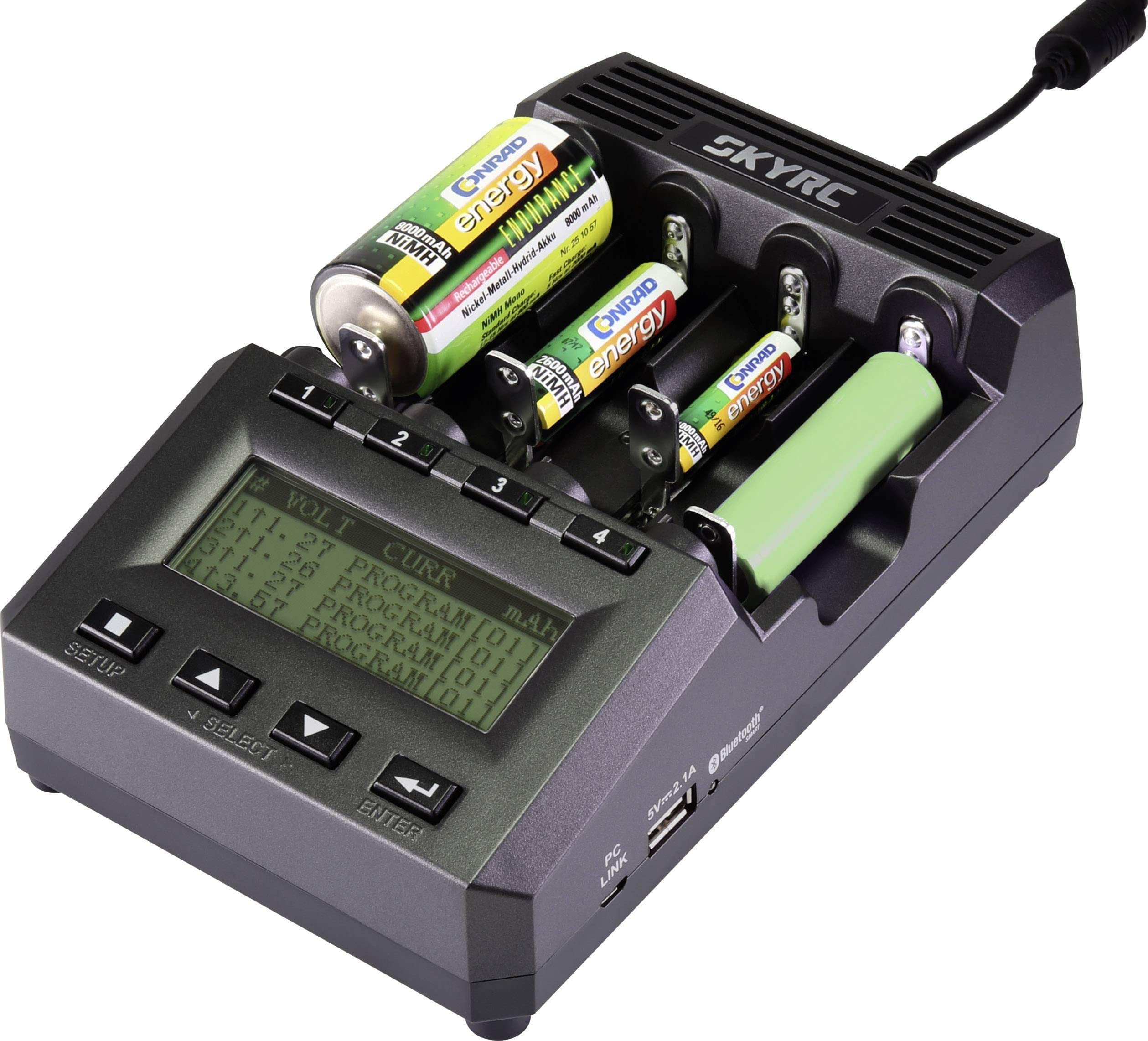
The MC3000 supports various cylindrical battery sizes. The heavy-duty spring sliders ensure proper contact.
- Identify the positive (+) and negative (-) terminals of your battery.
- Carefully insert the battery into one of the four charging slots, ensuring the correct polarity. The spring slider will adjust to the battery length.
- Ensure the battery is securely seated in the slot.
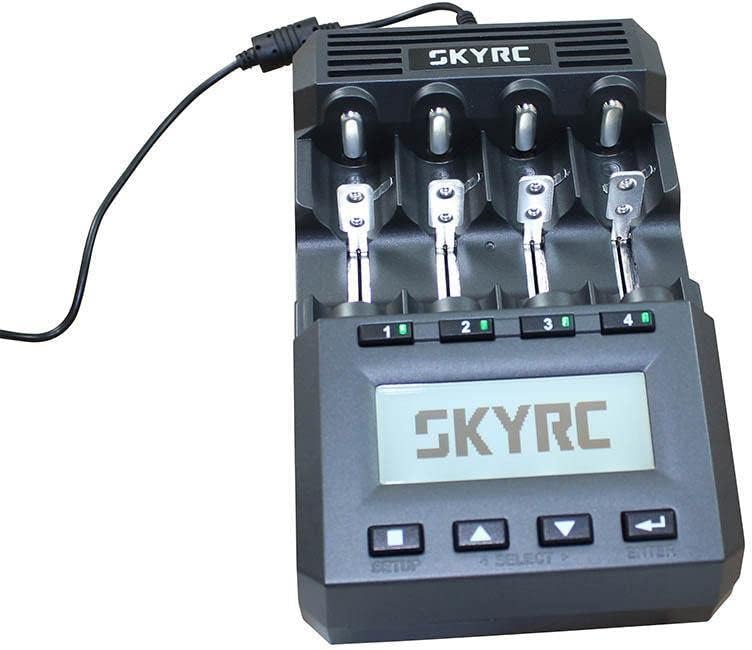
Image: SKYRC MC3000 charger with batteries inserted into the slots, demonstrating proper placement.
5. Иштөө нускамалары
5.1 Интерфейсте навигация
The charger features a 128x64mm backlit LCD display and control buttons:
- ЖАЙГАШУУ: Орнотуу менюсуна кирет.
- ТАНДОО: Navigates through options or selects a channel.
- ӨЙДӨ/ТӨМӨН жебелери: Adjusts values or scrolls through menus.
- КИРҮҮ: Тандоолорду ырастайт.
Сүрөт: алдыңкы view of the SKYRC MC3000 charger, highlighting the LCD display and control buttons for user interaction.
5.2 Basic Charging Operation
- Insert batteries into the desired slots (refer to Section 4.2).
- The charger will automatically detect the battery type or prompt for selection.
- колдонуу ТАНДОО жана ЖОГОРУ/ТӨМӨН buttons to choose the desired charging program (e.g., Charge, Discharge, Refresh, Analyze).
- Adjust parameters such as charge current (0.05-3.00A) and battery capacity using the ЖОГОРУ/ТӨМӨН баскычтар.
- Басыңыз ENTER to start the operation. The display will show real-time charging status.
- The charger uses Delta V detection to accurately determine full charge for compatible battery types.
- Once charging is complete, the display will indicate "DONE" or similar. Remove batteries carefully.
5.3 Bluetooth Connectivity and App Control
The MC3000 features built-in Bluetooth for connectivity with the SkyRC smartphone application. This allows for remote control and monitoring of charging processes, as well as detailed data analysis.
- Download the official SkyRC app from your device's app store.
- Смартфонуңузда Bluetooth иштетилгенин текшериңиз.
- Open the SkyRC app and follow the on-screen instructions to pair with your MC3000 charger.
- Once connected, you can monitor battery performance, health, internal resistance, and control charging parameters directly from your smartphone.

Image: The SKYRC MC3000 charger displayed alongside a smartphone running the SkyRC app, illustrating Bluetooth connectivity and remote monitoring capabilities.
5.4 PC Control and Data Analysis
The MC3000 can also be controlled and monitored via a PC. This feature allows for advanced data logging and analysis of battery performance and internal resistance.
- Connect the charger to your PC using a compatible USB cable (not included).
- Install the necessary SkyRC PC software (available from the official SkyRC webсайт).
- Follow the software instructions to establish a connection and begin monitoring or controlling the charger.
- Data can be exported for further analysis.
6. Техникалык тейлөө
- Тазалоо: Тазалоодон мурун кубаттагычты электр тармагынан сууруп алыңыз. Сыртын сүртүү үчүн жумшак, кургак чүпүрөктү колдонуңуз. Суюк тазалоочу каражаттарды же эриткичтерди колдонбоңуз.
- Сактагыч: Заряддоо түзүлүштү күн тийбеген жана экстремалдык температурадан алыс, салкын, кургак жерде сактаңыз.
- Муздатуу желдеткичтери: Ensure the cooling fan vents are free from dust and obstructions to maintain efficient heat dissipation.
7. Кыйынчылыктарды
- Заряддагыч күйбөй жатат:
- Check if the AC power cord and adaptor are securely connected to both the wall outlet and the charger.
- Дубалдагы розетка иштеп турганын текшериңиз.
- Батарея табылган жок же кубатталууда:
- Батарея туура полярдуулук менен салынганын текшериңиз.
- Check if the battery terminals are clean and making good contact with the charger's spring sliders.
- Verify the battery type is supported by the MC3000.
- Bluetooth байланышы көйгөйлөрү:
- Смартфонуңузда Bluetooth иштетилгенин текшериңиз.
- Restart both the charger and your smartphone.
- Make sure the SkyRC app is up to date.
- Ensure the charger is within Bluetooth range.
- Ашыкча ысып кетүү:
- Ensure the charger's cooling vents are not blocked.
- Заряддоо түзүлүштү жакшы желдетилген жерде иштетиңиз.
- Ашыкча ысып кете берсе, колдонууну токтотуп, колдоо бөлүмүнө кайрылыңыз.
8. Техникалык шарттар
| Өзгөчөлүк | Деталь |
|---|---|
| Киргизүү күчү | DC 11-18V/4A |
| Заряддын учурдагы диапазону | 0.05-3.00A |
| Разряд токунун диапазону | 0.05-2.00A |
| Макс. Заряддоо кубаты | 50 Вт |
| Макс. Разряд кубаттуулугу | 15 Вт |
| Supported Battery Chemistry Types | NiMH, NiCd, NiZn, Eneloop, Lithium-Ion, LiIo4.35, LiFePO4, RAM, LTO |
| Supported Battery Capacity | 100-50000 мАч |
| Иштөө температурасы | 0-40°C (32-104°F) |
| USB Power Output | DC 5V/2.1A |
| Өлчөмдөрү (LxWxH) | 200×124×69мм |
| Weight (Without DC Adaptor) | 600г |
9. Кепилдик жана колдоо
Warranty information for the SKYRC MC3000 is typically provided with the product packaging or available on the official SKYRC webсайт. Кепилдиктин камтылышы жана шарттары жөнүндө кененирээк маалымат алуу үчүн ушул ресурстарды караңыз.
For technical support, service, or further inquiries, please visit the official SKYRC webсайтка же кардарларды тейлөө бөлүмүнө кайрылыңыз. Байланыш маалыматы, адатта, продуктунун таңгагында же өндүрүүчүнүн дарегинде тапса болот webсайт.