
1. Киришүү
The JBL LIVE 400BT are on-ear wireless headphones designed to deliver JBL Signature Sound. These headphones feature Bluetooth connectivity, a built-in microphone for hands-free calls, and integrated voice assistant support (Amazon Alexa). They also include Ambient Aware and TalkThru technologies for enhanced situational awareness and convenient conversations without removing the headphones. The headphones offer up to 24 hours of battery life and can be used with an audio cable when the battery is depleted.
2. Кутуда эмне бар
Пакетти ачканда, бардык буюмдар бар экенин текшериңиз:
- JBL LIVE 400BT Headphones
- Заряддоо кабели
- Aux Cable (3.5 mm)
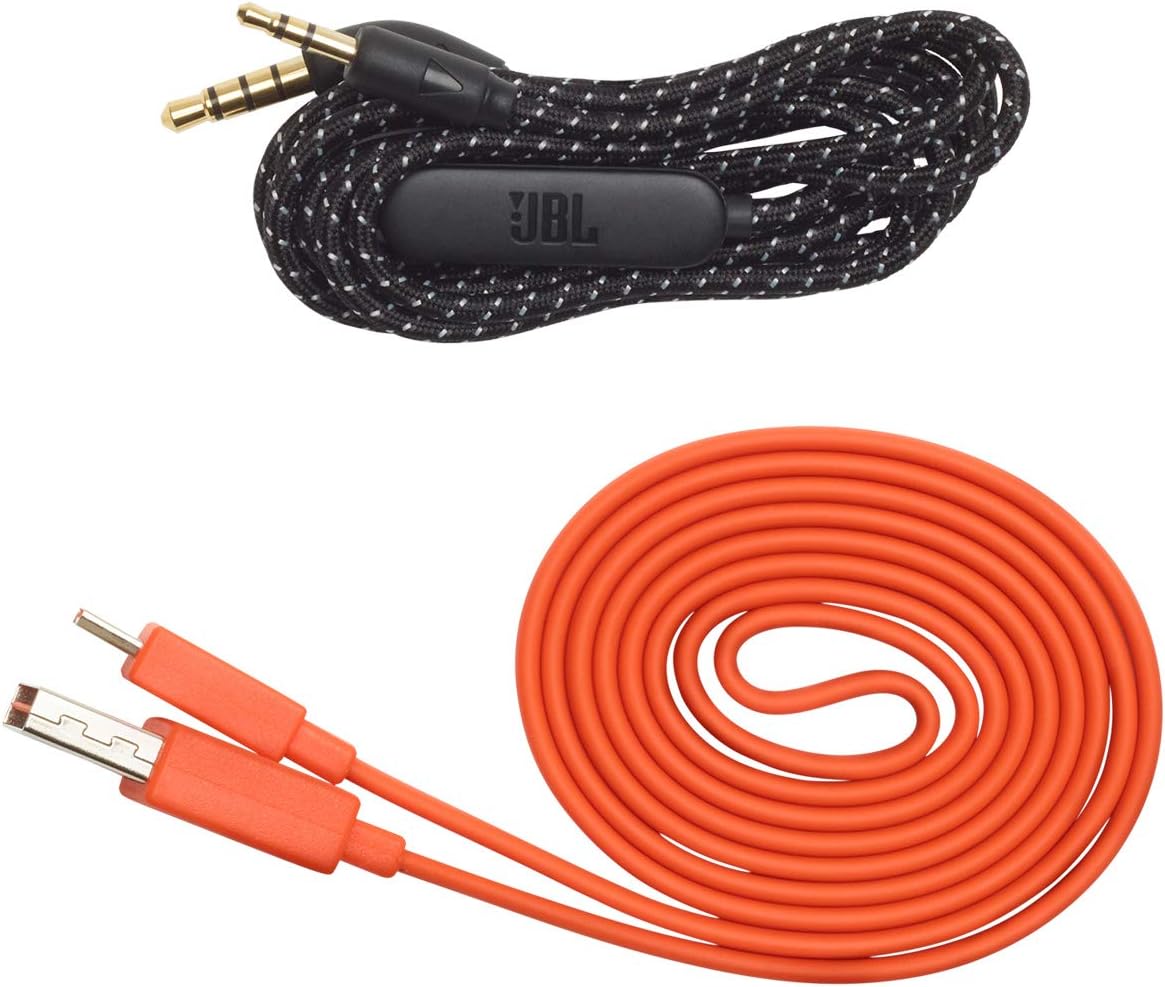
Image: JBL LIVE 400BT headphones shown with the included charging cable and 3.5mm aux cable.
3. Орнотуу
3.1. Наушниктерди заряддоо
Before first use, fully charge your JBL LIVE 400BT headphones. A full charge provides up to 24 hours of playback. A quick 15-minute charge can provide an additional 2 hours of listening time.
- Берилген заряддоо кабелин гарнитурадагы заряддоо портуна туташтырыңыз.
- Кубаттоочу кабелдин экинчи учун USB кубат булагына туташтырыңыз (мисалы, дубал адаптери, компьютердин USB порту).
- The LED indicator on the headphones will show charging status. It typically turns off or changes color when fully charged.
3.2. Күйгүзүү / Өчүрүү
- To power on, slide the power switch located on the right earcup.
- To power off, slide the power switch back to the off position.
3.3. Bluetooth Жупташтыруу
The JBL LIVE 400BT headphones use Bluetooth 4.0 for wireless connectivity with a range of up to 10 meters.
- Наушниктердин өчүрүлгөнүн текшериңиз.
- Slide the power switch to the "on" position and hold it for approximately 3-5 seconds until the LED indicator flashes blue, indicating pairing mode.
- Түзмөгүңүздө (смартфон, планшет, компьютер) Bluetooth иштетип, жеткиликтүү түзмөктөрдү издеңиз.
- Select "JBL LIVE 400BT" from the list of available devices.
- Туташкандан кийин LED индикатору көк түскө айланат.

Image: The right earcup of the JBL LIVE 400BT headphones, highlighting the power switch and LED indicator for Bluetooth pairing.
4. Наушниктерди иштетүү
4.1. Негизги башкаруу элементтери
The headphones feature intuitive controls on the earcups for managing audio and calls.
- Ойнотуу/тындыруу: Көп функциялуу баскычты бир жолу басыңыз.
- Кийинки трек: Көп функциялуу баскычты эки жолу басыңыз.
- Мурунку трек: Көп функциялуу баскычты үч жолу басыңыз.
- Үнүн жогорулатуу/төмөндөтүү: Атайын үн баскычтарын колдонуңуз.
- Чалууга жооп берүү/аяктоо: Кирүүчү чалуу же активдүү чалуу учурунда көп функциялуу баскычты бир жолу басыңыз.
- Чакырууну четке кагуу: Кирүүчү чалуу учурунда көп функциялуу баскычты 2 секунд басып туруңуз.
4.2. Voice Assistant (Amazon Alexa)
Access Amazon Alexa directly from your headphones. Use the JBL App to set up your voice assistant preference.
- Ensure your headphones are connected to your smartphone via Bluetooth.
- Download and open the JBL Headphones App.
- Follow the in-app instructions to select and configure Amazon Alexa as your voice assistant.
- Once configured, tap the left earcup to activate Alexa and issue commands (e.g., "Play my favorite playlist," "Check the weather").
4.3. Ambient Aware and TalkThru Technology
These features allow you to stay connected to your surroundings or have conversations without removing your headphones.
- Айлана-чөйрөнү коргоо: A touch of the Ambient Aware button (located on the left earcup) increases ambient sound, allowing you to hear what's happening around you while music continues at a lower volume.
- TalkThru: Activate TalkThru mode by pressing the TalkThru button (located on the left earcup). This significantly drops the music volume, enabling clear conversations with others without removing the headphones.
Video: Official JBL demonstration of the LIVE 400BT headphones, highlighting features like JBL Signature Sound, Ambient Aware, TalkThru technology, and voice assistant integration.
4.4. Зымдуу туташуу
If the battery runs out or you prefer a wired connection, use the provided 3.5mm audio cable.
- 3.5 мм аудио кабелинин бир учун наушниктеги аудио уячасына сайыңыз.
- Plug the other end into your audio source's 3.5mm output.
- The headphones will function passively, without requiring battery power.
5. Техникалык тейлөө
Proper care ensures the longevity of your JBL LIVE 400BT headphones.
- Тазалоо: Наушниктерди жана баш орогучту тазалоо үчүн жумшак, кургак чүпүрөктү колдонуңуз. Катуу химиялык заттарды же абразивдүү материалдарды колдонуудан алыс болуңуз.
- Сактагыч: When not in use, store the headphones in a cool, dry place. Avoid extreme temperatures. The headphones are foldable for compact storage.
- Батареяга кам көрүү: Батареянын иштөө мөөнөтүн сактоо үчүн, гарнитураны бат-баттан толук кубаттап турбаңыз. Аларды дайыма колдонууда болбосо да, үзгүлтүксүз заряддаңыз.
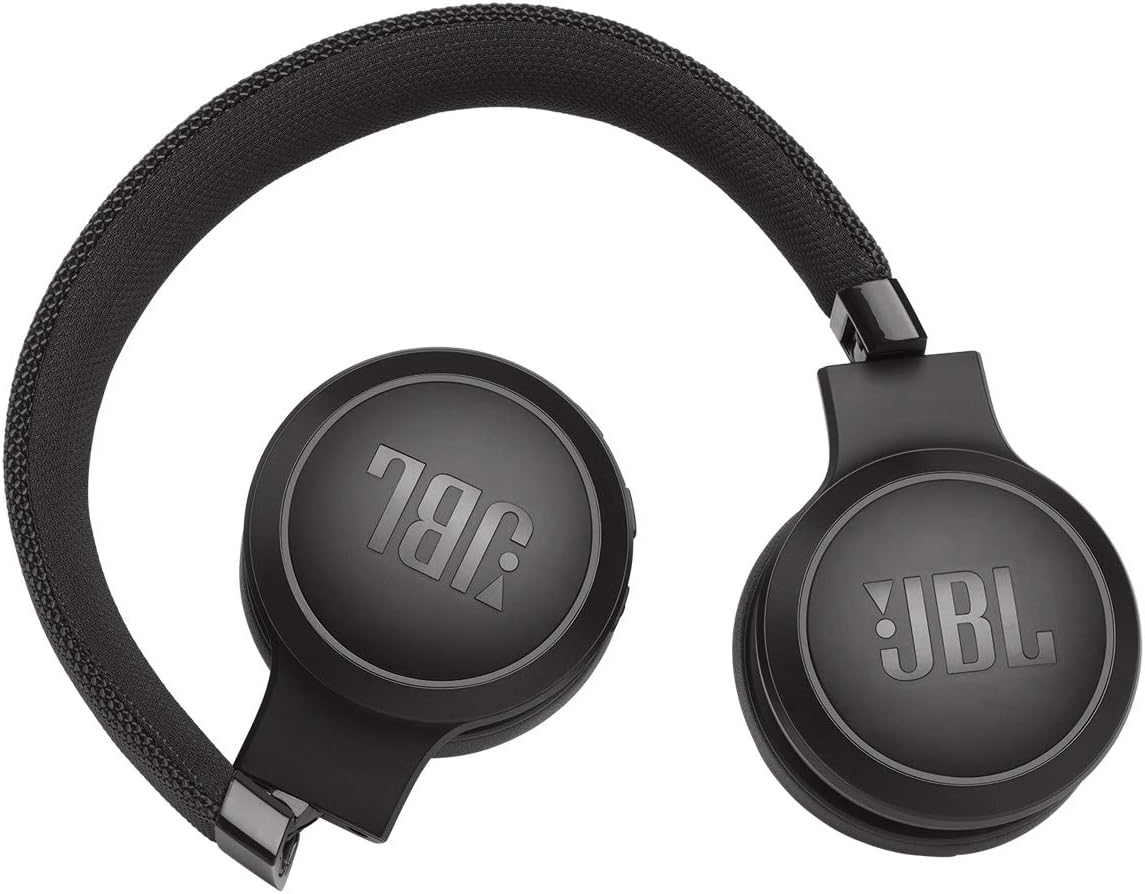
Image: JBL LIVE 400BT headphones shown in a folded position, demonstrating their portability and ease of storage.
6. Кыйынчылыктарды
If you encounter issues with your JBL LIVE 400BT headphones, refer to the following common solutions.
6.1. No Power / Cannot Turn Off
- Батареяны заряддоо: Ensure the headphones are fully charged. A low battery can cause unexpected behavior.
- Power Cycle: If the headphones are stuck on or cannot be turned off, try connecting them to a charger for a few minutes, then attempt to power off again.
- Заводдун баштапкы абалга келтирүү: If the issue persists, a factory reset may resolve it. Consult the JBL support website or the full user manual for specific factory reset instructions for your model, as this often involves a combination of button presses.
6.2. Bluetooth байланышынын көйгөйлөрү
- Жупташтыруу режимин камсыз кылыңыз: Verify the headphones are in pairing mode (flashing blue LED).
- Түзмөктүн жакындыгы: Make sure the headphones are within 10 meters of your Bluetooth device.
- Түзмөктү унут: On your device, "forget" or "unpair" the JBL LIVE 400BT from your Bluetooth settings, then attempt to pair again.
- Түзмөктөрдү кайра иштетүү: Restart both your headphones and the Bluetooth device.
6.3. Үн жок же үнү төмөн
- Үн деңгээлин текшерүү: Ensure volume is turned up on both the headphones and your connected device.
- Correct Output: Verify that your device is sending audio to the JBL LIVE 400BT.
- Зымдуу туташуу: If using the aux cable, ensure it is fully inserted into both the headphones and the audio source.
7. Техникалык шарттар
| Өзгөчөлүк | Спецификация |
|---|---|
| Модель аты | JBL LIVE 400 - Black (JBLLIVE400BTBLKAM) |
| Бренд | JBL |
| Байланыш технологиясы | Bluetooth |
| Зымсыз байланыш технологиясы | Bluetooth |
| Bluetooth версиясы | 4.0 |
| Bluetooth диапазону | 10 метр |
| Аудио драйверинин өлчөмү | 40 миллиметр |
| Аудио драйвер түрү | Динамикалык драйвер |
| Frequency Response | 20 KHz |
| Сезимталдуулук | 106 дБ |
| Импеданс | 32 Ом |
| Батареянын иштөө мөөнөтү | 24 саат |
| Заряддоо убактысы | 2 саат |
| Наушник уясы | 3.5 мм Джек |
| Башкаруу түрү | Alexa, Touch, Voice Assistant |
| Башкаруу ыкмасы | Тийүү, Үн |
| Noise Control | Active Noise Cancellation (basic_noise_control) |
| Материал | Жасалма тери |
| Элемент Салмагы | 6.6 унция (185.8 грамм) |
| Продукциянын өлчөмдөрү | 8.07 x 2.17 x 8.78 дюйм |
| Дата биринчи жеткиликтүү | 7-январь, 2019-жыл |
8. Кепилдик жана колдоо
Кепилдик жөнүндө маалымат, техникалык колдоо же кошумча жардам алуу үчүн, JBL расмий колдоо кызматына кайрылыңыз webсайтка же кардарларды тейлөөгө кайрылыңыз. Кепилдик дооматтар үчүн сатып алганыңыздын далилин сактаңыз.
Сиз кошумча ресурстарды жана байланыш маалыматын таба аласыз Amazonдагы JBL дүкөнү.