
1. Продукт бүтүп калдыview
The JBL TUNE 110 In-Ear Headphones are designed to deliver JBL Pure Bass Sound in a lightweight, comfortable, and compact form factor. These wired headphones feature 9mm drivers for powerful audio reproduction and include a convenient one-button remote with a built-in microphone for easy control of music playback and calls. The tangle-free flat cable ensures hassle-free use and storage.

Image 1.1: The JBL TUNE 110 In-Ear Headphones in Blue, showcasing алардын жарашыктуу дизайны.
2. Кутуда эмне бар
Upon unboxing your JBL TUNE 110 In-Ear Headphones, you should find the following components:
- JBL TUNE 110 In-Ear Headphones
- Multiple sizes of ear tips (typically Small, Medium, Large) to ensure a comfortable and secure fit.
- A carrying pouch for convenient storage and portability.
Видео 2.1: Аткаминер бүттүview of the JBL TUNE 110 In-Ear Headphones, demonstrating key features and components.
3. Орнотуу
Follow these steps to set up your JBL TUNE 110 In-Ear Headphones:
- Кулак кеңештерин тандоо: Choose the ear tips that provide the most comfortable and secure fit for your ears. A good seal is crucial for optimal sound quality and bass performance. Gently attach them to the earbuds.
- Кулакчындарды салуу: Carefully insert the earbuds into your ear canals. Ensure they are seated snugly.
- Түзмөккө туташуу: Plug the 3.5mm audio jack into the headphone port of your audio device (smartphone, tablet, laptop, etc.).

Сүрөт 3.1: Каптал view of the JBL TUNE 110 earbud, illustrating its in-ear design.
4. Иштөө нускамалары
The JBL TUNE 110 features a convenient one-button remote for easy control:
- Музыканы ойнотуу/тындыруу: Музыканы ойнотуу же тындыруу үчүн баскычты бир жолу басыңыз.
- Чалууга жооп берүү/аяктоо: Кирүүчү чалууга жооп берүү же уланып жаткан чалууну аяктоо үчүн баскычты бир жолу басыңыз.
- Чакырууну четке кагуу: Кирүүчү чалууну четке кагуу үчүн баскычты болжол менен 2 секунд басып туруңуз.
- Кийинки трек: Кийинки трекке өтүү үчүн баскычты эки жолу тез басыңыз.
- Мурунку трек: Мурунку трекке кайтуу үчүн баскычты үч жолу тез басыңыз.
- Үн жардамчысы: Press and hold the button for approximately 3 seconds to activate your device's voice assistant (if supported).
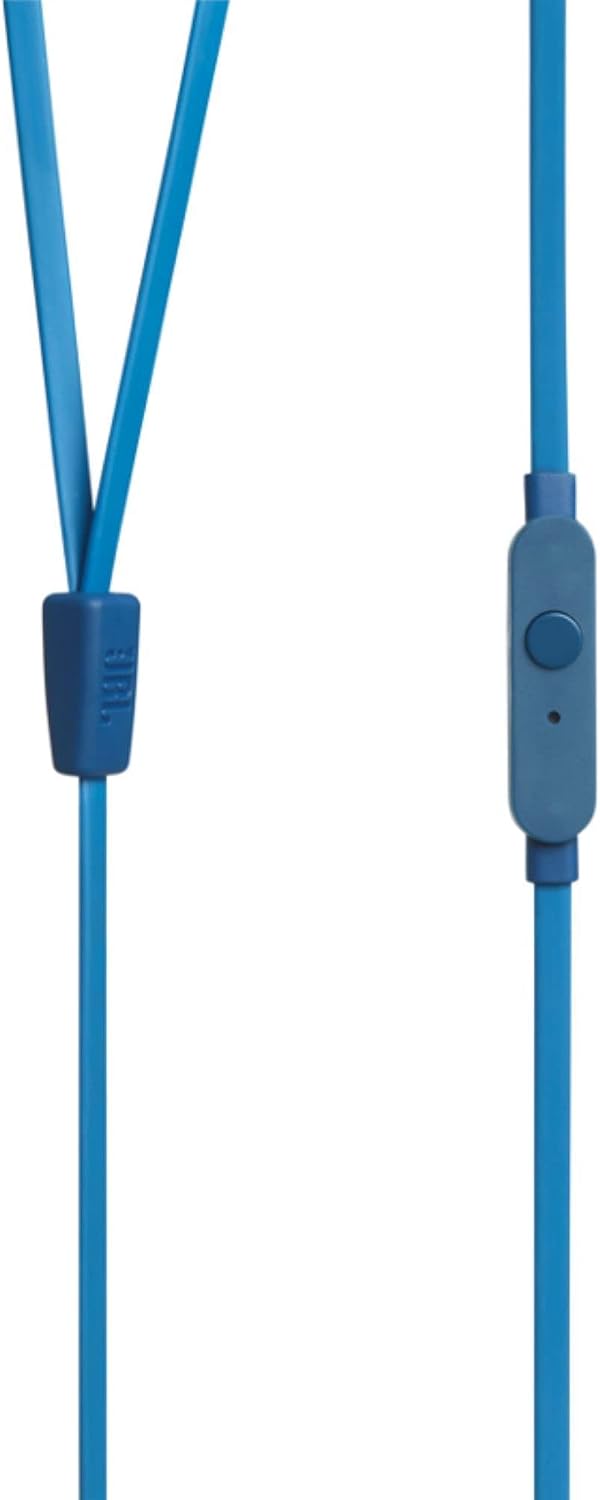
Image 4.1: Close-up of the one-button remote control and built-in microphone on the JBL TUNE 110 cable.
5. Өзгөчөлүктөрү
- JBL Таза Басс Үнү: Experience powerful and clear bass, a signature of JBL audio.
- 9 мм драйверлер: Equipped with dynamic 9mm drivers for high-quality sound reproduction.
- One-Button Remote with Microphone: Seamlessly manage music playback and hands-free calls.
- Чаташкан эмес жалпак кабель: Designed to prevent tangles, making the headphones easy to store and use.
- Жеңил жана ыңгайлуу: Ergonomically designed for extended listening comfort.
- Пассивдүү ызы-чууну жокко чыгаруу: The in-ear design provides a degree of passive noise isolation.
6. Техникалык шарттар
| Өзгөчөлүк | Спецификация |
|---|---|
| Бренд | JBL |
| Модель аты | JBL TUNE 110 |
| Модель номери | JBLT110BLUAM |
| Байланыш технологиясы | Зымдуу |
| Наушник уясы | 3.5 мм Джек |
| Айдоочунун өлчөмү | 9мм динамикалык драйвер |
| Импеданс | 16 Ом |
| Noise Control | Пассивдүү ызы-чууну жокко чыгаруу |
| Элемент Салмагы | 0.32 унция (болжол менен 9 грамм) |
| Продукциянын өлчөмдөрү | 2.36 x 1.18 x 6.89 дюйм |
| Материал | Пластик |
| Түс | Көк |
| Кабель өзгөчөлүгү | Tangle Free |
7. Техникалык тейлөө
Туура кам көрүү гарнитураңыздын иштөө мөөнөтүн узартат:
- Кулак тазалоо боюнча кеңештер: Regularly remove the silicone ear tips and wash them with mild soap and water. Ensure they are completely dry before reattaching.
- Наушниктерди тазалоо: Кулакчындарды жумшак, кургак чүпүрөк менен акырын сүртүңүз. Катуу химиялык заттарды же абразивдүү материалдарды колдонуудан алыс болуңуз.
- Кабельге кам көрүү: Although the cable is tangle-free, avoid excessive pulling or sharp bends to prevent internal damage. When not in use, coil the cable neatly.
- Сактагыч: Store your headphones in the provided carrying pouch to protect them from dust, dirt, and physical damage.
8. Кыйынчылыктарды
If you encounter any issues with your JBL TUNE 110 headphones, refer to the following common solutions:
- Үн жок:
- 3.5 мм уячасы түзмөгүңүздүн аудио портуна толугу менен киргизилгенин текшериңиз.
- Аудио түзмөгүңүздүн үн деңгээлин текшериңиз.
- Test the headphones with another audio device to rule out a device-specific issue.
- Үн сапатынын начардыгы / басстын жоктугу:
- Verify that the ear tips are correctly sized and provide a good seal in your ear canal.
- Ensure the ear tips are clean and free from debris.
- Микрофон иштебейт:
- 3.5 мм уяча толугу менен сайылганын текшериңиз.
- Тышкы микрофон тандалганын текшерүү үчүн түзмөгүңүздүн аудио киргизүү жөндөөлөрүн текшериңиз.
- Микрофонду башка түзмөк же тиркеме менен сынап көрүңүз.
9. Кепилдик жана колдоо
JBL products are manufactured to high standards and undergo rigorous quality control. For detailed warranty information, product registration, and technical support, please visit the official JBL website or contact your local JBL customer service center. Keep your proof of purchase for warranty claims.