
Introduction
This manual provides essential information for the proper use and maintenance of your Easytry123 replacement remote control. This remote is designed to function with various Hitachi 3LCD projector models, offering a convenient way to control your projector's features. Please read these instructions carefully before use.
Шайкештик
This replacement remote control is compatible with the following Hitachi 3LCD Projector models:
- CP-X275WA
- CP-X300
- CP-X301
- CP-X3010
- CP-X308
- CP-X320W
- CP-X325W
- CP-X3010EN
- CP-X3010Z
- CP-X3011N
Note: While designed for broad compatibility, some advanced or specific functions of your original projector remote may not be fully supported by this replacement unit.
Пакеттин мазмуну
Сиздин пакетиңиз төмөнкү нерсени камтышы керек:
- 1 x Easytry123 Replacement Remote Control
Батареялар камтылган эмес жана өзүнчө сатып алынышы керек.
Жайгашуу
Батареяларды орнотуу
- Пульттун артындагы батарея отсегин табыңыз.
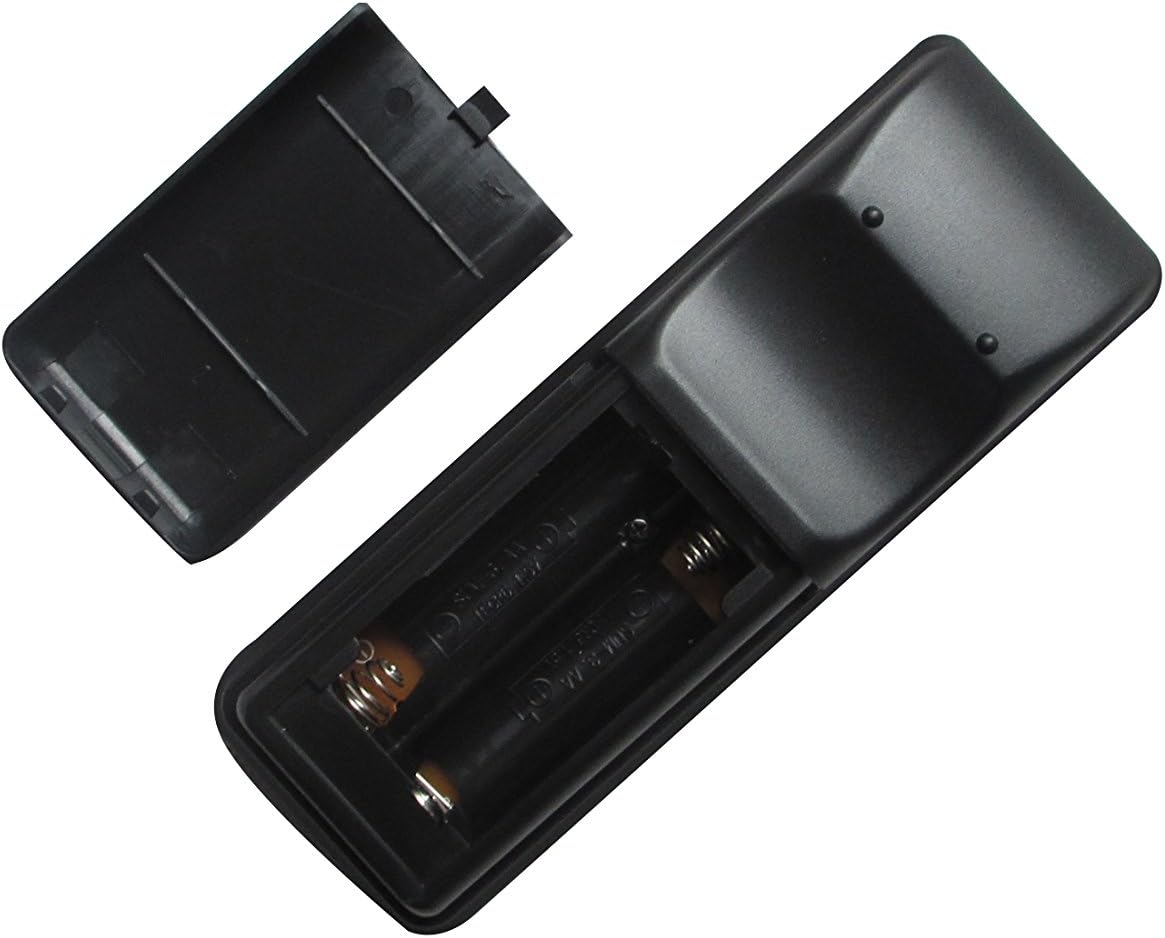
- Slide the battery compartment cover downwards or press the latch and lift to open it.
- Эки (2) AA батарейкасын салып, оң (+) жана терс (-) терминалдары бөлүмдүн ичиндеги белгилер менен туура дал келгенин текшериңиз.
- Батарея бөлүкчөсүнүн капкагын бекем чыккыча ордуна жылдырыңыз.

Image: The remote control with its battery cover removed, revealing the two AA battery slots. Observe the correct polarity markings (+/-) inside the compartment for proper battery insertion.
After installing the batteries, the remote control is ready for use. No additional pairing or programming is typically required for this replacement unit.
Иштөө нускамалары
Point the remote control directly at the infrared receiver on your Hitachi projector. Ensure there are no obstructions between the remote and the projector.
Сүрөт: алдыңкы view of the Easytry123 replacement remote control, displaying its array of function buttons for projector operation.
Негизги функциялар:
- Күйгүзүү/өчүрүү: басыңыз КҮЧ проекторду күйгүзүү же өчүрүү үчүн баскыч.
- Киргизүүнү тандоо: колдонуу INPUT or dedicated input buttons (e.g., HDMI, VGA) to cycle through available input sources.
- Меню навигациясы: колдонуу МЕНЮ button to access the projector's on-screen display (OSD) menu. Use the arrow keys (Өйдө, ылдый, сол, оң) to navigate and ENTER/OK тандоолорду ырастоо үчүн.
- Үндү көзөмөлдөө: If your projector supports audio output, use the VOL+ жана VOL- үнүн тууралоо үчүн баскычтар.
- Аспект катышы: Some remotes include an АСПЕКТ button to change the display aspect ratio.
Техникалык тейлөө
Пультту тазалоо
Пультту тазалоо үчүн анын бетин жумшак, кургак чүпүрөк менен акырын сүртүңүз. өжөр кир үчүн, бир аз гampкездемени суу менен сүртүңүз. Катуу химиялык заттарды, абразивдүү тазалоочу каражаттарды же ашыкча нымдуулукту колдонуудан алыс болуңуз, анткени алар пультту бузуп коюшу мүмкүн.
Батареяны алмаштыруу
Replace the batteries when the remote control's responsiveness decreases or it stops functioning. Always replace both batteries at the same time with new AA batteries. Do not mix old and new batteries, or different types of batteries.
Сактагыч
When not in use for extended periods, remove the batteries from the remote control to prevent leakage and potential damage. Store the remote in a cool, dry place away from direct sunlight and extreme temperatures.
Проблемаларды чечүү
- Пульт жооп бербей жатат:
- Батареялар туура полярдуулук менен туура салынганын текшериңиз.
- Батареяларды жаңыларына алмаштырыңыз.
- Пульт менен проектордун IR ресиверинин ортосунда эч кандай тоскоолдуктар жок экенин текшериңиз.
- Confirm the remote is pointed directly at the projector.
- Айрым функциялар иштебейт:
- This replacement remote may not support all advanced or specific functions of your original projector remote. Refer to your projector's original manual for specific function requirements.
- Projector turns on/off unexpectedly:
- Ensure no other infrared devices are interfering with the projector's receiver.
Техникалык шарттар
- Бренд: Easytry123
- Шайкеш түзмөктөр: Hitachi 3LCD Projectors (listed models)
- Байланыш технологиясы: Инфракызыл (IR)
- Контроллердин түрү: Control Button
- Кубат булагы: 2 x AA батарейкалар (киргизилген эмес)
- Өзгөчө өзгөчөлүгү: Эргономикалык дизайн

Сүрөт: Арткы view of the Easytry123 replacement remote control, showing its ergonomic shape and battery compartment.