
1. Бүттүview
The mooas Digital Mirror Alarm Clock (Square) is a versatile LED desk clock featuring time display, alarm with snooze function, and temperature display. Its mirror finish and clear LED digits make it a functional and aesthetic addition to any room. This manual provides detailed instructions for setup, operation, and maintenance.
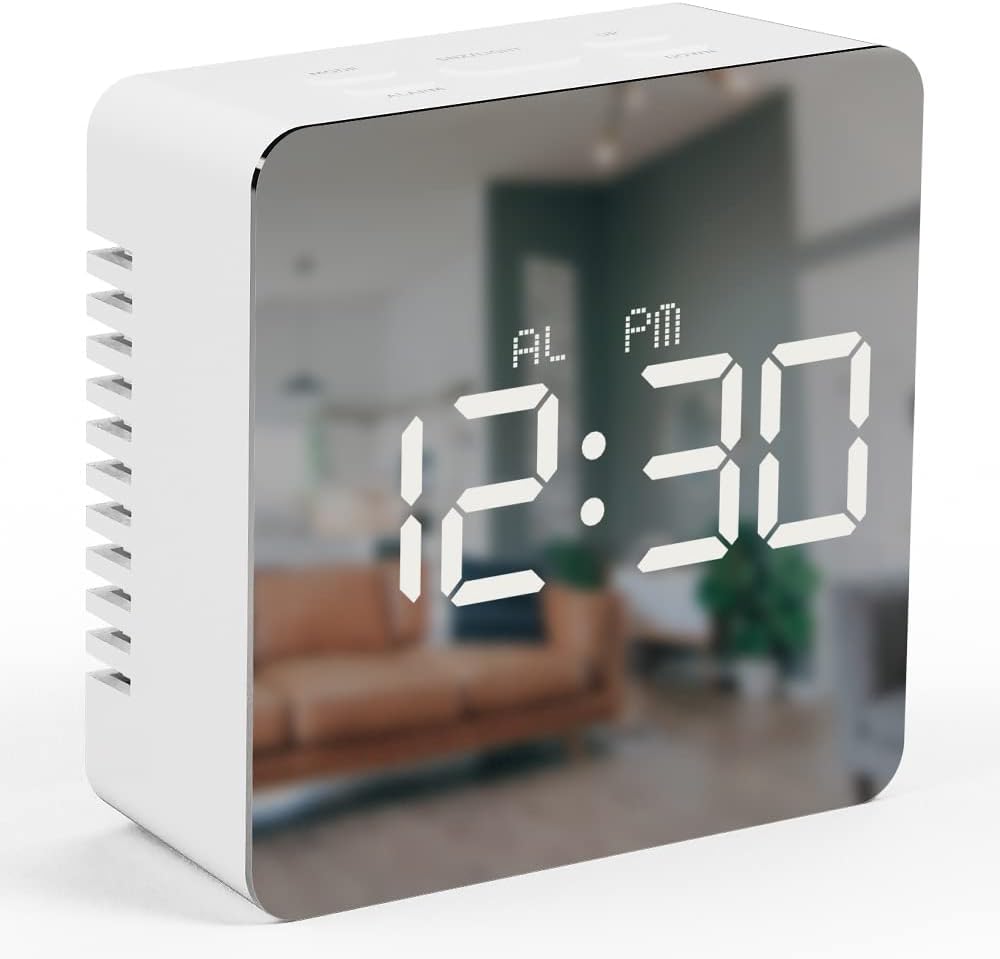
Image 1.1: The mooas Digital Mirror Alarm Clock (Square) displaying the current time.
2. Пакеттин мазмуну
Сураныч, пакетте төмөнкү нерселерди текшериңиз:
- 1 x mooas Digital Mirror Alarm Clock (Square)
- 1 х USB кабелинин
- 1 x Англис тили боюнча нускама
Note: 3 x AAA batteries are required for battery-powered operation and are not included.
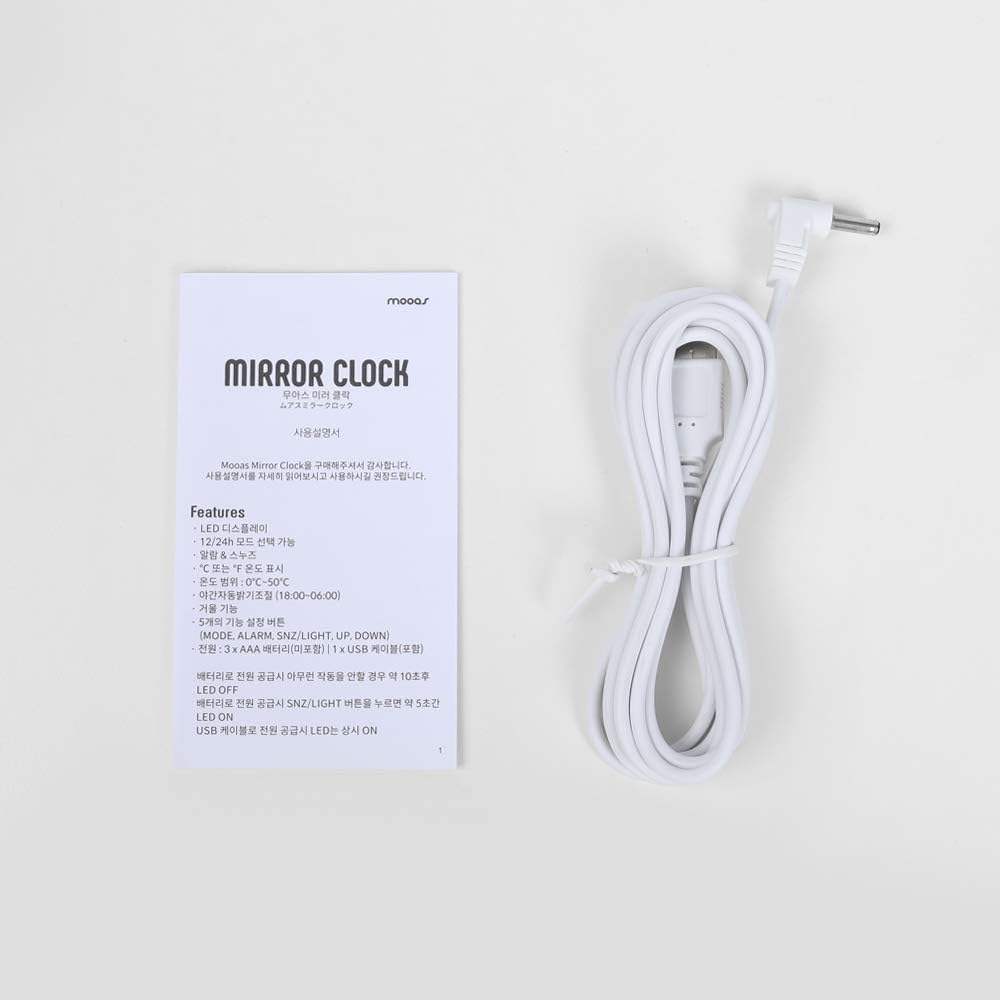
Image 2.1: Included USB cable and instruction manual.
3. Орнотуу
3.1 Саатты иштетүү
The clock can be powered in two ways:
- USB кубаты (үзгүлтүксүз көрсөтүү үчүн сунушталат): Connect the included USB cable to the DC 5V port on the back of the clock and plug the other end into a USB power adapter (not included) or a powered USB port. The LED display will remain continuously on.
- Battery Power (For temporary display): Open the battery compartment on the back of the clock and insert 3 x AAA batteries (not included), ensuring correct polarity. When powered by batteries, the LED display will turn off automatically after 10 seconds of inactivity to conserve power. To reactivate the display, press any button.

Сүрөт 3.1: Арткы view of the clock, indicating the battery compartment and USB power input.
3.2 Баскыч функциялары
The clock features five functional buttons located on the top:
- РЕЖИМ: Used to switch between Time, Alarm, and Temperature display modes, and to enter setting modes.
- ЭСКЕРТҮҮ: Used to activate/deactivate the alarm and enter alarm setting mode.
- SNZ/ЖАРЫК: Activates snooze during an alarm. Press and hold to adjust LED brightness.
- Өйдө: Increases values during setting modes.
- ТӨМӨН: Decreases values during setting modes.
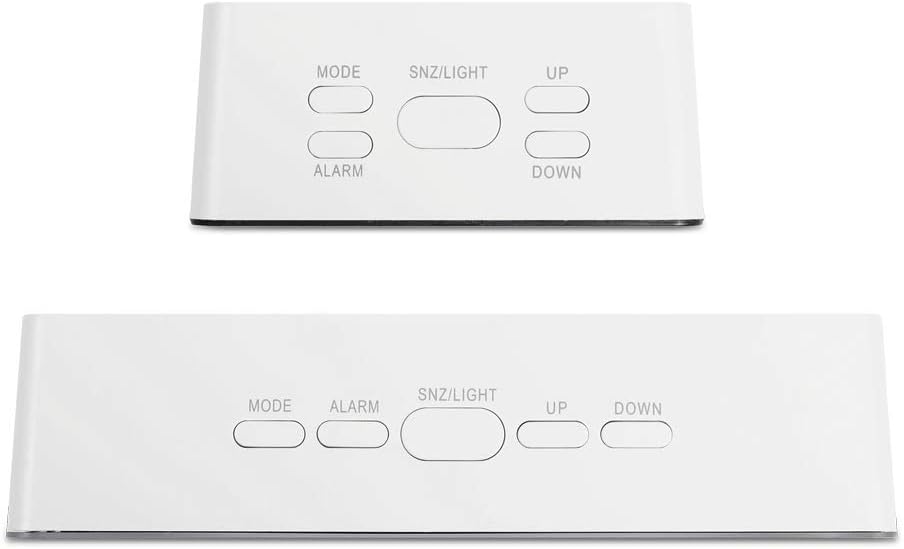
Image 3.2: Location and labels of the control buttons on top of the clock.
4. Иштөө нускамалары
4.1 Setting the Time (12/24H)
- In Time display mode, press and hold the РЕЖИМ Убакытты орнотуу үчүн баскычын 3 секунд басып туруңуз. Сааттын сандары күйүп-өчүп турат.
- Басыңыз UP or ылдый саатты тууралоо үчүн.
- Басыңыз РЕЖИМ Саатты ырастоо жана мүнөт коюуга өтүү үчүн кайрадан басыңыз. Мүнөт сандары күйүп-өчүп турат.
- Басыңыз UP or ылдый мүнөттү тууралоо үчүн.
- Басыңыз РЕЖИМ again to confirm the minute and select 12-hour or 24-hour format. '12H' or '24H' will flash.
- Басыңыз UP or ылдый каалаган убакыт форматын тандоо үчүн.
- Басыңыз РЕЖИМ убакыт жөндөөлөрүнөн чыгуу үчүн.
4.2 Сигналды коюу
- In Time display mode, press the АЛАРМ Учурдагы ойготкучтун убактысын көрсөтүү үчүн баскычты бир жолу басыңыз.
- басып, кармап туруңуз АЛАРМ button for 3 seconds to enter alarm setting. The alarm hour digits will flash.
- Басыңыз UP or ылдый ойготкуч саатын тууралоо үчүн.
- Басыңыз АЛАРМ again to confirm the hour and move to alarm minute setting. The alarm minute digits will flash.
- Басыңыз UP or ылдый ойготкучтун мүнөтүн тууралоо үчүн.
- Басыңыз АЛАРМ ойготкуч жөндөөлөрүнөн чыгуу үчүн.
- Ойготкучту иштетүү же өчүрүү үчүн, баскычын басыңыз АЛАРМ button once in Time display mode. An alarm icon will appear on the display when activated.
4.3 Тындыруу функциясы
Ойготкуч басылганда, басыңыз SNZ/LIGHT button to activate the snooze function. The alarm will temporarily stop and sound again after approximately 5 minutes. To turn off the alarm completely, press any other button.
4.4 Temperature Display (℃/℉)
The clock automatically displays the temperature. To switch between Celsius (℃) and Fahrenheit (℉):
- In Time display mode, press the РЕЖИМ button repeatedly until the temperature is displayed.
- басыңыз ылдый button to toggle between ℃ and ℉.

Image 4.1: The clock displaying temperature in Celsius.
4.5 Жарыктыкты жөндөө
The clock offers two levels of LED brightness. To adjust:
- басып, кармап туруңуз SNZ/LIGHT button. The display brightness will cycle between the two levels.
- Release the button when the desired brightness is achieved.
The LED display also features an automatic dimming function, reducing brightness between 18:00 (6 PM) and 06:00 (6 AM) by default.

Image 4.2: User interacting with the clock's buttons.
5. Техникалык тейлөө
- Clean the clock with a soft, dry cloth. Avoid abrasive cleaners or solvents.
- Саатты түз күн нурунан, өтө жогорку нымдуулуктан жана өтө жогорку температурадан алыс кармаңыз.
- If using batteries, remove them if the clock will not be used for an extended period to prevent leakage.
6. Кыйынчылыктарды
| Көйгөй | Мүмкүн себеп | Чечим |
|---|---|---|
| Display is off or dim (battery power) | LED display turns off after 10 seconds to save power. | Press any button to reactivate the display. For continuous display, use USB power. |
| Саат күйбөй жатат | Кубат жок же батарейкалар аз. | Ensure USB cable is securely connected to a power source, or replace AAA batteries. |
| Сигнал чыкпай жатат | Ойготкуч иштетилген эмес. | басыңыз АЛАРМ button once to ensure the alarm icon is displayed. |
| Incorrect time/temperature display | Орнотуулар тууралоону талап кылат. | Refer to sections 4.1 and 4.4 to set the time and temperature unit. |
7. Техникалык шарттар
- Бренд: mooas
- Модел: Digital Mirror Alarm Clock (Square)
- Дисплей түрү: Digital LED
- Түсү: Ак
- Материал: Acrylonitrile бутадиен Styrene
- Өлчөмдөрү (W x Y x D): 3.2" x 3.2" x 1.4"
- Салмагы: Болжол менен 0.19 фунт
- Кубат булагы: USB (DC 5V) or 3 x AAA Batteries (not included)
- Температура диапазону: 32℉ – 122℉ (0℃ден 50℃ге чейин)
- Өзгөчөлүктөрү: Time (12/24H), Alarm, Snooze, Temperature (℃/℉), 2-level Brightness, Automatic Dimming
- Монтаж түрү: Стол үстү

Image 7.1: Detailed dimensions of the square model clock.
8. Кепилдик жана колдоо
For warranty information and customer support, please refer to the contact details provided on the product packaging or the official mooas webсайт. Кепилдик дооматтары үчүн сатып алуу дүмүрчөгүңүздү сактаңыз.