
iLuv i222BTWH
iLuv AirFree Bluetooth Wireless Stereo Audio Transmitter Adapter
User Manual
Model: i222BTWH
Introduction
The iLuv AirFree is a portable and compact Bluetooth wireless stereo audio transmitter adapter designed to enable wireless audio transmission from devices that lack built-in Bluetooth capabilities. It allows you to connect your favorite Bluetooth earbuds, earphones, headphones, or AirPods to devices such as airplane entertainment systems, gym treadmills, Nintendo Switch consoles, and TVs that only feature a 3.5mm audio jack. This manual provides detailed instructions for setting up, operating, maintaining, and troubleshooting your AirFree device.
Кутуда эмне бар
- AirFree Bluetooth Wireless Stereo Audio Transmitter Adapter
- Микро USB кабели
- Колдонуучунун колдонмосу
Продукт бүттүview
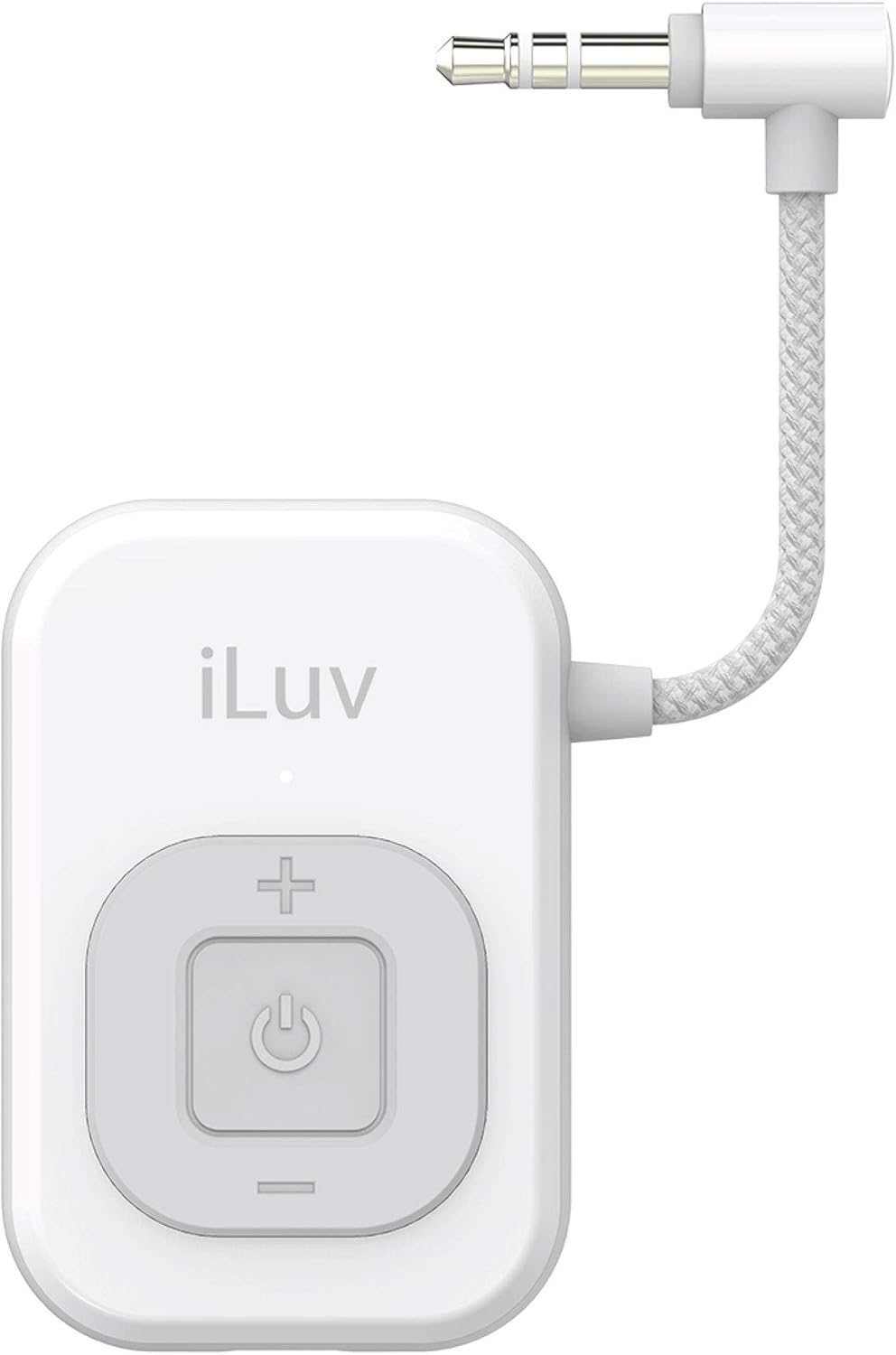
Фронт view of the iLuv AirFree Bluetooth Transmitter, showing the iLuv logo and the central control button with plus, minus, and power icons, along with the integrated 3.5mm audio jack cable.

Side view of the iLuv AirFree, highlighting the simple button controls for power, volume adjustment, and pairing, along with the micro USB charging port.
The AirFree features a compact design with an integrated 3.5mm audio jack cable for direct connection to audio sources. It includes simple button controls for power on/off, volume adjustment, and Bluetooth pairing. An LED indicator provides visual feedback on the device's status, including power, charging, and pairing mode.
Жайгашуу
1. Charging the AirFree
Before first use, fully charge your AirFree. Connect the included Micro USB cable to the AirFree's charging port and the other end to a USB power source (e.g., computer USB port, wall adapter). The LED indicator will show charging status. A full charge typically takes approximately 1 to 1.5 hours.
2. Pairing with Your Bluetooth Listening Device
The AirFree needs to be paired with your Bluetooth earbuds, earphones, headphones, or AirPods before use.
- Ensure your Bluetooth listening device is in pairing mode. Refer to your listening device's manual for specific instructions on how to enter pairing mode.
- Press and hold the power button on the AirFree until the LED indicator flashes, indicating it is in pairing mode.
- Place the AirFree close to your Bluetooth listening device. They should automatically connect. The LED indicator on the AirFree will change to a steady light or turn off once successfully paired, depending on the model.

Diagram illustrating the wireless audio transmission process, showing the iLuv AirFree connecting to AirPods, earphones, and headphones.
Иштөө нускамалары
1. Аудио булакка туташуу
Once paired with your Bluetooth listening device, plug the 3.5mm audio jack of the AirFree into the audio output port of the device you wish to listen to (e.g., airplane seat audio jack, treadmill screen, TV headphone jack, Nintendo Switch).
2. Үндү тууралоо
Use the '+' and '-' buttons on the AirFree to increase or decrease the audio volume. You may also need to adjust the volume on your Bluetooth listening device or the audio source itself for optimal sound levels.
3. Күйгүзүү/өчүрүү
To power on the AirFree, press and hold the power button until the LED indicator illuminates. To power off, press and hold the power button again until the LED indicator turns off.
4. Батареянын иштөө мөөнөтү
The AirFree provides an average playtime of 6 hours or a standby time of 8 hours on a single charge. When the battery is low, the LED indicator may change color or flash to alert you. Recharge the device as needed.

Visual representation of the iLuv AirFree's battery life, indicating 6 hours of playtime and 8 hours of standby time on a single charge.
Техникалык тейлөө
To ensure the longevity and optimal performance of your iLuv AirFree:
- Аппаратты таза, жумшак, кургак чүпүрөк менен сүртүңүз. Катуу химиялык заттарды же абразивдүү материалдарды колдонуудан алыс болуңуз.
- Аппаратты түз күн нурунан жана экстремалдык температурадан алыс салкын, кургак жерде сактаңыз.
- Аппаратты жерге түшүрүүдөн же катуу таасирлерден сактаныңыз.
- Аппаратты өзүңүз ажыратууга же оңдоого аракет кылбаңыз, анткени бул кепилдикти жокко чыгарат.
Проблемаларды чечүү
| Көйгөй | Мүмкүн себеп | Чечим |
|---|---|---|
| Түзмөк күйбөйт. | Батарея түгөнүп калды. | Charge the AirFree using the provided Micro USB cable. |
| Cannot pair with Bluetooth listening device. | Listening device not in pairing mode; AirFree not in pairing mode; Too far apart. | Ensure both devices are in pairing mode. Bring them closer together (within 3 feet). Turn both devices off and on again. |
| No audio or low audio. | Volume too low; Not properly connected to audio source; Incorrect audio source selected. | Increase volume on AirFree, listening device, and audio source. Ensure 3.5mm jack is fully inserted. Verify the audio source is playing sound. |
| Audio crackling or distortion. | Interference; Low battery; Device too far from listening device. | Move away from other wireless devices. Recharge the AirFree. Reduce distance between AirFree and listening device. |
| Audio lag/delay. | Bluetooth codec limitations; Interference. | While the AirFree is designed for general audio, some lag may be noticeable with video content due to Bluetooth technology. Try reducing distance or minimizing interference. |
Техникалык шарттар
| Өзгөчөлүк | Деталь |
|---|---|
| Модель номери | i222BTWH |
| Продукциянын өлчөмдөрү | 2.02 x 1.35 x 0.45 дюйм |
| Элемент Салмагы | 0.006 унция |
| Батареялар | 1 литий-иондук батарейка (кошулган) |
| Байланыш технологиясы | Bluetooth |
| Power Source | Батарея менен иштейт |
| Материал | Пластик |
| Өндүрүүчү | Мен сүйөм |
Коопсуздук маалыматы
General safety warnings about battery handling, extreme temperatures, and proper device shutdown before servicing.
Сунуш 65 Эскертүү: Бул өнүмдүн курамында Калифорния штаты ракка жана тубаса кемтиктерге же башка репродуктивдик зыяндарга алып келүүчү химиялык заттар болушу мүмкүн.
Кепилдик жана колдоо
Your satisfaction is important to iLuv. If you experience any problems with your AirFree, please contact the official iLuv seller page for support. Our support team is available 24/7 to assist with product issues.
30 күн кайтаруу саясаты: If you are dissatisfied with the product or unable to resolve an issue through support, all products are eligible for a full hassle-free refund within 30 days of purchase.
For further assistance, you can refer to the official User Guide PDF: Колдонуучунун колдонмосун жүктөп алыңыз (PDF)

Contact support for assistance with any product issues.

For compatibility or other questions, refer to the product page Q&A section.

Information regarding the 30-day return policy for the product.
Ask a question about this manual
Ask about setup, troubleshooting, compatibility, parts, safety, or missing instructions. Manuals+ will review the question and use this page’s manual context to help answer it.