
1. Киришүү
This manual provides instructions for the Easytry123 XD7247 replacement remote control, designed for use with various Pioneer Audio/Video (AV) receivers. This remote offers essential functions for controlling your compatible Pioneer receiver. Please note that as a replacement unit, some advanced or specific functions of your original remote may not be fully supported.
2. Шайкештик
The Easytry123 XD7247 replacement remote control is compatible with the following Pioneer AV receiver models:
- Pioneer VSX-D510S
- Pioneer VSX-D510
- Pioneer VSX-D411
- Pioneer VSX-D511
- Pioneer VSX-D209
- Pioneer VSX-D409
- Pioneer VSX-D709RDS
- Pioneer VSX-D3
To ensure proper functionality, verify that your receiver model is listed above. This remote is specifically designed for these models and may not operate other Pioneer devices or models not listed.
3. Орнотуу
3.1 Батареяны орнотуу
The Easytry123 XD7247 remote control requires two (2) AA batteries for operation. Batteries are not included with the remote control and must be purchased separately.
- Пульттун артындагы батарея отсегин табыңыз.
- Батарея бөлүмүнүн капкагын ачуу үчүн ылдый же сыртка жылдырыңыз.
- Оң (+) жана терс (-) терминалдары бөлүмдүн ичиндеги белгилер менен туура дал келишин камсыз кылып, эки АА батарейканы салыңыз.
- Батарея бөлүкчөсүнүн капкагын бекем чыккыча ордуна жылдырыңыз.

Сүрөт: Артка view of the Easytry123 XD7247 remote control, highlighting the battery compartment for installation.
Once batteries are installed, the remote is ready for use with your compatible Pioneer AV receiver. No additional programming is typically required.
4. Пультту иштетүү
The Easytry123 XD7247 remote control is designed for straightforward operation. Point the remote directly at your Pioneer AV receiver and press the desired function button.
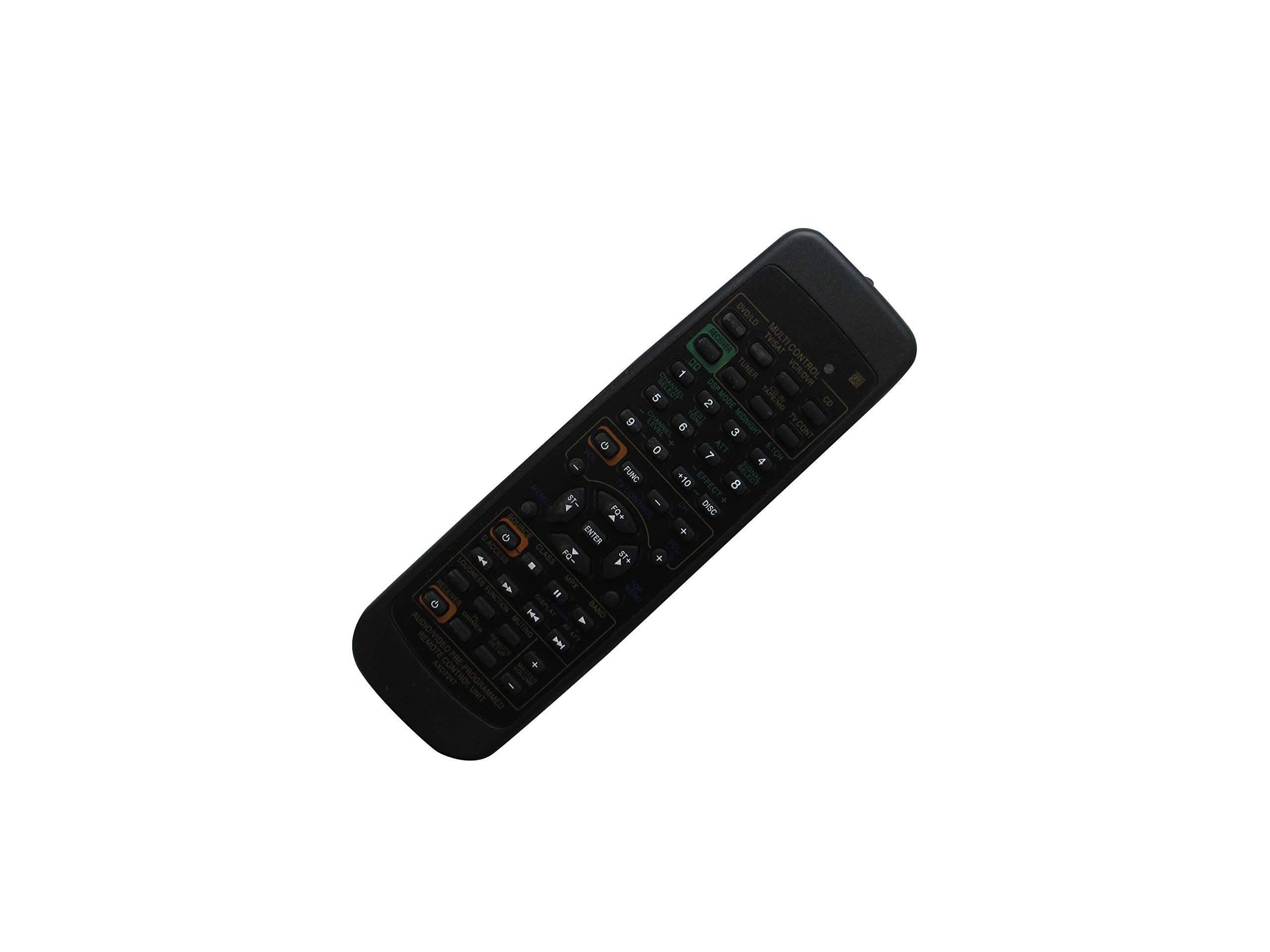
Сүрөт: алдыңкы view of the Easytry123 XD7247 remote control, showing the layout of various control buttons.
4.1 Негизги функциялар
- Кубат баскычы: Ресиверди күйгүзөт же өчүрөт.
- Үнүн жогорулатуу/төмөндөтүү: Аудио чыгаруу деңгээлин тууралайт.
- Киргизүү/Булакты тандоо: Cycles through available audio/video inputs (e.g., CD, DVD, Tuner).
- Үнсүз баскычы: Аудио чыгарууну убактылуу өчүрөт.
- Каналды/тректи тандоо: For tuner or disc player control, if applicable.
- Чабыттоо баскычтары: (Up, Down, Left, Right, Enter) for menu navigation on compatible receivers.
Эскертүү: As a replacement item, this remote may not support all functions or advanced features present on your original Pioneer remote control. Functionality may vary depending on the specific Pioneer receiver model.
5. Техникалык тейлөө
Алыстан башкаруу пультуңуздун узак убакытка кызмат кылуусун жана туура иштешин камсыз кылуу үчүн, төмөнкү жөнөкөй техникалык тейлөө көрсөтмөлөрүн аткарыңыз:
- Тазалоо: Wipe the remote control with a soft, dry cloth. Avoid using liquid cleaners, solvents, or abrasive materials, as these can damage the surface or internal components.
- Батареяны алмаштыруу: Replace batteries when the remote's response becomes sluggish or stops working. Always replace both batteries at the same time with new ones of the same type (AA).
- Сактагыч: If the remote will not be used for an extended period, remove the batteries to prevent leakage, which can cause damage. Store the remote in a cool, dry place away from direct sunlight.
- Тамчылардан качуу: Пультту физикалык соккудан коргоңуз, анткени кулап түшүү ички схемаларга зыян келтириши мүмкүн.
6. Кыйынчылыктарды
If you encounter issues with your Easytry123 XD7247 remote control, refer to the following troubleshooting steps:
- Алыстан жооп бербейт:
- Батареялар туура полярдуулук менен (+/-) туура салынганын текшериңиз.
- Эски батареяларды жаңы AA батареялары менен алмаштырыңыз.
- Ensure there are no obstructions between the remote control and the receiver's infrared sensor.
- Confirm you are pointing the remote directly at the receiver.
- Чектелген функциялар:
- As a replacement remote, it may not replicate all functions of the original Pioneer remote. This is expected for certain advanced features.
- Verify that your Pioneer receiver model is listed in the compatibility section of this manual.
- Үзгүлтүксүз иштөө:
- Бул батареянын кубаты аз экенин билдириши мүмкүн. Батареяларды алмаштырыңыз.
- Ensure no strong light sources (like direct sunlight or fluorescent lights) are interfering with the infrared signal.
7. Техникалык шарттар
- Бренд: Easytry123
- Модел: XD7247 (Replacement Remote Control)
- Шайкеш түзмөктөр: Pioneer AV Receivers (Specific models listed in Section 2)
- Байланыш технологиясы: Инфракызыл (IR)
- Кубат булагы: 2 x AA батарейкалар (киргизилген эмес)
- Колдоого алынган түзмөктөрдүн максималдуу саны: 1 (The connected Pioneer AV Receiver)
- Өзгөчө өзгөчөлүгү: Эргономикалык дизайн
- Өндүрүүчү: Easytry123
- ASIN: B07PYPX6FC
8. Кепилдик жана колдоо
Specific warranty information for the Easytry123 XD7247 replacement remote control is not provided in the product details. For any support inquiries or further assistance, please refer to the seller or retailer from whom the product was purchased.