
Hexgears K950
Hexgears K950 Ultra-Thin Multi-Device Wireless Mechanical Keyboard User Manual
1. Киришүү
Welcome to the Hexgears K950 Ultra-Thin Multi-Device Wireless Mechanical Keyboard user manual. This document provides comprehensive instructions to help you set up, operate, maintain, and troubleshoot your new keyboard. The Hexgears K950 is designed for versatility, offering both wired and wireless (Bluetooth 4.0+) connectivity, multi-device support, and customizable RGB backlighting in a compact, ultra-thin form factor.

Hexgears K950 keyboard with RGB backlighting active, viewжогорудан келген.
2. Пакеттин мазмуну
Пакетиңизде бардык буюмдар бар экенин текшериңиз:
- Hexgears K950 Ultra-Thin Mechanical Keyboard
- USB Type-C Charging/Data Cable
3. Продукт бүтүп калдыview
The Hexgears K950 features a sleek, ultra-thin design with a 96-key layout, including a numeric keypad. It utilizes high-quality Kailh Choc White mechanical switches for a tactile and responsive typing experience. The keyboard also boasts vibrant RGB backlighting with multiple customizable modes.
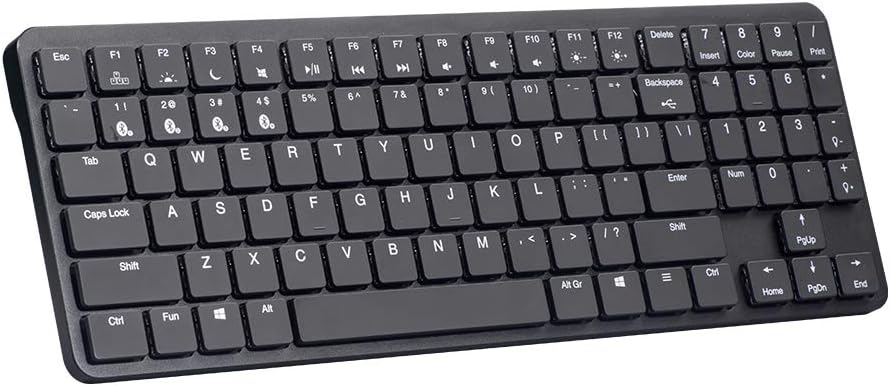
Бурчтуу view of the Hexgears K950 keyboard, showcasing анын slim profile.

Жогорудан төмөн view of the Hexgears K950 keyboard, highlighting the integrated kickstand for ergonomic tilt.
4. Орнотуу
4.1 Баскычтопту заряддоо
The Hexgears K950 has a built-in 2400mAh rechargeable lithium-ion battery. To charge the keyboard, connect the provided USB Type-C cable to the keyboard's port and the other end to a USB power source (e.g., computer USB port, wall adapter). The keyboard can be used in wired mode while charging.
4.2 Зымдуу туташуу
For a wired connection, simply connect the USB Type-C cable from the keyboard to an available USB port on your computer. The keyboard will be automatically recognized and ready for use.
4.3 Зымсыз байланыш (Bluetooth)
The Hexgears K950 supports Bluetooth 4.0 or higher and can connect to up to four devices simultaneously.
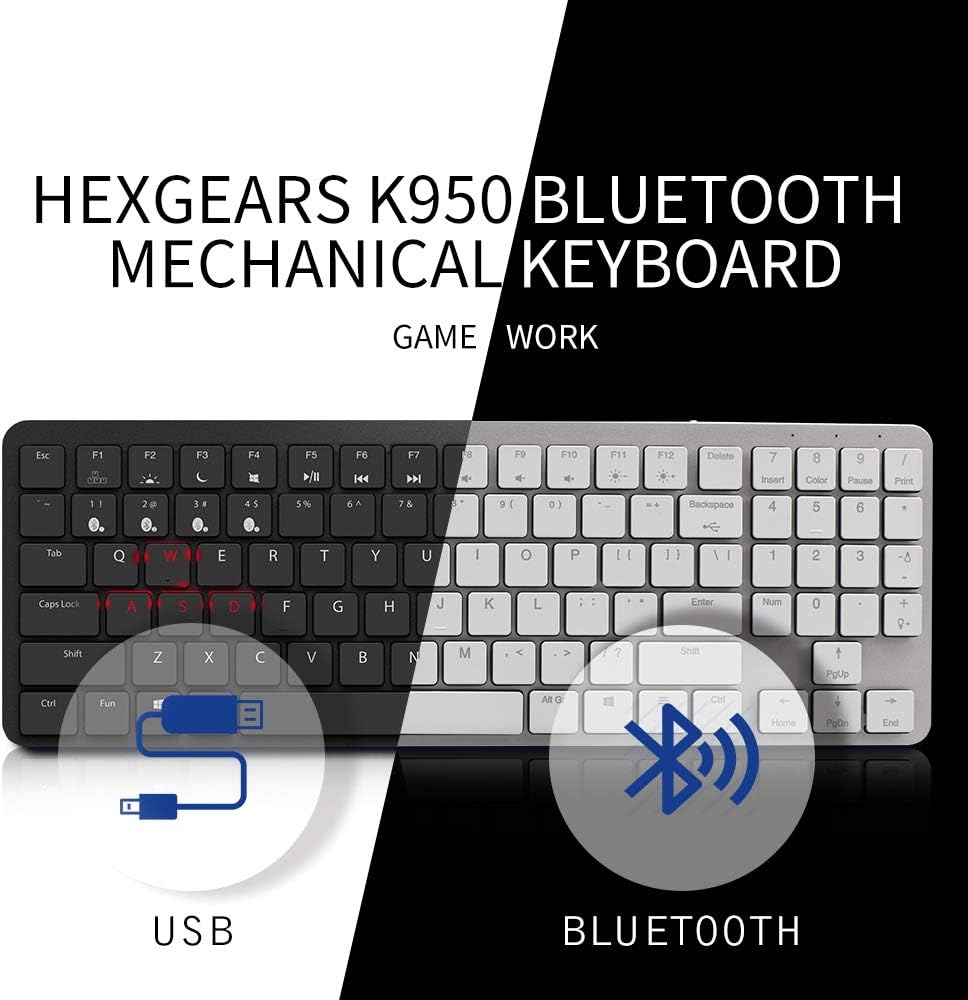
Diagram illustrating the dual connection modes of the Hexgears K950 keyboard: USB wired connection and Bluetooth wireless connection.
- Switch to Wireless Mode: Ensure the keyboard is in wireless mode. (Specific switch location not provided, typically a toggle on the back or side).
- Bluetooth каналын тандаңыз: Басыңыз Fn + BT1, Fn + BT2, Fn + BT3, же Fn + BT4 to select an available Bluetooth channel. The corresponding indicator light will flash, indicating pairing mode.
- Түзмөгүңүздө Bluetooth иштетүү: On your computer, tablet, or smartphone, go to your Bluetooth settings and enable Bluetooth.
- Баскычтопту жупташтырыңыз: Издөө available Bluetooth devices. The keyboard should appear as "Hexgears K950" or similar. Select it to pair.
- Жупташтыруу ырастоо: Жупташтыруу процессин аяктоо үчүн экрандагы көрсөтмөлөрдү аткарыңыз. Ийгиликтүү жупташтырылгандан кийин баскычтоптогу индикатор жарыгы күйүп-өчүүнү токтотот.
4.4 Түзмөктөрдүн ортосунда которулуу
To switch between up to four paired Bluetooth devices, simply press Fn + BT1/BT2/BT3/BT4 corresponding to the desired device's channel.
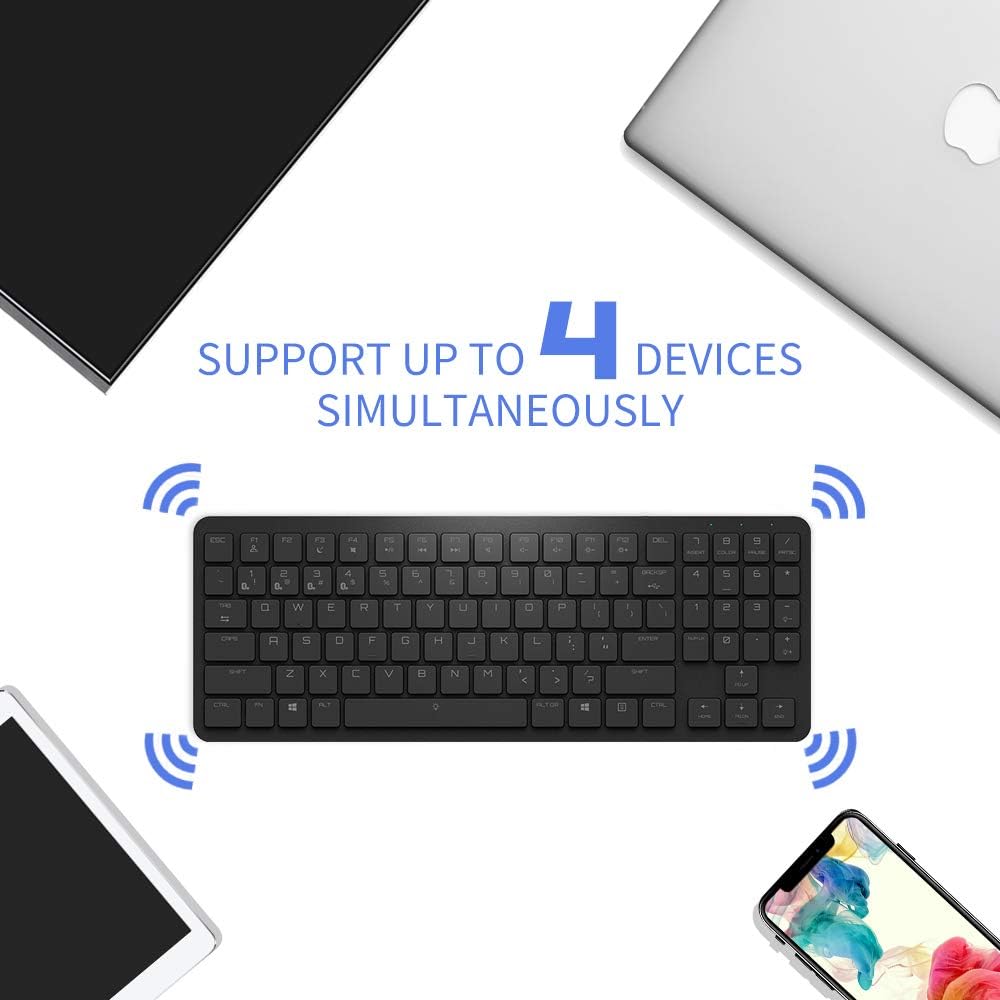
The Hexgears K950 keyboard supports simultaneous connection to up to four devices via Bluetooth.
5. Иштөө режимдери
5.1 RGB жарыгын башкаруу
The Hexgears K950 offers multiple RGB backlighting modes. You can cycle through up to 16 different lighting effects and customize them.
- Жарыктандыруу режимин өзгөртүү: Басыңыз Fn + F12 (or the key with the light bulb icon) to cycle through different RGB lighting modes.
- Жарыктыкты жөндөө: Колдонуу Fn + Өйдө жебе жарыктыгын жогорулатуу жана Fn + Төмөн жебе жарыктыгын азайтуу үчүн.
- Ылдамдыкты/багытты тууралоо: Specific keys for speed/direction adjustment may vary. Refer to the keyboard's keycaps for relevant icons.

Visual representation of various RGB lighting modes on the Hexgears K950 keyboard.
5.2 Функционалдык баскычтардын айкалышы
Клавиатурада атайын функция баскычтары (F1-F12) бар, аларды төмөнкү функциялар менен айкалыштырууга болот Fn key to access multimedia controls and other shortcuts.
- Fn + F1-F3: Bluetooth channel selection (BT1, BT2, BT3).
- Fn+F4: Bluetooth channel selection (BT4).
- Fn+F5: Media Play/Pause.
- Fn+F6: Мурунку трек.
- Fn+F7: Кийинки Трек.
- Fn+F8: Үнсүз.
- Fn+F9: Үндү төмөндөтүү.
- Fn+F10: Үндү көтөрүү.
- Fn+F11: Brightness Down (if applicable).
- Fn+F12: Brightness Up / Cycle RGB Modes.
- Fn + Win: Windows баскычын кулпулоо/ачуу.
6. Техникалык тейлөө
6.1 Тазалоо
Клавиатураңыздын иштешин жана көрүнүшүн сактоо үчүн:
- Баскычтоптун бетин сүртүү үчүн жумшак, кургак чүпүрөктү колдонуңуз.
- For dust between keycaps, use compressed air.
- Катуу химиялык заттарды же абразивдүү материалдарды колдонуудан алыс болуңуз.
- The Kailh Choc switches are rated IP56 for dust and water resistance, offering protection against limited dust ingress and low-pressure water jets. However, avoid submerging the keyboard or exposing it to excessive liquids.
7. Кыйынчылыктарды
If you encounter issues with your Hexgears K950 keyboard, please refer to the following common solutions:
- Баскычтоп жооп бербей жатат:
- Баскычтоп кубатталганын текшериңиз.
- Check if the keyboard is in the correct mode (wired or wireless).
- For wired mode, ensure the USB cable is securely connected.
- For wireless mode, ensure Bluetooth is enabled on your device and the keyboard is paired to the correct channel.
- Bluetooth байланышы көйгөйлөрү:
- Ensure the keyboard is within the 10-meter Bluetooth range.
- Баскычтопту түзмөгүңүз менен кайра жупташып көрүңүз.
- Remove the keyboard from your device's Bluetooth list and pair it again.
- Баскычтопту да, түзмөгүңүздү да өчүрүп күйгүзүңүз.
- RGB backlighting not working:
- Баскычтоп күйгүзүлгөнүн текшериңиз.
- Check if the brightness is turned down (use Fn + Өйдө жебе).
- Cycle through different RGB modes using Fn + F12.
8. Техникалык шарттар
| Өзгөчөлүк | Спецификация |
|---|---|
| Модель аты | K950 |
| Бренд | Hexgears |
| Байланыш технологиясы | Wireless (Bluetooth 4.0+), Wired (USB Type-C) |
| Шайкеш түзмөктөр | Laptop, PC, Mac, iOS, Android |
| Системанын шайкештиги | Windows 2000, ME, Vista, XP, 7, 8, 10, Android, Linux, Mac OS |
| Keyboard Description | Mechanical, 96-key layout |
| Которуу түрү | Kailh Choc White |
| Life Switch | 50 миллионго чейин баскычтарды басуу |
| Tactile Force | 60 ± 10GF |
| Ишке ашыруучу күч | 50 ± 10GF |
| Актуациялык саякат | 1.5 ± 0.5MM |
| Total Travel | 3.0 + 0/-0.5MM |
| Механикалык жашоо | 70,000,000 XNUMX цикл |
| Суу/чаңга туруктуулук | IP56 (for switches) |
| Арткы жарыктын түсүн башкаруу | RGB (up to 16 modes) |
| Батарея | 2400 мАч литий-ион (кошулган) |
| Кабелдин узундугу | 1.6M |
| Өлчөмдөрү (узундугу) | 357.6 +/- 1MM |
| Өлчөмдөрү (туурасы) | 130.8 +/- 1MM |
| Өлчөмдөрү (Бийиктик) | 20 +/- 0.5MM |
| Салмагы | 510 +/- 20G |
| Түс | Кара |
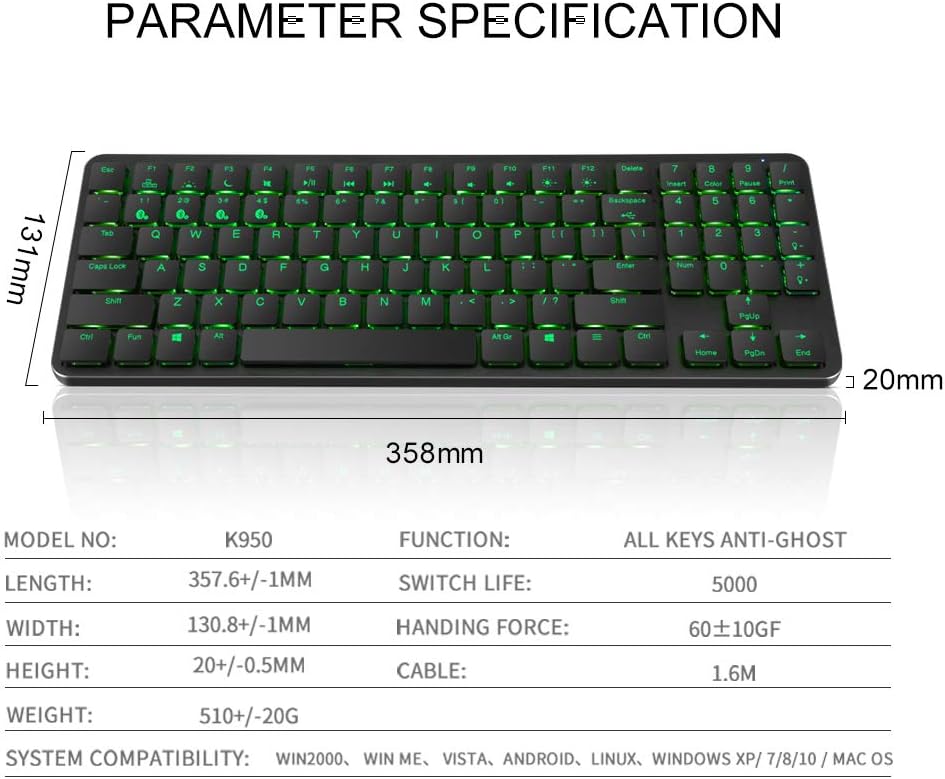
Detailed parameter specifications for the Hexgears K950 keyboard.

Diagram and specifications of the Kailh Choc mechanical switch used in the K950 keyboard.
9. Кепилдик жана колдоо
For warranty information, technical support, or customer service inquiries, please refer to the documentation provided with your purchase or visit the official Hexgears website. Please note that specific warranty terms may vary by region and retailer.
Ask a question about this manual
Ask about setup, troubleshooting, compatibility, parts, safety, or missing instructions. Manuals+ will review the question and use this page’s manual context to help answer it.