
Introduction
The Rapoo 1680 Silent Wireless Mouse offers a comfortable and quiet computing experience. Featuring a reliable 2.4GHz wireless connection, 1000 DPI optical tracking, and a silent click design, it is suitable for various environments, including offices and libraries. Its ergonomic and ambidextrous design ensures comfortable use for extended periods, and a long battery life provides convenience.

Image: The Rapoo 1680 Silent Wireless Mouse, showcasing its sleek, ambidextrous design in white.
Кутуда эмне бар
Пакетте бардык буюмдар бар экенин текшериңиз:
- 1 x Wireless Mouse (Rapoo 1680)
- 1 USB Receiver х
- 1 x AA Батарея
- 1 x Instruction Manual

Image: The underside of the Rapoo 1680 mouse with the battery compartment open, showing the included AA battery and the USB nano receiver.
Орнотуу нускамалары
- Батареяны салыңыз: Open the battery compartment located on the underside of the mouse. Insert the provided AA battery, ensuring correct polarity. Close the compartment securely.
- USB кабыл алгычты салыңыз: Locate the USB nano receiver, typically stored within the battery compartment or packaged separately. Plug the USB receiver into an available USB port on your computer (PC, laptop, or tablet).
- Чычканды күйгүзүү: Slide the ON/OFF switch on the bottom of the mouse to the "ON" position. The mouse should now be powered on and ready for use.
- Автоматтык туташуу: The mouse is designed for plug-and-play functionality. Your computer should automatically detect and connect to the mouse within a few seconds. No additional drivers are typically required.
The Rapoo 1680 mouse is compatible with various operating systems, including Windows, Mac OS, Linux, and Chrome OS.
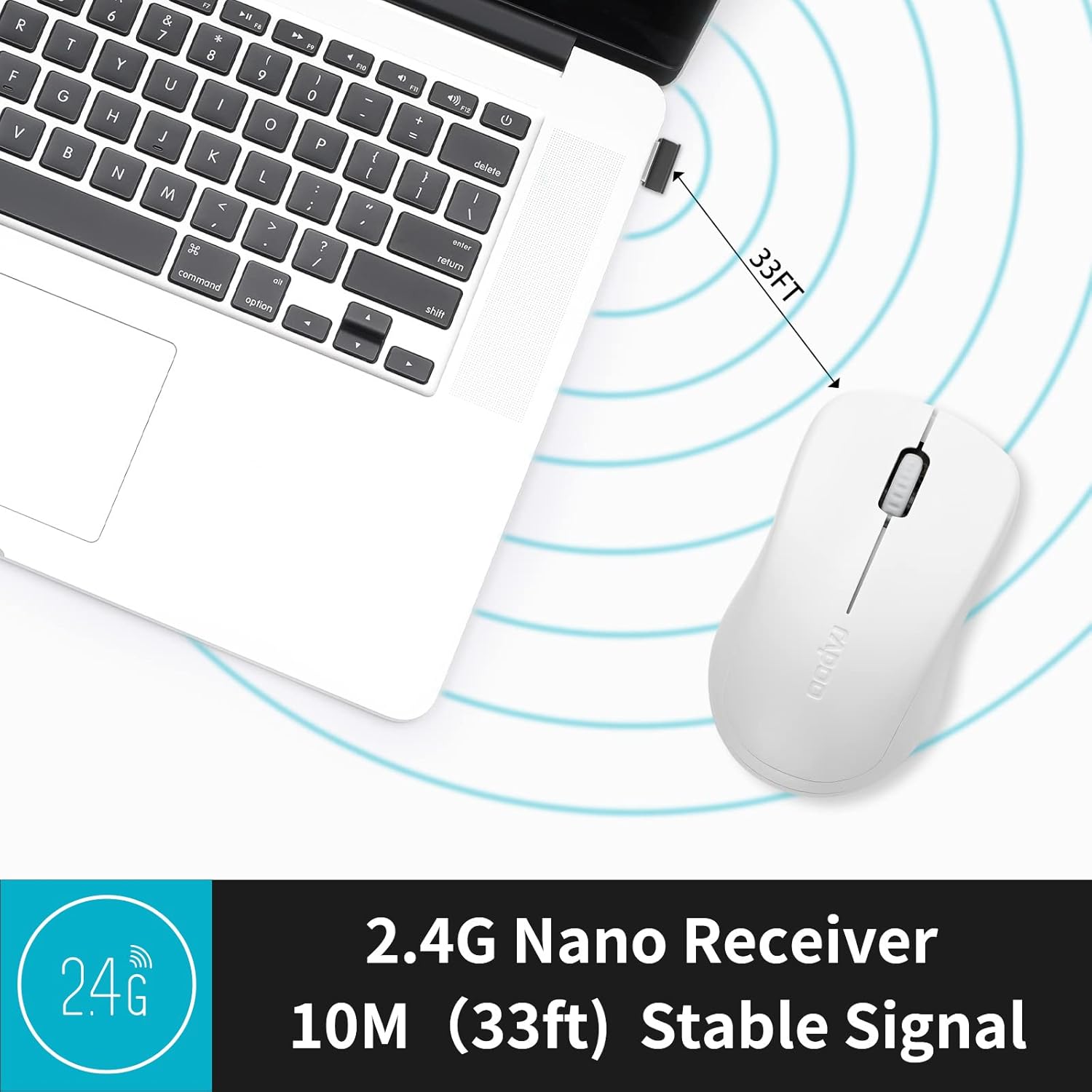
Image: A close-up of the 2.4G Nano Receiver plugged into a laptop, demonstrating the 10-meter (33ft) stable wireless signal range.

Image: The Rapoo 1680 mouse highlighting its wide compatibility with Windows, Mac OS, Linux, and Chrome operating systems.
Иштөө нускамалары
The Rapoo 1680 mouse features a standard 3-button layout for intuitive control.
- Сол чыкылдатуу: Объекттерди тандоо үчүн негизги баскыч, ачуу fileс, жана программалык камсыздоо менен өз ара аракеттенүү.
- Оң чыкылдатуу: Контексттик менюларга жана кошумча параметрлерге кирүү үчүн кошумча баскыч.
- Жылдыруу дөңгөлөгү: Документтерди жылдыруу үчүн колдонулат жана web барактар. Жылдыруу дөңгөлөк орто баскычты чыкылдатуу функциясын да аткарат.
Унчукпай чыкылдатуу дизайны: This mouse is engineered to reduce click sounds by up to 90%, providing a quiet environment without compromising the tactile click feel. This feature is particularly beneficial in quiet settings such as libraries or shared workspaces.
1000 DPI Optical Tracking: The high-definition 1000 DPI optical tracking engine ensures responsive and smooth cursor control on most surfaces.

Image: The Rapoo 1680 mouse demonstrating its silent click feature, ideal for quiet environments.

Image: A user operating the Rapoo 1680 mouse in a library, emphasizing its quiet operation for undisturbed work.
Техникалык тейлөө
- Батареяны алмаштыруу: When the mouse performance degrades or stops responding, it may be time to replace the AA battery. Open the battery compartment, remove the old battery, and insert a new AA battery with the correct polarity.
- Тазалоо: Чычкандын сыртын тазалоо үчүн жумшак, кургак чүпүрөктү колдонуңуз. Оптикалык сенсор үчүн кебезди бир аз сүртүңүз.ampened with rubbing alcohol, ensuring no liquid enters the mouse's internal components.
- Сактагыч: When not in use for an extended period, slide the ON/OFF switch to the "OFF" position to conserve battery life. The USB receiver can be stored inside the mouse's battery compartment for safekeeping.
Проблемаларды чечүү
- Чычкан жооп бербейт:
- Ensure the mouse is switched "ON" using the ON/OFF switch on the bottom.
- Check if the AA battery is correctly inserted and has sufficient charge. Replace if necessary.
- USB кабыл алгыч компьютериңиздеги иштеп жаткан USB портуна бекем сайылганын текшериңиз. Башка USB портун колдонуп көрүңүз.
- Курсордун туруксуз кыймылы:
- Чычкандын түбүндөгү оптикалык сенсорду тазалаңыз.
- Чычканды ылайыктуу бетте колдонуп жатканыңызды текшериңиз. Өтө жарык чагылдыруучу же тунук беттерден алыс болуңуз.
- Туташуу маселелери:
- Remove and re-insert the USB receiver.
- Move the mouse closer to the USB receiver to rule out range issues (maximum 10 meters).
Техникалык шарттар
| Өзгөчөлүк | Деталь |
|---|---|
| Бренд | Rapoo |
| Модель аты | 1680 |
| Байланыш технологиясы | USB (2.4 ГГц зымсыз) |
| Кыймылды аныктоо технологиясы | Оптикалык |
| Mouse Maximum Sensitivity | 1000 DPI |
| Button Quantity | 3 |
| Колдун багыты | Эки тараптуу |
| Power Source | Батарея менен иштейт (1 x AA батареясы кошулган) |
| Батареянын орточо иштөө мөөнөтү | 12 айга чейин |
| Зымсыз диапазон | 10 метр (33 фут) |
| Элемент Салмагы | 58 грамм |
| Элементтин өлчөмдөрү (L x W) | 4.33"L x 2.56"W |
| Шайкеш түзмөктөр | Персоналдык компьютер |
| Операция системасы | Windows, Mac OS, Linux, Chrome OS |
| Коргоочу материал | Пластик |
| Бүтүрүү | Мт |

Image: Detailed dimensions of the Rapoo 1680 mouse, showing its length and width.
Расмий продукт Video
Video: An official product video from RAPOO showcasing the features and benefits of the Rapoo 1680 Silent Wireless Mouse, including its silent clicks, ergonomic design, and ease of use.
Кепилдик жана колдоо
The Rapoo 1680 Silent Wireless Mouse comes with a 1 жылдык кепилдик сатып алынган күндөн тартып. Бул кепилдик өндүрүштүк кемчиликтерди камтыйт жана кадимки колдонуу шарттарында ишенимдүү иштөөнү камсыз кылат.
For technical support, warranty claims, or any product-related inquiries, please contact Rapoo customer service. Refer to the Rapoo official webЭң акыркы байланыш маалыматын алуу үчүн сайтка же продуктунун таңгагына кайрылыңыз.
RAPOO is committed to providing high-performance and high-quality peripheral products. If you have any questions or require assistance, please do not hesitate to reach out to their support team.