
Продукт бүттүview
The DACOM L05 V4.1 Sport Wireless Headphones are designed for active lifestyles, offering a secure fit, high-quality audio, and robust water resistance. This manual provides essential information for setup, operation, and maintenance.

Image: DACOM L05 V4.1 Sport Wireless Headphones, black color, with ear hooks designed for a secure fit during physical activity.
Кутуда эмне бар

Image: The complete package contents including the headphones, ear tips, USB charging cable, and user guide.
- 1 x Dacom L05 Lightweight Bluetooth Headphones
- 3 Pairs Earphone Tips (Small, Medium, Large)
- 1 x USB заряддоо кабели
- 1 x User Manual
Орнотуу колдонмосу
Наушниктерди заряддоо
Before first use, fully charge your DACOM L05 V4.1 headphones. Use the provided Micro USB charging cable.
- Connect the Micro USB end of the charging cable to the charging port on the headphones.
- Connect the USB-A end of the cable to a standard USB power adapter (e.g., computer USB port, wall charger).
- Индикатор жарыгы кубаттоо абалын көрсөтөт (чоо-жайын билүү үчүн LED индикатор бөлүмүн караңыз).
- Charging time is approximately 1.5-2 hours for a full charge. Avoid using fast chargers.
Bluetooth түзмөгү менен жупташуу
- Наушниктердин өчүрүлгөнүн текшериңиз.
- Press and hold the Multi-function button on the headphones until the LED indicator flashes red and blue alternately, indicating pairing mode.
- Түзмөгүңүздө (смартфон, планшет ж.б.) Bluetooth иштетиңиз жана жеткиликтүү түзмөктөрдү издеңиз.
- Select "DACOM L05" from the list of found devices.
- Once connected, the LED indicator will flash blue slowly, and a voice prompt will confirm the connection.
- Эгер сырсөз суралса, "0000" киргизиңиз.
Иштөө нускамалары
Күйгүзүү/өчүрүү
- Күйгүзүү: Көп функциялуу баскычты 3 секунд басып туруңуз.
- Өчүрүү: Көп функциялуу баскычты 3 секунд басып туруңуз.
Музыканы ойнотуу
- Ойнотуу/тындыруу: Көп функциялуу баскычты бир жолу басыңыз.
- Кийинки трек: Көлөмү + баскычын басып, кармап туруңуз.
- Мурунку трек: Үн көлөмү - баскычын басып, кармап туруңуз.
- Көлөмү: Үндү катуулатуу + баскычын бир жолу басыңыз.
- Үнүн азайтуу: Үндү катуулатуу баскычын бир жолу басыңыз.
Чалууларды башкаруу
- Чалууга жооп берүү/аяктоо: Көп функциялуу баскычты бир жолу басыңыз.
- Чакырууну четке кагуу: Көп функциялуу баскычты 2 секунд басып туруңуз.
- Акыркы номерди кайра терүү: Көп функциялуу баскычты эки жолу басыңыз.
Наушник тагынуу
The DACOM L05 V4.1 features a behind-ear ergonomic design for a stable and comfortable fit, especially during sports activities. The shallow in-ear design allows for some environmental awareness, which is beneficial for outdoor activities.

Image: A person wearing the DACOM L05 V4.1 headphones with the ear hooks securely positioned behind the ears, demonstrating their suitability for sports.
For enhanced noise isolation, you can gently push the earbuds deeper into your ear canal and adjust the volume.
Техникалык тейлөө жана кам көрүү
Тазалоо
- Наушниктерди жумшак, кургак чүпүрөк менен сүртүңүз.
- For ear tips, remove them and clean with a mild soap solution if necessary, then rinse and dry thoroughly before reattaching.
Сактагыч
The headphones feature a soft memory wire for easy storage. Gently coil the headphones to store them in a compact manner.
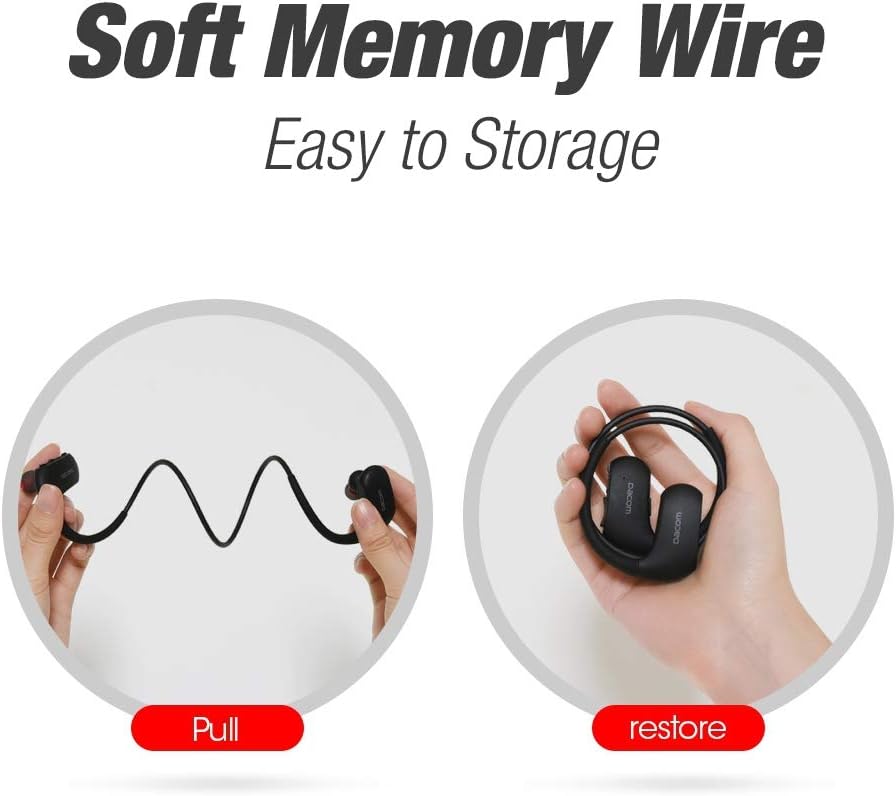
Image: Illustration showing the flexibility of the memory wire, allowing the headphones to be easily pulled and then coiled for compact storage.
Сууга туруктуулук (IPX7)
The DACOM L05 V4.1 headphones are IPX7 waterproof, meaning they can withstand immersion in water up to 1 meter for 30 minutes. This makes them suitable for workouts and exposure to rain or sweat.

Image: A person wearing the headphones while being splashed with water, highlighting the IPX7 waterproof feature.
Маанилүү коопсуздук эскертүүсү:
- Avoid exposure to water over a prolonged period of time.
- Ensure the charging port cover is securely closed before exposing to water.
Проблемаларды чечүү
| Көйгөй | Мүмкүн себеп | Чечим |
|---|---|---|
| Кулакчындар күйбөйт. | Батарея аз. | Наушниктерди толук заряддаңыз. |
| Түзмөк менен жупташтыруу мүмкүн эмес. | Кулакчындар жупташтыруу режиминде эмес; түзмөк Bluetooth өчүк; аппараттан өтө алыс. | Ensure headphones are in pairing mode (red/blue flashing LED). Turn on device Bluetooth. Move headphones closer to device (within 30 ft). |
| Үн жок же үн сапаты начар. | Үнү өтө төмөн; кулакчындар туташтырылган эмес; тоскоолдуктар. | Increase volume on headphones and device. Re-pair headphones. Move away from other wireless devices. |
| Батарея бат эле түгөнөт. | High volume usage; old battery. | Reduce volume. Ensure headphones are fully charged. If issue persists, contact support. |
Техникалык мүнөздөмөлөр
- Модел: L05 V4.1
- Bluetooth спецификациясы: 4.1
- Суу өткөрбөйт рейтинги: IPX7
- Өткөрүү расстояние: 30 фут (10 метр) чейин
- Заряддоо порту: Микро USB
- Заряддоо убактысы: 1.5-2 саат
- Сүйлөшүү убактысы: 8 саат
- Ойнотуу убактысы: 7 саат
- Күтүү убактысы: 240 саат
- Салмагы: 154 г
- Материал: Rubber (ear hooks)
- Өзгөчөлүктөрү: Wireless, Water-Resistant, Lightweight, Noise Isolation, Microphone Included
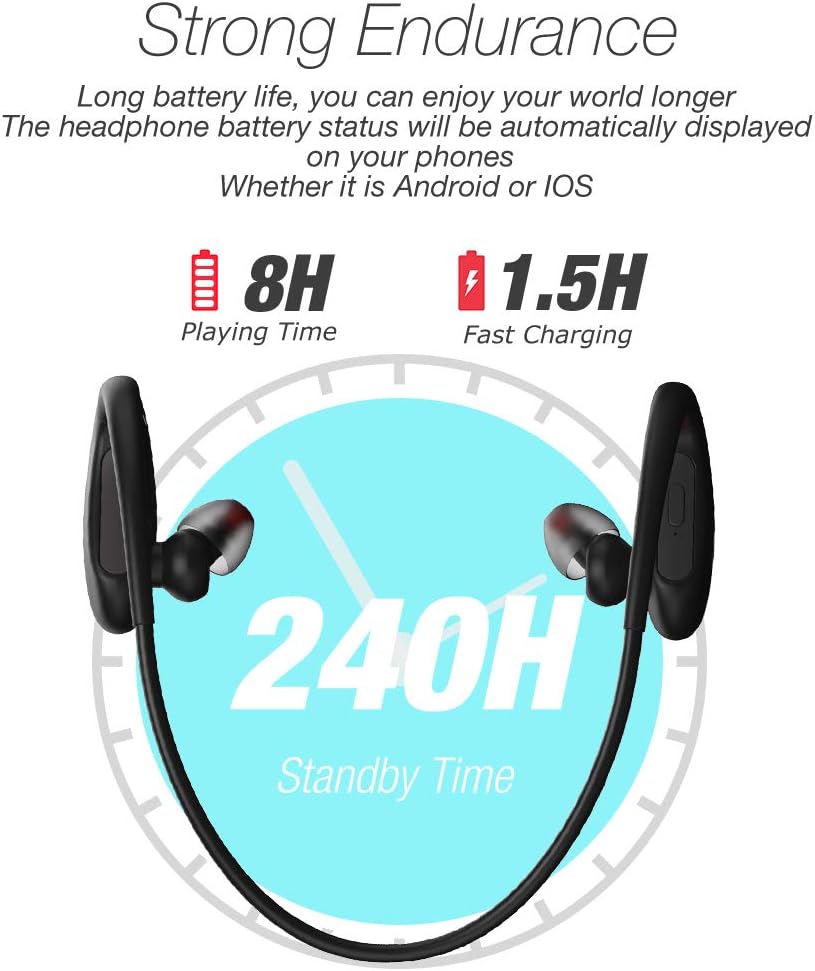
Image: Visual representation of the headphone's battery endurance, showing 8 hours playing time, 1.5 hours fast charging, and 240 hours standby time.

Image: Graphic illustrating the powerful deep bass and stereo sound capabilities of the headphones, with sound waves emanating from the earbud.
Коопсуздук маалыматы
- Avoid using fast chargers, as this may damage the battery.
- Avoid exposure to water over a prolonged period of time, despite the IPX7 rating.
- Please keep your headphone charged when in low battery to achieve better Bluetooth connection and battery protection.
- Буюмду демонтаждабаңыз, оңдобоңуз же өзгөртпөңүз.
- Балдар жетпеген жерде сактаңыз.
- Ашыкча температурага (ысык же муздак) тийгизбеңиз.
Кепилдик жана колдоо
DACOM provides a 1-Year Manufacturer's Warranty for this product. Additionally, a 30-day no-questions-asked return policy is offered. The product also comes with a lifetime sweatproof warranty.
For technical support, warranty claims, or further assistance, please refer to the contact information provided on the product packaging or the official DACOM webсайт.