
1. Киришүү
This manual provides essential information for the safe and efficient use of your TCL 32B400 32-inch HD LCD TV. Please read it thoroughly before operating the television and retain it for future reference.
The TCL 32B400 features a direct-lit LED backlight for uniform high brightness and image quality. Its VA panel technology delivers superior contrast, allowing for natural expression of subtle light and dark details. Equipped with a dual tuner, this TV supports terrestrial digital, BS digital, and 110-degree CS digital broadcasts, enabling simultaneous recording of one program while watching another. It supports various recording functions including instant, scheduled, daily/weekly repeat, and event recording. Connectivity options include two HDMI Ver1.4a input terminals (Port 1 supports ARC) and one USB2.0 input/output terminal, allowing connection to Blu-ray/DVD players/recorders and external speakers via ARC.

Сүрөт 1: Алдыңкы view of the TCL 32B400 TV.
2. Орнотуу
2.1 Кутудан чыгаруу жана компоненттерди текшерүү
Бардык компоненттерди таңгактан кылдаттык менен алып салыңыз. Төмөндө саналып өткөн нерселердин бардыгы бар экенин текшериңиз:
- Алыстан башкаруу x1
- AAA батареялары x2
- miniB-CAS card x1
- Электр зымы x1
- Tip-over prevention parts set x1
- X2 тур
- Screws (ST4, 20mm) x4 (for 32-inch model)
- Колдонмо
- Ыкчам жол
- Кепилдик картасы

Сүрөт 2: Камтылган аксессуарлар.
2.2 Стендди орнотуу
- Телевизордун экранын ылдый каратып жумшак, тегиз жерге коюңуз.
- Тирөөчтөрдү телевизордун астыңкы жагындагы тиешелүү уячалар менен тегиздеңиз.
- Secure each stand using the provided screws (ST4, 20mm).
2.3 Туташтыруучу кабельдер
Connect the necessary cables to the appropriate ports on the TV. Refer to the connection diagram below.
- Электр кабели: Кубат шнурун телевизордун кубат киргизүү булагына, андан кийин розеткага туташтырыңыз.
- Антенна: Connect your terrestrial digital antenna cable to the 'Antenna Input' port. For BS/CS broadcasts, connect the satellite antenna cable to the 'BS/CS 110°' port.
- HDMI түзмөктөрү: Connect external devices like Blu-ray players or game consoles to the HDMI input ports. HDMI Port 1 supports Audio Return Channel (ARC).
- USB түзмөктөрү: Connect external USB storage devices for recording to the USB port.
- miniB-CAS Card: Insert the miniB-CAS card into its dedicated slot.

Figure 3: Connection terminals overview.
2.4 Баштапкы орнотуу
After connecting all cables and powering on the TV, follow the on-screen instructions to complete the initial setup, including channel tuning and network configuration (if applicable).
3. Иштөө нускамалары
3.1 Негизги операция
- Күйгүзүү/өчүрүү: Пульттун же сыналгыдагы кубат баскычын басыңыз.
- Канал тандоо: Use the 'CH +/-' buttons or number buttons on the remote control.
- Үндү тууралоо: Use the 'VOL +/-' buttons on the remote control.
- Киргизүү булагы: Press the 'Input' button on the remote to select between HDMI, TV, and other connected sources.
3.2 Жазуу программалары
Your TCL 32B400 TV supports recording to an external USB Hard Disk Drive (HDD) thanks to its dual tuner. This allows you to record one program while watching another.
- Connect a compatible external USB HDD to the TV's USB port.
- Format the HDD if prompted by the TV.
- To record, select the desired program and use the recording options in the TV menu (e.g., instant recording, scheduled recording via EPG).

Figure 4: Dual tuner allows watching one program while recording another.
3.3 Сүрөт жана үн орнотуулары
Access the TV's menu to adjust picture (brightness, contrast, color, sharpness) and sound (bass, treble, balance, sound mode) settings to your preference.
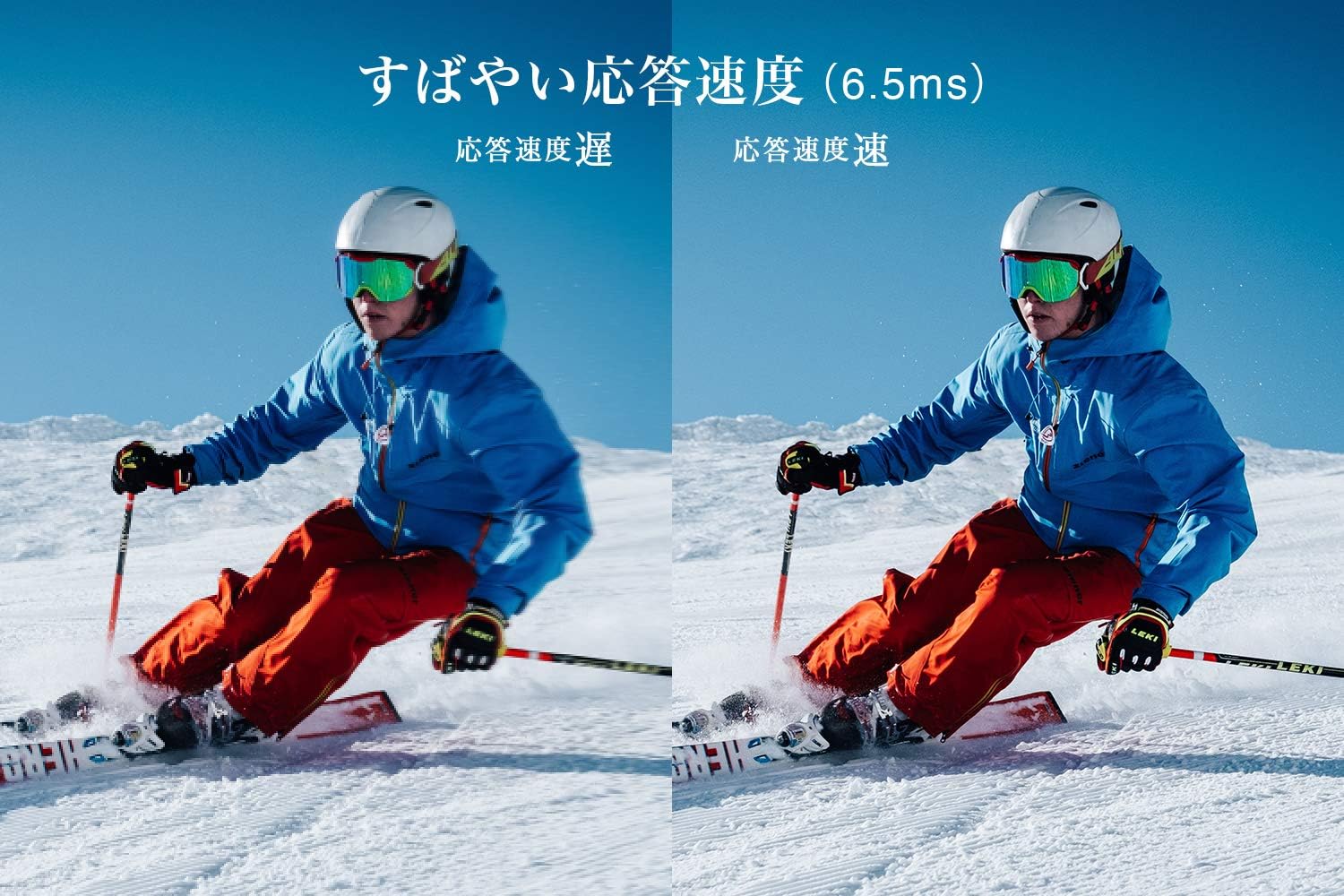
Figure 5: The TV features a fast response speed of 6.5ms for clear motion.
4. Техникалык тейлөө
4.1 Экранды тазалоо
Экранды жумшак, кургак, түксүз чүпүрөк менен акырын сүртүңүз. өжөр белгилери үчүн, жеңил гampen the cloth with water or a specialized screen cleaner (ensure it's suitable for LCD screens) and wipe carefully. Avoid applying excessive pressure.
4.2 Телевизордун корпусун тазалоо
Wipe the TV body with a soft, dry cloth. Do not use abrasive cleaners, waxes, or solvents as they can damage the finish.
4.3 Жалпы кам көрүү
- Сыналгыга тике күн нурунун же экстремалдык температуранын таасирин тийгизбеңиз.
- Ашыкча ысып кетүүнүн алдын алуу үчүн телевизордун айланасында жетиштүү желдетүүнү камсыз кылыңыз.
- Чагылган бороондо же ал узак убакыт бою колдонулбай турганда телевизорду розеткадан сууруп алыңыз.
5. Кыйынчылыктарды
If you encounter issues with your TV, refer to the following common troubleshooting steps. If the problem persists, contact customer support.
5.1 Күч жок
- Кубат шнуру телевизорго да, розеткага да бекем туташтырылганын текшериңиз.
- Розетка иштеп жатканын башка түзмөктү сайып текшериңиз.
- Жөн гана пульттун эмес, сыналгыдагы кубат баскычын басыңыз.
5.2 No Picture/No Signal
- Туура киргизүү булагы тандалганын текшериңиз (мисалы, HDMI 1, сыналгы).
- Бардык кабелдик байланыштарды (HDMI, антенна) боштугун же бузулгандыгын текшериңиз.
- Эгерде тышкы түзмөк колдонулуп жатса, анын күйгүзүлүп, туура иштеп жатканын текшериңиз.
- Perform a channel scan if you are watching broadcast TV.
5.3 Үн жок
- Үн деңгээлин текшерип, сыналгынын үнү өчүрүлбөгөнүн текшериңиз.
- Эгер тышкы динамиктерди колдонсоңуз, алардын туура туташып, күйгүзүлгөнүн текшериңиз.
- Сыналгы менюсунда аудио жөндөөлөрүн текшериңиз.
5.4 Алыстан башкаруу иштебейт
- Батареяларды жаңыларына алмаштырыңыз.
- Пульт менен сыналгынын IR сенсорунун ортосунда эч кандай тоскоолдуктар жок экенин текшериңиз.
6. Техникалык шарттар
| Өзгөчөлүк | Спецификация |
|---|---|
| Дисплей өлчөмү | 32 дюйм |
| Дисплей технологиясы | LCD |
| Резолюция | HD (1366 x 768) |
| Жаңыртуу ылдамдыгы | 60 Гц |
| Аспект катышы | 16:9 |
| Контраст катышы | 3000:1 |
| Viewбурч | 178/178 degrees (JEITA standard, CR>=10) |
| Арткы жарык түрү | Түз жарык LED |
| Жооп ылдамдыгы | 6.5ms |
| Өлчөмдөрү (стенд менен) | W731 x H491 x D186 мм |
| Өлчөмдөрү (стендсиз) | W731 x H436 x D76 мм |
| Салмагы (стенд менен) | 4.4 кг |
| Салмагы (турбастан) | 4.3 кг |
| Дубалга орнотуу (VESA) | 100x100мм |
| Жылдык электр керектөө | 45 кВт/саат |
| HDMI порттору | 2 (HDMI Ver1.4a, Port 1 supports ARC) |
| USB порттору | 1 (USB2.0) |
| Тюнер түрү | Terrestrial Digital, BS Digital, 110-degree CS Digital (Dual Tuner) |
| Модель жылы | 2019 |

Figure 6: TV dimensions and recommended viewаралык.

Figure 7: VA panel technology provides superior contrast and depth.
7. Кепилдик жана колдоо
7.1 Өндүрүүчүнүн кепилдиги
Бул продукт сатып алынган күндөн тартып 1 жылдык өндүрүүчүнүн кепилдиги менен келет. Кепилдик боюнча дооматтар үчүн сатып алганыңызды тастыктаган документти сактап коюңуз.
7.2 Кардарларды колдоо
For any inquiries, technical assistance, or repair requests, please contact TCL customer support. Our dedicated Japanese staff are available to assist you.
- Телефон: 0120-955-517
- Иштөө сааттары: 9:00 - 18:00 (Weekdays and Holidays, excluding year-end and New Year holidays)
- Webсайт: https://www.tcl.com/jp/ja/services.html
Nationwide repair service is available.
Figure 8: TCL Customer Support details.