Introduction
This manual provides detailed instructions for the Superior Electronics Ready5 Smart Universal Remote Control, Model SUPTRB019. This remote is designed for immediate use with a wide range of LG, Samsung, Sony, Philips, and Panasonic televisions, eliminating the need for complex programming.
Негизги өзгөчөлүктөр төмөнкүлөрдү камтыйт:
- Universal compatibility with major TV brands (LG, Samsung, Sony, Philips, Panasonic).
- Ready-to-use functionality; no programming required.
- Full Smart TV compatibility for enhanced control.
- Dedicated quick access buttons for popular streaming services like Netflix and Prime Video.
- Ergonomic design with intuitive button layout for comfortable and immediate operation.
- Узак мөөнөттүү аткаруу үчүн бышык материалдардан курулган.

Image: The Superior Electronics Ready5 Smart Universal Remote Control shown in its retail packaging, highlighting its "Ready to Use" feature and compatibility with various TV brands.
Жайгашуу
1. Батареяларды салуу
The remote control requires two (2) AAA batteries (not included). Follow these steps to insert them correctly:
- Пульттун артындагы батарея бөлүкчөсүнүн капкагын табыңыз.
- Бөлүмдү ачуу үчүн капкакты ылдый жылдырыңыз же кулпуну (эгер бар болсо) басыңыз.
- Insert two AAA batteries, ensuring that the positive (+) and negative (-) terminals align with the indicators inside the compartment. Incorrect polarity can prevent the remote from functioning.
- Батарея бөлүкчөсүнүн капкагын бекем чыккыча ордуна жылдырыңыз.

Сүрөт: Арткы view of the remote control, illustrating the location of the battery compartment for easy access and battery insertion.
2. Алгачкы колдонуу
The Superior Electronics Ready5 Smart remote control is designed for immediate use with compatible LG, Samsung, Sony, Philips, and Panasonic TVs. Once the batteries are correctly inserted, the remote is ready to operate your television without any additional programming or setup. Simply point the remote at your TV and begin using its functions.
Иштөө нускамалары
This section details the primary functions of the buttons on your Ready5 Smart remote control.

Сүрөт: алдыңкы view of the Superior Electronics Ready5 Smart remote control, displaying all buttons and their layout for easy identification.
Баскычтар бүттүview
| баскыч | Функция |
|---|---|
| Күч (●) | Телевизорду күйгүзөт же өчүрөт. |
| Киргизүү | Киргизүү булагын (HDMI, AV ж.б.) тандайт. |
| Smart Video / NET.TV | Direct access to Smart TV features or specific streaming apps. |
| 3D | 3D режимин иштетет же өчүрөт (эгерде сыналгы колдосо). |
| Гид | Электрондук программалык колдонмону көрсөтөт. |
| Меню | Сыналгынын негизги менюсун ачат. |
| субт. | Субтитрлерди күйгүзөт же өчүрөт. |
| Fav | Сүйүктүү каналдардын тизмесине кирүү мүмкүнчүлүгү. |
| Маалымат | Учурдагы программа же киргизүү жөнүндө маалыматты көрсөтөт. |
| Навигация (Жогору, Төмөн, Сол, Оң, ОК) | Менюларды кыдырып, тандоолорду ырастайт. |
| Артка | Мурунку экранга же менюга кайтат. |
| Чыгыңыз | Учурдагы менюдан же колдонмодон чыгат. |
| Көлөм +/- | Үндү жогору же ылдый тууралайт. |
| Үнсүз | Телевизордун үнүн өчүрөт же өчүрөт. |
| Ch +/- | Каналды өйдө же ылдый өзгөртөт. |
| Сандык тактасы (0-9) | Directly enters channel numbers or numerical inputs. |
| Тизме | Displays a list of channels or media. |
| Netflix | Netflix тиркемесин түз ишке киргизет. |
| Prime Video | Directly launches the Amazon Prime Video application. |
| Түс баскычтары (кызыл, жашыл, сары, көк) | Functions vary depending on the TV model and current menu/application. |
| Media Control (Play, Pause, Stop, Rewind, Fast Forward, Record) | Медиа ойнотууну башкарат (мисалы, USB, агымдык колдонмолор). |
Smart TV and Streaming Access
The Ready5 Smart remote is designed to seamlessly integrate with your Smart TV's functionalities. Use the navigation buttons to browse Smart TV menus and applications. The dedicated Netflix and Prime Video buttons provide instant access to these popular streaming platforms, allowing you to start watching your favorite content with a single press.
Техникалык тейлөө
Алыстан башкарууну тазалоо
To ensure optimal performance and longevity of your remote control, follow these cleaning guidelines:
- Тазалоодон мурун ар дайым батареяларды алып салыңыз.
- Пульттун бетин сүртүү үчүн жумшак, кургак чүпүрөктү колдонуңуз.
- өжөр кир үчүн, бир аз гampчүпүрөктү суу же жумшак, абразивдүү тазалагыч менен жууп салыңыз. Ашыкча нымдуулуктан сактаныңыз.
- Катуу химиялык заттарды, абразивдүү тазалоочу каражаттарды же эриткичтерди колдонбоңуз, анткени алар пульттун сырткы көрүнүшүнө же ички компоненттерине зыян келтириши мүмкүн.
- Ensure the remote is completely dry before reinserting batteries.
Батареяга кам көрүү жана алмаштыруу
Replace batteries when the remote's response becomes sluggish or it stops functioning. Always replace both batteries at the same time with new AAA batteries. Do not mix old and new batteries, or different types of batteries. Dispose of used batteries responsibly according to local regulations.
Проблемаларды чечүү
If you encounter issues with your Ready5 Smart remote control, refer to the following common problems and solutions:
Алыстан жооп бербейт
- Батареяларды текшерүү: Батареялар туура полярдуулукта (+/-) туура салынганын жана заряды түгөнүп калбаганын текшериңиз. Зарыл болсо, жаңы AAA батареялары менен алмаштырыңыз.
- Көрүү сызыгы: Make sure there are no obstructions between the remote control and the TV's infrared receiver. Point the remote directly at the TV.
- Аралык: Натыйжалуу иштөө диапазонунда экениңизди текшериңиз (10 метрге чейин).
- Телевизордун күчү: Confirm that your TV is powered on and not in standby mode.
Атайын баскычтар иштебей жатат
- Жалпы функция: If most buttons work but a few do not, it might indicate a specific TV model's lack of support for that particular function via universal remote, or a dirty contact under the button.
- Smart TV/Streaming Buttons: Ensure your TV is a Smart TV and has the respective applications (Netflix, Prime Video) installed and updated.
Шайкештик маселелери
The Ready5 Smart remote is pre-programmed for LG, Samsung, Sony, Philips, and Panasonic TVs manufactured from 2000 onwards. If your TV is from a different brand or an older model, full functionality may not be guaranteed. No programming is required for the listed compatible brands.
Техникалык шарттар
| Өзгөчөлүк | Деталь |
|---|---|
| Модель аты | Ready5 Smart |
| Модель номери | SUPTRB019 |
| Бренд | Superior Electronics |
| Шайкеш түзмөктөр | LG, Samsung, Sony, Philips, Panasonic Televisions (models from 2000 onwards) |
| Байланыш технологиясы | Инфракызыл (IR) |
| Power Source | 2 x AAA Батареялар (киргизилген эмес) |
| Максималдуу диапазон | 10 метр (болжол менен 33 фут) |
| Продукциянын өлчөмдөрү | 5 x 1.5 x 19 см (болжол менен 1.97 x 0.59 x 7.48 дюйм) |
| Салмагы | 100 грамм (болжол менен 3.53 унция) |
| Түс | Кара |
| Өзгөчө өзгөчөлүк | Universal, immediately ready for use (no programming) |
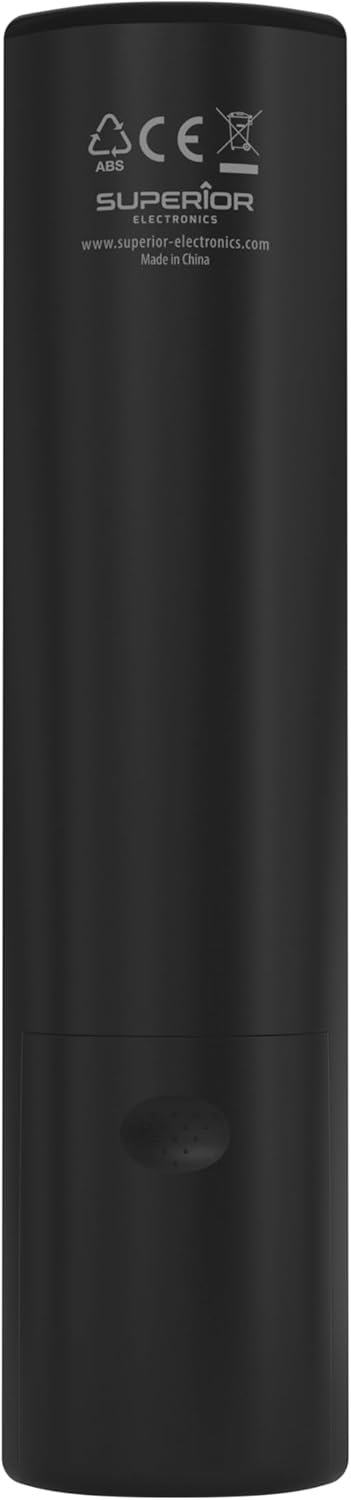
Image: The remote control with its approximate dimensions (4.8 cm width, 19.5 cm length) highlighted for reference.
Кепилдик маалымат
Specific warranty details for the Superior Electronics Ready5 Smart Universal Remote Control are typically provided with your purchase documentation or can be found on the official Superior Electronics webсайт. Кепилдиктин камтылышы, шарттары жана шарттары жөнүндө толук маалымат алуу үчүн бул ресурстарды караңыз.
Колдоо
For further assistance, technical support, or additional product information, please visit the official Superior Electronics website or contact their customer service department. Contact details are usually available on the product packaging or the manufacturer's webсайт.
Manufacturer: Superior Electronics
Көбүрөөк маалымат алуу үчүн, сиз иш сапары менен болот Amazonдагы Superior Electronics дүкөнү.