
SIMOLIO JH-712
SIMOLIO Kids Bluetooth Headphones User Manual
Модел: JH-712
1. Киришүү
Thank you for choosing SIMOLIO Kids Bluetooth Headphones. These headphones are designed with children's hearing safety in mind, featuring multiple volume limiting levels and a comfortable, durable design. This manual provides detailed instructions for setup, operation, and maintenance to ensure optimal performance and longevity of your headphones.
2. Негизги өзгөчөлүктөрү
- Угуу коргоо: Exclusive 3-level volume limiter (75dB/85dB/94dB) suitable for toddlers, kids, and adults.
- Кош режимдеги туташуу: Зымсыз Bluetooth жана зымдуу 3.5 мм аудио туташууларын колдойт.
- Камтылган микрофон: Enables hands-free calling in Bluetooth mode.
- Share Port: Allows daisy-chaining another headphone for shared listening.
- Батареянын узак иштөө мөөнөтү: Up to 15 hours of music/talk time in wireless mode.
- Комфорт жана туруктуулук: Adjustable headband with memory stainless steel strips and soft noise-isolating memory foam earmuffs.
- Портативдик дизайн: Foldable design with an included hard EVA carrying case for easy storage and travel.

Image: SIMOLIO Kids Bluetooth Headphones in grey, shown with charging cable, AUX cable, and hard EVA carrying case.
3. Кутуда эмне бар
Пакетти ачкандан кийин, төмөнкү нерселердин бардыгы камтылганын текшериңиз:
- SIMOLIO Kids Bluetooth Headphones (Model: JH-712)
- USB заряддоо кабели
- 3.5 мм AUX аудио кабели
- Hard EVA Carrying Case
- Колдонуучунун Колдонмосу (бул документ)
4. Орнотуу колдонмосу
4.1 Наушниктерди заряддоо
Before first use, fully charge the headphones. A full charge takes approximately 2-3 hours.
- Connect the small end of the USB charging cable to the charging port on the headphone.
- USB кубаттоо кабелинин чоңураак учунун USB кубат адаптерине (кошумча эмес) же компьютердин USB портуна туташтырыңыз.
- The LED indicator light will turn red during charging and turn off when fully charged.
4.2 Adjusting Volume Limit
The headphones feature a 3-level volume limiter to protect hearing. The switch is located on the left earcup.
- 75дБ: Toddler Mode (lowest volume, recommended for very young children).
- 85дБ: Kids Mode (standard safe listening level for most children).
- 94дБ: Travel Mode (higher volume for noisy environments, suitable for older children/adults).

Image: Close-up of the headphone earcup highlighting the 3-level volume limit switch (75dB, 85dB, 94dB).
5. Иштөө нускамалары
5.1 Wireless (Bluetooth) Mode
- Күйгүзүү: Press and hold the Multi-function Button (MFB) for 3 seconds until the LED indicator flashes blue.
- Жупташтыруу: The headphones will automatically enter pairing mode (LED flashes red and blue alternately).
- Туташуу: On your device (smartphone, tablet, laptop), enable Bluetooth and select "SIMOLIO JH-712" from the list of available devices. The LED will turn solid blue when connected.
- Башкаруу каражаттары:
- Press MFB once to Play/Pause music or Answer/End calls.
- Press MFB twice to Redial last number.
- Press MFB three times to activate voice assistant (Siri, Google Assistant).
- Press Volume + to increase volume.
- Press Volume - to decrease volume.
- Press Next Track button to skip to the next song.
- Press Previous Track button to go to the previous song.
- Өчүрүү: Press and hold the MFB for 3 seconds until the LED indicator turns red and then off.

Image: A child wearing SIMOLIO headphones while using a laptop, illustrating the "Safe Volume Limited" feature in a study environment.

Image: Two children demonstrating wireless and wired modes. One child uses headphones wirelessly with a laptop, the other uses them wired with a smartphone. Note: Microphone only works in Bluetooth mode.
5.2 Зымдуу режим
Батареясы түгөнгөн учурда да, кулакчындарды зымдуу кулакчын катары колдонсо болот.
- Insert one end of the 3.5mm AUX audio cable into the audio input port on the headphone.
- Insert the other end of the 3.5mm AUX audio cable into the audio output jack of your device (e.g., tablet, phone, computer).
- In wired mode, the headphone's battery is not used, and the volume limiting feature remains active. Note that the built-in microphone will not function in wired mode.
5.3 Share Port Function
The share port allows multiple headphones to listen to the same audio source.
- Connect the first SIMOLIO headphone to your device via Bluetooth (wireless) or AUX cable (wired).
- Connect one end of a 3.5mm AUX audio cable to the share port on the first headphone.
- Connect the other end of the 3.5mm AUX audio cable to the audio input port of a second headphone.
- Both headphones will now play audio from the same source.
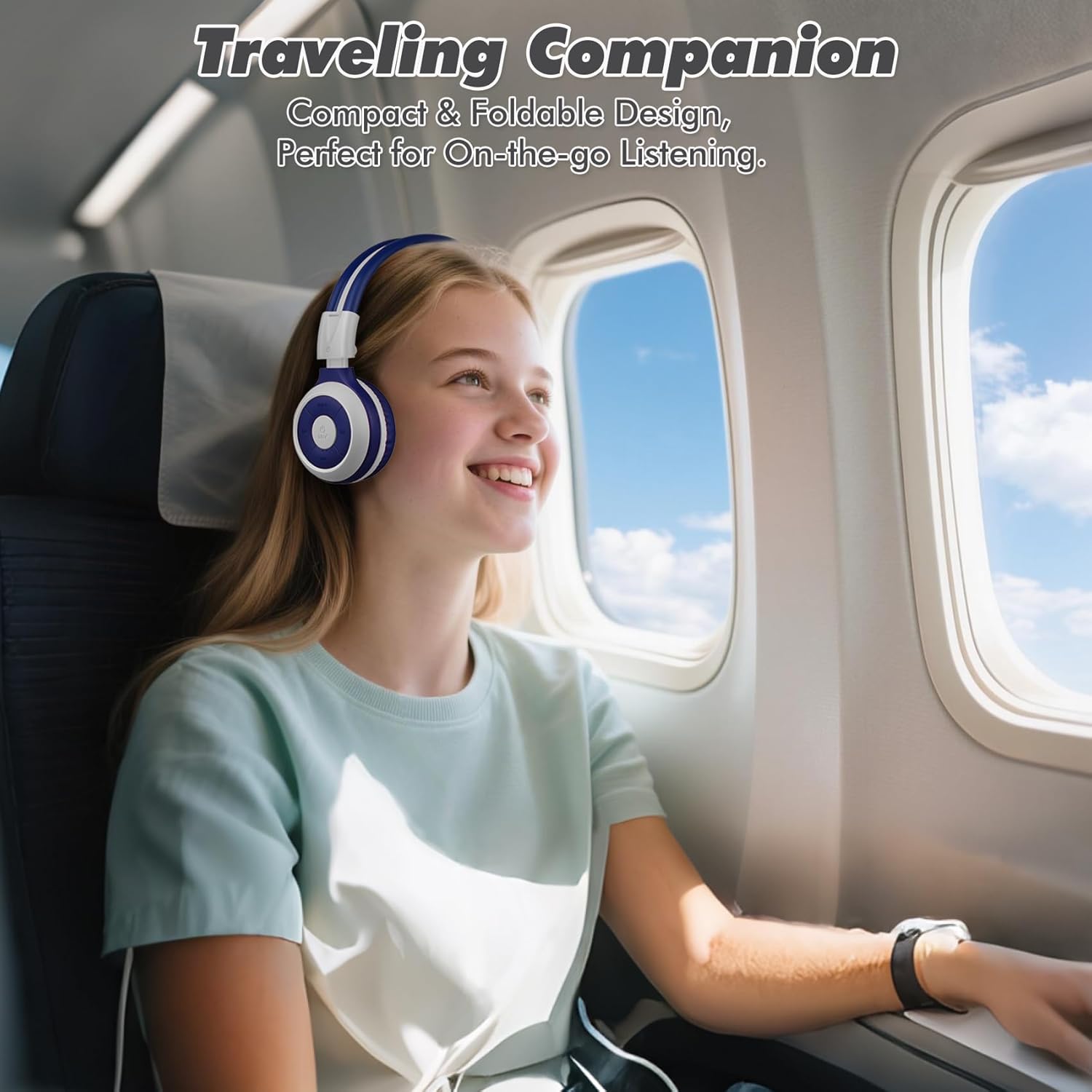
Image: A child comfortably wearing SIMOLIO headphones on an airplane, highlighting the compact and foldable design for travel.
6. Техникалык тейлөө жана кам көрүү
- Тазалоо: Наушниктерди тазалоо үчүн жумшак, кургак чүпүрөктү колдонуңуз. Абразивдүү тазалагычтарды же эриткичтерди колдонбоңуз.
- Сактагыч: When not in use, fold the headphones and store them in the provided hard EVA carrying case to protect them from dust and damage.
- Температура: Кулакчындарды өтө жогорку температурага (ысык же суук) же жогорку нымдуулукка дуушар кылбаңыз.
- Суу таасири: Бул кулакчындар суу өткөрбөйт. Суу же башка суюктуктар менен байланыштырбаңыз.
- Колдонуу: Do not bend the headband hinge excessively. While durable, improper force can cause damage.

Image: Diagram illustrating the flexibility of the headband with memory elastic metal strips, showing how it can be remoulded to fit the user's head. Important note: Do not bend the hinge.
7. Кыйынчылыктарды
| Көйгөй | Мүмкүн себеп | Чечим |
|---|---|---|
| Кулакчындар күйбөйт. | Батарея аз же түгөнүп калган. | Кулакчындарды берилген USB кабелин колдонуп толук кубаттаңыз. |
| Bluetooth аркылуу жупташтыруу мүмкүн эмес. | Кулакчындар жупташтыруу режиминде эмес; түзмөк Bluetooth өчүк; аппараттан өтө алыс. | Кулакчындар жупташтыруу режиминде экенин текшериңиз (кызыл/көк түстө күйүп-өчүп турат). Түзмөктүн Bluetooth'ун өчүрүңүз/күйгүзүңүз. Кулакчындарды түзмөккө жакыныраак жылдырыңыз (10 метрдин ичинде). |
| Зымсыз режимде үн жок. | Үнү өтө төмөн; туташкан эмес; түзмөктө туура эмес аудио чыгышы тандалды. | Increase headphone and device volume. Ensure headphones are successfully paired. Check device's audio output settings. |
| Зымдуу режимде үн жок. | AUX cable not fully inserted; cable damaged; device audio jack issue. | Ensure AUX cable is fully inserted into both headphone and device. Try a different AUX cable. Test with another device. |
| Микрофон иштебей жатат. | Headphones in wired mode; device microphone settings. | The microphone only functions in Bluetooth mode. Ensure headphones are connected wirelessly. Check device's microphone privacy settings. |
8. Техникалык шарттар
| Өзгөчөлүк | Деталь |
|---|---|
| Модель аты | Kids Wireless Bluetooth Headphones JH-712G |
| Байланыш технологиясы | Зымсыз (Bluetooth), Зымдуу (3.5 мм AUX) |
| Bluetooth диапазону | 10 метр (33 фут) |
| Батареянын иштөө мөөнөтү | Up to 15 Hours (wireless mode) |
| Аудио драйверинин өлчөмү | 40 миллиметр |
| Volume Limiting Levels | 75дБ, 85дБ, 94дБ |
| Материал | Акрилонитрил бутадиен стирол (ABS) |
| Продукциянын өлчөмдөрү | 5.51 x 3.15 x 5.31 дюйм |
| Элемент Салмагы | 13.4 унция |
| Камтылган компоненттер | Charging Cable, AUX Cable, User Manual, Carrying EVA Case |
9. Кепилдик жана колдоо
SIMOLIO provides a 12-month hassle-free warranty for these headphones. For any product-related inquiries, technical support, or warranty claims, please contact SIMOLIO customer service through the following channels:
- Электрондук почта: Refer to the contact information provided on the product packaging or SIMOLIO official webсайт.
- Онлайн колдоо: Visit the SIMOLIO Store on Amazon: SIMOLIO Store
Please have your model number (JH-712) and purchase date ready when contacting support.
Ask a question about this manual
Ask about setup, troubleshooting, compatibility, parts, safety, or missing instructions. Manuals+ will review the question and use this page’s manual context to help answer it.