
Продукт бүттүview
This document provides instructions for the Easytry123 Replacement Remote Control, model RAV325, designed for various Yamaha AV receivers. This remote is a replacement unit and may not offer all functions identical to your original remote. Please verify button layout for compatibility.
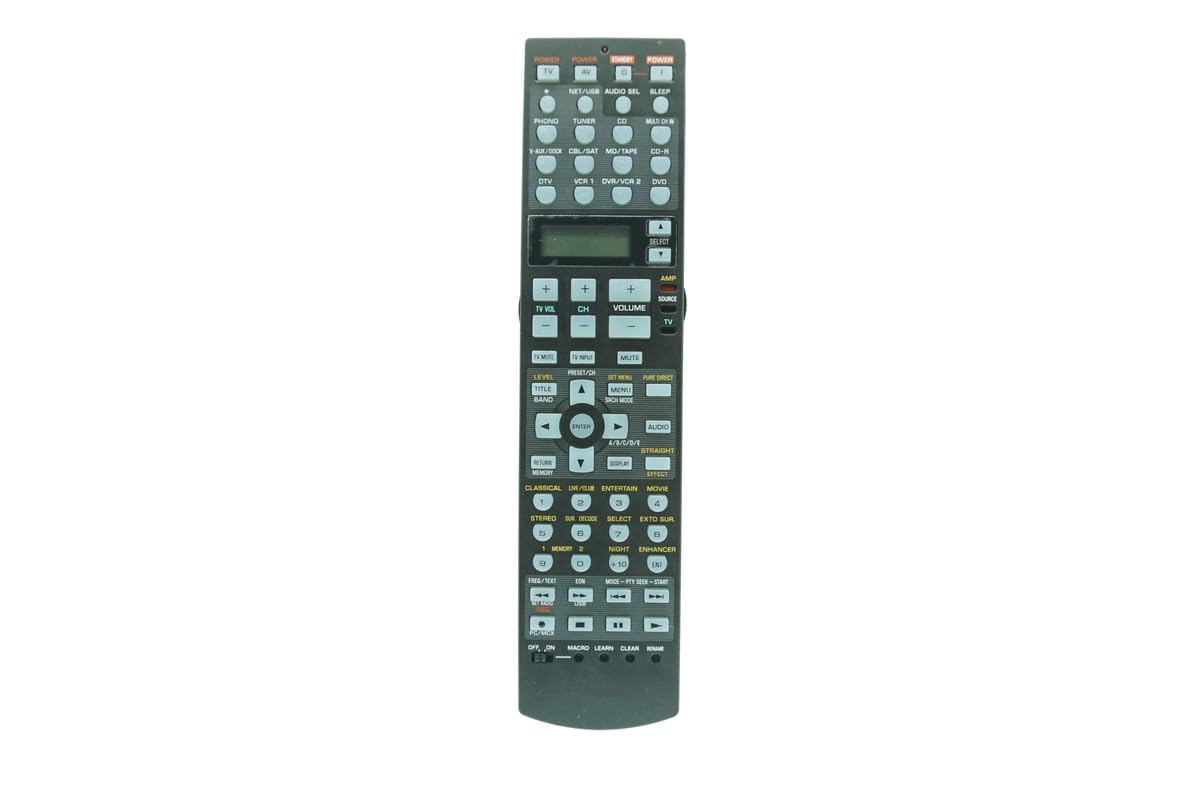
Сүрөт: алдыңкы view of the Easytry123 RAV325 replacement remote control. It features a black body with various control buttons for audio/video functions, including power, input selection, volume, and navigation.
Шайкеш моделдер
This replacement remote control is compatible with a range of Yamaha AV receiver models. While the specific model of this remote is RAV325, it is designed to replace and function with the following Yamaha remote models:
- RAV250
- WC552800
- HTR-5740
- HTR-5750
- RX-V450
- DSPAX450
- HTR-5740B
- HTR-5740S
- HTR-5750S
- RAV272
- RAV273
- RAV353
- RAV352
- RAV323
- RAV361
- RAV362
- RAV358
- RAV359
- RAV363 (or other compatible part numbers)
Before use, compare the button layout of this remote with your original remote to ensure all desired functions are present.
Жайгашуу
Батарея орнотуу
Алыстан башкаруу пульту үчүн эки (2) AA батарейкасы керек (кошулмага кирбейт). Батарейкаларды орнотуу үчүн төмөнкү кадамдарды аткарыңыз:
- Пульттун артындагы батарея бөлүкчөсүнүн капкагын табыңыз.
- Press down on the latch and slide the cover downwards to open the compartment.
- Оң (+) жана терс (-) терминалдары бөлүмдүн ичиндеги белгилер менен туура дал келишин камсыз кылып, эки АА батарейканы салыңыз.
- Батарея бөлүкчөсүнүн капкагын бекем чыккыча ордуна жылдырыңыз.
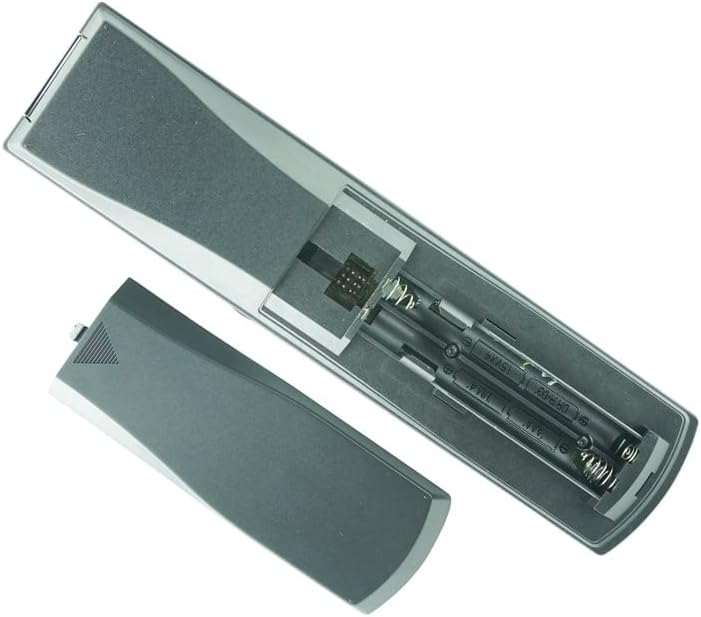
Image: Back of the remote control with the battery cover removed, revealing the battery slots. Two AA batteries are shown correctly inserted.
Эскертүү:
- Эски жана жаңы батарейкаларды аралаштырбаңыз.
- щелочтуу, стандарттуу (көмүртек-цинк) же кайра заряддалуучу (никель-кадмий) батареяларды аралаштырбаңыз.
- Эгер алыстан башкаруу куралы узак убакыт бою колдонулбаса, батарейкаларды алып салыңыз.
Иштөө нускамалары
This remote control is designed to function immediately upon battery installation for compatible Yamaha AV receivers. No programming is typically required for basic functions.
Негизги функциялар
- Күч: басыңыз КҮЧ button to turn the AV receiver on or off.
- Киргизүүнү тандоо: Use the input buttons (e.g., CD, DVD, тюнер) to select the desired audio/video source.
- Үндү көзөмөлдөө: колдонуу VOLUME + жана Көлөмү - үн деңгээлин тууралоо үчүн баскычтар.
- Үнсүз: басыңыз БАСУУ button to temporarily silence the audio. Press again to restore sound.
- Навигация: Багыттоочу жебе баскычтарын колдонуңуз (UP, ылдый, СОЛ, ТУУРА) жана ENTER button for menu navigation.
Advanced Functions (if applicable)
Some advanced functions, such as programming or specific receiver settings, may require referring to your Yamaha AV receiver's original manual for detailed instructions, as this replacement remote's functionality may vary slightly from the original.
Video: Demonstration of a similar Yamaha AV receiver remote control. This video illustrates the physical appearance and basic handling of the remote, including button presses and battery compartment access. While the video shows a RAV315 model, the general operation and battery installation steps are similar for the RAV325.
Техникалык тейлөө
- Тазалоо: Пультту тазалоо үчүн жумшак, кургак чүпүрөктү колдонуңуз. Суюк тазалоочу каражаттарды же абразивдүү материалдарды колдонбоңуз.
- Сактагыч: Пультту күн нурунан жана өтө температурадан алыс салкын, кургак жерде сактаңыз.
- Батареяны алмаштыруу: Replace batteries when the remote's response becomes inconsistent or stops working.
Проблемаларды чечүү
| Көйгөй | Мүмкүн себеп | Чечим |
|---|---|---|
| Алыстан жооп бербей жатат | Dead or incorrectly installed batteries. Obstruction between remote and receiver. Remote out of range. | Replace batteries, ensuring correct polarity. Remove any obstructions. Move closer to the receiver. |
| Айрым функциялар иштебей жатат | Remote is a replacement and may not have all original functions. Incorrect mode selected on receiver. | Refer to your AV receiver's manual for specific function compatibility. Ensure the receiver is in the correct operating mode. |
| Remote LED not lighting up | Batteries are completely dead or remote is faulty. | Replace batteries. If issue persists, contact customer support. |
Техникалык шарттар
- Модель номери: RAV325
- Бренд: Easytry123
- Материал: ABS пластик
- Кубат булагы: 2 x AA батарейкалар (киргизилген эмес)
- Түсү: Кара
- Колдоого алынган түзмөктөрдүн максималдуу саны: 1 (for direct control of the specified Yamaha AV receiver)
Кепилдик жана колдоо
For warranty information or technical support, please refer to the seller's policies or contact the seller directly through the platform where the product was purchased. This manual does not include specific warranty details as they may vary.