
1. Киришүү
This document serves as the user manual for the Easytry123 replacement remote control, model Easytry7591. This remote is designed to operate various ONKYO AV receiver models. Please note that as a replacement unit, some advanced or specific functions present on your original remote may not be fully supported. It is crucial to verify that your ONKYO AV receiver model is listed in the compatible models to ensure proper functionality.
Compatible ONKYO AV Receiver Models:
- RC-768M
- RC-810M
- TX-NR809
- TX-NR1009
- RC-771M
- TX-NR1008
- TX-NR808
- TX-NR708
- RC-812M
- TX-NR5009
2. Орнотуу: Батареяны орнотуу
The Easytry123 replacement remote control requires batteries for operation. Batteries are not included with the remote control.
- Батарея бөлүмүн табыңыз: Turn the remote control over. The battery compartment cover is typically located on the back of the remote.
- Мукабаны ачуу: Slide the battery compartment cover downwards or press the latch and lift to open it.
- Батареяларды салыңыз: Insert two AAA batteries (not included) into the compartment. Ensure the positive (+) and negative (-) terminals of the batteries align correctly with the polarity indicators inside the compartment. Incorrect insertion can prevent the remote from functioning.
- Мукабаны жабуу: Батарея бөлүкчөсүнүн капкагын бекем чыккыча ордуна жылдырыңыз.
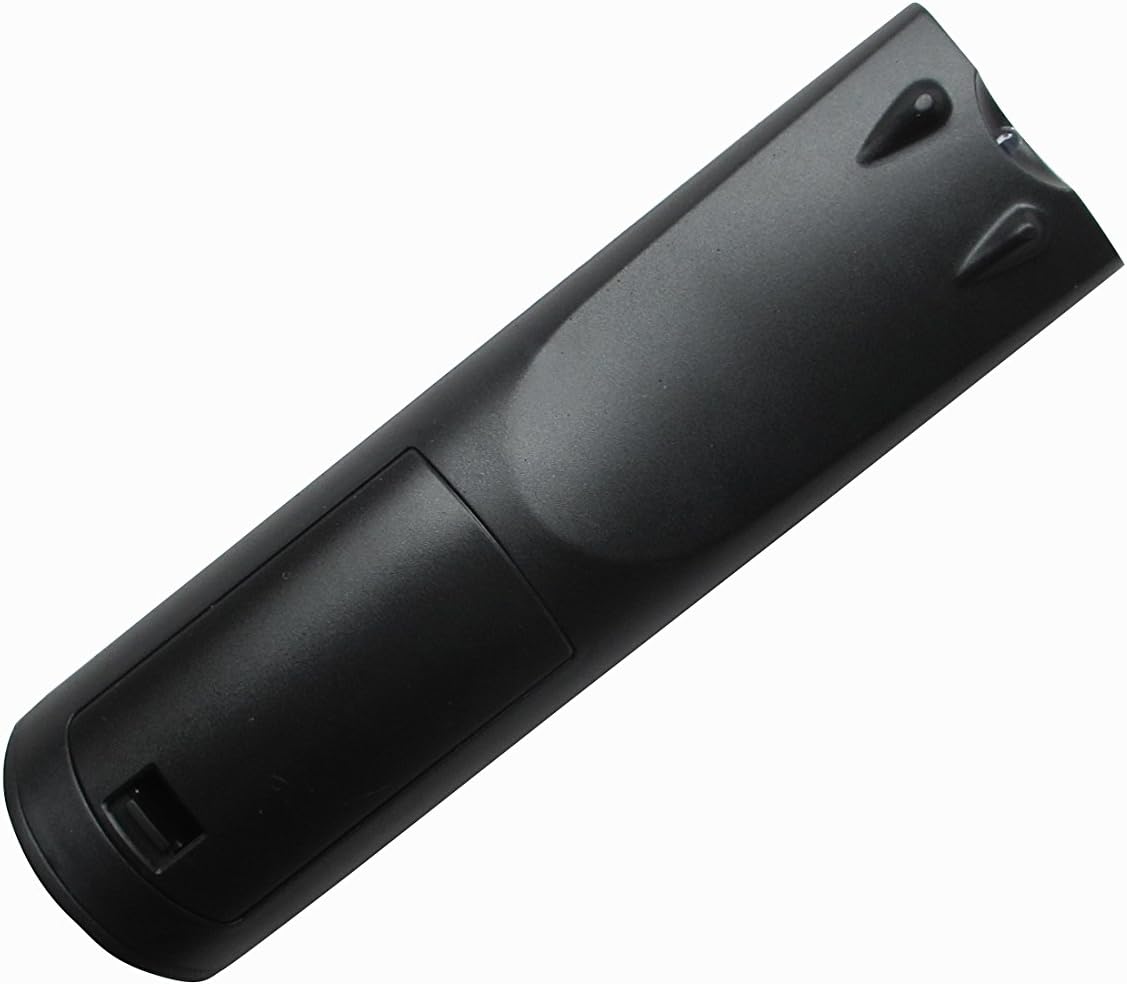
1-сүрөт: Артка view батарея бөлүмүнүн жайгашкан жерин көрсөткөн алыстан башкаруу пультунун сүрөтү.
3. Иштөө нускамалары
Once batteries are installed, the remote control is ready for use with your compatible ONKYO AV receiver. Point the remote directly at the AV receiver's infrared sensor.
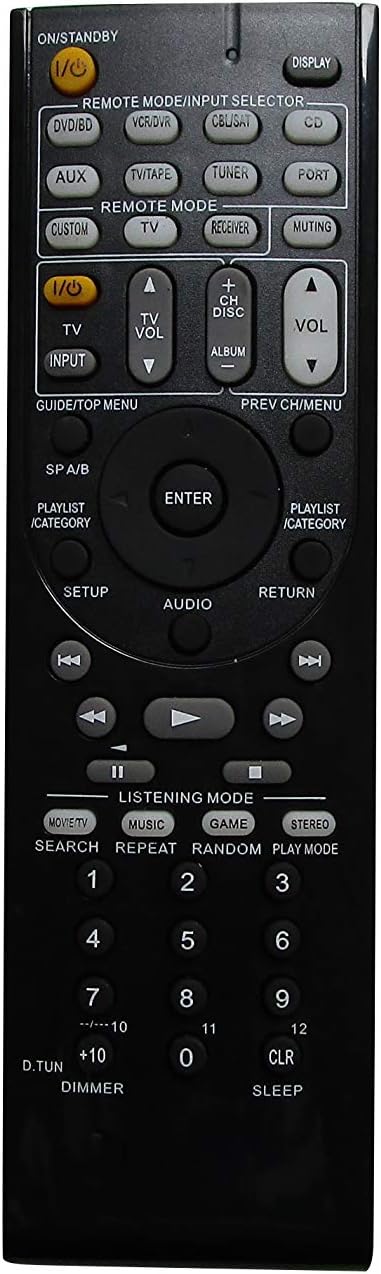
Сүрөт 2: Алдыңкы view of the Easytry123 remote control, displaying its button layout.
Негизги функциялар:
- Power (I/O STANDBY): Press this button to turn the AV receiver on or off.
- Input Selector (REMOTE MODE/INPUT SELECTOR buttons like DVD/BD, VCR/DVR, CBL/SAT, CD, AUX, TV/TAPE, TUNER, PORT, CUSTOM, TV, RECEIVER): Use these buttons to select the desired audio/video input source connected to your AV receiver.
- Үндү көзөмөлдөө (VOL +/-): Adjust the master volume level of your AV receiver.
- Muting (MUTING): Temporarily mutes the audio output. Press again to restore sound.
- Navigation (GUIDE/TOP MENU, PREV CH/MENU, ENTER, AUDIO, RETURN, PLAYLIST/CATEGORY, Arrow Buttons): These buttons are used to navigate menus, select options, and control playback functions within your AV receiver's interface.
- Playback Controls (PLAY, PAUSE, STOP, FAST FORWARD, REWIND, SKIP): Control media playback for connected devices.
- Listening Mode (MOVIE/TV, MUSIC, GAME, STEREO): Select different audio listening modes for optimized sound experience.
- Numeric Keypad (0-9, +10, D.TUN, CLR, SLEEP): Used for direct input, channel selection, or other specific functions depending on your receiver model.
Маанилүү эскертүү: This is a replacement remote. While it offers core functionalities, it may not replicate every specific button or advanced feature of your original ONKYO remote. Refer to your ONKYO AV receiver's original manual for detailed information on specific functions and their corresponding remote commands.
4. Техникалык тейлөө
Туура кам көрүү пультуңуздун иштөө мөөнөтүн узартат.
- Тазалоо: Пультту жумшак, кургак чүпүрөк менен сүртүңүз. Өтө кир болсо, бир аз сүртүңүзampen the cloth with water and then wipe dry immediately. Do not use abrasive cleaners, solvents, or alcohol.
- Батареяны алмаштыруу: Пульттун реакциясы жайлап же иштебей калганда батареяларды алмаштырыңыз. Эки батареяны тең бир убакта бирдей түрдөгү (AAA) жаңылары менен алмаштырыңыз.
- Сактагыч: Эгерде алыстан башкаруу пульту көпкө чейин колдонулбаса, агып кетүүнүн жана мүмкүн болгон зыяндын алдын алуу үчүн батарейкаларды алып салыңыз. Түз күн нурунан алыс, салкын, кургак жерде сактаңыз.
- Зыяндан качуу: Do not drop the remote control, expose it to extreme temperatures, or immerse it in liquids.
5. Кыйынчылыктарды
If you experience issues with your Easytry123 replacement remote control, try the following steps:
- Алыстан жооп бербейт:
- Check if the batteries are inserted correctly, observing polarity (+/-).
- Эски батарейкаларды жаңы AAA батарейкаларына алмаштырыңыз.
- Ensure there are no obstructions between the remote control and the AV receiver's infrared sensor.
- Make sure you are within the effective operating range and pointing the remote directly at the receiver.
- Айрым функциялар иштебей жатат:
- As a replacement remote, some specific or advanced functions may not be supported. This is normal for universal or replacement remotes.
- Verify that your AV receiver model is explicitly listed as compatible.
- Consult your ONKYO AV receiver's original manual to confirm the expected remote command for the function.
- Интерференция:
- Strong light sources (e.g., direct sunlight, fluorescent lights) can interfere with infrared signals. Try operating the remote in a different lighting condition.
Эгерде бул кадамдарды жасагандан кийин көйгөйлөр чечилбесе, кошумча жардам алуу үчүн сатуучуга кайрылыңыз.
6. Техникалык шарттар
| Модель номери | Easytry7591 |
| Бренд | Easytry123 |
| Шайкеш түзмөктөр | ONKYO AV Receivers (Specific models listed in Introduction) |
| Power Source | 2 x AAA Батареялар (киргизилген эмес) |
| Түс | Кара |
| Элемент Салмагы | 3.36 унция (болжол менен 95 грамм) |
| Пакеттин өлчөмдөрү | 3 x 2 x 1 дюйм (болжол менен 7.6 x 5.1 x 2.5 см) |
| Өзгөчө өзгөчөлүк | Эргономикалык дизайн |
7. Кепилдик жана колдоо
Specific warranty information for the Easytry123 replacement remote control is not provided in the product details. For any warranty-related inquiries, technical support, or assistance with product functionality, please contact the seller directly through your purchase platform.