
Introduction
This manual provides detailed instructions for the safe and efficient use of your Maxcom MM426 Dual SIM Mobile Phone. Designed for simplicity and ease of use, this GSM mobile phone features a 1.8-inch color display, Dual SIM capability, Bluetooth connectivity, and an essential SOS function for emergencies. Please read this manual thoroughly before operating your device.
Пакеттин мазмуну
Продукцияңыздын таңгагында төмөнкү нерселердин бардыгы бар экенине ынаныңыз:
- Maxcom MM426 Mobile Phone
- Батарея (литий-ион)
- Заряддагыч
- USB кабели
- Заряддоо бешиги
- User Manual
- Кепилдик картасы
Телефон бүттүview
Familiarize yourself with the key components of your Maxcom MM426 mobile phone.
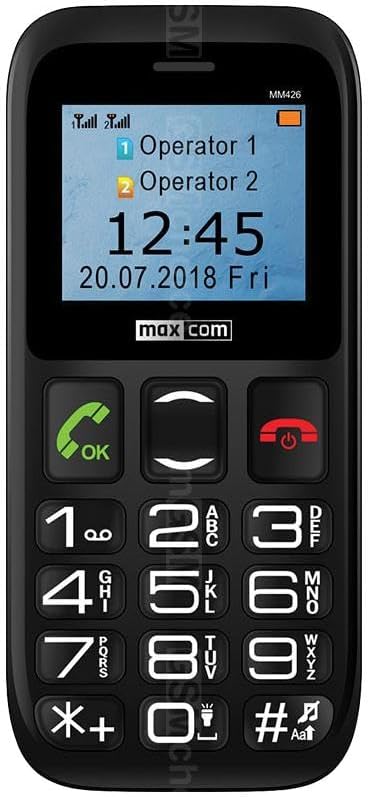
Сүрөт: Фронт view of the Maxcom MM426 mobile phone, showing its 1.8-inch color display and large, easy-to-read keypad with clearly marked buttons for calls, navigation, and numbers.
- Дисплей: 1.8-inch color LCD screen for clear visibility of menus, contacts, and messages.
- Баскычтоп: Оңой терүү жана навигация үчүн чоң, тактилдүү баскычтар.
- Чалуу/аяктоо баскычтары: Чалууларды баштоо жана аяктоо үчүн атайын баскычтар.
- Чабыттоо баскычтары: For moving through menus and options.
- SOS баскычы: Located on the back for emergency calls (see Special Features section).
- 3.5 мм гарнитура уячасы: Наушниктерди туташтыруу үчүн.
Жайгашуу
1. Батареяны орнотуу
- Телефондун арткы капкагын кылдаттык менен алып салыңыз.
- Insert the Lithium-ion battery into the battery compartment, ensuring the gold contacts align with the phone's terminals.
- Арткы капкакты чыкылдатмайынча ордуна коюңуз.
2. SIM Card Installation (Dual SIM)
The Maxcom MM426 supports two SIM cards, allowing you to manage two different numbers simultaneously.
- Батареяны алып салып, SIM картанын уячаларын табыңыз.
- Insert your SIM cards into the designated slots (SIM1 and SIM2) with the gold contacts facing down and the cut corner aligned as shown in the diagram (refer to the physical manual for diagram).
- Ensure the SIM cards are fully seated.
3. MicroSD картасын орнотуу (милдеттүү эмес)
To expand storage for photos, music, or other files, you can install a MicroSD card (up to 32 GB, sold separately).
- Locate the MicroSD card slot, usually near the SIM card slots.
- MicroSD картаны ордуна чыкылдаганча уячага салыңыз.
4. Телефонду заряддоо
Before first use, fully charge the phone's battery. Charging takes approximately 3 hours.
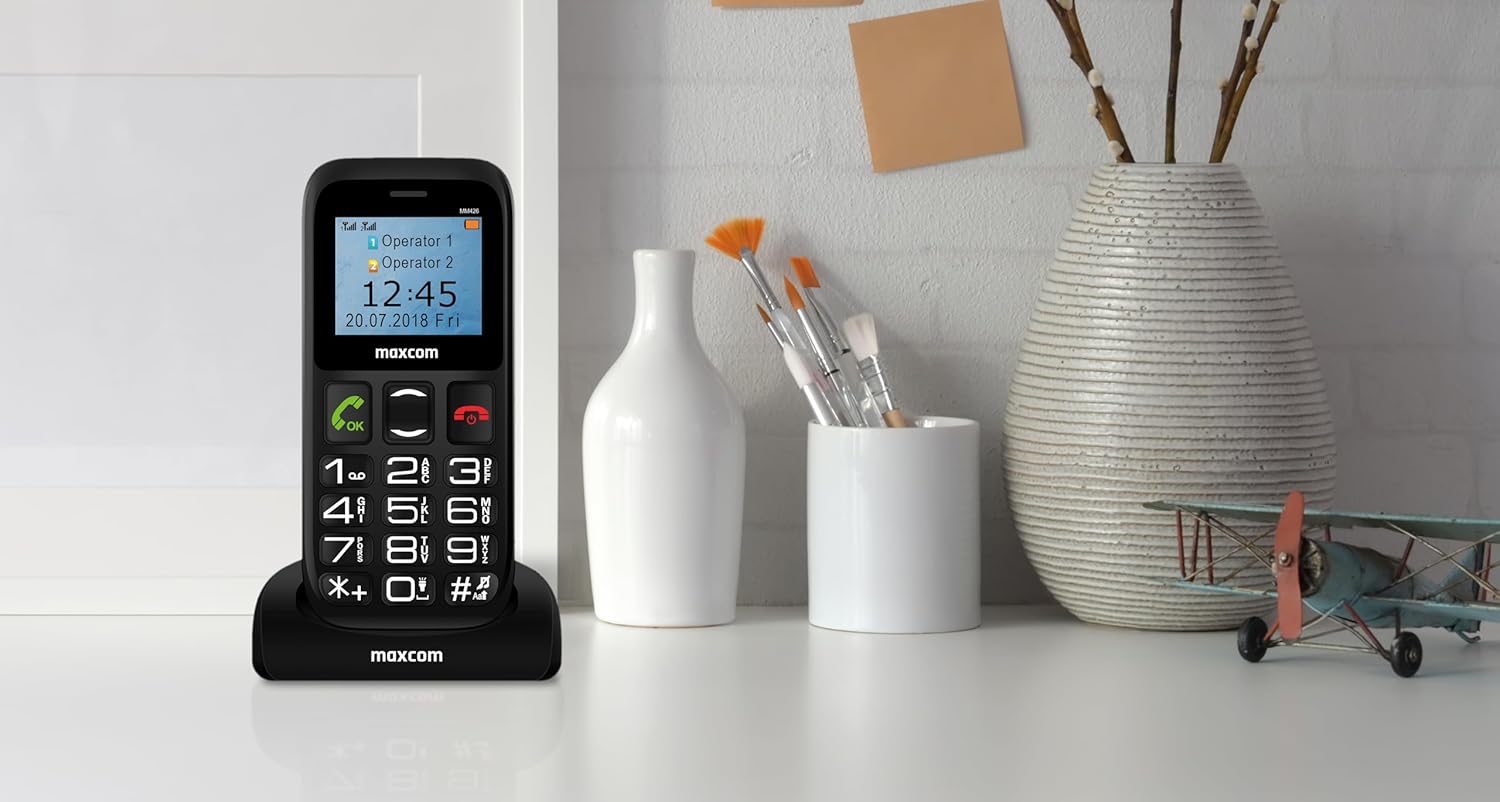
Сүрөт: The Maxcom MM426 mobile phone placed in its dedicated charging cradle, ready for charging. The phone's screen displays network and time information.
- Connect the USB cable to the charger and plug the charger into a power outlet.
- Place the phone into the charging cradle, ensuring it is properly seated. The charging indicator on the phone's screen should activate.
- Же болбосо, USB кабелин түз эле телефондун кубаттоо портуна туташтырсаңыз болот.
- Толук заряддалгандан кийин заряддагычты ажыратыңыз.
Негизги операция
1. Күйгүзүү/өчүрүү
- Күйгүзүү үчүн: басып, кармап туруңуз Чакырууну аяктоо/Кубат берүү (кызыл баскыч) баскычын экран күйгөнгө чейин басыңыз.
- Өчүрүү үчүн: басып, кармап туруңуз Чакырууну аяктоо/Кубат берүү өчүрүү параметрлери пайда болгонго чейин баскычын басып туруңуз, андан кийин "Өчүрүү" тандаңыз.
2. Чалууларды жасоо
- Ариптакта аркылуу телефон номерин киргизиңиз.
- басыңыз Чалуу Чалууну баштоо үчүн баскычты (жашыл баскыч) басыңыз.
- Чакырууну аяктоо үчүн басыңыз Чакырууну аяктоо баскычы.
- To call from contacts, navigate to the "Contacts" menu, select a contact, and press the Чалуу баскычы.
3. Чалууларды кабыл алуу
- When a call comes in, the phone will ring and display the caller's information.
- басыңыз Чалуу button (green button) to answer.
- басыңыз Чакырууну аяктоо button (red button) to reject or end the call.
4. SMS билдирүүлөрдү жөнөтүү
- "Кабарлар" менюсуна өтүңүз.
- "Билдирүү жазуу" же "Жаңы SMS" тандаңыз.
- Enter your message using the keypad. Press the # key to switch input modes (e.g., ABC, abc, 123).
- Алуучунун телефон номерин киргизиңиз же байланыштардан тандаңыз.
- "Жөнөтүү" тандаңыз.
5. Үндү тууралоо
During a call or when navigating menus, use the dedicated volume keys (if present) or the navigation keys to adjust the volume. You can also adjust ringtone and media volumes in the "Settings" menu.
Өзгөчөлүктөр
1. SOS функциясы
The SOS button provides a quick way to contact pre-set emergency numbers in critical situations.

Сүрөт: Арткы view of the Maxcom MM426 mobile phone, highlighting the prominent orange SOS button designed for quick access in emergencies.
- SOS номерлерин орнотуу: барыңыз Орнотуулар > SOS жөндөөлөрү to add up to five emergency contact numbers.
- Using the SOS Function: Шашылыш учурда, баскычын басып, кармап туруңуз SOS баскычы on the back of the phone for a few seconds. The phone will automatically call and send an emergency SMS to the pre-set numbers in sequence until one is answered.
2. Bluetooth байланышы
Connect your phone to other Bluetooth-enabled devices like headsets or car kits.
- барыңыз Орнотуулар > Bluetooth.
- Bluetooth'ду күйгүзүңүз On.
- тандоо "Издөө түзмөктөр" же "Жаңы түзмөктү жупташтыруу".
- Тизмеден каалаган аппаратыңызды тандап, жупташтыруу үчүн экрандагы көрсөтмөлөрдү аткарыңыз.
3. FM радиосу
Enjoy listening to your favorite radio stations.
- Plug in a 3.5mm headset (acts as an antenna).
- Go to the "FM Radio" application from the main menu.
- Станцияларды издөө же кол менен жөндөө үчүн навигация баскычтарын колдонуңуз.
4. MP3 плеер
MP3 аудиону ойнотуу files stored on your MicroSD card.
- Ensure an MicroSD card with MP3 files киргизилет.
- Go to the "Music" or "MP3 Player" application from the main menu.
- Каалаган аудиоңузду карап чыгып, тандаңыз fileойноо.
Техникалык тейлөө
1. Телефонуңузду тазалоо
- Телефондун бетин сүртүү үчүн жумшак, кургак чүпүрөктү колдонуңуз.
- Avoid using liquid cleaners, aerosols, or harsh chemicals, as these can damage the device.
- The phone is not water-resistant; keep it away from liquids.
2. Батареяга кам көрүү
- Батареяны экстремалдуу температурага калтырбаңыз.
- Use only the original charger and battery provided with the phone.
- Эгер телефон көпкө чейин колдонулбаса, аны сактоодон мурун батарейкасын болжол менен 50% га чейин заряддаңыз.
Проблемаларды чечүү
If you encounter problems with your phone, refer to the following common issues and solutions:
| Көйгөй | Мүмкүн чечим |
|---|---|
| Телефон күйбөйт. | Батарея туура орнотулганын жана толук заряддалганын текшериңиз. Телефонду жок дегенде 30 мүнөт заряддап көрүңүз. |
| Чалууларды кабыл алуу же жасоо мүмкүн эмес. | Check if SIM cards are properly inserted. Ensure you have network signal. Contact your mobile operator if the issue persists. |
| Тармак сигналы жок. | Move to an open area. Check network settings in the phone menu. Restart the phone. |
| Батарея бат эле түгөнөт. | Reduce screen brightness. Close unused applications. Limit background data usage (if applicable). Ensure the battery is not old or damaged. |
| Чалуу адамды уга албайт / Чалуу мени уга албайт. | Check volume settings. Ensure microphone and speaker are not blocked. Test with another call. |
If these solutions do not resolve your issue, please contact Maxcom customer support.
Техникалык шарттар
| Модел | MM426 |
| Бренд | Maxcom |
| Өлчөмдөр | 12 x 0.8 x 0.8 см |
| Салмагы | 72 г |
| Дисплей | 1.8 дюймдук LCD, 240 x 320 чечилиште |
| RAM | 4 MB |
| CPU модели | Кортекс |
| Уюлдук технология | 2G (GSM) |
| SIM карта уячалары | Кош SIM |
| Байланыш | Bluetooth |
| Expandable Memory | MicroSD 32 ГБ чейин |
| Батарея түрү | Литий-ион |
| Батарея сыйымдуулугу | 600 мАч |
| Talk Time | 3 саатка чейин |
| Заряддоо убактысы | Болжол менен 3 саат |
| Камера | 3 МП (арткы) |
| Өзгөчөлүктөр | SOS button, FM Radio, MP3 Player, Keypad input |
| Суу каршылык | Сууга чыдамдуу эмес |
Кепилдик жана колдоо
Your Maxcom MM426 mobile phone comes with a warranty. Please refer to the included Warranty Card for details on coverage and terms. For technical assistance, troubleshooting beyond this manual, or warranty claims, please contact Maxcom customer support. Keep your purchase receipt and warranty card handy.
You can find more information and support on the official Maxcom webсайтка же баш багып Maxcom Store on Amazon.