
Introduction
The SanDisk Ultra Flair USB 3.0 Flash Drive provides high-speed data transfer and reliable storage in a durable metal casing. Designed for efficiency, it allows you to move files quickly and securely. This manual will guide you through the setup, operation, maintenance, and troubleshooting of your flash drive.
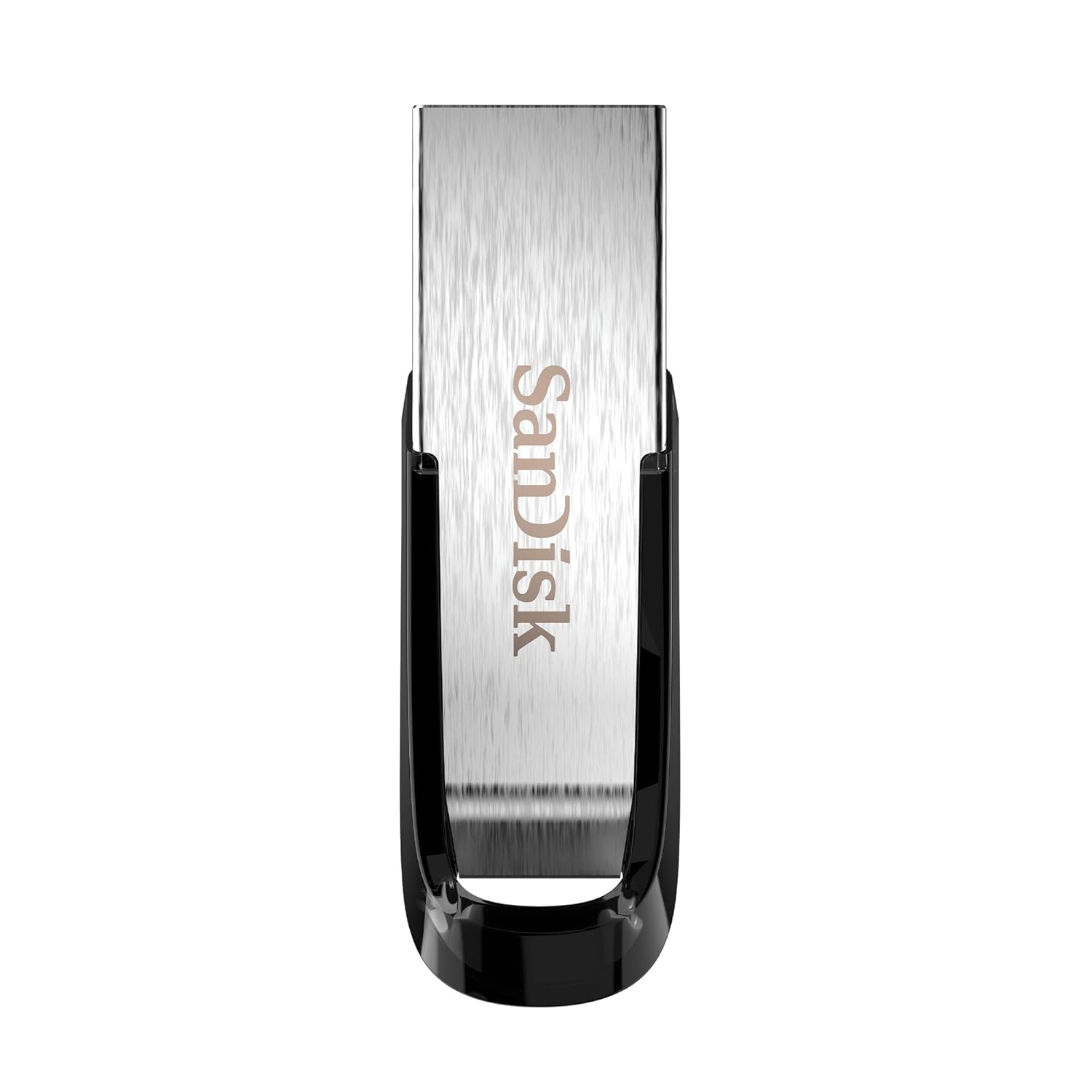
Image: The SanDisk Ultra Flair USB 3.0 Flash Drive, showcasing its sleek metal design and USB 3.0 connector.
Жайгашуу
- Флэш-дискти салыңыз: Locate an available USB port on your computer (desktop, laptop, or compatible device). Gently insert the SanDisk Ultra Flair USB 3.0 Flash Drive into the USB port. For optimal performance, use a USB 3.0 port (often identified by a blue interior). The drive is also backward compatible with USB 2.0 ports.
- Автоматтык таануу: Your operating system (Windows, macOS, Linux) should automatically detect and install the necessary drivers for the flash drive. A notification may appear indicating that the device is ready for use.
- Дискке кирүү:
- Windows: Open "This PC" or "My Computer." The flash drive will appear as a removable disk (e.g., "SanDisk Ultra Flair" or a drive letter like E: or F:).
- MacOS: The flash drive icon will appear on your desktop or in the Finder sidebar under "Locations."
- Pre-loaded Software: The drive may come with pre-loaded software, such as SanDisk SecureAccess. You can choose to install and use this software for password protection and file коддоо.
Иштөө нускамалары
Өткөрүлүүдө Files
өткөрүп берүү үчүн files to or from your SanDisk Ultra Flair flash drive:
- Дискти ачуу: Double-click the flash drive icon in "This PC" (Windows) or on your desktop/Finder (macOS) to open its contents.
- Сүйрөп таштоо:
- Көчүрүү үчүн files чейин Флэш-диск: Сүйрөп таштаңыз files or folders from your computer into the flash drive's window.
- Көчүрүү үчүн files тартып Флэш-диск: Сүйрөп таштаңыз fileс же папкаларды флэш-дисктин терезесинен компьютериңиздеги жерге көчүрүңүз.
- Көчүрмө/жайгаруу: Alternatively, right-click on the desired files/folders, select "Copy," then navigate to the destination, right-click, and select "Paste."

Image: A person working on a computer, illustrating the fast data transfer capabilities of the SanDisk Ultra Flair USB 3.0 Flash Drive.
SanDisk SecureAccess программасын колдонуу
The SanDisk SecureAccess software allows you to create a password-protected folder (vault) on your flash drive to secure sensitive files with 128-bit AES encryption.
- Орнотуу: If not already installed, run the SecureAccess installer found on the drive. Follow the on-screen instructions to set up your vault and password.
- кошуу Files: Сүйрөп барып таштаңыз files into the SecureAccess vault window to encrypt them.
- Кирүү Files: Шифрленген режимге кирүү үчүн files, open the SecureAccess application and enter your password.

Image: A person using a computer, representing the ease of backup and organization with SanDisk software.
Safely Removing the Flash Drive
Always safely remove the flash drive to prevent data corruption:
- Windows: Click the "Safely Remove Hardware and Eject Media" icon in the system tray (bottom-right corner), then select your flash drive. Wait for the "Safe to Remove Hardware" message before physically disconnecting.
- MacOS: Drag the flash drive icon from your desktop to the Trash, or click the Eject icon next to the drive name in Finder. Wait for the icon to disappear before physically disconnecting.
Техникалык тейлөө
- Физикалык кам көрүү: The SanDisk Ultra Flair features a durable metal casing. While robust, avoid exposing the drive to extreme temperatures, moisture, or strong magnetic fields. Keep the USB connector clean and free from dust or debris.
- Маалыматтын камдык көчүрмөсү: Regularly back up important data from your flash drive to another storage device to prevent data loss.
- Программалык камсыздоо жаңыртуулары: Расмий SanDiskти мезгил-мезгили менен текшерип туруңуз website for any available firmware updates or new versions of SanDisk SecureAccess software.
Проблемаларды чечүү
- Диск таанылган жок:
- Дискти компьютериңиздин башка USB портуна салып көрүңүз.
- Test the drive on another computer to rule out a port or system issue.
- Диск USB портуна толугу менен киргизилгенин текшериңиз.
- Компьютериңизди өчүрүп күйгүзүңүз.
- Жай өткөрүү ылдамдыгы:
- Ensure you are using a USB 3.0 port for maximum speed. USB 2.0 ports will result in slower transfers.
- Көптөгөн майда которуулар fileс бир нече чоң өткөрүп караганда жайыраак болушу мүмкүн files.
- Тутум ресурстарын колдонуп жаткан башка колдонмолорду жабыңыз.
- Колдонуу учурунда кыймылдаткыч ысыйт:
It is normal for the metal casing of the SanDisk Ultra Flair to become warm during prolonged data transfers, especially with USB 3.0 speeds. The metal design helps dissipate heat efficiently. This typically does not affect performance or durability.
- Lost or Corrupted Files:
Your SanDisk Ultra Flair includes a one-year subscription to RescuePRO software. Visit the SanDisk website to download and activate RescuePRO for data recovery attempts.
Техникалык шарттар

Сүрөт: деталдуу view of the SanDisk Ultra Flair USB 3.0 Flash Drive, showing its physical dimensions.
| Өзгөчөлүк | Деталь |
|---|---|
| Бренд | SanDisk |
| Модель аты | SanDisk Ultra Flair |
| Модель номери | SDCZ73-032G-I35 |
| Эстутум сактоо сыйымдуулугу | 32 ГБ |
| Аппараттык интерфейс | USB 3.0 (USB 2.0 менен артка шайкеш келет) |
| Окуу ылдамдыгы | 150 МБ/сек чейин |
| Өзгөчөлүктөр | Узак металл casing, Fast Data Transfer, Sleek design, Password Protected (with SecureAccess software), Data Encryption, Easy File Recovery (with RescuePRO software) |
| Шайкеш түзмөктөр | Devices with USB 3.0 or USB 2.0 port |
| Түс | Silver |
| Өлчөмдөрү (L x W x Y) | Болжол менен 43 мм x 13 мм x 7 мм (1.69" x 0.51" x 0.28") |
| Элемент Салмагы | 4 грамм |
| UPC | 619659173975 |
| Келип чыккан өлкө | Тайвань |
| кутучанын мазмуну | 1x SanDisk Ultra Flair Flash Drive |
Кепилдик маалымат
The SanDisk Ultra Flair USB 3.0 Flash Drive comes with a 5 жылдык чектелген кепилдик provided by SanDisk. This warranty covers manufacturing defects under normal use. Please retain your proof of purchase for warranty claims.
For detailed terms and conditions, or to initiate a warranty claim, please visit the official SanDisk support webсайт.
Колдоо
For further assistance, technical support, or to download software like SanDisk SecureAccess or RescuePRO, please visit the official SanDisk support webсайт:
SanDisk расмий колдоо кызматы Webсайт
Сиз ошондой эле көп берилүүчү суроолорду жана коомчулук форумдарын таба аласыз website for common issues and tips.