
1. Киришүү
The Pinell Supersound 501 is a versatile personal digital radio designed to provide a rich audio experience. It supports a wide range of listening options including DAB+, FM, Internet Radio with Spotify Connect, and Bluetooth streaming. Crafted with a blend of aluminum and wood, this radio combines modern technology with elegant design. This manual provides essential information for setting up, operating, and maintaining your Supersound 501 radio.
2. Коопсуздук маалыматы
- Колдонуудан мурун бардык нускамаларды кунт коюп окуп чыгыңыз жана келечекте маалымат алуу үчүн сактаңыз.
- Аппаратты жамгырдын, нымдуулуктун же экстремалдык температуранын таасиринде калтырбаңыз.
- туура желдетүүнү камсыз кылуу; вентиляция тешиктерин жаап салбаңыз.
- Аппарат менен кошо берилген кубат адаптерин гана колдонуңуз.
- Агрегатты ажыратууга же өзгөртүүгө аракет кылбаңыз. Бардык тейлөөлөрдү квалификациялуу кызматкерлерге тапшырыңыз.
- Агрегатты күчтүү магнит талаасынан алыс кармаңыз.
- Агрегатты туруксуз беттерге коюудан алыс болуңуз.
3. Пакеттин мазмуну
Сураныч, бардык буюмдар бар экенин жана жакшы абалда экендигин текшериңиз:
- Pinell Supersound 501 Digital Radio (Black)
- Алыстан башкаруу (2 AAA батарейкасы менен)
- Кубаттуу адаптер
- Quick Start Guide (Note: Manual may be in German, English version available online)
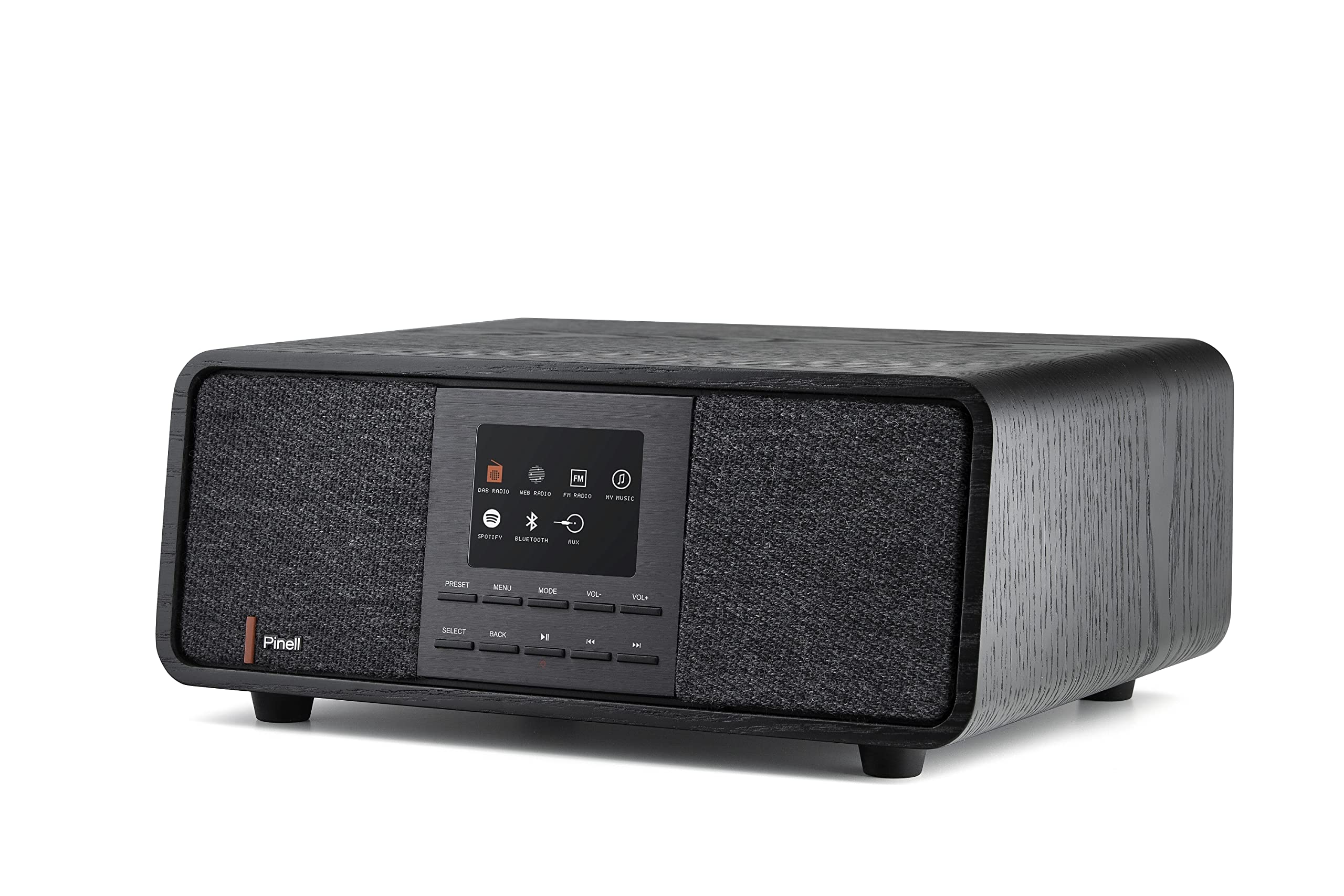
Image: The Pinell Supersound 501 radio with its remote control, showcasing the main unit and included accessories.
4. Продукт бүтүп калдыview
The Supersound 501 features an integrated display and intuitive controls for easy navigation. The front panel includes the display, control buttons, and speaker grilles. The rear panel houses the power input and auxiliary connections.

Сүрөт: алдыңкы view of the Pinell Supersound 501, highlighting the central display and control buttons for various functions like DAB, FM, Internet Radio, Spotify, and Bluetooth.
4.1. Алдыңкы панелдин башкаруу элементтери
- Дисплей: TFT color display for station information, menus, and settings.
- Алдын ала коюлган баскычтар: Сүйүктүү станцияларыңызды сактап коюңуз жана кайра чакырып алыңыз.
- Меню баскычы: Орнотуулар жана параметрлер үчүн негизги менюга кириңиз.
- Режим баскычы: Switch between DAB+, FM, Internet Radio, Bluetooth, and AUX modes.
- Volume Control (VOL+/-): Аудио чыгаруу деңгээлин тууралаңыз.
- Тандоо/ОК баскычы: Менюлардагы тандоолорду ырастаңыз.
- Артка баскычы: Мурунку менюга же экранга кайтуу.
- Навигация баскычтары (Сол/Оң/Өйдө/Төмөн): Browse through menus and station lists.
4.2. Арткы панелдин туташуулары
- DC IN: Кубат адаптерин туташтыруу.
- AUX IN (3.5 мм): Тышкы аудио түзмөктөрдү туташтыруу.
- Гарнитуранын чыгышы (3.5 мм): Жеке угуу үчүн.
5. Орнотуу
5.1. Баштапкы күйгүзүү
- Connect the supplied power adapter to the DC IN port on the rear of the radio and then to a wall outlet.
- The radio will power on automatically or prompt you to press the Power button.
- Тилди жана аймакты тандоо үчүн экрандагы нускамаларды аткарыңыз.
5.2. Wi-Fi Network Connection
For Internet Radio and Spotify Connect functionality, the radio requires a Wi-Fi connection.
- дегенге өтүңүз Меню жана тандаңыз Орнотуулар.
- Тандоо Network, анда Wi-Fi орнотуу.
- Радио жеткиликтүү тармактарды издейт. Тизмеден тармагыңызды тандаңыз.
- Enter your Wi-Fi password using the navigation and Select buttons.
- Once connected, a Wi-Fi icon will appear on the display.
5.3. Саатты коюу
The radio can automatically set its time via DAB+ or Internet connection. Manual setting is also available.
- барыңыз Menu > Settings > Time/Date.
- Тандоо Автоматтык жаңыртуу for automatic synchronization or Убакыт/дата коюу кол менен тууралоо үчүн.
6. Иштөө нускамалары
6.1. DAB+ радиосу
- басыңыз Mode чейин баскыч DAB+ тандалган.
- The radio will automatically scan for available DAB+ stations on first use. To perform a full scan manually, go to Menu > Full Scan.
- Use the navigation buttons to browse the station list and press Тандоо тууралоо.
- To save a station as a preset, press and hold a Алдын ала коюлган button until "Preset Saved" appears.
6.2. FM радиосу
- басыңыз Mode чейин баскыч FM тандалган.
- Станцияларды автоматтык түрдө издөө үчүн, баскычын басып кармап туруңуз Тандоо button. The radio will scan and stop at the next strong station.
- Use the navigation buttons to fine-tune the frequency manually.
- Save FM stations using the Алдын ала коюлган buttons as described for DAB+.
6.3. Internet Radio & Spotify Connect

Image: The Pinell Supersound 501 radio displaying the Spotify interface, demonstrating its Internet Radio capabilities and integration with streaming services.
- Радионун Wi-Fi тармагына туташканын текшериңиз (5.2-бөлүмдү караңыз).
- басыңыз Mode баскычын басып, тандаңыз Интернет радио or Spotify.
- For Internet Radio, you can browse stations by location, genre, or search.
- For Spotify Connect, open the Spotify app on your smartphone or tablet. Select the "Devices Available" icon and choose your Pinell Supersound 501 from the list to stream music directly.
6.4. Bluetooth агымы
- басыңыз Mode чейин баскыч Bluetooth is selected. The radio will enter pairing mode.
- Смартфонуңузда же Bluetooth иштетилген түзмөгүңүздө Bluetooth жөндөөлөрүнө өтүп, жеткиликтүү түзмөктөрдү издеңиз.
- Select "Pinell Supersound 501" from the list to pair.
- Жупташкандан кийин, түзмөгүңүздөгү аудиону радио аркылуу ойнотсоңуз болот.
6.5. AUX киргизүү
- Тышкы аудио аспапты (мисалы, MP3 ойноткуч) туташтыруу AUX IN port on the rear of the radio using a 3.5mm audio cable.
- басыңыз Mode чейин баскыч AUX тандалган.
- Тышкы түзмөгүңүздөн ойнотууну башкарыңыз. Радионун үн башкаруусу иштей берет.
7. Техникалык тейлөө
- Тазалоо: Радионун бетин тазалоо үчүн жумшак, кургак чүпүрөктү колдонуңуз. Абразивдүү тазалоочу каражаттарды же эриткичтерди колдонбоңуз.
- Сактагыч: If storing the radio for an extended period, disconnect it from the power supply.
- Алыстан башкаруу батареялары: Алыстан башкаруу пультунун диапазону азайганда же ал жооп бербей калганда, анын 2 AAA батарейкасын алмаштырыңыз.
8. Кыйынчылыктарды
| Көйгөй | Мүмкүн себеп | Чечим |
|---|---|---|
| Күч жок | Кубат адаптери туташкан эмес же туура эмес. | Кубат адаптери радиого жана иштеп жаткан розеткага бекем туташтырылганын текшериңиз. |
| Үн жок | Үнү өтө төмөн; Үнсүз режим иштетилген; Туура эмес булак тандалган. | Increase volume; Check if mute is active; Ensure correct mode (DAB+, FM, Internet Radio, Bluetooth, AUX) is selected. |
| DAB+/FM кабыл алуу начар | Алсыз сигнал; Антенна узартылган эмес. | Relocate the radio; Fully extend the telescopic antenna (if applicable, though not explicitly mentioned for this model, it's common for portable radios). Perform a full scan. |
| Интернет радио туташпай жатат | No Wi-Fi connection; Incorrect Wi-Fi password. | Check Wi-Fi settings and ensure the radio is connected to your network. Verify the Wi-Fi password. Restart your router. |
| Bluetooth жупташуу көйгөйлөрү | Radio not in pairing mode; Device too far; Already paired with another device. | Ensure the radio is in Bluetooth mode and visible. Move your device closer. Disconnect from other Bluetooth devices. |
9. Техникалык шарттар
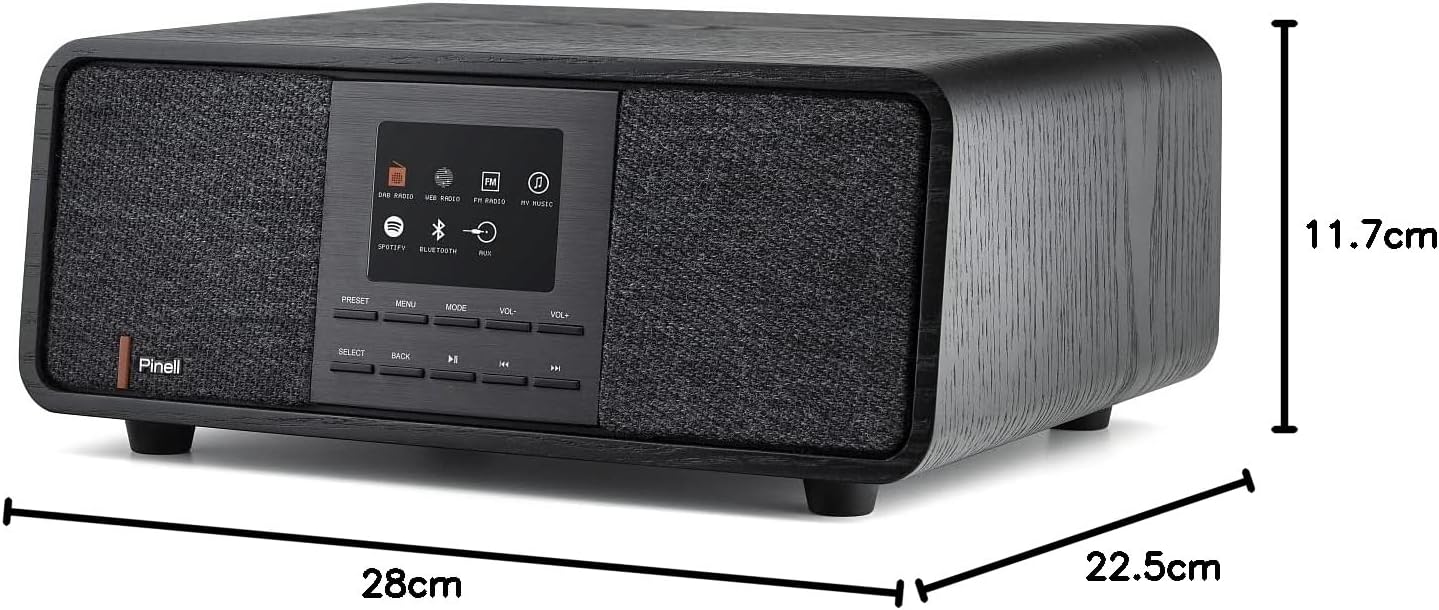
Image: Diagram showing the physical dimensions of the Pinell Supersound 501 radio.
- Модель номери: 7090011022064
- Бренд: Pinell
- Түсү: Кара
- Радио топтору: DAB+, FM
- Интернет радиосу: Yes, with Spotify Connect
- Байланыш: Bluetooth 4.0, Wi-Fi (802.11b/g/n), AUX In (3.5mm), Headphone Out (3.5mm)
- Дисплей: Integrated TFT color display
- Баяндамачылар: 2 integrated speakers, 10.2 cm (4") subwoofer driver diameter
- Максималдуу кубаттуулугу: 25 Ватт
- Материал: Алюминий, жыгач
- Өлчөмдөрү (W x Y x D): 280 мм x 117 мм x 225 мм
- Салмагы: 2900 грамм
- Кубат булагы: AC (Adapter included)
- Алыстан башкаруу батареялары: 2 x AAA (кошулган)
- Өзгөчөлүктөр: Integrated clock, Anti-slip feet
10. Кепилдик жана колдоо
For warranty information and technical support, please refer to the documentation provided with your purchase or visit the official Pinell webсайт. Кепилдик дооматтар үчүн сатып алганыңыздын далилин сактаңыз.
Note: Information regarding spare parts availability and software updates is not explicitly provided in the product details. Please contact Pinell customer service for the most current information.