
1. Киришүү
Сатып алганыңыз үчүн рахматasing the LUPO Digital Pocket Scale. This precision instrument is designed for accurate weighing of small items up to 200 grams with a 0.01 gram graduation. Its compact and portable design makes it ideal for various applications, including weighing jewelry, food ingredients, herbs, and other small objects. Please read this manual carefully to ensure proper operation and longevity of your scale.
Негизги өзгөчөлүктөрү:
- Максималдуу кубаттуулугу: 200г
- Бүтүрүү: 0.01г
- Multiple Weighing Units: g, gn, oz, ozt, ct, tl, dwt
- Durable Stainless Steel Platform
- Арткы жарыктуу LCD дисплей
- Тара функциясы
- Автоматтык өчүрүү
- Төмөн батарея көрсөткүчү
- Ашыкча жүктөн коргоо
2. Пакеттин мазмуну
- 1 x LUPO 200g Digital Pocket Scale
- 2 x AAA батареялары
- 1 x User Manual
3. Орнотуу
3.1 Батареяны орнотуу
The scale requires 2 AAA batteries (included). To install or replace batteries:
- Таразанын астыңкы жагында жайгашкан батарея бөлүмүнүн капкагын ачыңыз.
- Туура полярдуулукту (+/-) камсыз кылуу менен 2 AAA батарейкасын салыңыз.
- Батарея уясынын капкагын бекем жабыңыз.
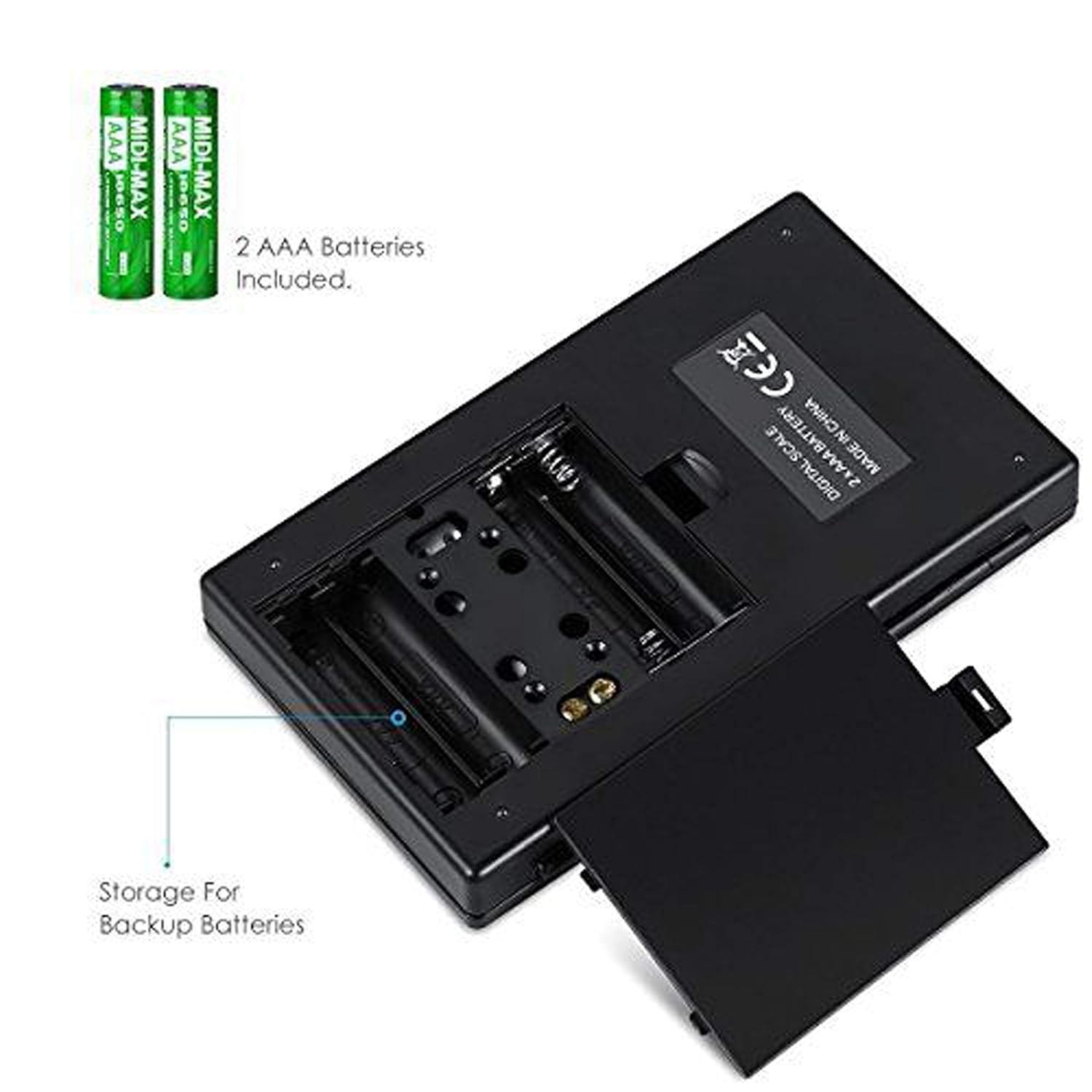
3.1-сүрөт: AAA батарейкалары бар батарея бөлүмү.
3.2 Алгачкы жайгаштыруу
For accurate readings, place the scale on a hard, flat, and stable horizontal surface. Avoid placing it on soft or uneven surfaces, or near sources of vibration or electromagnetic interference.
4. Операция
4.1 Негизги тараза
- басыңыз КҮЙГҮЗҮҮ/ӨЧҮРҮҮ баскычын басыңыз.
- Wait for the display to show "0.00" (or "0") before placing any items on the weighing platform.
- Gently place the item(s) you wish to weigh onto the center of the stainless steel weighing platform.
- Салмагы ЖК экранында көрсөтүлөт.

Figure 4.1: Quick start guide for basic weighing.
4.2 Бирдикти конверсиялоо
The scale supports multiple weighing units. To change the unit:
- Тараза күйүп, "0.00" көрсөтүлгөндө, баскычын басыңыз РЕЖИМ баскычын кайра-кайра.
- The display will cycle through the available units: grams (g), grains (gn), ounces (oz), troy ounces (ozt), carats (ct), and pennyweights (dwt).
- Басууну токтотуңуз РЕЖИМ when your desired unit is displayed.
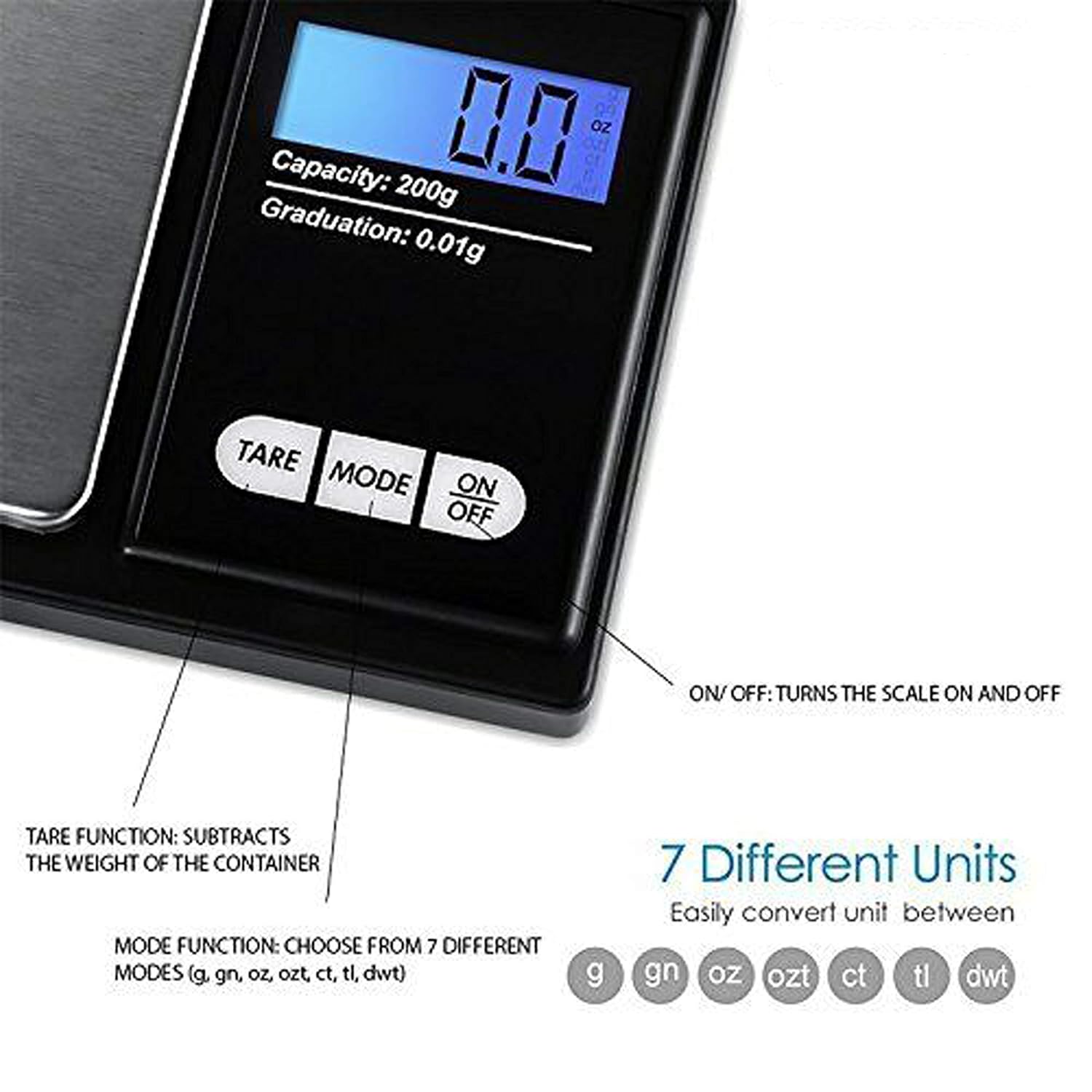
Figure 4.2: Available weighing units and button functions.
4.3 Тара Функциясы
The tare function allows you to subtract the weight of a container, so you only measure the net weight of its contents.
- Бош идишти тараза платформасына коюңуз.
- басыңыз идиштер баскычын басыңыз. Дисплей "0.00" абалына кайтарылат.
- Now, place the item(s) you wish to weigh into the container. The display will show only the weight of the item(s).
5. Калибрлөө
Calibration ensures the accuracy of your scale. It is recommended to calibrate the scale periodically or if you notice inconsistent readings. A 200g calibration weight is required (not included).
- Басуу менен таразаны күйгүзүңүз КҮЙГҮЗҮҮ/ӨЧҮРҮҮ баскычы.
- Wait for the display to show "0.00".
- басып, кармап туруңуз РЕЖИМ button until the display shows "CAL", then release the button.
- басыңыз РЕЖИМ button again. The display will show "CAL" followed by the required calibration weight (e.g., "200.00g").
- Place the exact 200g calibration weight onto the center of the weighing platform.
- The display will show "PASS" and then return to normal weighing mode.
- Remove the calibration weight. Calibration is complete.
Note: If you do not have a 200g calibration weight, you may need to acquire one separately for accurate calibration.
6. Техникалык тейлөө
6.1 Тазалоо
Таразаны бир аз d менен сүртүңүзamp cloth. Do not immerse the scale in water or use abrasive cleaners. Keep the weighing platform clean and free of debris.
6.2 Сактоо
Store the scale in a clean, dry environment. If the scale will not be used for an extended period, it is recommended to remove the batteries to prevent leakage.
7. Кыйынчылыктарды
If you encounter issues with your scale, consider the following:
- Туура эмес окуулар:
- Таразанын туруктуу, түз бетинде болушун текшериңиз.
- Avoid placing the scale near strong radio frequency interference.
- Keep the scale away from high humidity, air currents (e.g., fans, open windows), and extreme temperatures.
- Minimize vibration during weighing.
- Perform a calibration (refer to Section 5).
- "Lo" or "Low Battery" Display: AAA батареяларын алмаштырыңыз.
- "O-Ld" or "Overload" Display: The item on the platform exceeds the maximum capacity of 200g. Remove the item immediately to prevent damage to the scale.
- Масштаб күйбөйт: Батареянын орнотулушун текшерип, батарейкалары түгөнүп калбагандыгын текшериңиз.

Figure 7.1: Overload and Low Battery indicators.
8. Техникалык шарттар
| Өзгөчөлүк | Деталь |
|---|---|
| Бренд | LUPO |
| Модель номери | BHT2018376_200g_pock |
| Кубаттуулугу | 0.05 граммдан 200 граммга чейин |
| Бүтүрүү | 0.01г |
| Тараза бирдиктери | g, gn, oz, ozt, ct, tl, dwt |
| Дисплей түрү | Арткы жарык менен LCD |
| Power Source | 2 x AAA Батареялар (кошулган) |
| Материал | Пластик, дат баспас болоттон жасалган платформа |
| Өлчөмдөрү (болжол менен) | 14.8 x 9 x 2.4 cm (Package); 5.0 x 3.0 x 0.8 inches (Scale) |
| Салмагы (болжол менен) | 140 грамм (таңгак) |
| Өзгөчөлүктөр | Backlit display, Auto-off, Tare function, Lightweight, Portable |
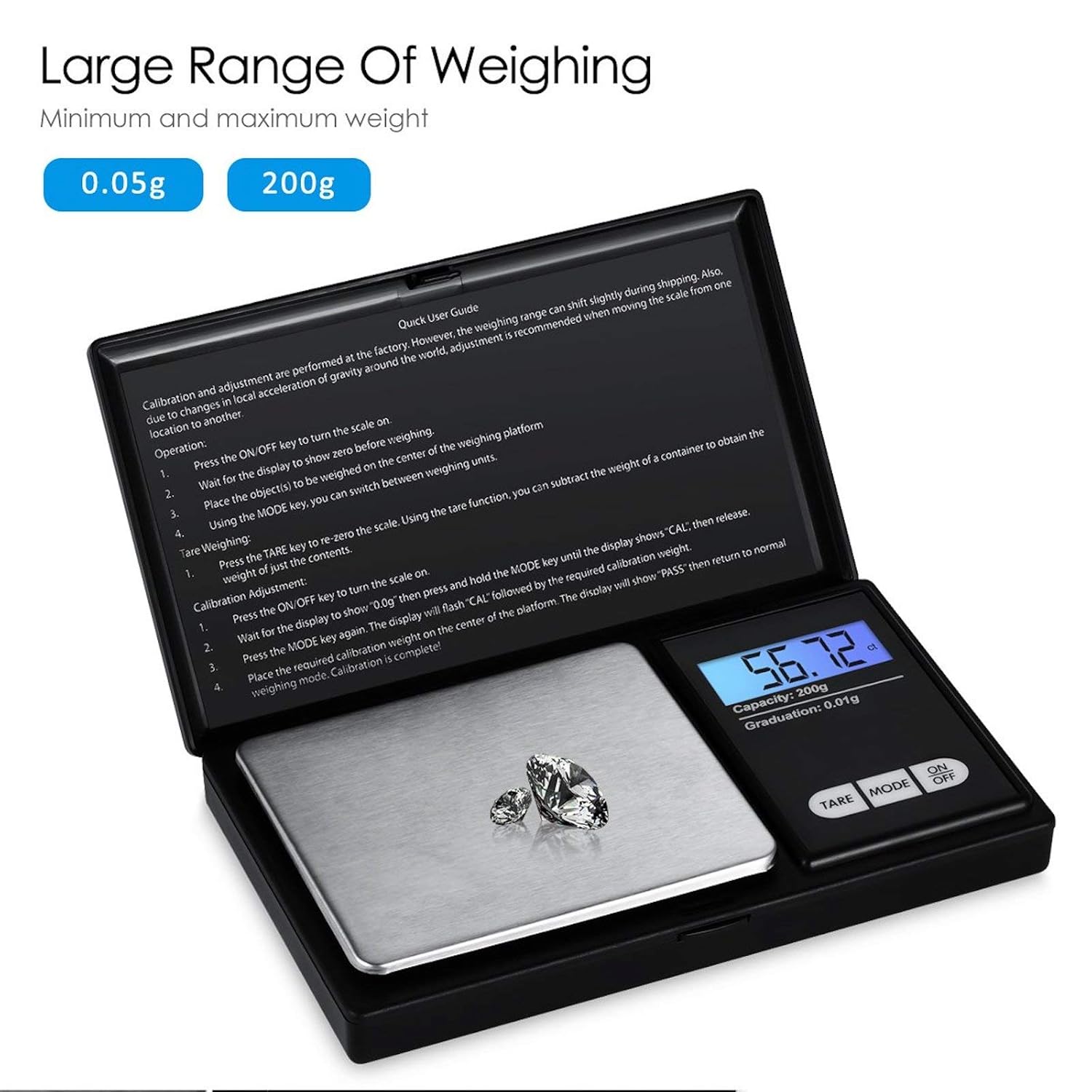
Figure 8.1: Weighing range of the scale.
9. Кепилдик жана колдоо
Warranty information for this product is not explicitly specified in the provided details. For any support inquiries or warranty claims, please contact the retailer or manufacturer directly.