
1. Киришүү
Thank you for choosing the Pinell Supersound 701. This portable analog and digital radio offers a wide range of listening options, including DAB+, FM, Internet Radio, Spotify Connect, and Bluetooth connectivity. This manual provides essential information for setting up, operating, and maintaining your device to ensure optimal performance and longevity.
2. Коопсуздук маалыматы
- Электр камсыздоо: Берилген кубат адаптерин гана колдонуңуз. Voltage сиздин жергиликтүү электр камсыздооңузга дал келет.
- Суу жана ным: Do not expose the device to water, rain, or excessive moisture. Avoid placing liquid-filled objects on the radio.
- Вентиляция: Агрегаттын айланасында жетиштүү желдетүүнү камсыз кылыңыз. Вентиляция тешиктерин жаап албаңыз.
- Жылуулук: Аппаратты радиаторлор, жылуулук регистрлери, мештер же жылуулук чыгарган башка аппараттар сыяктуу жылуулук булактарынан алыс кармаңыз.
- Тазалоо: Тазалоодон мурун электр кубатынан ажыратыңыз. Жумшак, кургак чүпүрөктү колдонуңуз. Суюк тазалагычтарды же аэрозоль тазалагычтарды колдонбоңуз.
- Тейлөө: Бул продуктту өзүңүз тейлөөгө аракет кылбаңыз. Бардык тейлөөнү квалификациялуу тейлөө кызматкерлерине тапшырыңыз.
3. Пакеттин мазмуну
Пакетте бардык буюмдар бар экенин текшериңиз:
- Pinell Supersound 701 Radio Unit
- Кубаттуу адаптер
- Quick Start Guide
- Алыстан башкаруу
- Батарея топтому (алдын ала орнотулган же өзүнчө)
4. Продукт бүтүп калдыview
The Pinell Supersound 701 features an integrated display and intuitive controls for easy navigation. The front panel includes the display, control buttons, and integrated speakers. The rear panel typically houses power input, AUX input, and headphone output.
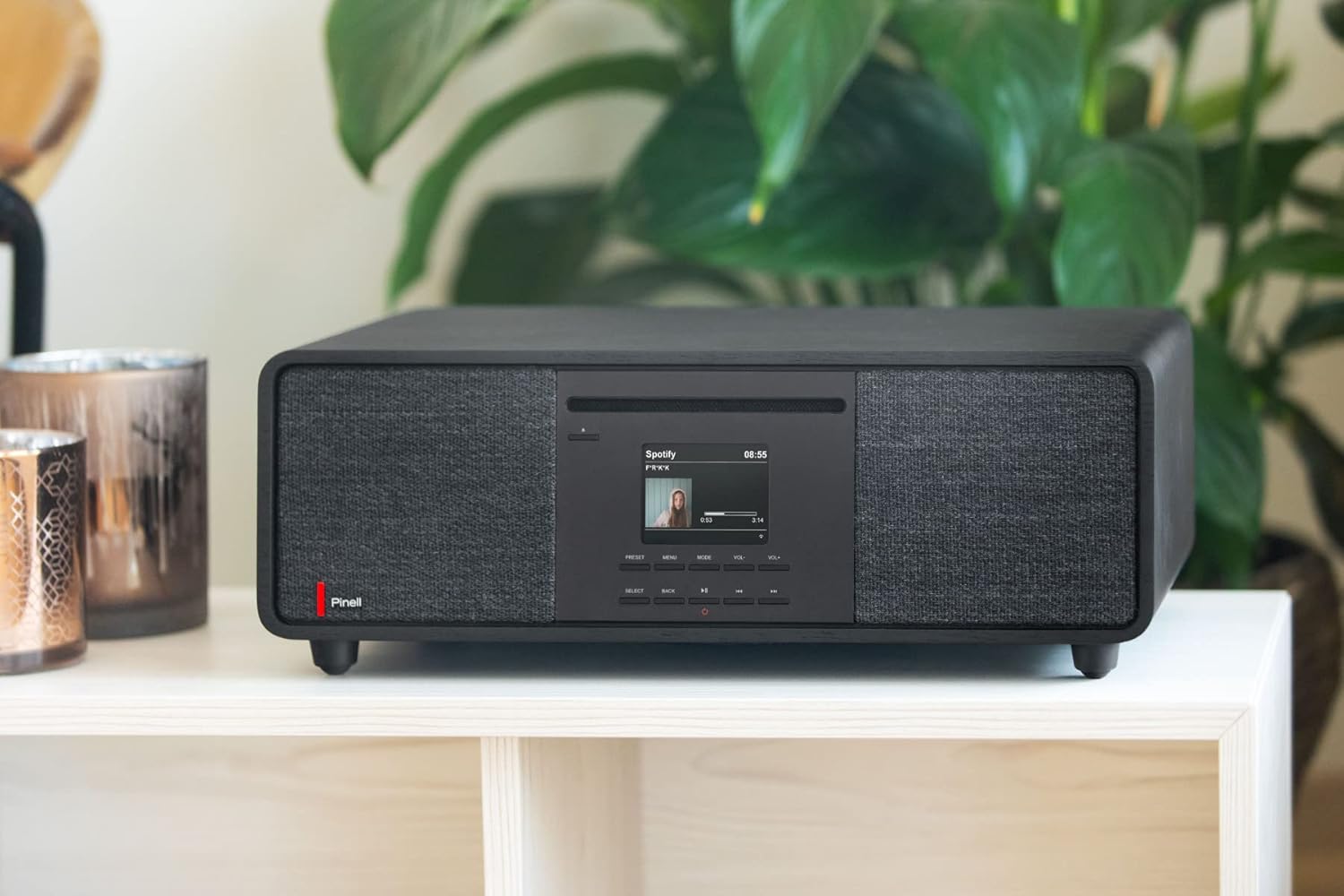
Сүрөт 1: Алдыңкы view of the Pinell Supersound 701 radio, showcasing its design and integrated speakers.
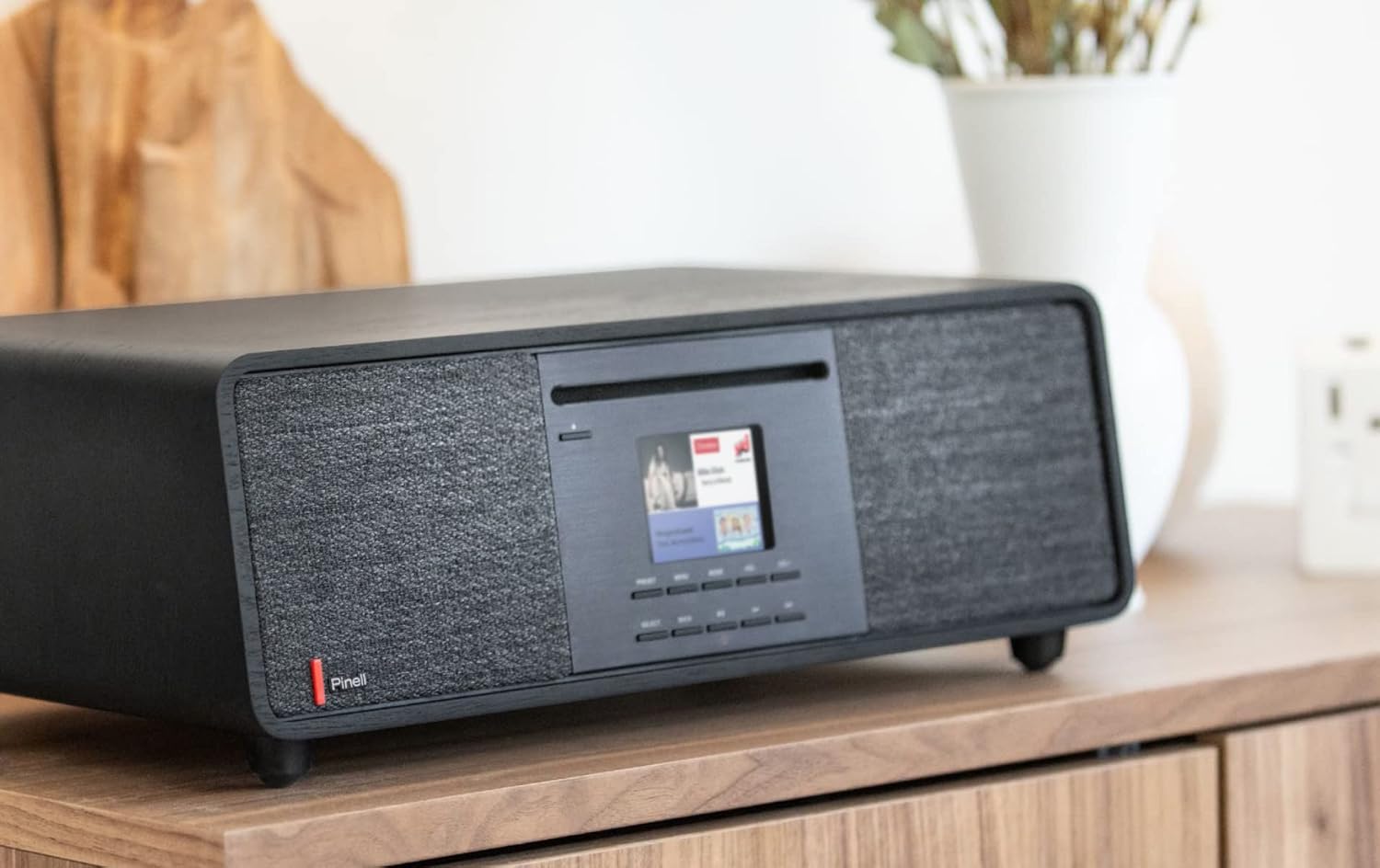
Сүрөт 2: Каптал view of the Pinell Supersound 701, highlighting its compact form factor.
4.1 Башкаруу жана дисплей
The central display provides visual feedback for navigation, station information, and settings. Below the display are various buttons for power, mode selection, navigation, and volume control.
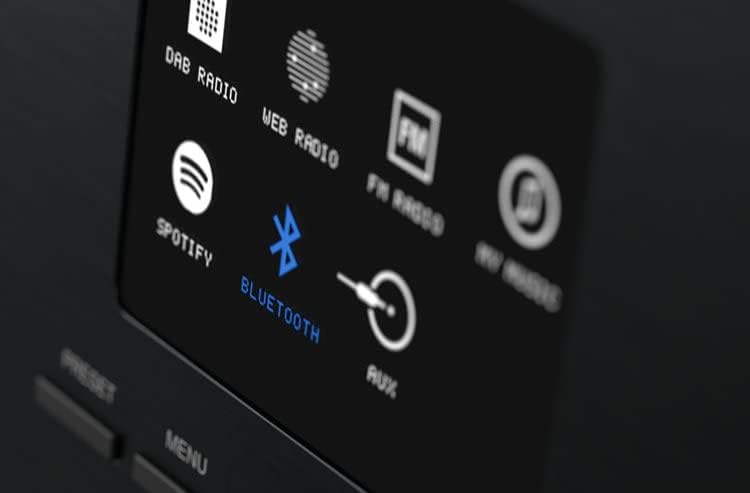
Image 3: Close-up of the radio's display, illustrating available input sources such as DAB Radio, Web Radio, FM Radio, Spotify, Bluetooth, and AUX.
- Кубат баскычы: Түзмөктү күйгүзөт/өчүрөт же күтүү режимине коет.
- Режим баскычы: Cycles through available audio sources (DAB+, FM, Internet Radio, Bluetooth, AUX).
- Чабыттоо баскычтары: Меню багыттоо үчүн өйдө, ылдый, солго, оңго жебелер.
- Тандоо/ОК баскычы: Тандоолорду ырастайт.
- Үндү көзөмөлдөө: Аудио чыгаруу деңгээлин тууралайт.
- Алдын ала коюлган баскычтар: Сүйүктүү станцияларды сактоо жана кайра чакыртуу үчүн.
- Меню баскычы: Системанын жөндөөлөрүнө жана параметрлерине кире.
5. Орнотуу
5.1 Кубат туташтыруу
- Кубат адаптерин радионун арткы жагындагы туруктуу токтун киргизүү портуна туташтырыңыз.
- Кубат адаптерин розеткага сайыңыз.
- Радиону күйгүзүү үчүн Кубат баскычын басыңыз.
5.2 Баштапкы орнотуу устасы
Биринчи жолу күйгүзгөндө, радио сизди баштапкы орнотуу устасы аркылуу жетектейт:
- Тил тандоо: Use the navigation buttons to select your preferred language and press Select.
- Убакытты / датаны коюу: Choose to set the time manually or automatically via network/DAB signal.
- Тармак конфигурациясы: Proceed to Wi-Fi setup.
5.3 Wi-Fi Network Connection
To access Internet Radio and Spotify Connect, a Wi-Fi connection is required.
- During the initial setup or via the Menu > Settings > Network menu, select 'Wi-Fi Network'.
- Радио жеткиликтүү тармактарды издейт. Тизмеден тармагыңызды тандаңыз.
- Enter your Wi-Fi password using the navigation buttons and Select button.
- Туташкандан кийин, радио ырастоо билдирүүсүн көрсөтөт.
5.4 Bluetooth жупташтыруу
Connect your smartphone or other Bluetooth-enabled device to the radio.
- Press the Mode button until 'Bluetooth' is selected on the display. The radio will enter pairing mode.
- Bluetooth түзмөгүңүздө Bluetooth иштетиңиз жана жеткиликтүү түзмөктөрдү издеңиз.
- Select 'Pinell Supersound 701' from the list of devices.
- Жупташтырылгандан кийин, радио байланышты ырастайт жана сиз түзмөгүңүздөн аудиону агылта аласыз.
6. Операция
6.1 Radio Modes
- DAB+ радиосу: Press the Mode button to select DAB+. The radio will scan for available digital stations. Use navigation buttons to browse and select stations.
- FM радиосу: Press the Mode button to select FM. Use navigation buttons to tune to stations or perform an auto-scan.
- Интернет радиосу: Press the Mode button to select Internet Radio. Browse stations by location, genre, or search for specific stations. A stable Wi-Fi connection is required.
6.2 Spotify Connect
The Pinell Supersound 701 supports Spotify Connect, allowing you to control music playback directly from the Spotify app on your smartphone or tablet.
- Ensure your radio is connected to the same Wi-Fi network as your smartphone/tablet.
- Түзмөгүңүздө Spotify колдонмосун ачыңыз.
- Ырды ойнотуп, "Жеткиликтүү түзмөктөр" сүрөтчөсүн (адатта динамиктин же компьютердин сүрөтчөсүн) таптаңыз.
- Select 'Pinell Supersound 701' from the list of devices.
- The music will now play through your radio, controlled by the Spotify app.

Image 4: The Pinell Supersound 701 radio connected to a smartphone via Spotify Connect, demonstrating seamless music streaming.
6.3 AUX киргизүү
Connect external audio devices using a 3.5mm audio cable to the AUX input port on the radio.
- Connect one end of a 3.5mm audio cable to your external device (e.g., MP3 player, laptop).
- Connect the other end to the AUX input port on the radio.
- Press the Mode button to select 'AUX'.
- Playback will be controlled from your external device.
6.4 Алдын ала орнотууларды колдонуу
Тез жетүү үчүн сүйүктүү станцияларыңызды сактаңыз.
- Tune to the desired station (DAB+, FM, or Internet Radio).
- Press and hold a Preset button (e.g., 1-5) until the display confirms the station has been saved.
- To recall a saved station, simply press the corresponding Preset button briefly.
6.5 Volume and Navigation
- Көлөмү: Use the dedicated volume control buttons to increase or decrease the sound level.
- Навигация: Use the Up/Down/Left/Right buttons to scroll through menus, lists, or adjust settings. The Select/OK button confirms your choice.
6.6 Алыстан башкаруу
The included remote control provides convenient access to all functions from a distance. Refer to the Quick Start Guide for a diagram of the remote control buttons.
7. Техникалык тейлөө
7.1 Тазалоо
To clean the radio, ensure it is powered off and unplugged from the wall outlet. Use a soft, dry, lint-free cloth to wipe the surfaces. Do not use abrasive cleaners, waxes, or solvents as they may damage the finish.
7.2 Батареяга кам көрүү
The Pinell Supersound 701 includes a battery pack for portable use. To maximize battery life:
- Батареяны бат-баттан толук кубаттап калуудан алыс болуңуз.
- Store the radio in a cool, dry place if not used for extended periods.
- Терең разрядка жол бербөө үчүн узак убакыт сакталган болсо, батареяны мезгил-мезгили менен кайра заряддаңыз.
8. Кыйынчылыктарды
- Кубат жок: Ensure the power adapter is securely connected to both the radio and a working wall outlet. Check if the power button is pressed.
- Үн жок: Check the volume level. Ensure the correct audio source (DAB+, FM, Internet Radio, Bluetooth, AUX) is selected. If using external devices, check their volume and connections.
- Радио кабыл алуу начар: For FM/DAB+, ensure the antenna is fully extended and positioned for best reception. For Internet Radio, check your Wi-Fi connection strength.
- Wi-Fi туташуу маселелери: Verify your Wi-Fi password. Ensure the radio is within range of your router. Try restarting your router and the radio.
- Bluetooth жупташуу катасы: Ensure the radio is in Bluetooth mode and discoverable. Make sure no other device is currently connected to the radio via Bluetooth. Try restarting both the radio and your Bluetooth device.
- Алыстан башкаруу иштебейт: Check the battery in the remote control. Ensure there are no obstructions between the remote and the radio's sensor.
9. Техникалык шарттар
| Бренд | Pinell |
| Модел | Supersound 701 (Model Number: 7090011022071) |
| Түс | Кара |
| Тюнер түрү | Аналогдук жана Санарип |
| Колдоого алынган радио тилкелери | DAB+, FM |
| Байланыш технологиясы | Bluetooth (v4.0), Wi-Fi (802.11b, 802.11g, Wi-Fi 4 (802.11n)) |
| Internet Radio Services | Spotify Connect |
| Аудио киргизүү | AUX киргизүү (3.5 мм) |
| Аудио чыгуулар | Headphone Output (1) |
| Integrated Speakers | Ооба (2 баяндамачы) |
| Дисплей түрү | LCD |
| Power Source | Battery Powered, AC Adapter |
| Материал | Алюминий, жыгач |
| Өлчөмдөрү (W x D x H) | 405 мм x 245 мм x 143 мм |
10. Кепилдик жана колдоо
Pinell products are designed for reliability and performance. For warranty information, please refer to the warranty card included in your product packaging or visit the official Pinell website. For technical support or service inquiries, please contact Pinell customer service through their official channels.