
1. Киришүү
The TP-Link TL-SG108 is an 8-Port Gigabit Desktop Switch designed to expand your network capacity with minimal effort. This unmanaged switch offers a simple, plug-and-play solution for connecting multiple wired devices, such as computers, gaming consoles, printers, and smart TVs, to your network. Its sturdy metal casing ensures durability, and its fanless design provides quiet operation. This manual provides essential information for setting up, operating, and maintaining your TL-SG108 switch.
2. Пакеттин мазмуну
Пакетиңизде төмөнкү заттар бар экенин текшериңиз:
- TP-Link 8-Port Gigabit Desktop Switch (TL-SG108)
- Кубаттуу адаптер
- Резина буттар (үстөлдөргө жайгаштыруу үчүн)

Image: The retail packaging for the TP-Link TL-SG108 switch, showing the device and its accessories.
3. Продукциянын өзгөчөлүктөрү
- 8 гигабит Ethernet порттору: Provides 8 10/100/1000 Mbps auto-negotiation RJ45 ports for high-speed wired connections.
- Plug-and-Play: Requires no configuration or software installation for immediate use.
- Бекем металл корпус: Durable metal housing with a fanless design for quiet operation.
- Traffic Optimization (QoS): Supports 802.1p and DSCP QoS for smooth handling of latency-sensitive traffic like voice and video.
- Ишенимдүү маалыматтарды өткөрүп берүү: IEEE 802.3x flow control ensures dependable data transmission.
- Энергия үнөмдүүлүгү: Features Green Technology for up to 80% power saving by automatically adjusting power consumption based on link status and cable length.
- Автоматтык сүйлөшүүлөр: Auto-MDI/MDIXти колдойт, бул кроссовер кабелдерге болгон муктаждыкты жокко чыгарат.
- Ар тараптуу жайгаштыруу: Designed for desktop use or wall-mounting.

Image: Diagram illustrating the advanced functions of the TL-SG108 switch, including QoS for fluent online experience and IGMP Snooping for traffic optimization in IPTV.

Image: The TP-Link TL-SG108 switch with icons representing its energy-saving 'Green Tech' and 'Energy Conversion' features.
4. Орнотуу
The TL-SG108 switch is designed for easy installation. Follow these steps to set up your device:
- Place the Switch: Choose a stable, flat surface for the switch, or mount it to a wall using appropriate hardware (not included). Ensure adequate ventilation around the device.
- Резина буттарын бекитүү: If placing on a desktop, attach the included rubber feet to the bottom of the switch to prevent scratching and provide stability.
- Туташуу кубаты: Plug the power adapter into the switch's power port and then into a standard electrical outlet. The Power LED on the switch should illuminate.
- Түзмөктөрдү туташтыруу: Connect your network devices (e.g., router, computer, gaming console, printer, smart TV) to any of the 8 RJ45 ports on the switch using Ethernet cables. The Link/Act LEDs for connected ports will light up, indicating an active connection.
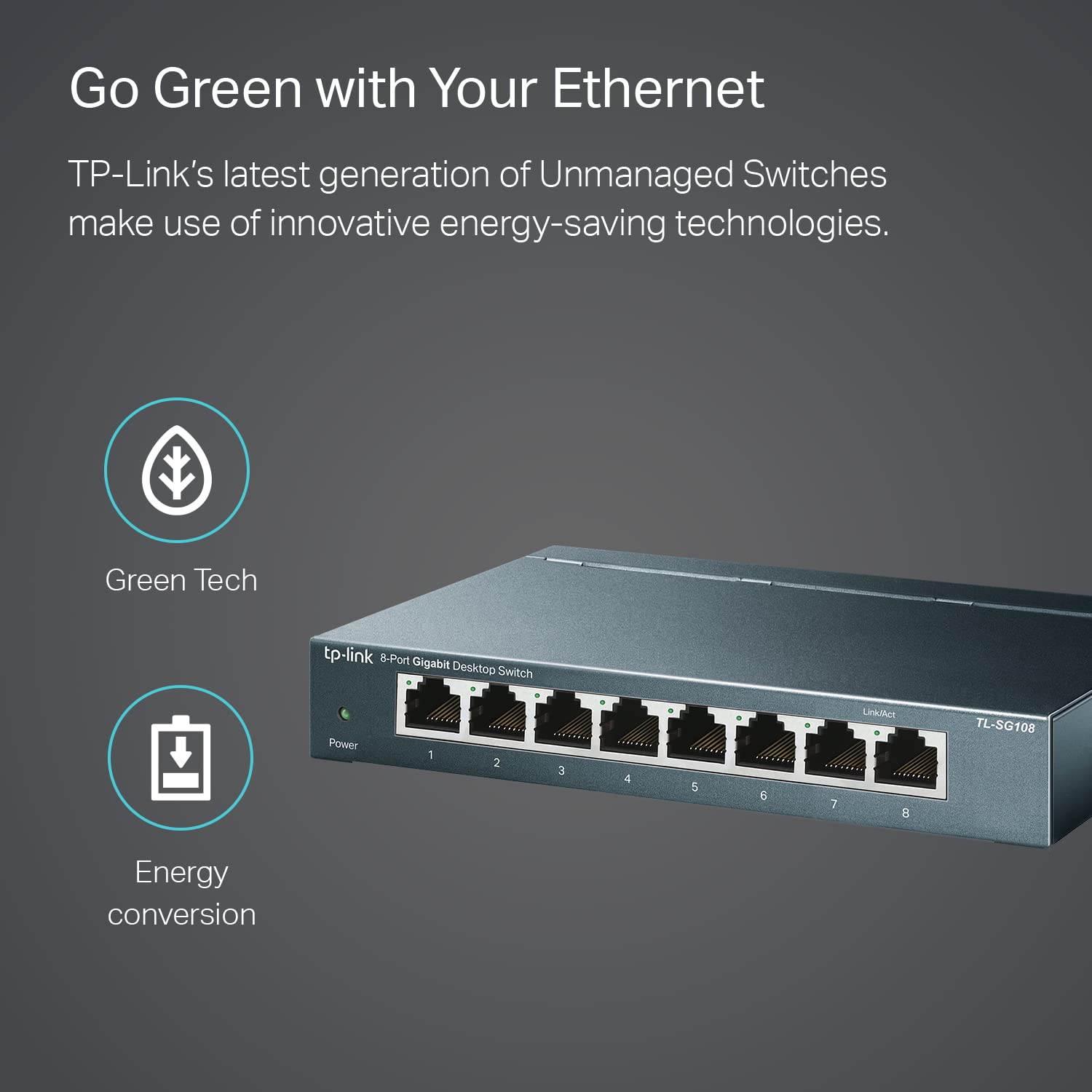
Image: The TP-Link TL-SG108 switch demonstrating its role in expanding network connectivity, showing connections to a computer, gaming console, printer, and smart TV.

Image: Visual representation of the TP-Link TL-SG108 switch's versatility in different environments: home, gaming setups, and business offices.
5. Иштөө нускамалары
The TL-SG108 is an unmanaged switch, meaning it operates automatically without requiring user configuration. Once powered on and connected, it will begin forwarding data between connected devices.
- Power LED: A green LED indicates the switch is powered on. If this LED is off, check the power connection.
- Шилтеме/Акт LED'лери (ар бир порт үчүн): Each RJ45 port has an associated LED. A solid green light indicates a stable link, while a blinking green light indicates data activity (transmitting or receiving data).

Сүрөт: алдыңкы бурч view of the TP-Link TL-SG108 8-Port Gigabit Desktop Switch, showing its power indicator and eight RJ45 ports with their respective Link/Act LEDs.
6. Техникалык тейлөө
TL-SG108 которгучуңуздун оптималдуу иштешин жана узак иштөөсүн камсыз кылуу үчүн, төмөнкү тейлөө көрсөтмөлөрүн аткарыңыз:
- Тазалоо: Которгучтун сыртын тазалоо үчүн жумшак, кургак чүпүрөктү колдонуңуз. Суюктук же аэрозолдук тазалоочу каражаттарды колдонбоңуз.
- Вентиляция: Ашыкча ысып кетпеши үчүн өчүргүч жакшы желдетилген жерге коюлганын текшериңиз. Желдетүүчү тешиктерди жаппаңыз.
- Экологиялык шарттар: Operate the switch within the specified temperature range of 0°C to 40°C (32°F to 104°F) and avoid environments with high humidity.
- Power Cycle: If the switch experiences issues, try power cycling it by unplugging the power adapter, waiting a few seconds, and then plugging it back in.
7. Кыйынчылыктарды
If you encounter problems with your TL-SG108 switch, refer to the following common issues and solutions:
- Кубат жок:
- Кубат адаптери өчүргүчкө жана иштеген электр розеткасына бекем туташтырылганын текшериңиз.
- Башка аспапка сайып, розетка иштеп жатканын текшериңиз.
- Портто шилтеме/аракет жок:
- Check that the Ethernet cable is securely connected to both the switch port and the device.
- Кабелдин бузулушуна жол бербөө үчүн башка Ethernet кабелин колдонуп көрүңүз.
- Туташкан түзмөк күйгүзүлгөнүн жана анын тармак адаптери туура иштеп жатканын текшериңиз.
- Аппаратты которгучтун башка портуна туташтырууга аракет кылыңыз.
- Жай тармак ылдамдыгы:
- Бардык туташкан түзмөктөр жана кабелдер Gigabit Ethernet колдоорун текшериңиз (Gigabit ылдамдыгы үчүн Cat5e же андан жогору кабельдер сунушталат).
- Тармагыңызда иштеген ашыкча тармак трафигин же өткөрүү жөндөмдүүлүгүн талап кылган тиркемелерди текшериңиз.
- Интернет провайдериңиз (ISP) роутериңизге күтүлгөн ылдамдыкты жеткирип жатканын текшериңиз.
8. Техникалык шарттар
| Өзгөчөлүк | Description |
|---|---|
| Модел | TL-SG108 |
| Порттардын саны | 8 x 10/100/1000 Mbps RJ45 порттору |
| Маалыматтарды өткөрүү ылдамдыгы | 1000 Мегабит/секунда (Мбит/сек) |
| Interface Type | RJ45 |
| Иштин материалы | Металл |
| Өлчөмдөрү (L x W x Y) | 5.91 x 3.15 x 5.91 дюйм |
| Элемент Салмагы | 13.8 унция (0.86 фунт) |
| Иштөө температурасы | 0°Cден 40°Cге чейин (32°F—104°F) |
| Сактоо температурасы | -40°Cден 70°Cге чейин (-40°Fтен 158°Fге чейин) |
| Тtage | 220 Volts (Input for Power Adapter) |
| Энергияны керектөө | Максималдуу: 3.97 Вт (220 В/50 Гц) |
9. Кепилдик жана колдоо
TP-Link provides a limited lifetime warranty for this product. For technical assistance, unlimited 24/7 technical support is available free of charge. Please refer to the TP-Link official website for detailed warranty terms and contact information for support services.