
SIMOLIO JH-712
SIMOLIO JH-712 Bluetooth Kids Headphones User Manual
Model: JH-712 | Brand: SIMOLIO
Introduction
This manual provides detailed instructions for the safe and effective use of your SIMOLIO JH-712 Bluetooth Kids Headphones. Please read this manual thoroughly before operating the device and retain it for future reference.
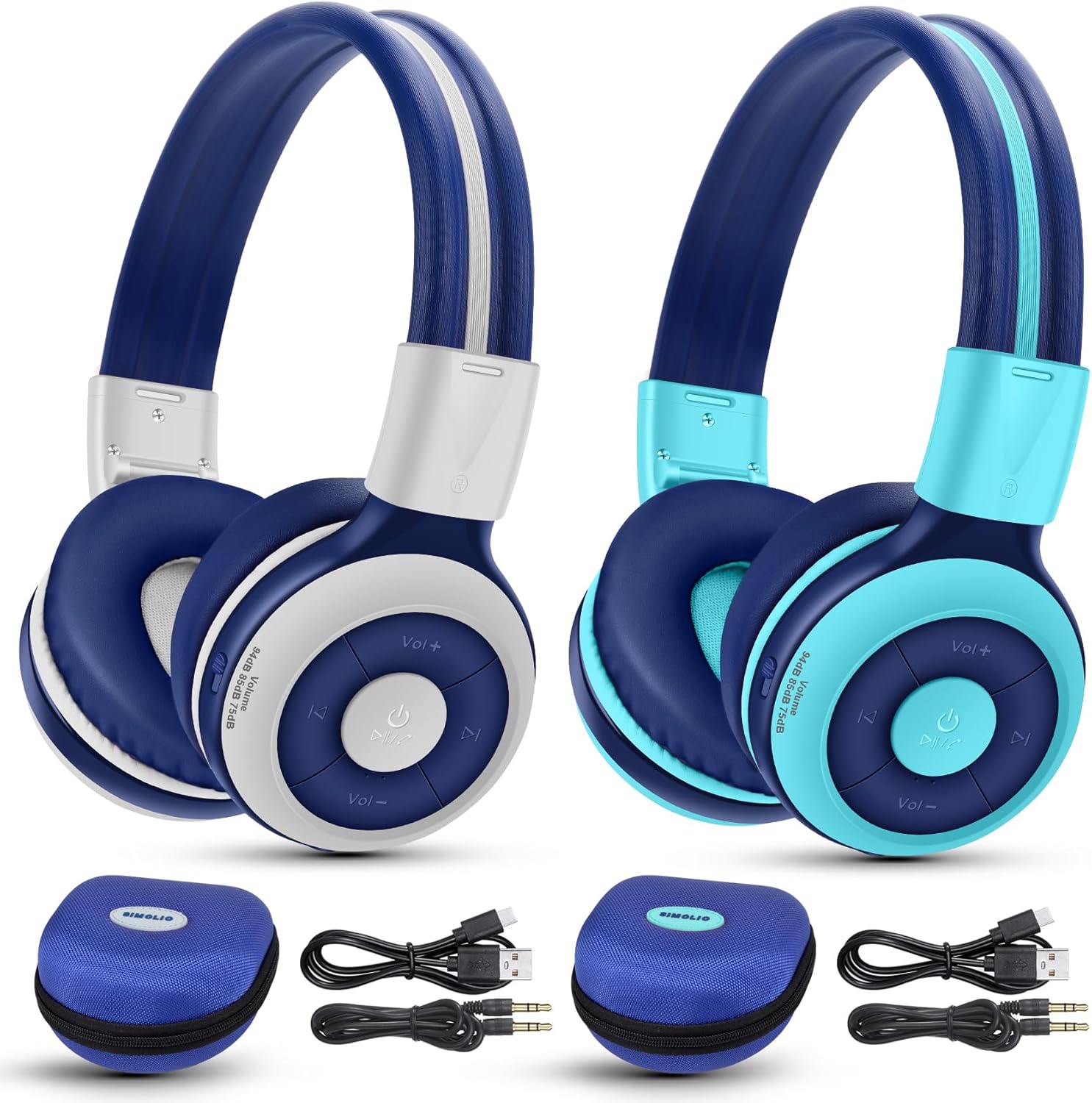
Image: The SIMOLIO JH-712 Bluetooth Kids Headphones, showcasing the mint and grey color options, complete with accessories.
Пакеттин мазмуну
Пакетиңизде бардык буюмдар бар экенин текшериңиз:
- SIMOLIO JH-712 Bluetooth Kids Headphones (2 units)
- Заряддоо кабели (USB-C)
- AUX Cable (3.5mm audio cable)
- Колдонуучунун Колдонмосу (бул документ)
- Carrying EVA Case (2 units)
Продукт бүттүview
Familiarize yourself with the components of your headphones.
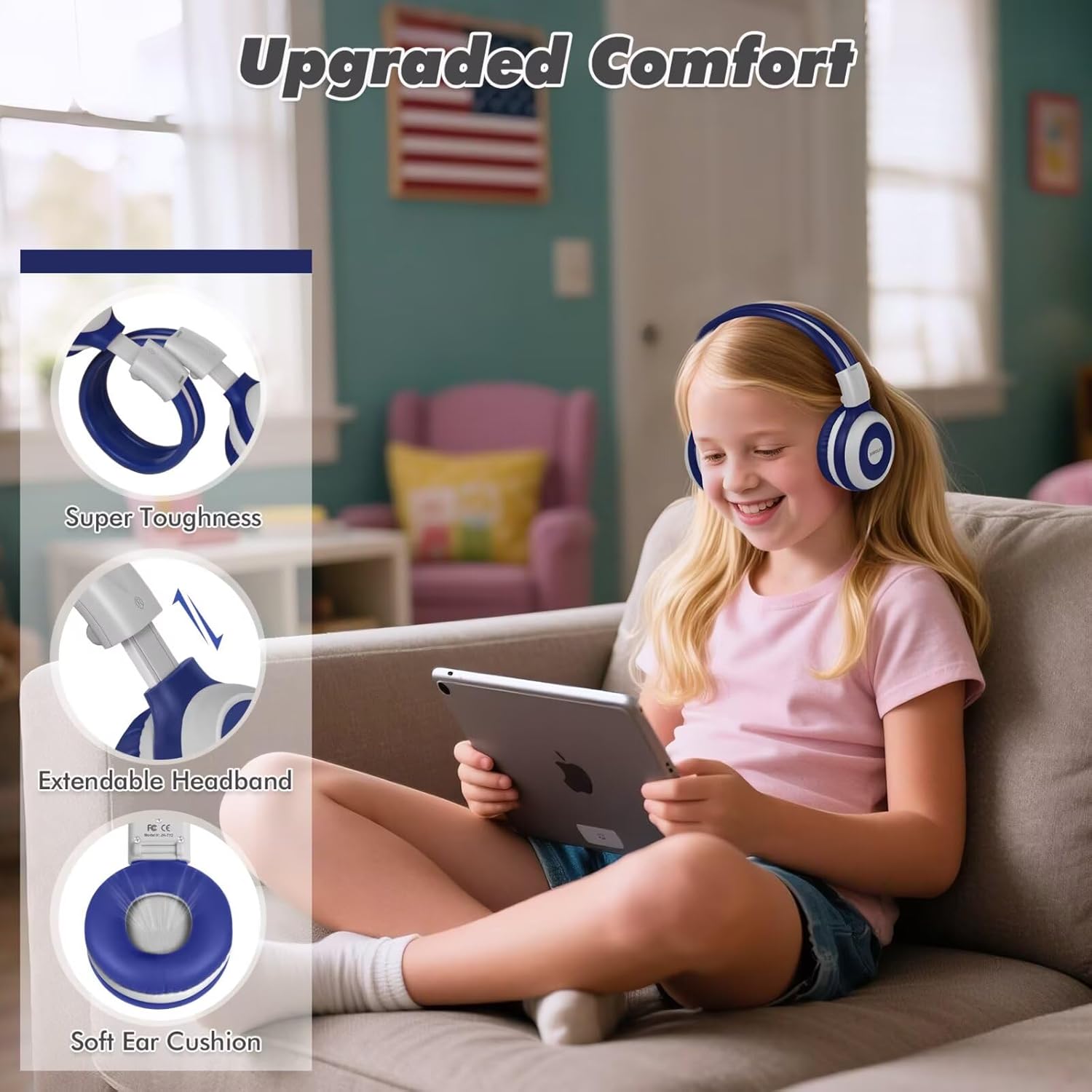
Image: Key features of the headphones, including super toughness, extendable headband, and soft ear cushions.
- Кубат баскычы/Көп функциялуу баскыч: Used for power on/off, play/pause, answer/end calls.
- Үнүн жогорулатуу/Кийинки трек баскычы: Үнүн жогорулатуу үчүн кыска басыңыз, кийинки трекке узакка басыңыз.
- Үндү азайтуу/Мурунку трек баскычы: Үндү азайтуу үчүн кыска басыңыз, мурунку трек үчүн көпкө басыңыз.
- LED көрсөткүчү: Displays pairing status, charging status, and power.
- Микрофон: Үнсүз чалуулар үчүн.
- 3.5 мм аудио уячасы: Зымдуу туташуу үчүн.
- Заряддоо порту (USB-C): Наушниктерди заряддоо үчүн.
- Share Port: Allows another wired headphone to connect and share audio.
- Жөнгө салынуучу баш боосу: Ыңгайлуу ылайыктуу үчүн.
- Жумшак кулак жаздыкчалары: Designed for comfort and noise isolation.
Жайгашуу
1. Наушниктерди заряддоо
Биринчи колдонуудан мурун, наушниктерди толук заряддаңыз.
- Берилген USB-C кубаттоо кабелин кулакчындардын кубаттоо портуна туташтырыңыз.
- Кабелдин экинчи учун USB кубат адаптерине (кошумча эмес) же компьютердин USB портуна туташтырыңыз.
- The LED indicator will show a red light during charging and turn off when fully charged.
- Толук заряддоо болжол менен 3 саатты талап кылат жана 15 саатка чейин ойноо убактысын камсыз кылат.
2. Bluetooth жупташтыруу (Зымсыз режим)
- Наушниктердин өчүрүлгөнүн текшериңиз.
- Press and hold the Power Button for approximately 5 seconds until the LED indicator flashes blue and red alternately. This indicates pairing mode.
- Түзмөгүңүздө (смартфон, планшет, ноутбук) Bluetooth иштетиңиз жана жеткиликтүү түзмөктөрдү издеңиз.
- Select "SIMOLIO JH-712" from the list of devices.
- Туташтырылгандан кийин, LED индикатору акырындык менен көк болуп жанат.
- If a passcode is requested, enter "0000".

Image: Illustration of wireless and wired usage modes for the headphones.
3. Зымдуу туташуу (AUX режими)
Use the wired connection when Bluetooth is not available or the battery is depleted.
- Connect one end of the provided 3.5mm AUX cable to the 3.5mm audio jack on the headphones.
- Connect the other end of the cable to the audio output jack of your device.
- The headphones will automatically switch to wired mode. The microphone functions only in Bluetooth mode.
Иштөө нускамалары
Күйгүзүү/өчүрүү
- Күйгүзүү: Press and hold the Power Button for 2-3 seconds until the LED indicator flashes blue.
- Өчүрүү: Press and hold the Power Button for 3-4 seconds until the LED indicator turns red and then off.
Volume Control and Limiting Modes
The headphones feature three distinct volume limiting modes for hearing protection.

Image: Visual representation of the three volume limiting modes: 75dB (Toddler Mode), 85dB (Study Mode), and 94dB (Travel Mode).
- Үндү тууралоо: Үндү жогорулатуу (+) же үндү азайтуу (-) баскычтарын кыска басыңыз.
- Change Volume Limiting Mode: The headphones automatically adjust to 75dB, 85dB, or 94dB based on the environment. Specific manual control for these modes is typically managed by the device's volume settings within these limits.
Музыканы ойнотуу
- Ойнотуу/тындыруу: Кубат баскычын кыска басыңыз.
- Кийинки трек: Үндү жогорулатуу (+) баскычын көпкө басыңыз.
- Мурунку трек: Үндү азайтуу (-) баскычын көпкө басыңыз.
Call Functions (Bluetooth Mode Only)
- Чалууга жооп берүү/аяктоо: Кубат баскычын кыска басыңыз.
- Чакырууну четке кагуу: Кубат баскычын көпкө басыңыз.
- Акыркы номерди кайра терүү: Кубат баскычын эки жолу басыңыз.

Image: Children engaged in online learning and video chats using the headphones' built-in microphone.
Share Port Function
The Share Port allows two users to listen to the same audio source simultaneously.
- Connect the primary SIMOLIO headphone to your device via Bluetooth.
- Connect one end of the 3.5mm AUX cable to the Share Port of the primary SIMOLIO headphone.
- Connect the other end of the AUX cable to the 3.5mm audio jack of a second headphone (can be another SIMOLIO headphone or any compatible wired headphone).
- Both headphones will now receive audio from the primary device.

Image: Two children sharing audio from a single device using the headphone's share port.
Техникалык тейлөө
- Наушниктерди жумшак, кургак чүпүрөк менен тазалаңыз. Абразивдүү тазалагычтарды же эриткичтерди колдонбоңуз.
- Наушниктерди экстремалдык температурага, нымдуулукка же тике күн нуруна тийгизүүдөн сактаңыз.
- Store the headphones in the provided EVA case when not in use to protect them from damage.
- Do not attempt to disassemble or repair the headphones yourself. Contact customer support for assistance.
Проблемаларды чечүү
| Көйгөй | Мүмкүн себеп | Чечим |
|---|---|---|
| Кулакчындар күйбөйт. | Батарея аз. | Наушниктерди толук заряддаңыз. |
| Bluetooth аркылуу жупташтыруу мүмкүн эмес. | Кулакчындар жупташтыруу режиминде эмес; түзмөк Bluetooth өчүк; аппараттан өтө алыс. | Ensure headphones are in pairing mode (flashing blue/red). Turn on device Bluetooth. Move headphones closer to device (within 10 meters). |
| Зымсыз режимде үн жок. | Үнү өтө төмөн; кулакчындар туташтырылган эмес; түзмөктө туура эмес аудио чыгышы тандалды. | Кулакчындын жана түзмөктүн үнүн катуулатыңыз. Кулакчындарды кайра жупташтырыңыз. Түзмөктүн аудио чыгаруу жөндөөлөрүн текшериңиз. |
| Зымдуу режимде үн жок. | AUX cable not fully inserted; cable damaged; device volume too low. | Ensure AUX cable is fully inserted into both headphone and device. Try a different AUX cable. Increase device volume. |
| Микрофон иштебей жатат. | Using wired mode; device microphone settings. | The microphone only works in Bluetooth mode. Check your device's microphone input settings. |
Техникалык шарттар
- Модель аты: JH-712
- Байланыш технологиясы: Зымсыз (Bluetooth 5.0), Зымдуу (3.5 мм уяча)
- Bluetooth диапазону: 10 метр
- Аудио драйвер түрү: Динамикалык драйвер (40 мм)
- Жыштык диапазону: 200 Гц - 20 000 Гц
- Үндү чектөө: 3 levels (75dB/85dB/94dB)
- Батареянын иштөө мөөнөтү: Up to 15 Hours (wireless mode)
- Заряддоо убактысы: Болжол менен 3 саат
- Камтылган компоненттер: Charging Cable, AUX Cable, User Manual, Carrying EVA Case
- Материал: Stainless Steel (headband strips)
- Элемент Салмагы: 184 Grams (per headphone)
- Өзгөчөлүктөр: Foldable, Built-in Microphone, Volume Control, Share Port
- Жаш аралыгы: Toddlers-Kids-Teens

Сүрөт: деталдуу view of the 40mm dynamic driver, emphasizing extraordinary sound quality.
Кепилдик жана колдоо
SIMOLIO provides a 12-month hassle-free warranty for this product. For warranty claims, technical support, or any inquiries, please contact SIMOLIO customer service through the retailer where the product was purchased or visit the official SIMOLIO webсайт.
Онлайн колдоо: Visit the SIMOLIO Store on Amazon
Ask a question about this manual
Ask about setup, troubleshooting, compatibility, parts, safety, or missing instructions. Manuals+ will review the question and use this page’s manual context to help answer it.