
1. Киришүү
The Smartwares SH8-90105 Carbon Monoxide (CO) Detector is designed to protect your household by continuously monitoring carbon monoxide levels. This smart detector is part of the Smartwares PRO range, offering advanced features including smartphone notifications when CO gas is detected. Carbon monoxide is a colorless, odorless, and tasteless gas, making it undetectable by human senses and extremely dangerous. This device provides an essential early warning system to prevent CO poisoning.
The detector can operate independently or integrate with other Smartwares PRO series devices via 868 MHz radio frequencies, enabling a synchronized alarm system throughout your home. For remote monitoring and notifications, connect the detector to the Smartwares Link (sold separately) and the associated application (available for Android and iOS).

Сүрөт 1.1: Алдыңкы view of the Smartwares SH8-90105 Carbon Monoxide Detector, showing the alarm, fault, power indicators, and test/silence button.
2. Орнотуу жана орнотуу
2.1 Пакеттин мазмуну
- Smartwares SH8-90105 көмүртек кычкылы детектору
- Орнотуу комплекти (бурамалар жана дубалга бекитилүүчү сайгычтар)
- 1 AA Батарея
- User Manual
2.2 Батареяны орнотуу
The detector requires one AA alkaline battery (included). Open the battery compartment cover on the back of the device. Insert the AA battery, ensuring correct polarity (+/-). Close the battery compartment cover securely.

Сүрөт 2.1: Артка view of the detector, showing the battery compartment and mounting holes.
2.3 Оптималдуу жайгаштыруу
For effective CO detection, proper placement is crucial. Carbon monoxide detectors should be installed:
- Approximately 1.5 meters (5 feet) from the floor.
- At least 1.85 meters (6 feet) away from any combustion appliance (e.g., boiler, gas stove, fireplace).
- In rooms containing fuel-burning appliances, such as kitchens, utility rooms, or near boilers.
- Consider installing additional detectors in sleeping areas or hallways to ensure comprehensive coverage.
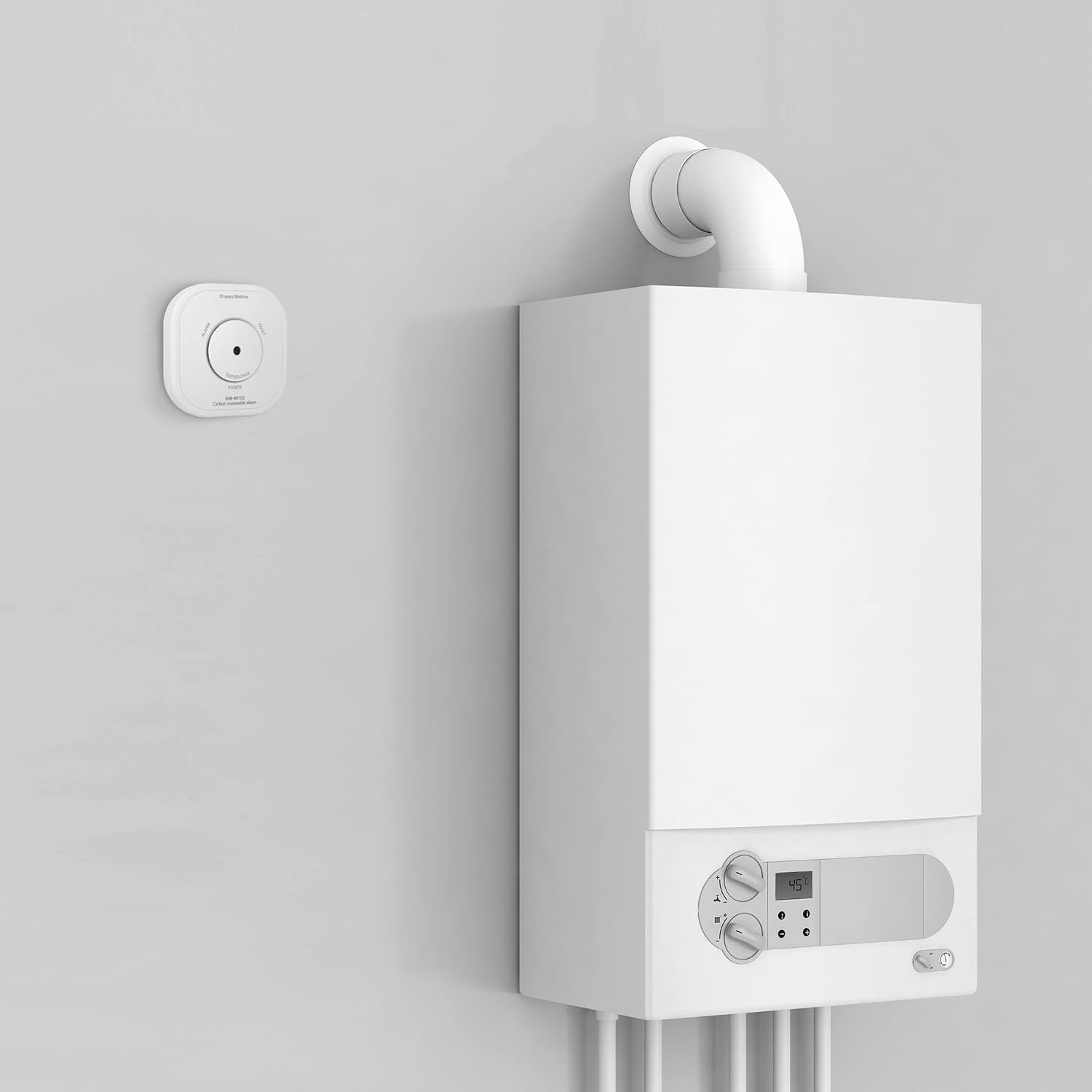
Image 2.2: Illustration of recommended detector placement relative to a combustion appliance, showing minimum distances.
2.4 Детекторду орнотуу
- Choose a suitable location based on the guidelines above.
- Use the provided mounting kit to securely attach the detector to the wall. Mark the positions for the screws, drill holes, insert wall plugs, and then screw the mounting bracket or the detector directly onto the wall.
- Ensure the detector is firmly mounted and cannot be easily dislodged.
2.5 Connecting to the Smartwares Link (Optional)
To receive smartphone notifications and integrate with other Smartwares PRO devices, you need the Smartwares Link (sold separately). Follow the instructions provided with the Smartwares Link to add your SH8-90105 detector to the HomeWizard Link app. This enables remote monitoring and management of your CO detector.
3. Детекторду иштетүү
3.1 Күйгүзүү жана өзүн-өзү текшерүү
Once the battery is installed, the detector will perform an initial self-test. The power indicator LED will illuminate, and the device may emit a short beep. This indicates the detector is functioning correctly.
3.2 Детекторду текшерүү
It is crucial to test your CO detector monthly to ensure it is working properly. You can do this in two ways:
- Кол менен сыноо: Press and hold the 'TEST & SILENCE' button on the front of the detector for approximately 5 seconds. The alarm will sound, and the alarm LED will flash. Release the button to stop the test.
- App Test (with Smartwares Link): If connected to the Smartwares Link, you can initiate a test directly through the HomeWizard Link app on your smartphone.
3.3 «Обгоздардын керсетуусу
When carbon monoxide is detected at dangerous levels, the detector will:
- Emit a loud audible alarm.
- Flash the 'ALARM' LED indicator.
- If connected to the Smartwares Link, send a notification to your smartphone.
- If interconnected with other Smartwares PRO detectors, all connected detectors will also sound an alarm.
In case of an alarm, immediately evacuate the premises and contact emergency services.
3.4 Унчукпоо функциясы
During a false alarm or after a test, you can temporarily silence the audible alarm by pressing the 'TEST & SILENCE' button. The detector will remain in monitoring mode.
3.5 Батареянын аздыгы жөнүндө эскертүү
When the battery level is low, the detector will indicate this by:
- A periodic chirp or beep.
- A flashing 'POWER' LED indicator.
- If connected to the Smartwares Link, a notification will be sent to your smartphone.
Replace the battery immediately when a low battery warning is issued.
4. Техникалык тейлөө
4.1 Үзгүлтүксүз тестирлөө
Perform a monthly test of the detector as described in section 3.2 to ensure its functionality.
4.2 Батареяны алмаштыруу
The included AA alkaline battery typically lasts for approximately one year. When the low battery warning activates, replace the battery with a new AA alkaline battery. Refer to section 2.2 for battery installation instructions.
4.3 Тазалоо
Чаң жана таштандылар детектордун иштешине таасир этиши мүмкүн. Детектордун сыртын жумшак, d менен акырын тазалаңыз.amp cloth at least once a month. Do not use cleaning sprays, solvents, or abrasive cleaners, as these can damage the sensor or electronics.
5. Кыйынчылыктарды
| Көйгөй | Мүмкүн себеп | Чечим |
|---|---|---|
| Батареяны орноткондон кийин детектор күйбөйт. | Incorrect battery polarity; dead or corroded battery. | Check battery orientation. Replace battery with a new, fresh AA alkaline battery. Ensure battery contacts are clean. |
| Detector chirps periodically. | Батареянын аздыгы жөнүндө эскертүү. | Replace the AA battery immediately. |
| Alarm sounds without apparent CO presence. | High humidity, chemical fumes, or sensor malfunction. | Ventilate the area. If the alarm persists, evacuate and contact emergency services. If it's a recurring false alarm, contact support. |
| Cannot connect to Smartwares Link/App. | Incorrect pairing procedure; Smartwares Link not powered or connected to network; app issues. | Ensure Smartwares Link is properly set up. Re-attempt pairing following the app's instructions. Check app and device firmware updates. |
| 'FAULT' indicator light is on. | Internal fault or sensor error. | Perform a test. If the fault persists, the detector may need replacement. Contact Smartwares support. |
6. Техникалык шарттар
- Модель номери: SH8-90105
- Өндүрүүчү: Smartwares
- Өлчөмдөрү (L x W x Y): 14.7 x 10 x 4 см (5.79 x 3.94 x 1.57 дюйм)
- Салмагы: 235 грамм (0.52 фунт)
- Кубат булагы: 1 x AA щелочтуу батарейка (кошулган)
- Материал: ABS турак жайы
- Түсү: White (as per product images)
- Орнотуу ыкмасы: Үстүнө орнотулган
- Колдонуу: Indoor
- Ойготкучтун түрү: Укулган
- Сенсор түрү: Электрохимиялык
- Зымсыз жыштык: 868 MHz (for Smartwares PRO interconnection)
- Иштөө температурасы: 0°Cден 40°Cге чейин (32°F—104°F)
- Иштетүү нымдуулугу: 30% - 90% RH (конденсацияланбаган)
7. Кепилдик маалыматы
The Smartwares SH8-90105 Carbon Monoxide Detector comes with a 2 жылдык өндүрүүчүнүн кепилдиги from the date of purchase. This warranty covers defects in materials and workmanship under normal use. It does not cover damage resulting from misuse, accidents, unauthorized modifications, or improper installation. Please retain your proof of purchase for warranty claims.
8. Колдоо жана байланыш
For further assistance, technical support, or warranty claims, please visit the official Smartwares website or contact their customer service department. Refer to the packaging or the Smartwares webэң акыркы байланыш маалыматы үчүн сайт.
Smartwares is committed to your privacy and data security. All data is stored securely using encrypted private connections on European servers, complying with all relevant European legislation.