1. Киришүү
The Amazboost Cell Phone Signal Booster A1 (Model gdagre-375) is designed to enhance 3G, 4G, and 5G LTE cellular signals within your home or office. This device improves voice quality, reduces dropped calls, and increases data speeds, providing a more reliable cellular experience. It is compatible with all major US carriers, including Verizon, AT&T, Sprint, and T-Mobile.

Сүрөт 1.1: The Amazboost Cell Phone Signal Booster A1, illustrating its compatibility with various US carriers and its ability to boost 2G, 3G, 4G LTE, and 5G signals for multiple users.
2. Коопсуздук маалыматы
Please read and follow all safety instructions carefully before installing and operating your signal booster. Failure to do so may result in injury or damage to the device.
- Электр камсыздоо: Аппарат менен кошо берилген кубат адаптерин гана колдонуңуз.
- Антеннаны жайгаштыруу: Ensure the outdoor antenna is installed at a safe height, away from power lines, and grounded to protect against lightning.
- Бөлүнүү аралык: Maintain adequate separation between the outdoor antenna and the indoor antenna to prevent oscillation and ensure optimal performance.
- FCC шайкештиги: This device complies with FCC regulations. Any unauthorized modifications may void the user's authority to operate the equipment.
- Вентиляция: Ensure the booster unit has adequate ventilation and is not covered to prevent overheating.
3. Продукт бүтүп калдыview
The Amazboost Cell Phone Signal Booster A1 kit includes the following components:
- Тышкы антенна: 1 unit (Directional Yagi antenna)
- Booster Unit: 1 unit (Main ampөмүрлүү)
- Ички антенна: 1 unit (Omni-directional whip antenna)
- Коаксиалдык кабель: 1 x 60 ft RG6 cable for connecting outdoor antenna and booster.
- Электр камсыздоо: 1 unit (AC/DC adapter)
- Монтаждоочу аппаратура: Brackets and screws for outdoor antenna installation.

Сүрөт 3.1: All components included in the Amazboost Cell Phone Signal Booster A1 kit, laid out for easy identification.

Сүрөт 3.2: Visual representation of the kit contents: (1) Outdoor Antenna, (2) Booster, (3) Indoor Antenna, (4) Coaxial Cable, (5) Power Supply.
4. Орнотуу жана орнотуу
Туура орнотуу оптималдуу аткаруу үчүн абдан маанилүү болуп саналат. Бул кадамдарды кылдаттык менен аткарыңыз:
4.1. Find the Best Outdoor Signal
Before installing the outdoor antenna, identify the location with the strongest cellular signal outside your building. You can use a mobile app like "LTE Discovery" (for Android) or dial *3001#12345#* then press call (for iPhone) to access Field Test Mode and check the dBm reading. A higher (less negative) dBm value indicates a stronger signal (e.g., -80 dBm is stronger than -100 dBm).

Сүрөт 4.1: Instructions for checking signal strength on your smartphone, including dial codes for iPhone and the recommended Android app.
Additionally, you can use online resources like CellMapper.net to locate nearby cell towers for your carrier. This will help you determine the optimal direction to point your outdoor antenna.
4.2. Тышкы антеннаны орнотуу
Mount the outdoor directional antenna (Yagi antenna) on the roof or a high point of your building, ensuring it is pointed towards the strongest signal source (cell tower). The antenna should be at least 12 feet vertically and 10 feet horizontally away from the indoor antenna to prevent interference.
- Ensure the antenna is mounted securely to withstand wind and weather.
- Avoid placing the antenna near metal objects, windows, or other obstructions that could block the signal.
- The antenna should be positioned at the highest point of your house to protect against damage and safety concerns caused by lightning strikes.

Сүрөт 4.2: Illustration of correct outdoor antenna placement, emphasizing height and clear line of sight to the cell tower.
4.3. Indoor Unit (Booster) Placement
Place the booster unit and indoor antenna in a central location within your home or office where you need improved signal coverage. The indoor antenna should be mounted at least 20 feet away from the outdoor antenna to prevent signal feedback.
- The indoor antenna is omni-directional, providing coverage in a circular pattern.
- Ensure the indoor antenna is not obstructed by walls or furniture.

Сүрөт 4.3: Recommended indoor placement of the booster unit and antenna for optimal signal distribution within the coverage area.
4.4. Системаны туташтыруу
- Connect the 60 ft RG6 coaxial cable to the outdoor antenna.
- Route the cable into your building and connect the other end to the "Outdoor" port on the booster unit.
- Connect the indoor whip antenna to the "Indoor" port on the booster unit.
- Connect the power supply to the booster unit and then plug it into a power outlet.
Маанилүү: Түзмөктү күйгүзүүдөн мурун, бардык туташуулардын бекем жана коопсуз экенин текшериңиз.
4.5. Visual Installation Guide (Video)
Видео 4.1: A detailed video guide from Amazboost on how to install the Signal 4G S2 Cellphone Booster. This video covers unboxing, component identification, and step-by-step installation instructions, including antenna placement and connection.
5. Операция
Once the system is properly installed and powered on, the booster will automatically begin to amplify the cellular signal. The LED indicators on the booster unit will provide feedback on its operational status:
- Power LED: Түзмөк күйгүзүлгөнүн көрсөтөт.
- Signal LEDs (Band 12, 13, 17, 5, 25, 2, 4): These LEDs correspond to different frequency bands. A solid green light indicates a strong signal for that band, while a blinking light may indicate a weaker signal or oscillation.
The booster continuously monitors and adjusts its gain to optimize performance and prevent interference with cellular networks. You should observe an immediate improvement in signal strength on your mobile devices within the coverage area.
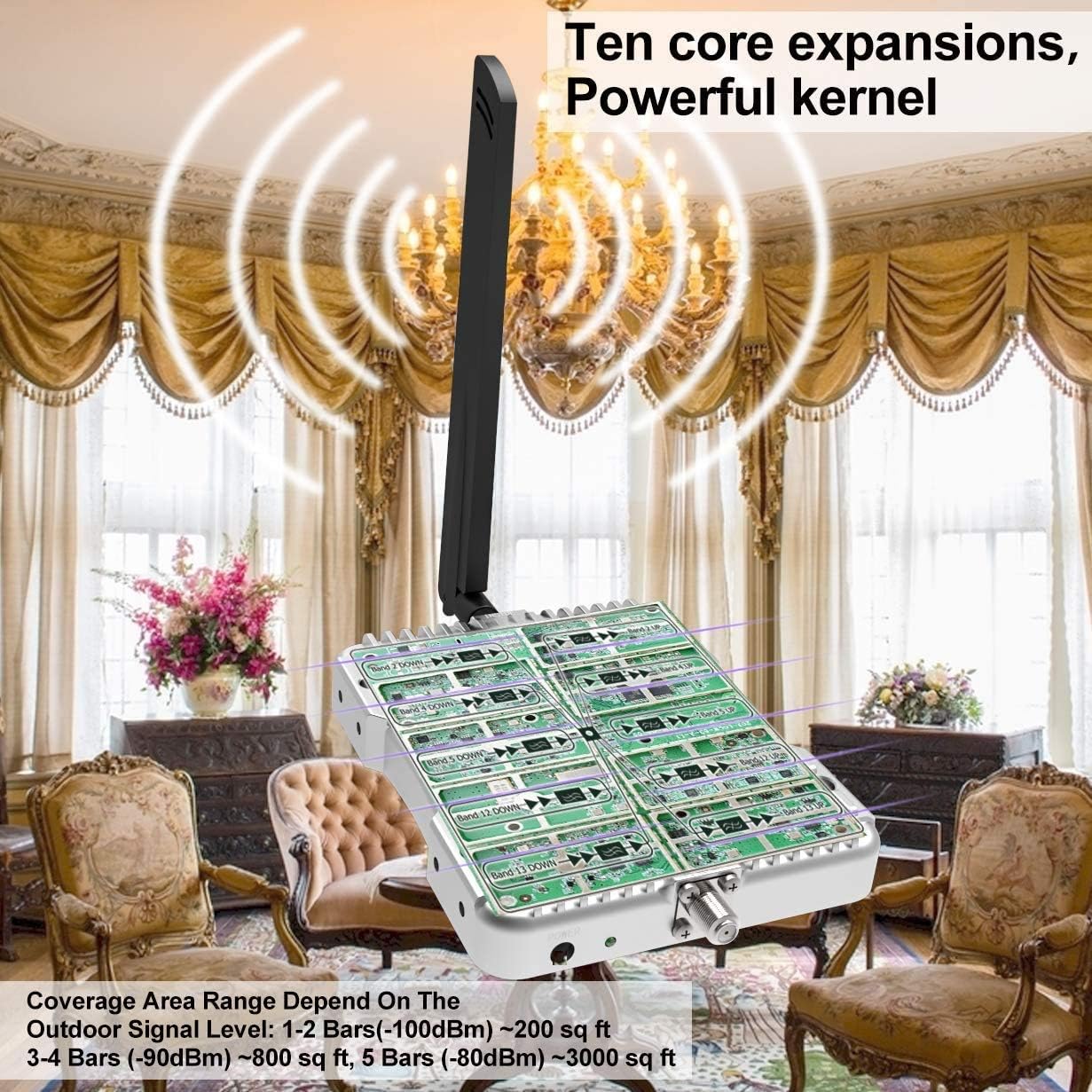
Сүрөт 5.1: The internal components of the booster, highlighting the advanced technology that enables multi-band signal ampжашоо.
6. Техникалык тейлөө
The Amazboost Cell Phone Signal Booster A1 requires minimal maintenance. To ensure longevity and optimal performance:
- Тазалоо: Periodically wipe the booster unit and antennas with a soft, dry cloth. Do not use harsh chemicals or abrasive cleaners.
- Кабелдик текшерүү: Annually inspect all cable connections for tightness and signs of wear or damage. Ensure outdoor cables are properly sealed against moisture.
- Антенна текшерүү: Periodically check the outdoor antenna for any obstructions (e.g., tree branches) or changes in its alignment due to strong winds.
- Power Cycle: If you experience a sudden drop in performance, try power cycling the booster by unplugging it for 30 seconds and then plugging it back in.
7. Кыйынчылыктарды
If you encounter issues with your signal booster, refer to the following common problems and solutions:
| Көйгөй | Мүмкүн себеп | Чечим |
|---|---|---|
| Сигналдын жакшыруусу жок |
|
|
| Booster LEDs are off |
|
|
| Intermittent Signal / Dropped Calls |
|
|
8. Техникалык шарттар
| Өзгөчөлүк | Деталь |
|---|---|
| Модель номери | gdagre-375 |
| Камтуу аймагы | Up to 2,500 sq ft (depends on outdoor signal strength) |
| Колдоого алынган жыштыктар | Bands 12, 13, 17, 5, 25, 2, 4 (2G, 3G, 4G LTE, 5G Ready) |
| Шайкеш операторлор | All US Carriers (Verizon, AT&T, Sprint, T-Mobile, U.S. Cellular, etc.) |
| Пайда | 60дБ |
| Outdoor Antenna Type | Directional Yagi Antenna |
| Indoor Antenna Type | Omni-directional Whip Antenna |
| Коаксиалдык кабель узундугу | 60 ft RG6 cable |
| FCC бекитилди | Yes, FCC ID: A7V-SR75702001 |
| Элемент Салмагы | 4.4 фунт (2 килограмм) |
| Пакеттин өлчөмдөрү | 14.25 x 9.33 x 4.76 дюйм |
9. Кепилдик
The Amazboost Cell Phone Signal Booster A1 (Model gdagre-375) comes with a 3 жылдык өндүрүүчүнүн кепилдиги. Бул кепилдик нормалдуу колдонуудагы материалдардагы жана жасалгадагы кемчиликтерди камтыйт. Кепилдик дооматтары үчүн сатып алганыңыздын далилин сактап коюңуз.
For detailed warranty terms and conditions, please refer to the official Amazboost webсайтка же кардарларды колдоо менен байланышыңыз.
10. Кардарларды колдоо кызматы
If you have any questions, concerns, or require assistance with the installation or operation of your Amazboost Cell Phone Signal Booster A1, please contact our customer support team:
- Электрондук почта: support@amazboost.com
- Телефон: (АКШ) 1-877-579-7878
- Webсайт: www.amazboost.com
Our support team is available to assist you with any technical inquiries or product-related issues.