
EVGA 08G-P4-3172-KR
EVGA GeForce RTX 2070 Super XC Gaming Graphics Card User Manual
Модель: 08G-P4-3172-KR
Introduction
The EVGA GeForce RTX 2070 Super XC Gaming graphics card is engineered to deliver exceptional performance for gaming and demanding applications. Powered by the NVIDIA Turing architecture, it features 8GB of GDDR6 memory, dual HDB fans for efficient cooling, adjustable RGB lighting, and a durable metal backplate. This manual provides essential information for the proper installation, operation, and maintenance of your graphics card.
Кутуда эмне бар
Upon opening your EVGA GeForce RTX 2070 Super XC Gaming package, you should find the following items:
- EVGA GeForce RTX 2070 Super XC Gaming Graphics Card
- Колдонуучунун Колдонмосу (бул документ)
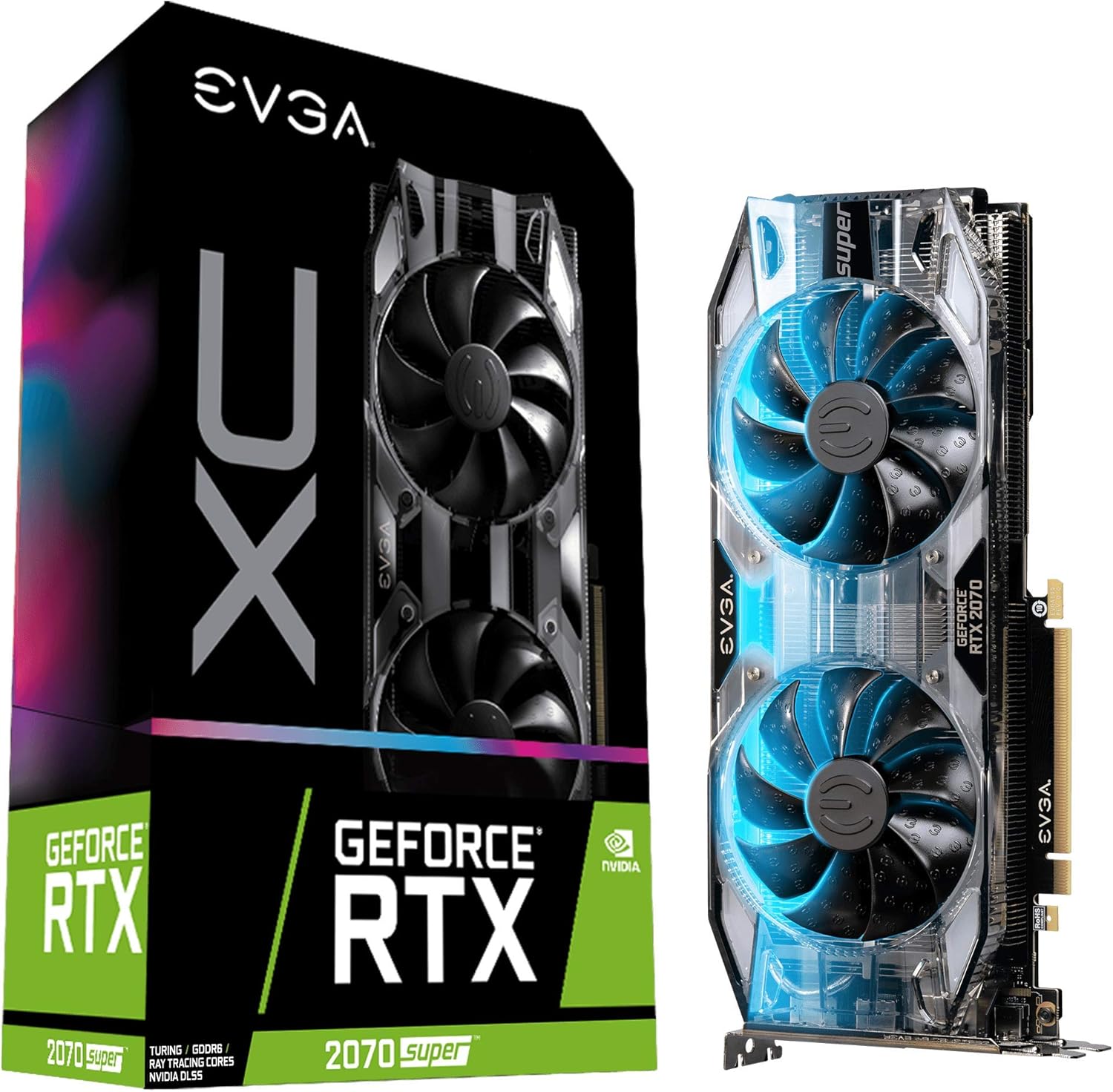
Image: The EVGA GeForce RTX 2070 Super XC Gaming graphics card shown alongside its retail packaging.
Техникалык шарттар
| Өзгөчөлүк | Деталь |
|---|---|
| Графикалык сопроцессор | NVIDIA GeForce RTX 2070 |
| GPU саат ылдамдыгы | 1800 МГц (күчөтүү) |
| Графикалык RAM өлчөмү | 8 ГБ GDDR6 |
| Memory Speed | 14000 МГц |
| Max Screen Resolution | 7680x4320 |
| Видео чыгаруу интерфейси | HDMI, DisplayPort, USB-C |
| Муздатуу | Dual HDB Fans |
| Арткы пластинка | Толугу менен металлдан жасалган |
| Өлчөмдөрү (LxWxH) | 10.62 x 4.37 x 1.77 дюйм |
| Элемент Салмагы | 1.76 фунт |

Сүрөт: Жогорку view графикалык картанын, шоуasing the dual HDB fans.
Орнотуу
Proper installation is crucial for optimal performance and system stability. Ensure your system meets the minimum power supply and physical clearance requirements before proceeding.
1. Физикалык орнотуу
- Электрди өчүрүү жана розеткадан ажыратыңыз: Completely shut down your computer and disconnect all power cables from the wall outlet.
- Ачык иш: Open your computer case to access the motherboard and PCIe slots.
- PCIe уячасын табыңыз: Identify an available PCIe x16 slot on your motherboard. This graphics card typically occupies two expansion slots.
- Slot капкактарын алып салуу: Remove the necessary metal slot covers from the back of your computer case corresponding to the chosen PCIe slot.
- Графикалык картаны салыңыз: Графикалык картаны PCIe уячасына кылдаттык менен тегиздеп, аны бекем орнотулганга чейин катуу басыңыз. Монетардык платадагы кармап туруучу клиптин ордуна чыкылдатуусун камсыз кылыңыз.
- Коопсуз карта: Графикалык картаны кеңейтүү уячасынын кронштейниндеги компьютердин корпусуна бекитүү үчүн бурамаларды колдонуңуз.
- Туташуу кубаты: Connect the required PCIe power cables from your power supply to the graphics card. This model typically requires 8-pin and 6-pin PCIe power connectors.
- Ишти жабуу: Once secured and powered, close your computer case.

Сүрөт: каптал view of the graphics card, highlighting the HDMI, DisplayPort, and USB-C outputs.
2. Драйверди орнотуу
- Күйгүзүү: Reconnect all power cables and turn on your computer.
- Баштапкы жүктөө: Your operating system may boot with a basic display driver.
- Драйверлерди жүктөп алыңыз: Расмий NVIDIAга барыңыз webсайт (www.nvidia.com/drivers) to download the latest graphics drivers for your GeForce RTX 2070 Super.
- Драйверлерди орнотуу: Run the downloaded driver installer and follow the on-screen prompts. A restart may be required after installation.
- Install EVGA Precision X1: For advanced monitoring, overclocking, and RGB control, download and install the EVGA Precision X1 software from the official EVGA webсайт (www.evga.com/precisionx1/).

Image: An EVGA banner indicating installation guidance for GeForce GTX and RTX series.
Операция
Your EVGA GeForce RTX 2070 Super is designed for high-performance computing, particularly for gaming and content creation.
Негизги өзгөчөлүктөрү жана колдонуу:
- Real-time Ray Tracing: Experience cutting-edge, hyper-realistic graphics in supported games and applications.
- Жогорку аткаруу: With a Real Boost Clock of 1800 MHz and 8192 MB GDDR6 memory, the card delivers smooth frame rates and efficient processing.
- Муздатуу системасы: The dual HDB fans provide high-performance cooling while maintaining quiet acoustic noise during normal operation. Fans will spin up under heavy load to dissipate heat effectively.
- Adjustable RGB LED: Customize the integrated RGB lighting to match your system's aesthetic using the EVGA Precision X1 software.
- Video Editing and Content Creation: Beyond gaming, this card is a powerful tool for video editing, 3D rendering, and other graphically intensive tasks, leveraging its robust processing capabilities.

Сүрөт: бурчтуу view графикалык картанын, шоуasing its design and potential RGB illumination.
Техникалык тейлөө
Үзгүлтүксүз техникалык тейлөө графикалык картаңыздын узак мөөнөттүү жана оптималдуу иштешин камсыз кылууга жардам берет.
- Чаңды тазалоо: Periodically clean dust from the fans and heatsink using compressed air. Ensure the computer is powered off and unplugged before cleaning. Hold the fan blades gently to prevent them from spinning rapidly during cleaning, which can damage the bearings.
- Драйвер жаңыртуулары: Графикалык драйверлериңизди NVIDIAнын эң акыркы версиясына жаңыртып туруңуз webсайт. Драйвер жаңыртуулары көбүнчө иштин натыйжалуулугун жакшыртууну, каталарды оңдоону жана шайкештикти жакшыртууну камтыйт.
- Программалык камсыздоонун мониторинги: Use EVGA Precision X1 or other monitoring software to keep an eye on GPU temperatures and fan speeds. Ensure temperatures remain within safe operating limits, especially during heavy loads.

Image: The metal backplate of the graphics card, designed for structural integrity and heat dissipation.
Проблемаларды чечүү
Эгерде сиз графикалык картаңыз менен көйгөйлөргө туш болсоңуз, төмөнкү жалпы көйгөйлөрдү чечүү кадамдарын карап көрүңүз:
- Дисплей жок/Кара экран:
- Графикалык карта PCIe уячасына толугу менен орнотулганын текшериңиз.
- Verify all PCIe power cables are securely connected to the card.
- Мониторуңуздун кабели эне платасынын интегралдык графикалык портуна эмес, графикалык картанын чыгышына туташтырылганын текшериңиз.
- Мүмкүн болсо, башка дисплей кабели же монитор менен сынап көрүңүз.
- Айдоочулардын көйгөйлөрү/кыйроолору:
- NVIDIAнын эң акыркы графикалык драйверлерин таза орнотууну аткарыңыз website. Use DDU (Display Driver Uninstaller) in Safe Mode to remove old drivers completely before installing new ones.
- Иштөө тутумуңуз жаңыртылганын текшериңиз.
- Ашыкча ысып кетүү/вентилятордун үнү:
- Вентиляторлордон жана радиаторлордон чаңды тазалаңыз.
- Компьютериңиздин корпусунда жетиштүү аба айланышын камсыз кылыңыз.
- Monitor temperatures using EVGA Precision X1. If temperatures are consistently high, consider adjusting fan curves or improving case ventilation.
- Аткаруу маселелери (төмөн FPS, кекечтик):
- Системаңыз иштеп жаткан оюндар же тиркемелер үчүн сунушталган мүнөздөмөлөргө жооп берерин текшериңиз.
- Ensure graphics drivers are up to date.
- Системалык ресурстарды талап кылган фондо колдонмолорду текшериңиз.
- Confirm that the card is receiving sufficient power from the power supply.
Кепилдик жана колдоо
EVGA stands behind the quality of its products. The EVGA GeForce RTX 2070 Super XC Gaming graphics card comes with a 3 жылдык кепилдик.
Техникалык колдоо, кепилдик боюнча дооматтар же кошумча продукт маалыматы үчүн, расмий EVGA сайтына кириңиз webсайтка же кардарларды тейлөөгө кайрылыңыз:
- EVGA Official Webсайт: www.evga.com
- Продукцияны каттоо: Register your product on the EVGA website to ensure full warranty coverage and access to support resources.
Ask a question about this manual
Ask about setup, troubleshooting, compatibility, parts, safety, or missing instructions. Manuals+ will review the question and use this page’s manual context to help answer it.